Device configuration
The station name, computer name, operating mode and description fields in the Device configuration section; which of them are actually used.
Device configuration is a small section that defines the SCADA computer (station) on which the project runs. It is the first section under the station node in the Project tree.
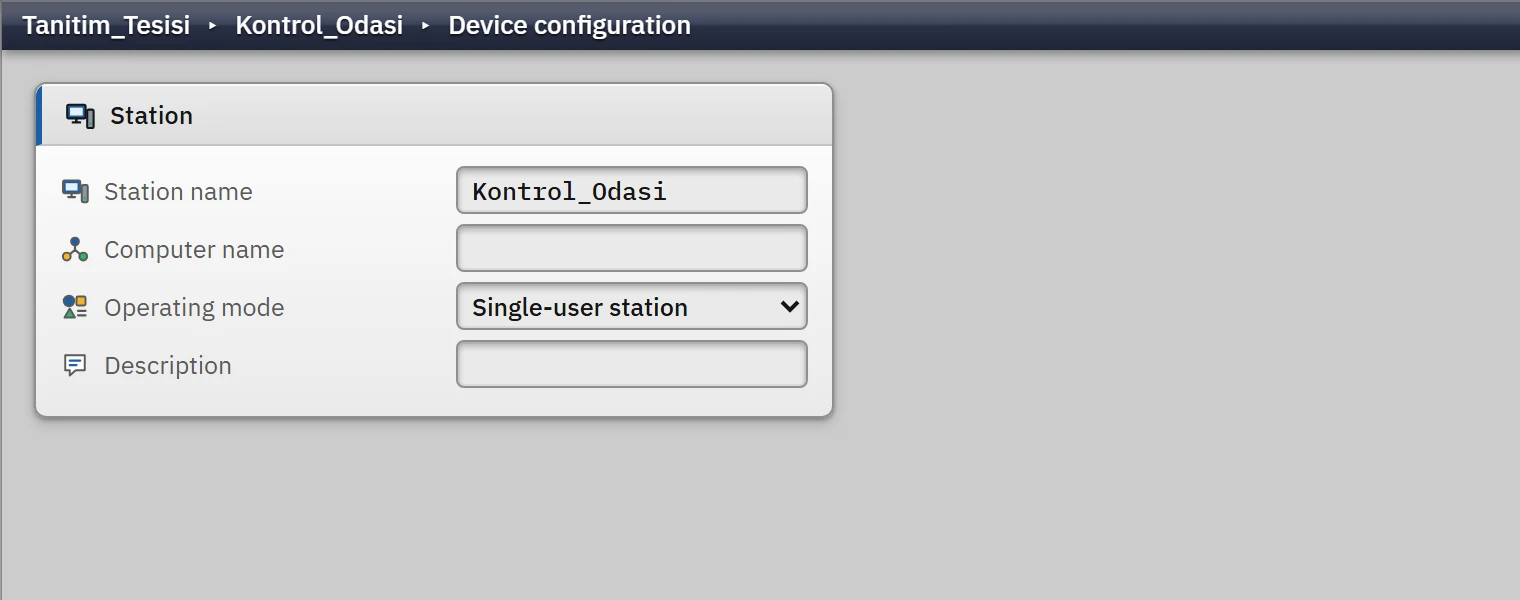 123
123- Station name
- Computer name
- Operating mode
Fields
| Field | Value | Default | What it is used for |
|---|---|---|---|
| Station name | Required; starts with a letter, contains only letters, digits and _ | Istasyon_1 | The name you give to the station. In Studio it appears as the name of the station node in the project tree, in the path bar, in the station box in the Overview and in the Project information window. |
| Computer name | Text | empty | The Windows name of the computer on which the Live program will be installed (note field). |
| Operating mode | Single-user station or Server (with browser clients) | Single-user | The type of the station (note field). |
| Description | Text | empty | Free note. |
When the station name is changed, the project tree, the path bar and the Overview are updated immediately. An invalid name (one that starts with a digit or contains a space) is not accepted; a warning window states the reason: “The station name must start with a letter; it may contain only letters, digits and "_".” For a name left blank, the message “The station name cannot be left blank.” appears.
Changing the station name
- Open the section
In the project tree, click Device configuration under the station node (e.g. Device configuration). The section opens as a form in the work area.
- Type the name
Type the new name in the Station name box and press Enter, or move to another field. A name that breaks the rules is not accepted, and the reason is given in a warning window.
- See the result
The name is updated immediately in the station node of the project tree, in the path bar of the workspace (Project › Station › Section), in the station box in the Overview and in the Project information row of the Project information window.
- Save
The change is written to the project, but it counts as unsaved until you save it to the file with Ctrl+S (
*appears in the title).
The station name does not change the name of the file uploaded to Live: the file name is the name of the project file (Uploading the project to Live).
What is actually used in Live
Therefore, use this section to describe and document the project: write which plant or control room the computer belongs to, using the station name and the description. The settings that determine the actual behavior of Live (start screen, full screen, theme, session, window, keyboard, startup sequence) are in Live settings (Live settings); the browser and TV monitoring settings are in Remote monitoring (Remote monitoring).