Basic concepts
What the project, station, screen, object, tag, connection, alarm, recipe, user and other basic concepts are, where they are located in Studio, and how they are linked to each other.
This topic collects the terms used in the rest of the manual in one place. Each concept is linked to the topic where it is described in detail; for a glossary, see the Glossary.
How the concepts relate to each other
The data of a plant reaches the display through this chain: device (PLC) → connection (driver + address) → tag → object property (for example the level of a tank) → screen. The command of the operator goes in the opposite direction: the event of an object runs a function, the function writes to a tag, and the driver passes the value to the device.
Alarms, archives, reports and recipes are also based on the same tags: all of them refer to tags and do not read data on their own.
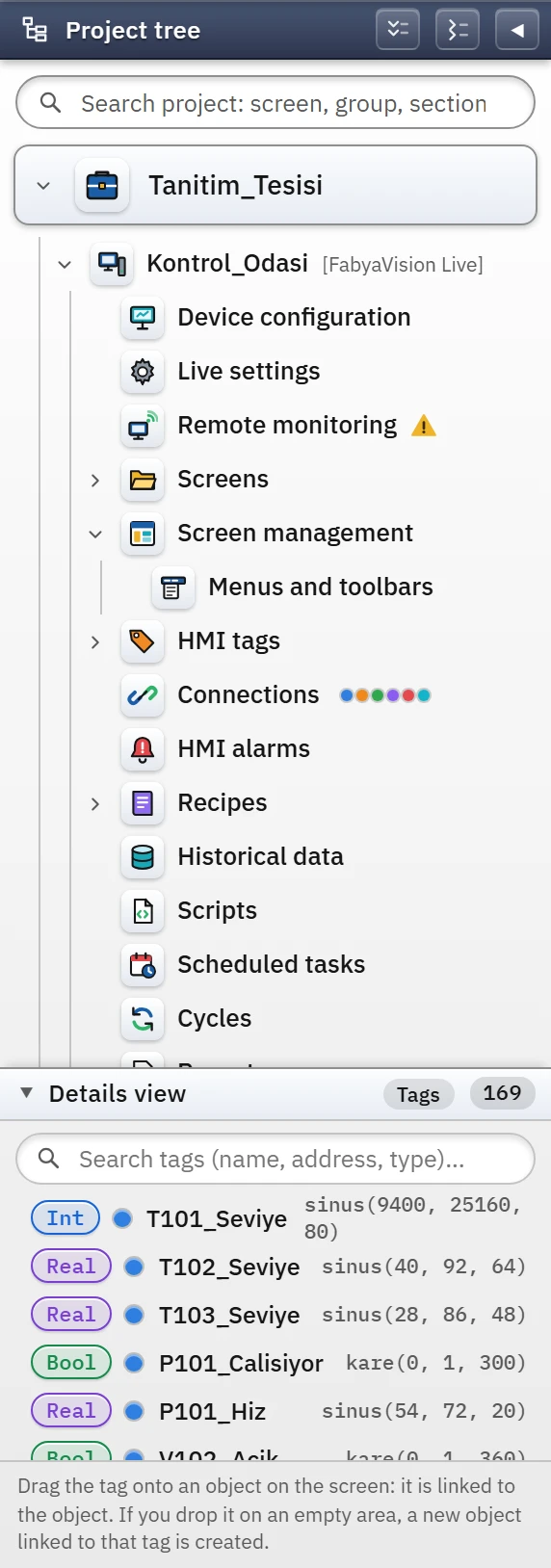 123456
- Project — a single .fvs file.
- Station — the computer on which Live will run.
- Tags — variables linked to PLC addresses.
- Connections — driver and device address.
- Alarms — alarm definitions and classes.
- Details view — tag list.
Concept table
| Concept | What it is | In Studio |
|---|---|---|
| Project | The single file that holds the entire design of the plant (.fvs). Only one project is open in Studio at a time. Project files | The top node of the project tree |
| Station | The SCADA computer on which the project will run. A project belongs to one station; all sections sit under the station. Device configuration | The [FabyaVision Live] node under the project |
| Screen | The screen the operator sees. Types: 2D screen, 3D scene, pop-up window (faceplate), template, recipe / report design screen. Screen management | Screens section (2D Screens, 3D Scenes) |
| Object | A single piece placed on a screen: tank, pump, value field, alarm view… Every object has properties. Object library, catalog | Toolbox, screen editor, Inspector |
| Tag | A named variable. An external tag is bound to a PLC address; an internal tag exists only inside Live. Every tag has a data type (Bool, Int, Real, String …) and a read cycle. HMI tags | HMI tags, Details view |
| Connection | The definition of access to a device: name, driver, address, port, timeout. Tags are read through the connection. Connections table | Connections |
| Driver | A module that implements a communication protocol (S7, OPC UA, Modbus TCP …). The connection selects which driver it works with. Drivers | The Communication driver of the connection |
| Cycle | The time interval that determines how often the tag is read (and how often archives / tasks run): On change, 100 ms … 1 min. Cycles | Cycles |
| Dynamization / animation | Binding an object property (level, color, visibility, position …) to a tag; when the tag changes, the object changes. Dynamization, Animations | Inspector › Properties and Animations |
| Event and function | Triggers attached to an object or a screen (click, screen opening …) and the functions they run (write bit, open screen, run script …). Events and functions | Inspector › Events |
| Alarm | A message generated when a bit is set or a value limit is exceeded. Each alarm belongs to an alarm class (Error, Warning, Information, System). Alarm system | HMI alarms |
| Log | Recording the values of the selected tags over time; trend curves are fed from here. Historical data | Historical data |
| Recipe | A set of tag values for a product; when selected, it is loaded to the PLC. Recipes | Recipes |
| Report | A production record in which tag values are saved by a trigger signal. Reports | Reports |
| User, group, authorization | The people who log on to Live, the groups they belong to and which operations the groups can perform. A new project comes with three groups (Administrators, Engineers, Operators) and one user (admin). User administration | User administration |
| Script | Code written in VBScript, JavaScript, C or Python; it is called from an event, a task or a tag change. Scripts | Scripts |
| Scheduled task | A definition that runs a script at a certain interval, on a certain day and time, or when a tag condition is met. Tasks | Scheduled tasks |
| Group (folder) | A folder you create in the project tree to organize screens and table records; it does not change how things work in Live. Project tree | Add new group in the project tree |
| Revision | The version saved, with its description, each time the project is uploaded to Live. Revision and backup | Project›Revision history… |
The distinction between Studio and Live
| Studio | Live | |
|---|---|---|
| Role | Design and configuration | Running and monitoring |
| Does it communicate with a PLC? | No; only Online›Test connections… tests whether the target port is listening | Yes (the drivers are in Live) |
| Project file | Reads and writes | Read only |
| Data it produces at run time | None | Alarm, event, archive and report records, recipe records (.veri folder) |
| Users | Designer (no authorization) | Users defined in the project, with their authorizations |