
FabyaVision Studio
DesignWhere you build the project: 2D and 3D pages, tags, alarms, recipes, reports and scripts.
Explore StudioDesign plant screens in 2D and 3D, connect them to your PLCs, and monitor them from browsers and network TVs.
Platform
Where you build the project: 2D and 3D pages, tags, alarms, recipes, reports and scripts.
Explore Studio
The program operators use: it connects the project to your PLCs through drivers and runs it.
Explore Live
Reads the WinCC HMI screens in TIA Portal V20 projects and converts them into a FabyaVision project.
Explore ConvertConvert Studio Live All three use the same project file (.fvs).
Inside the product
One window holds the project tree, the 2D and 3D page editor, the property, animation and event inspector, and spreadsheet-style table editors.
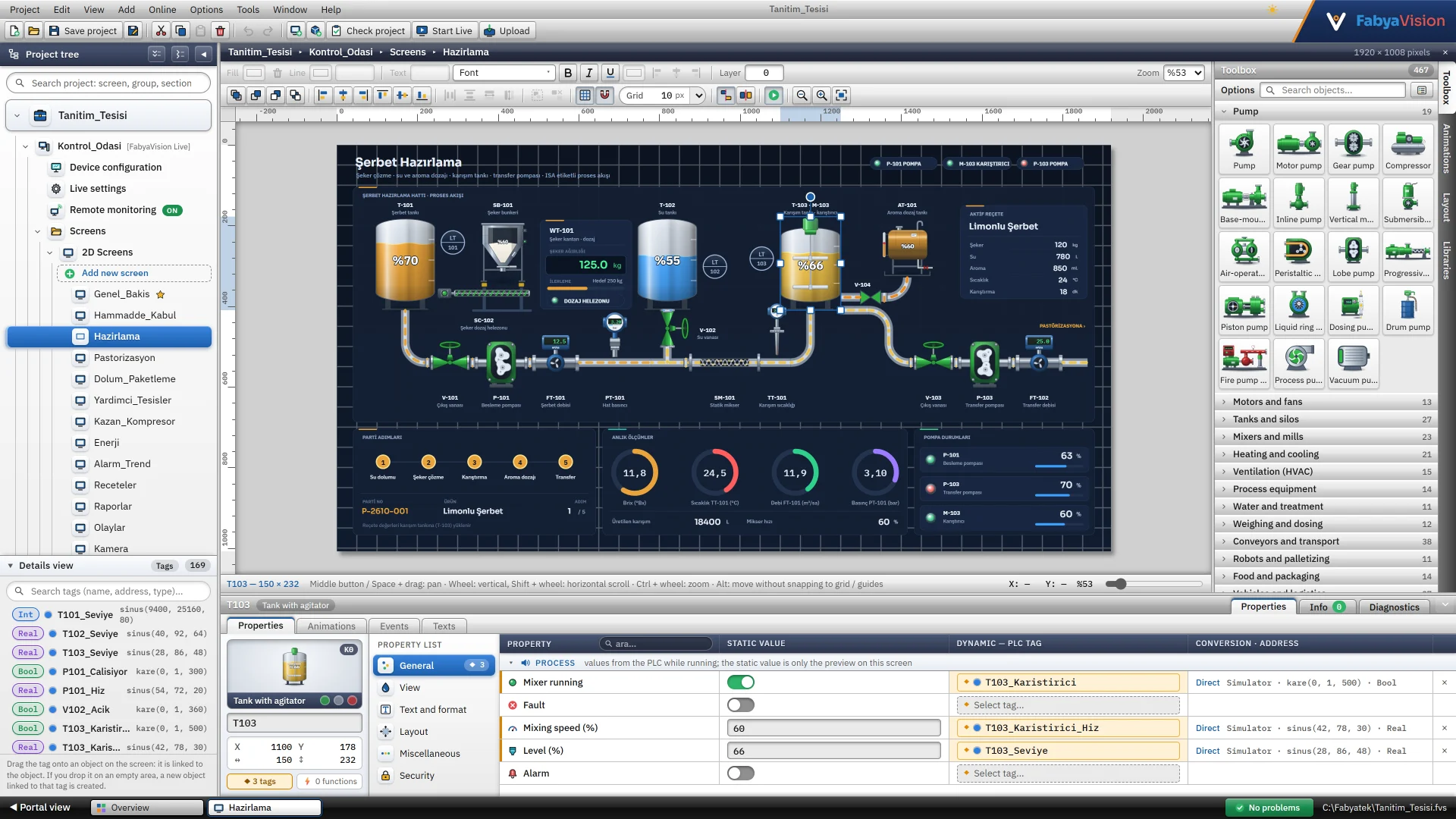
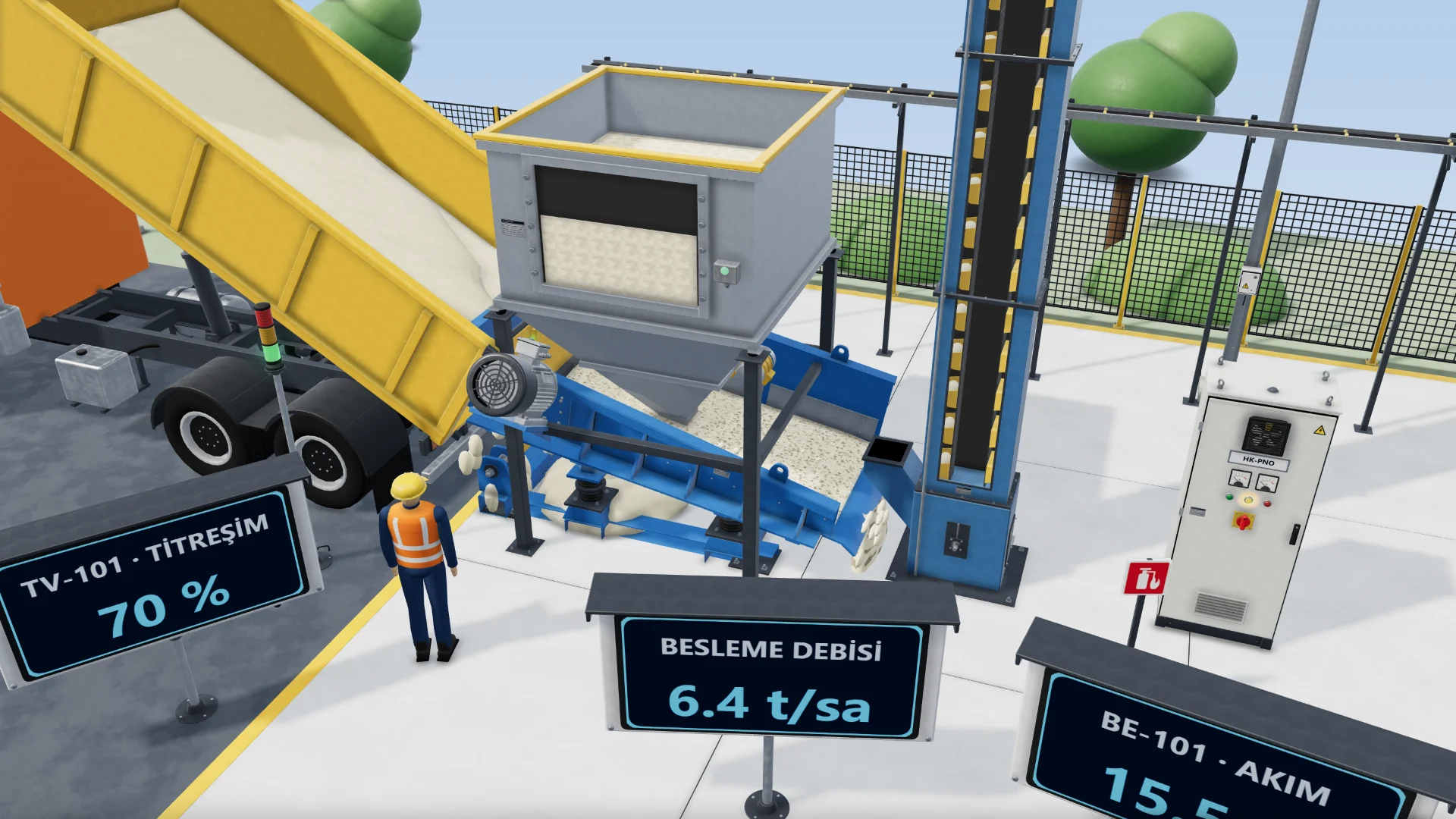
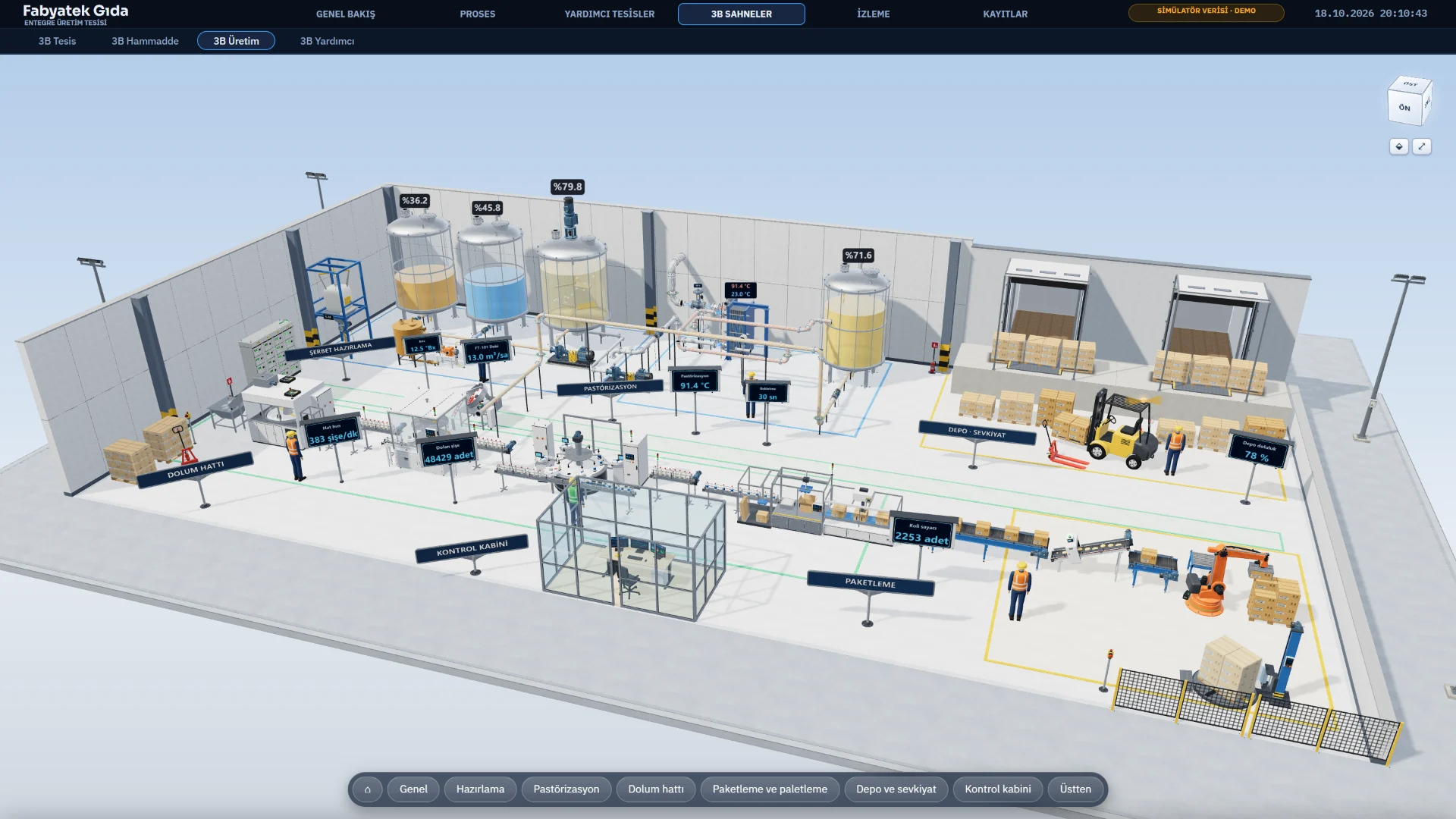
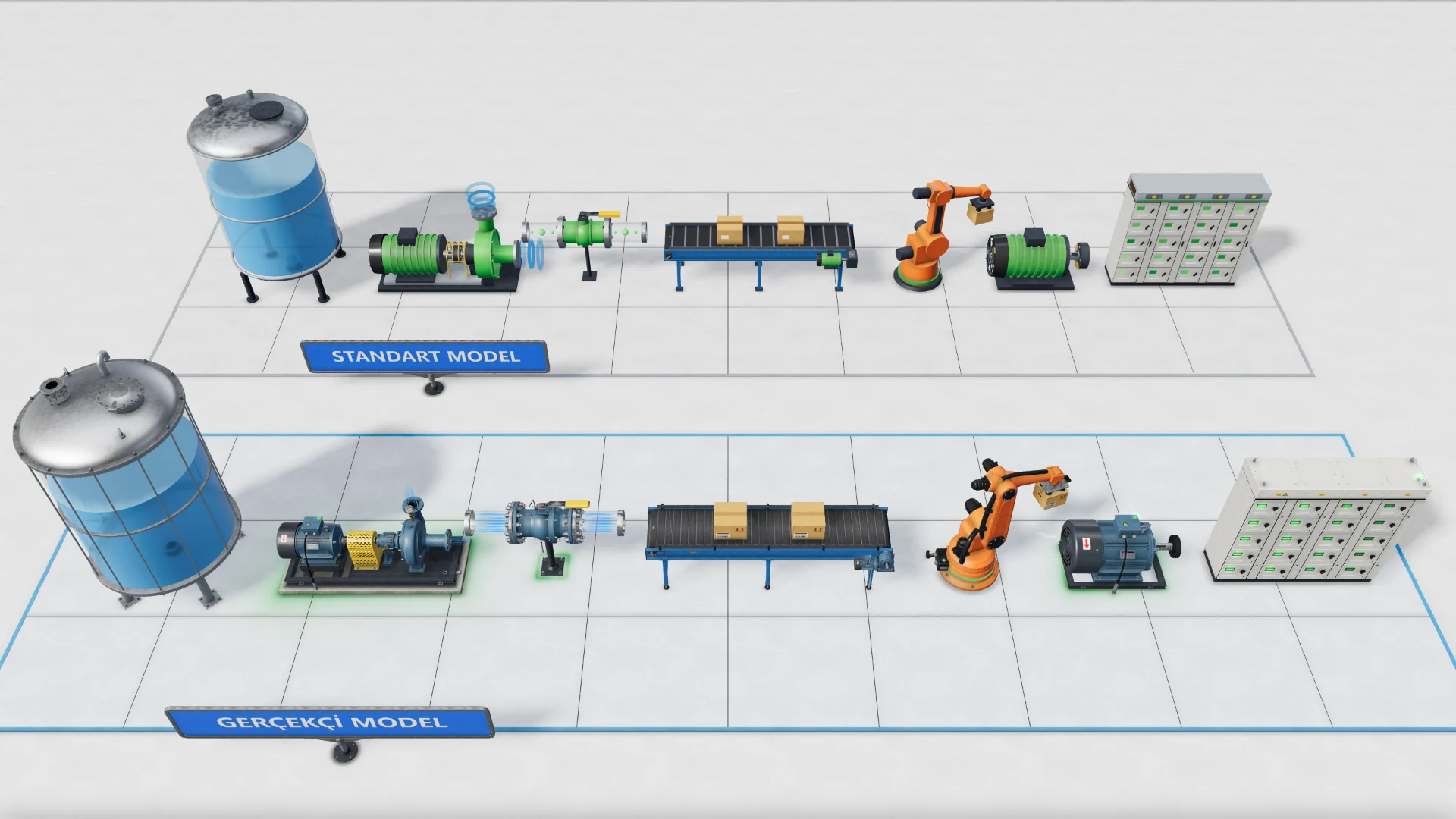
You build the scene on a ground plane, in metres. The Realistic model shows details such as flanges, bolts, feet and nameplates.
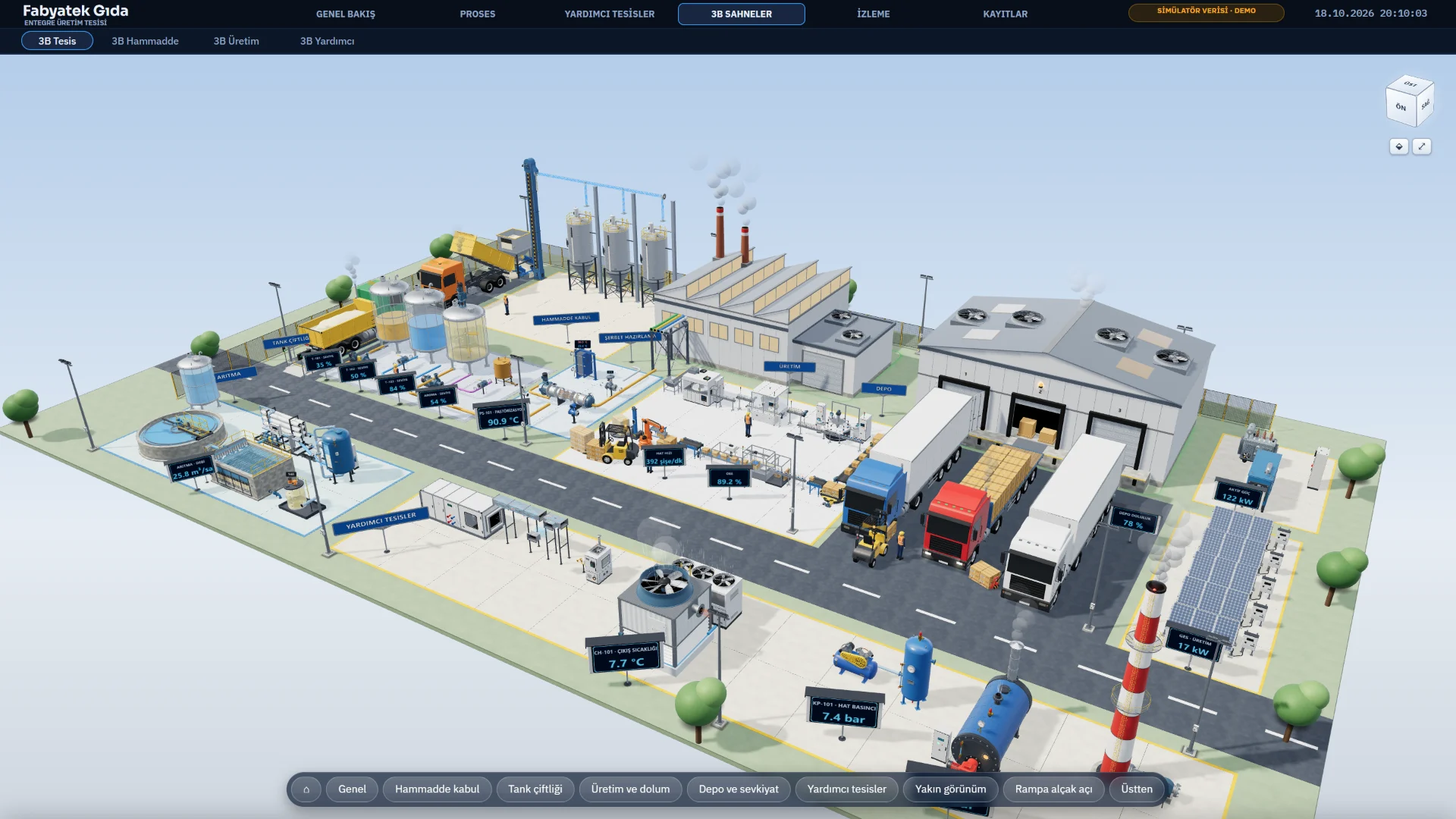
Live opens the project, connects to your PLCs through drivers, and runs alarms, trends, recipes and reports.
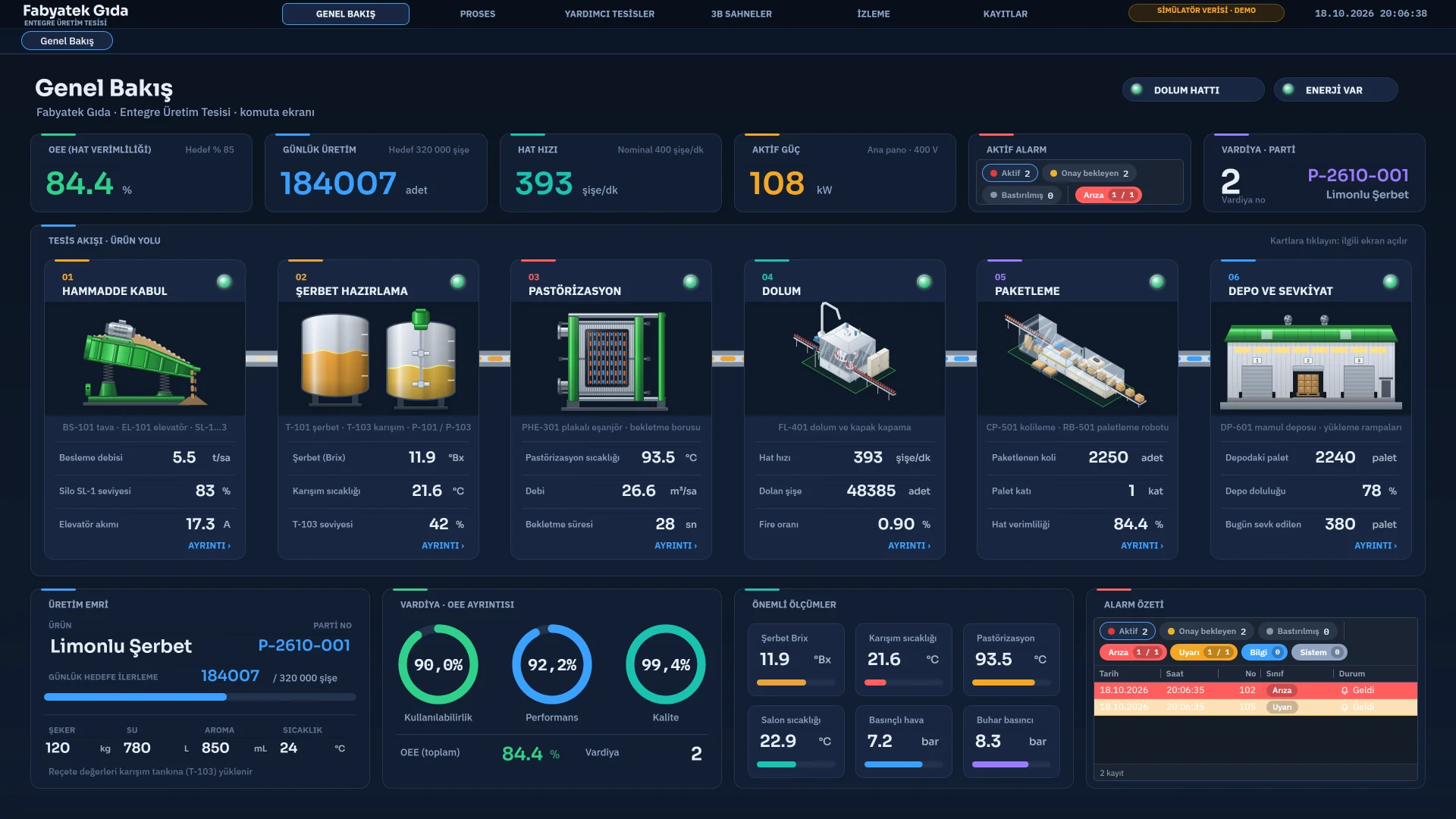
A small web server on the Live computer shows the same project to browsers and TVs on your network. Monitoring is read-only; there is no control.
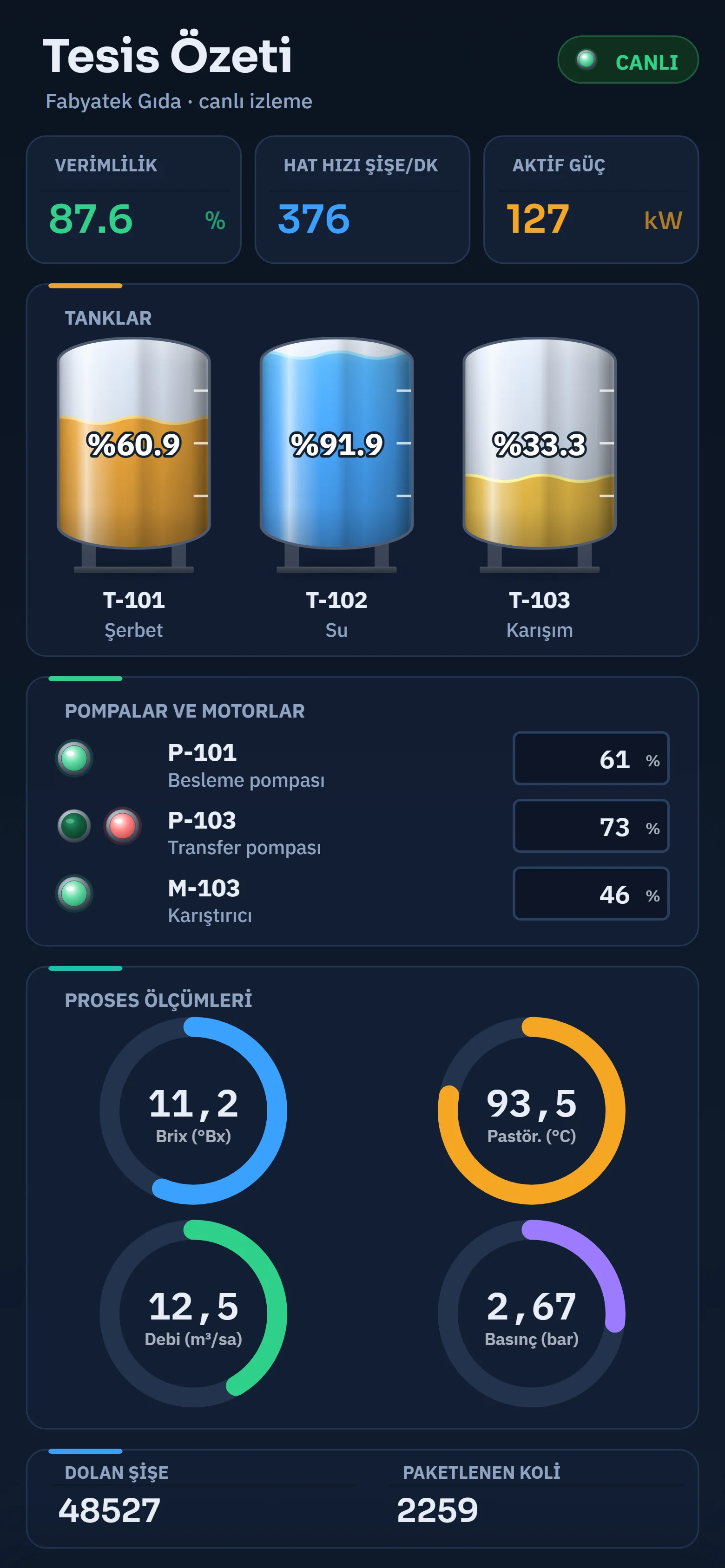
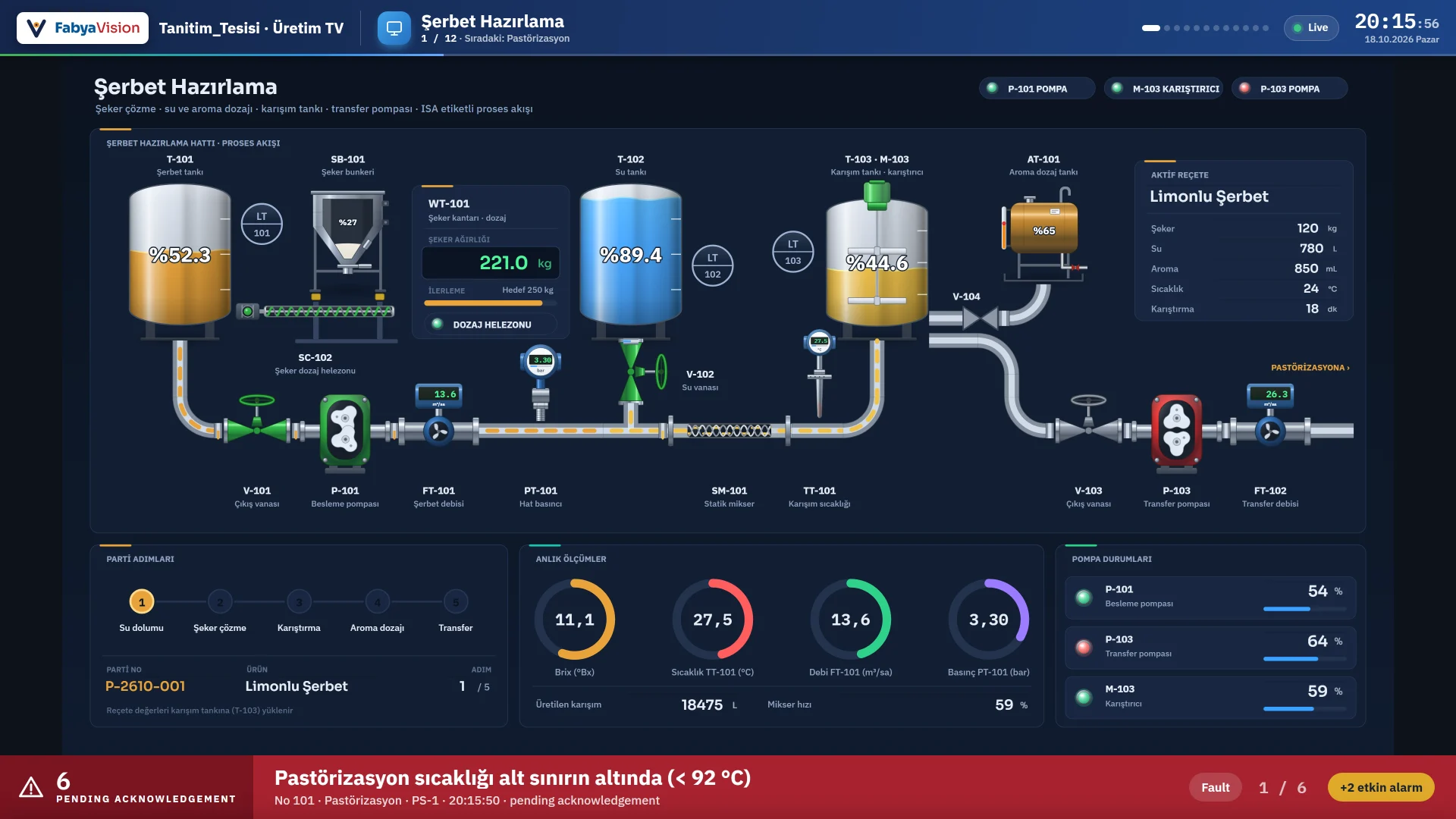
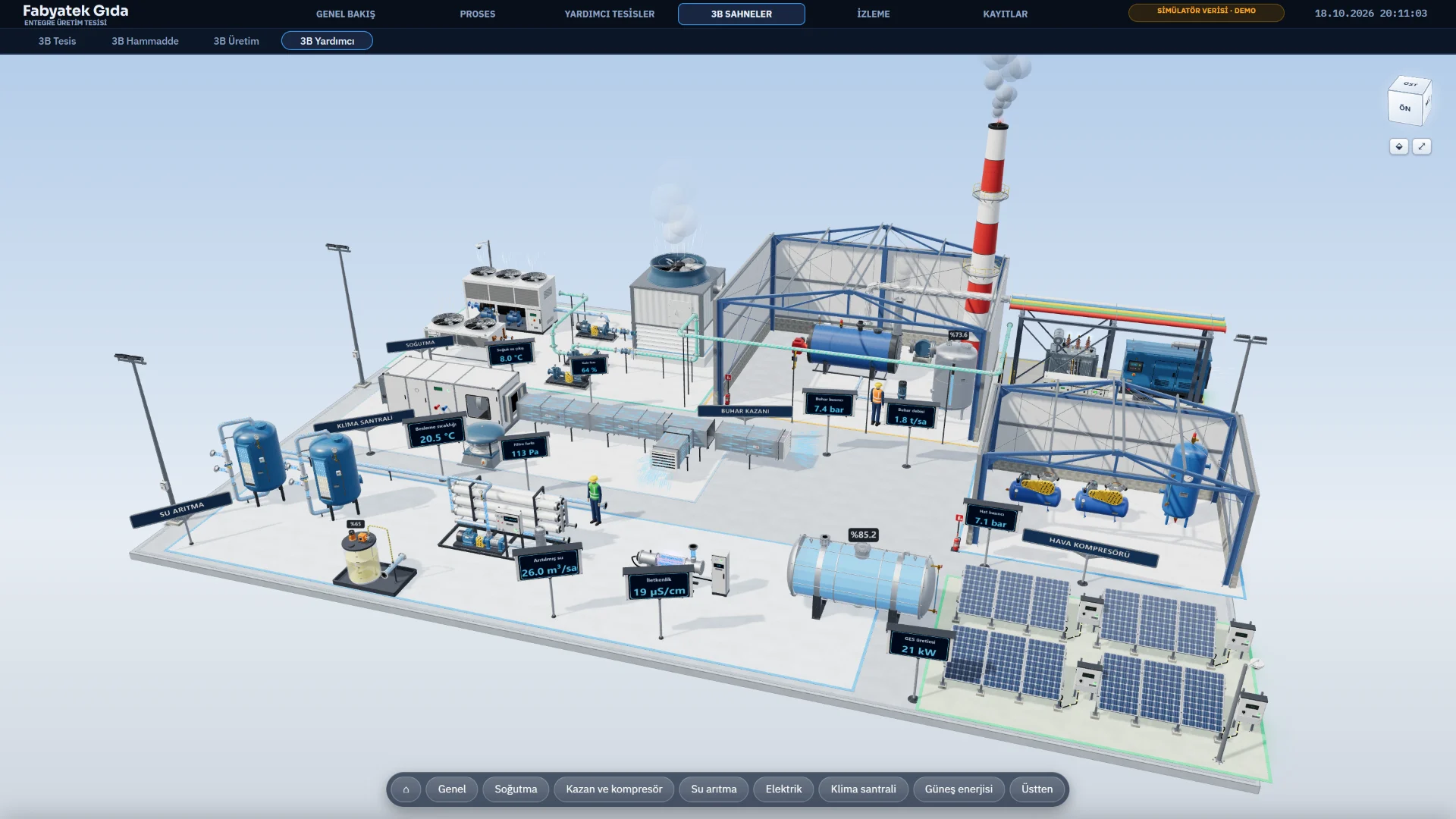
Sample project
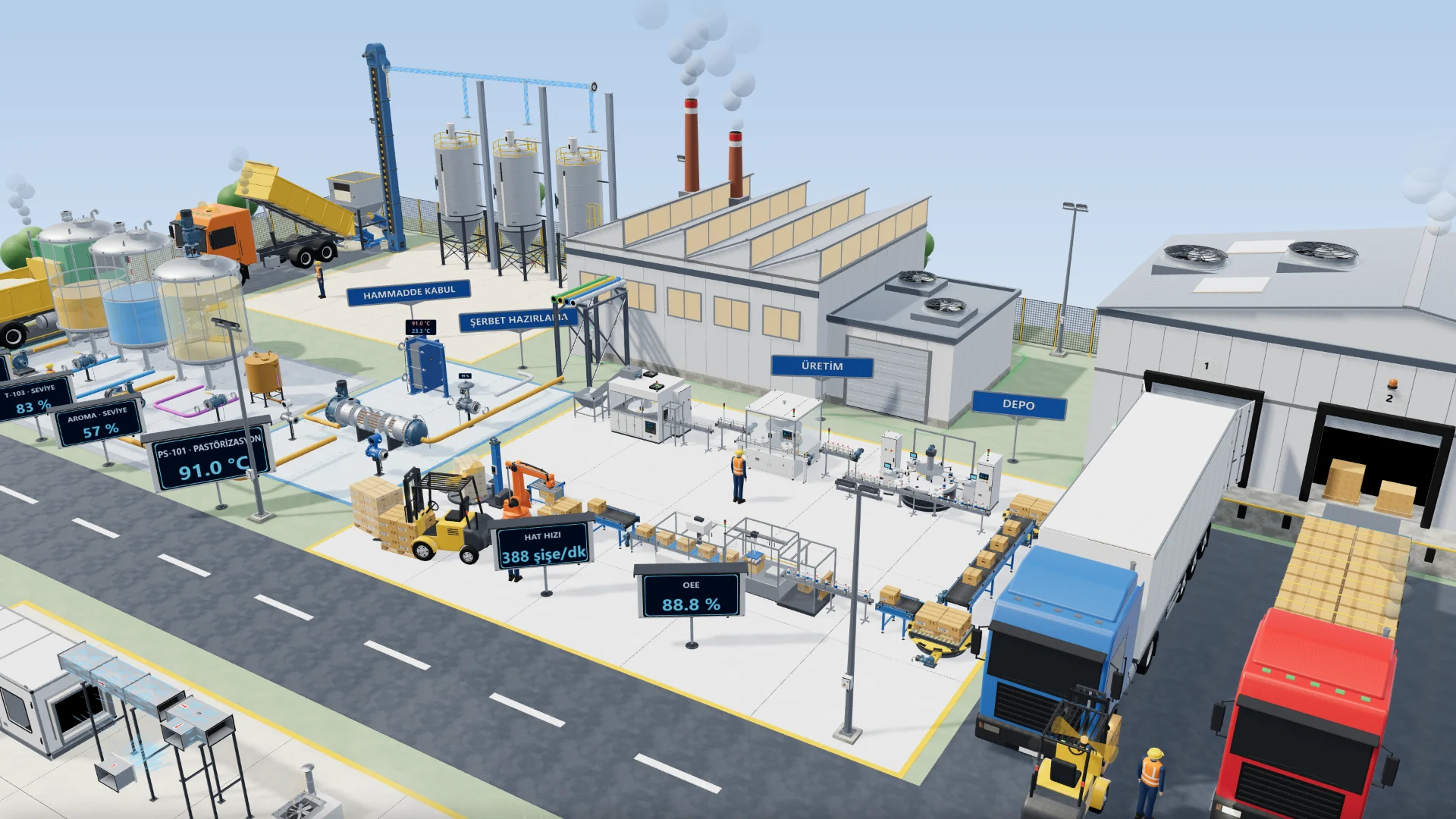
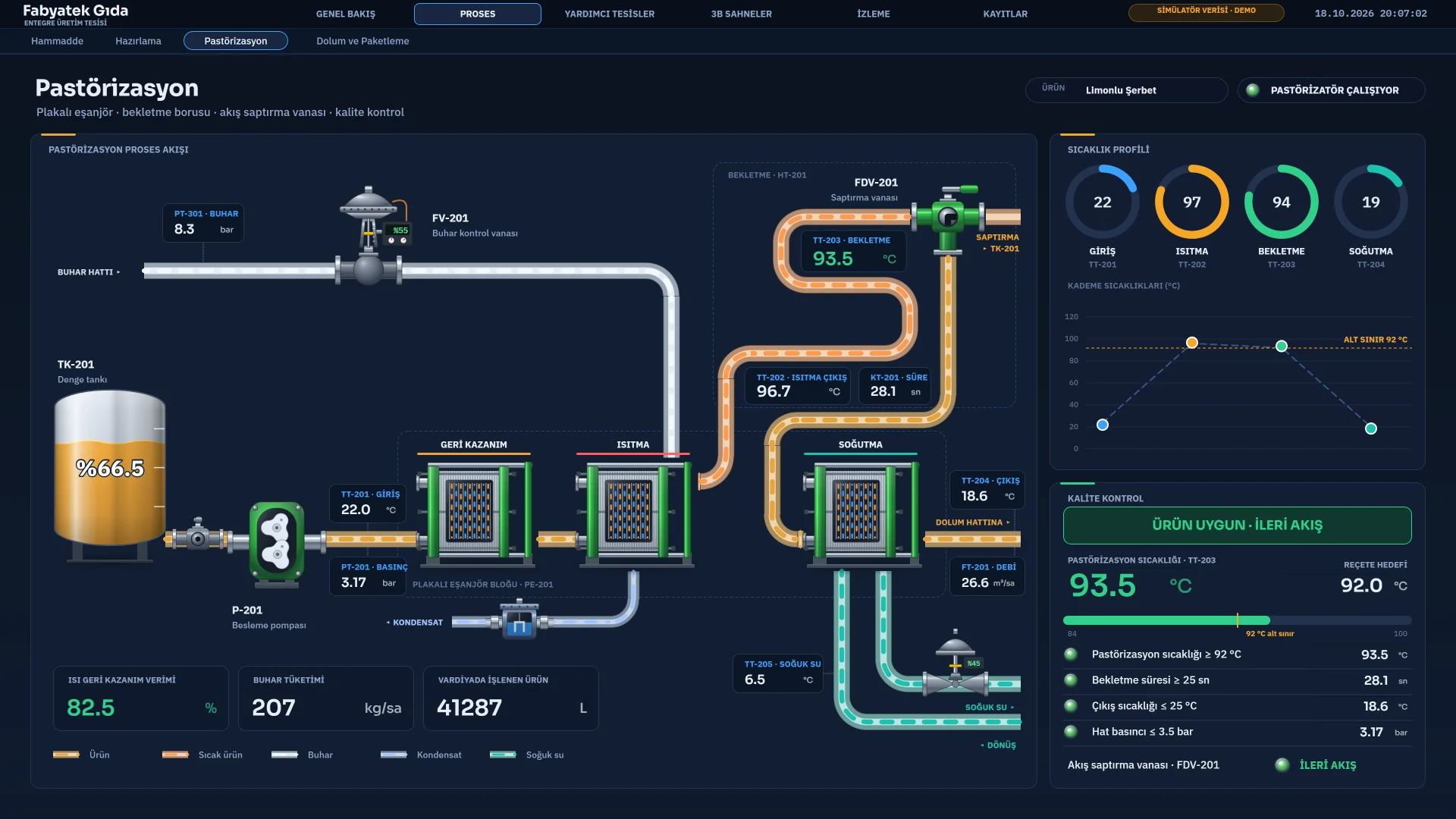
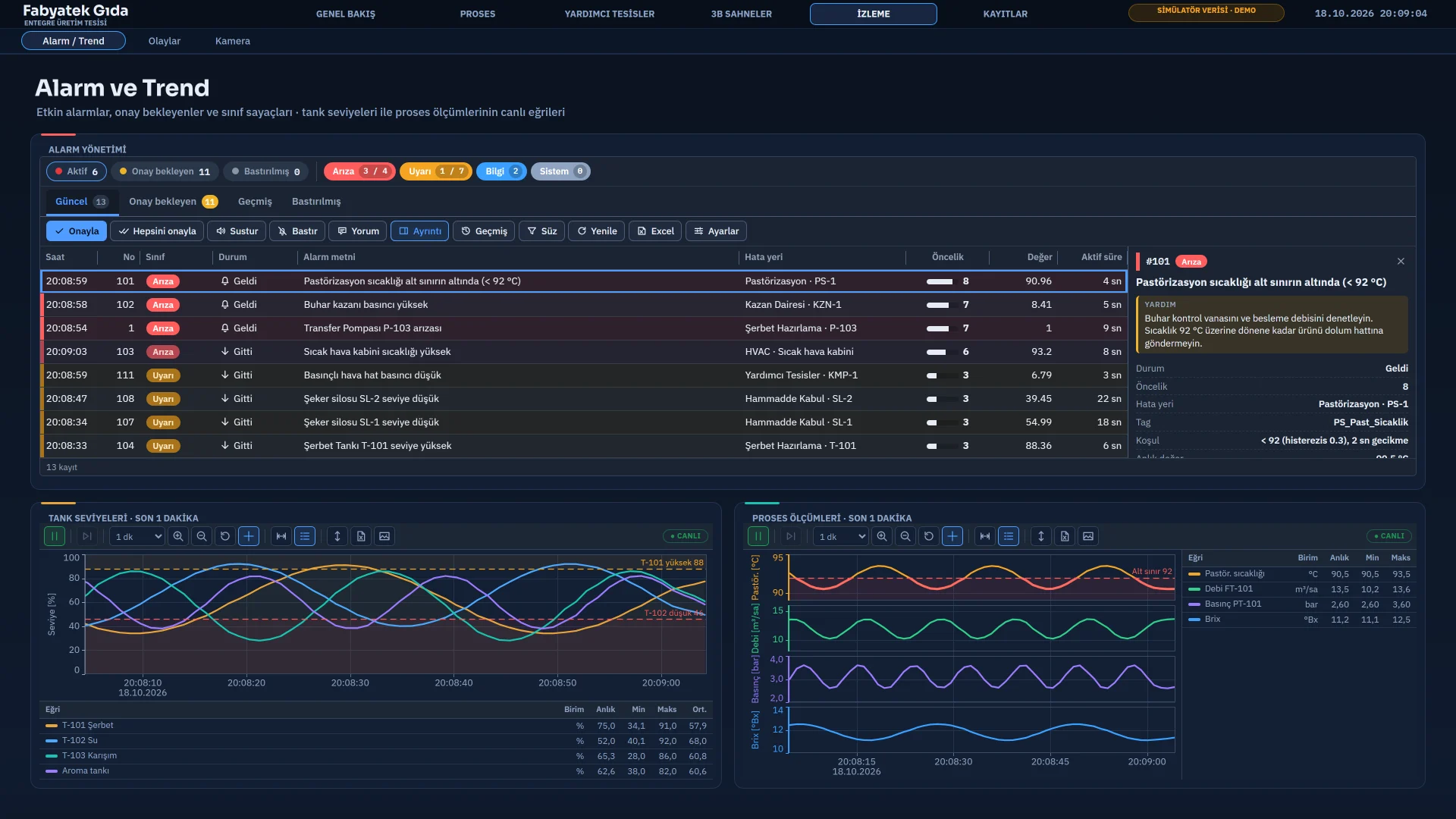
It comes with the demo. The plant runs from raw-material intake through pasteurization and filling to the utilities.
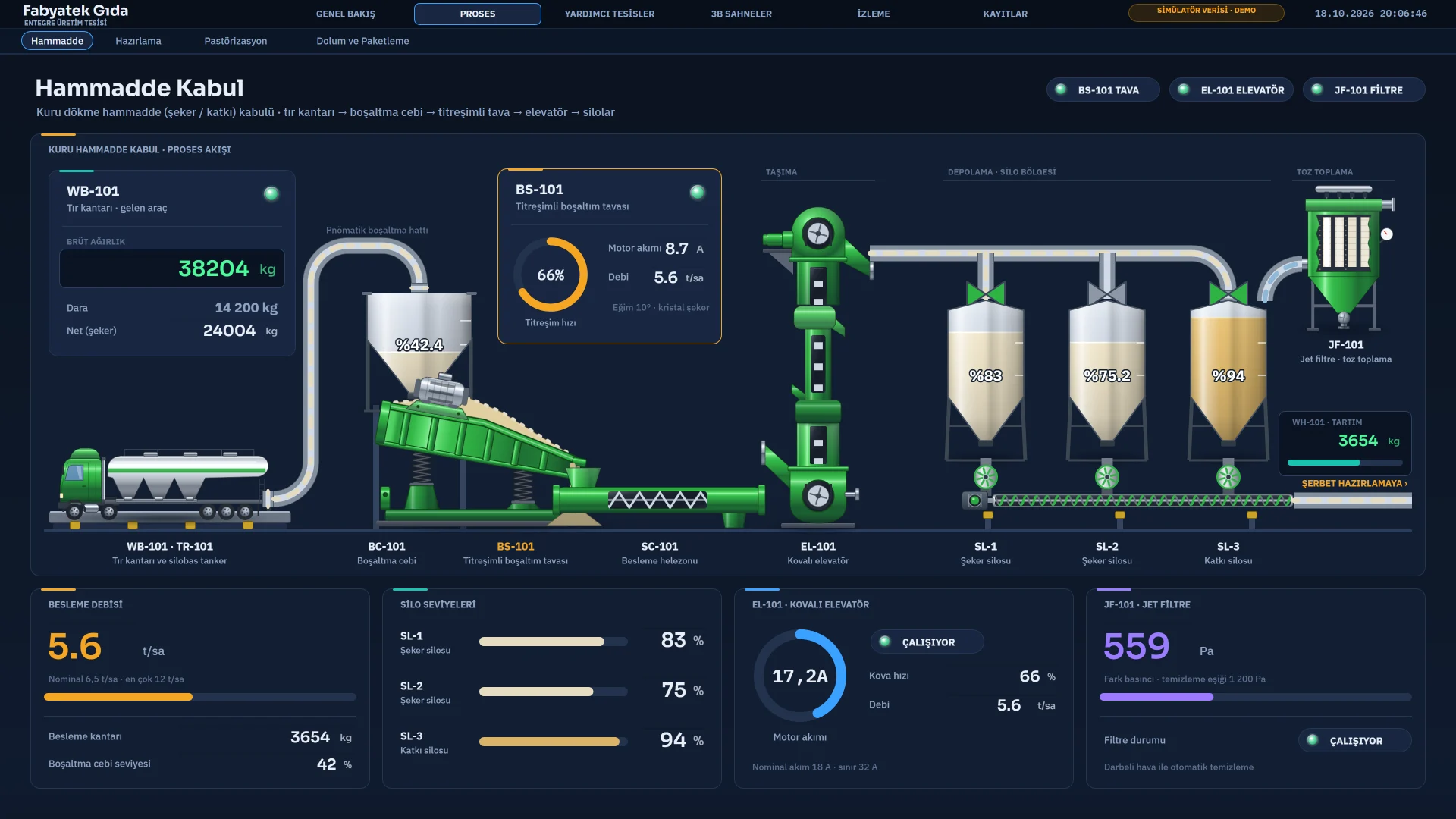
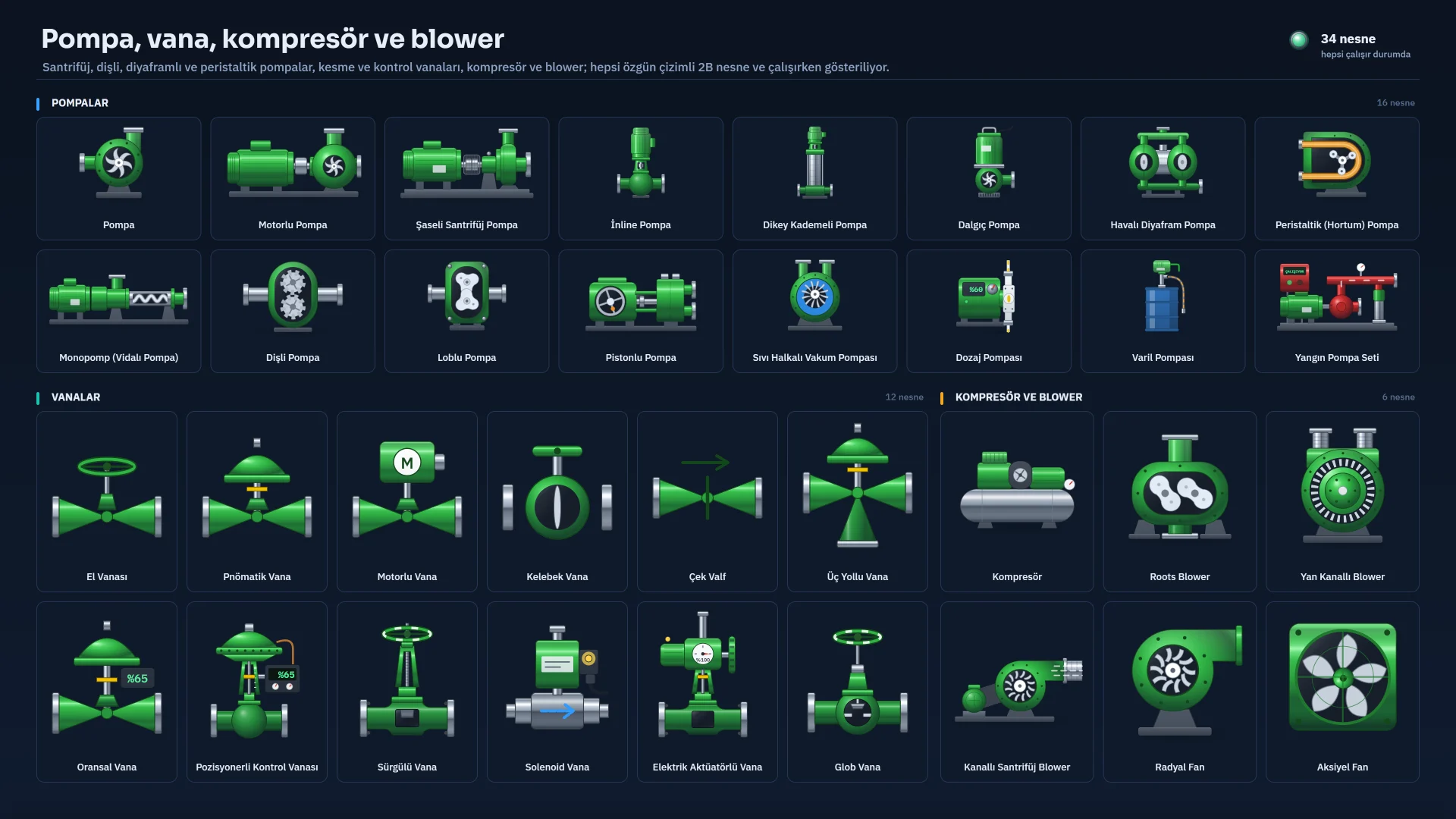
Object library
The 420+ equipment drawings are generated as vector graphics in code; no stock image or model library is used.
Features
Digital and analog alarms, alarm classes, priority, hysteresis and delay. Acknowledge, suppress, comment and audible warning.
Live and historical curves with multiple axes. Archives go to local files, CSV and SQL Server.
Approved and draft records, tolerance checks, download to the PLC with read-back, and permission groups.
Triggered or manual records, period summaries, approval and signature. Excel, CSV and PDF output.
10 triggers: cyclic, daily, weekly, monthly, yearly, one-time, tag change and tag condition, Live start and shutdown.
Users, groups and permissions, access per object and page, operator action log.
RTSP (H.264), MJPEG and JPEG sources sit inside the page. The camera address and password never reach the browser.
A 6-language interface, unlimited languages for project texts, translation through Excel.
Connectivity
You define the tags of your PLCs and devices in the Connections table; the driver handles reading, writing and reconnecting.
FabyaVision Convert
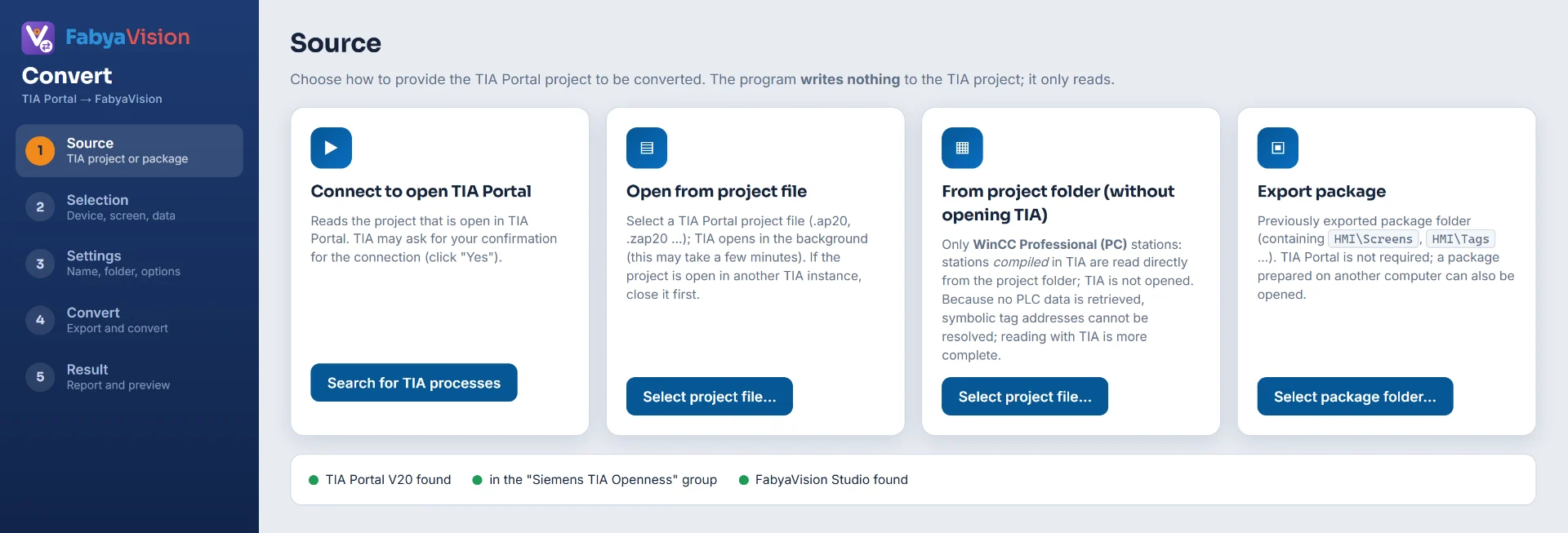
Convert turns the screens, tags and connections of the WinCC HMI devices in a TIA Portal V20 project (classic, Unified and Professional) into a FabyaVision project.
A running TIA Portal V20, a project file or a ready-made export package.
Screens, objects, tags, connections and events become an .fvs project.
Fix the result using the exact / approximate / placeholder report, then load it into Live.
Scripting
Read and write tags and drive page objects with VBScript, JavaScript, C and Python. Compile and error checking in the editor, 120+ ready-made examples.
Option Explicit
Function Action()
    If SmartTags("Tank1_Seviye") >= 80 Then
        SmartTags("Tank1_Durum") = "High"
    Else
        SmartTags("Tank1_Durum") = "Normal"
    End If
    Action = 0
End Function
var seviye = Tag.oku('Tank1_Seviye');
// Remaining space (%) = 100 - level
Tag.yaz('Tank1_Bosluk', 100 - seviye);

if (!Kullanici.ad) {
  Bildir('Please sign in first.');
  return;
}
Tag.yaz('Son_Islem_Yapan', Kullanici.ad);
#include "apdefap.h"

#define SEVIYE_ALT 42.0f

// Clears the low-level bit when the aroma tank level drops below the lower limit.
void Aroma_Dozaj_Denetimi(void)
{
    float seviye = GetTagFloat("Aroma_Seviye");
    SetTagBit("Aroma_Dusuk", (short)(seviye < SEVIYE_ALT));
}
# Reads a tag and writes the calculated value to another tag.
def Py_Tag_Oku_Yaz():
    seviye = scada.read("Tank1_Seviye")
    scada.write("Tank1_Bosluk", 100 - seviye)

def Py_Gorev_Islevi(yeni_deger):
    scada.write("Durum_Metni", f"Speed changed: {yeni_deger}")
    if yeni_deger > 90:
        scada.write("Motor1_Ariza", True)
Demo
All three programs and the sample project come in one installer. No PLC is needed.
You fill in a short registration form.
If missing, the installer also installs .NET Framework 4.8 and the WebView2 Runtime.
Explore the Fabyatek Food plant in Studio and run it in Live.
FAQ
It is a SCADA / HMI platform you install on-premises on Windows. You design the project in Studio and run it in Live; Convert converts existing TIA Portal projects.
The demo runs for a set number of days. Every run lasts a limited time and asks whether to save your changes before it closes. Details are on the Download page.
There are 8 protocols: Siemens S7, Modbus TCP, OPC UA (client), EtherNet/IP, Mitsubishi MC, Omron FINS, OPC DA and MQTT. There is no OPC UA server, and serial protocols such as Modbus RTU are not supported.
Convert reads the WinCC HMI devices in a TIA Portal V20 project (classic, Unified, Professional) and converts them into a FabyaVision project; it does not write to the TIA Portal project. The result is a starting point: every object is reported as exact, approximate or placeholder, and anything that cannot be transferred is listed.
It has user name / password and an access-network rule, but the connection is not HTTPS. Don’t expose it directly to the internet; use a VPN.
For a quote, licensing or to check fit with your project, write to us.