Pick a category to narrow them down, and click an image to enlarge it.
The 2D runtime screens of the food plant example that comes with the demo.
3D scenes and object models: Standard and Realistic views.
Project tree, page editor, property / animation / event tabs, and the tag, alarm, archive, recipe and report editors.
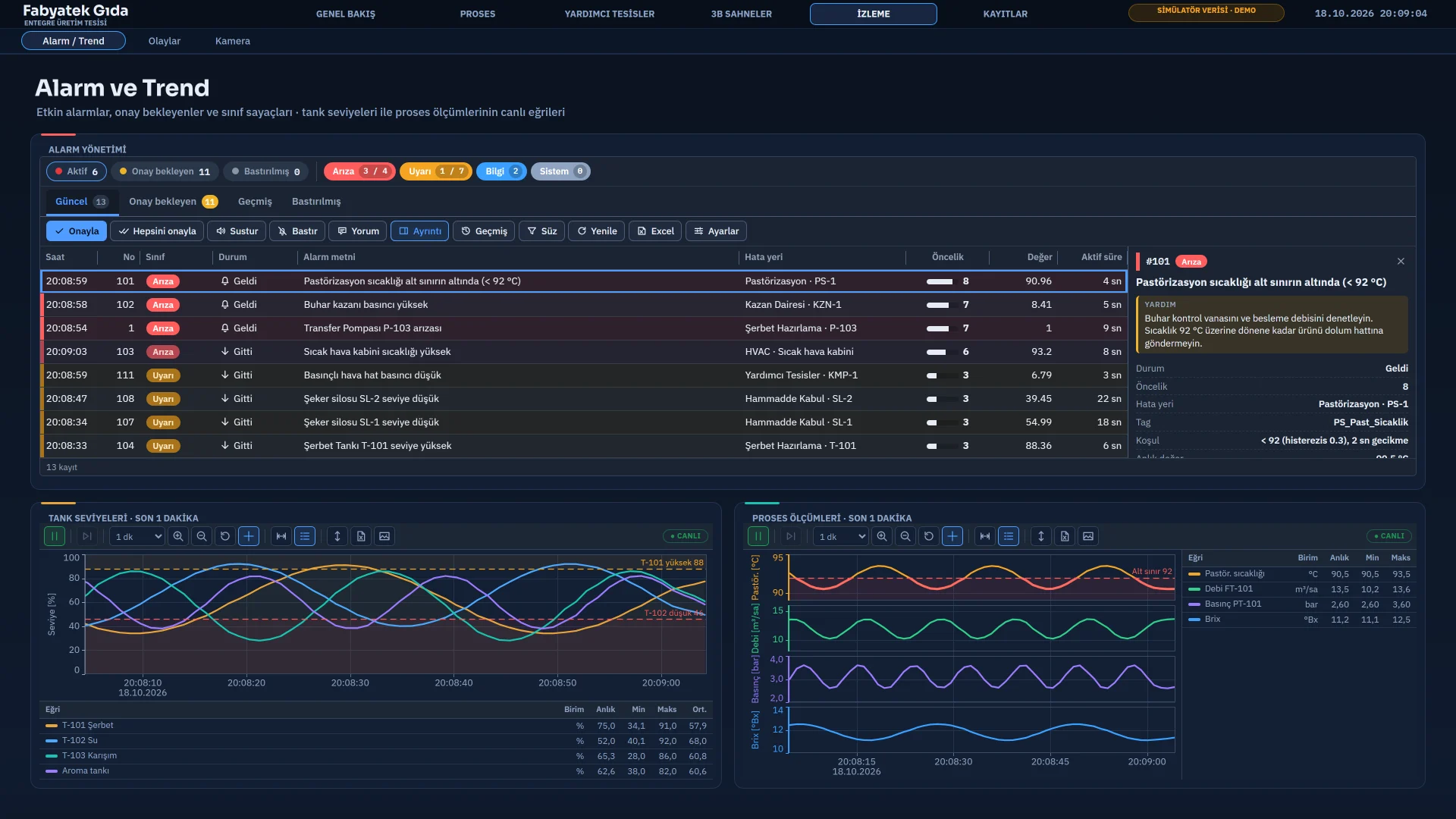
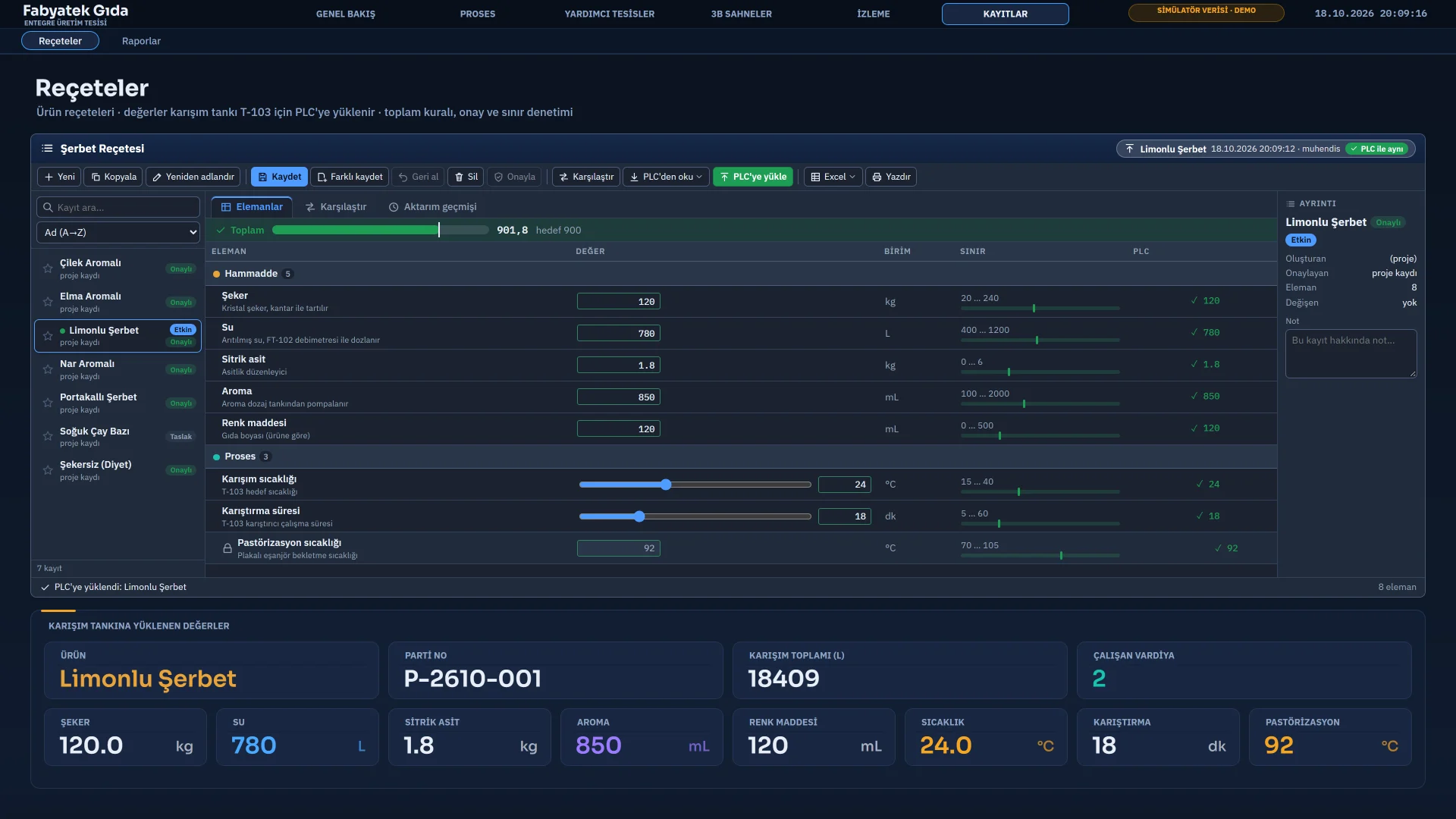
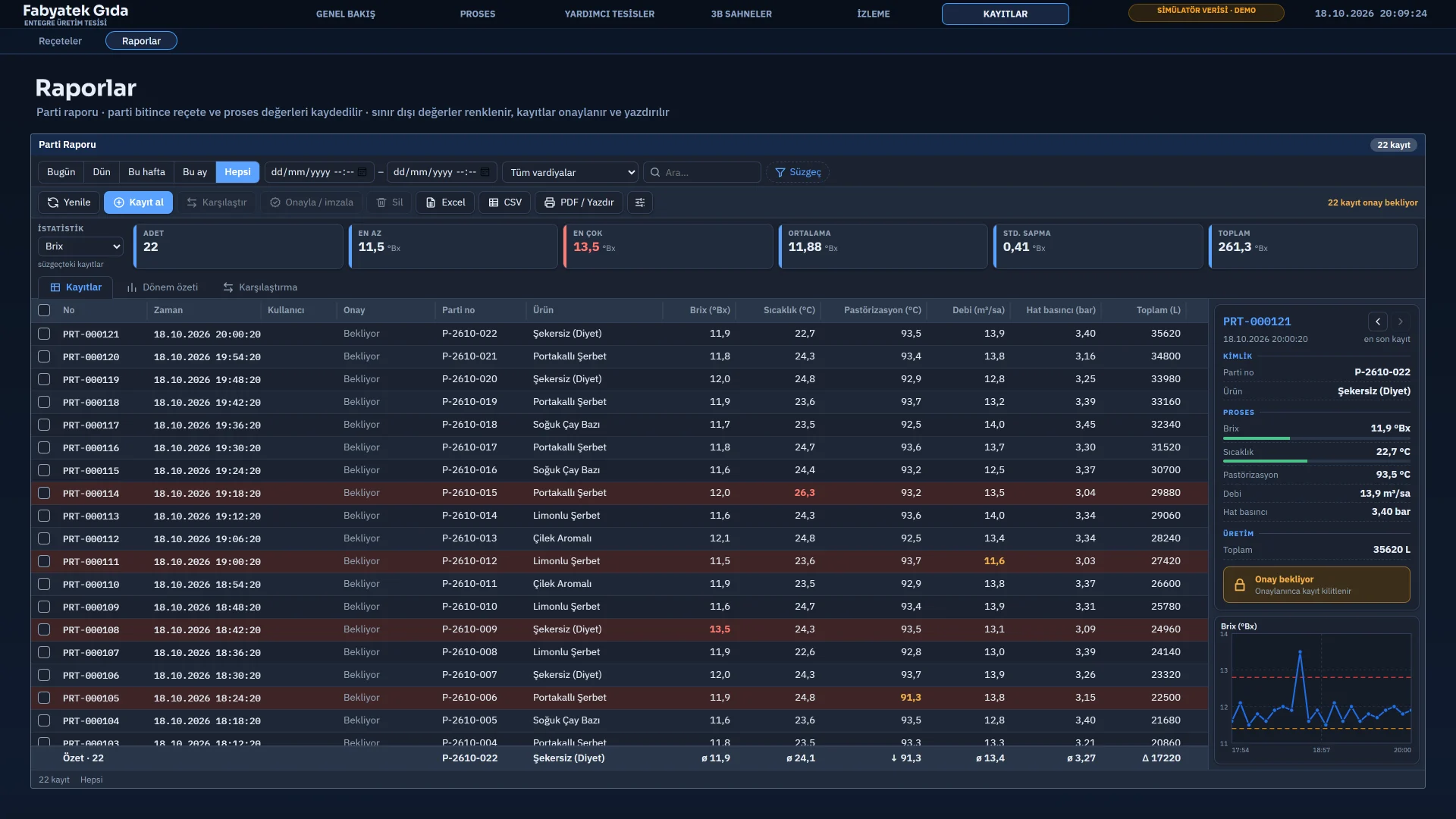
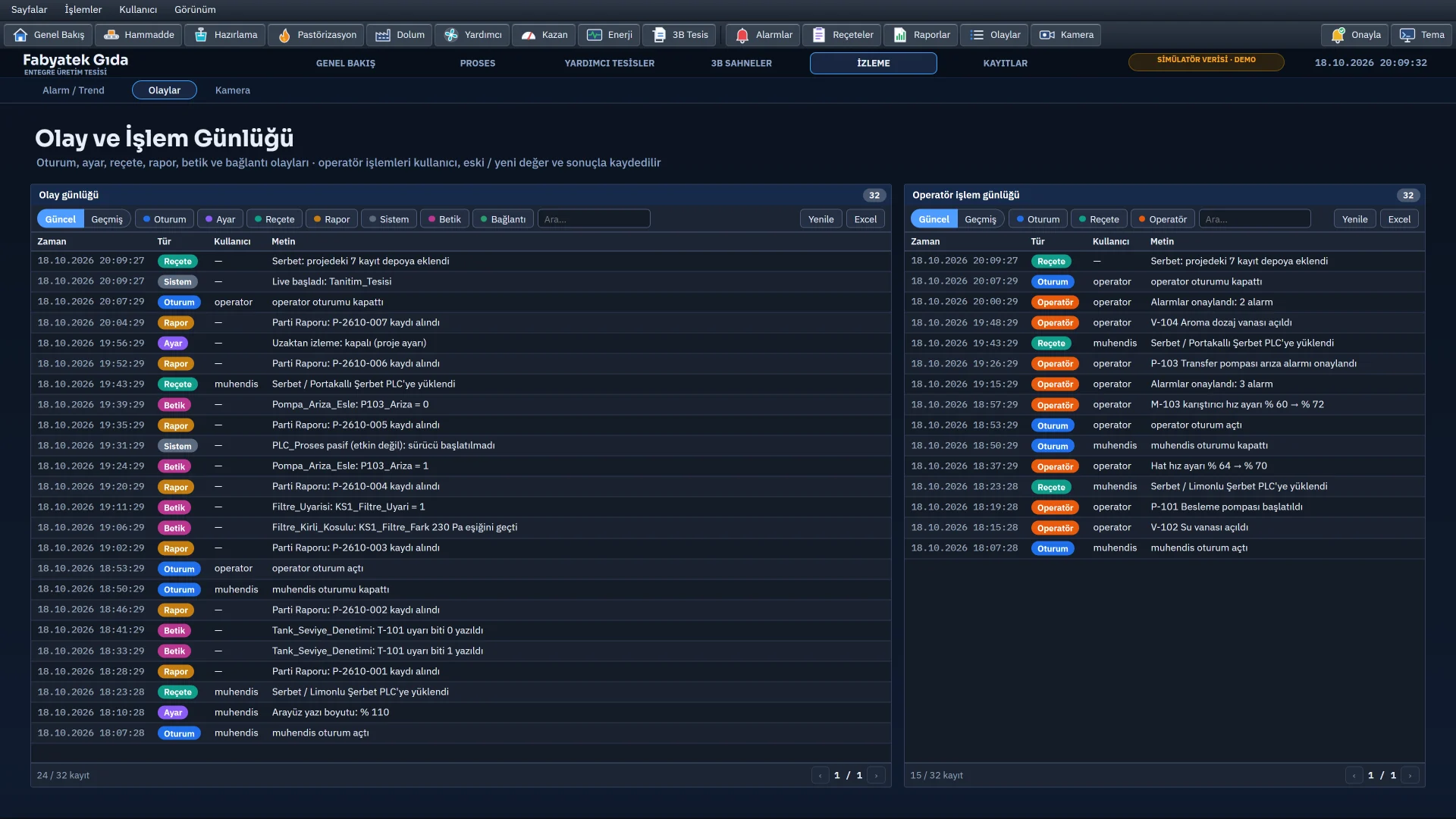
Alarms and trends, recipes, reports, the event view, cameras, settings and the on-screen keyboard.
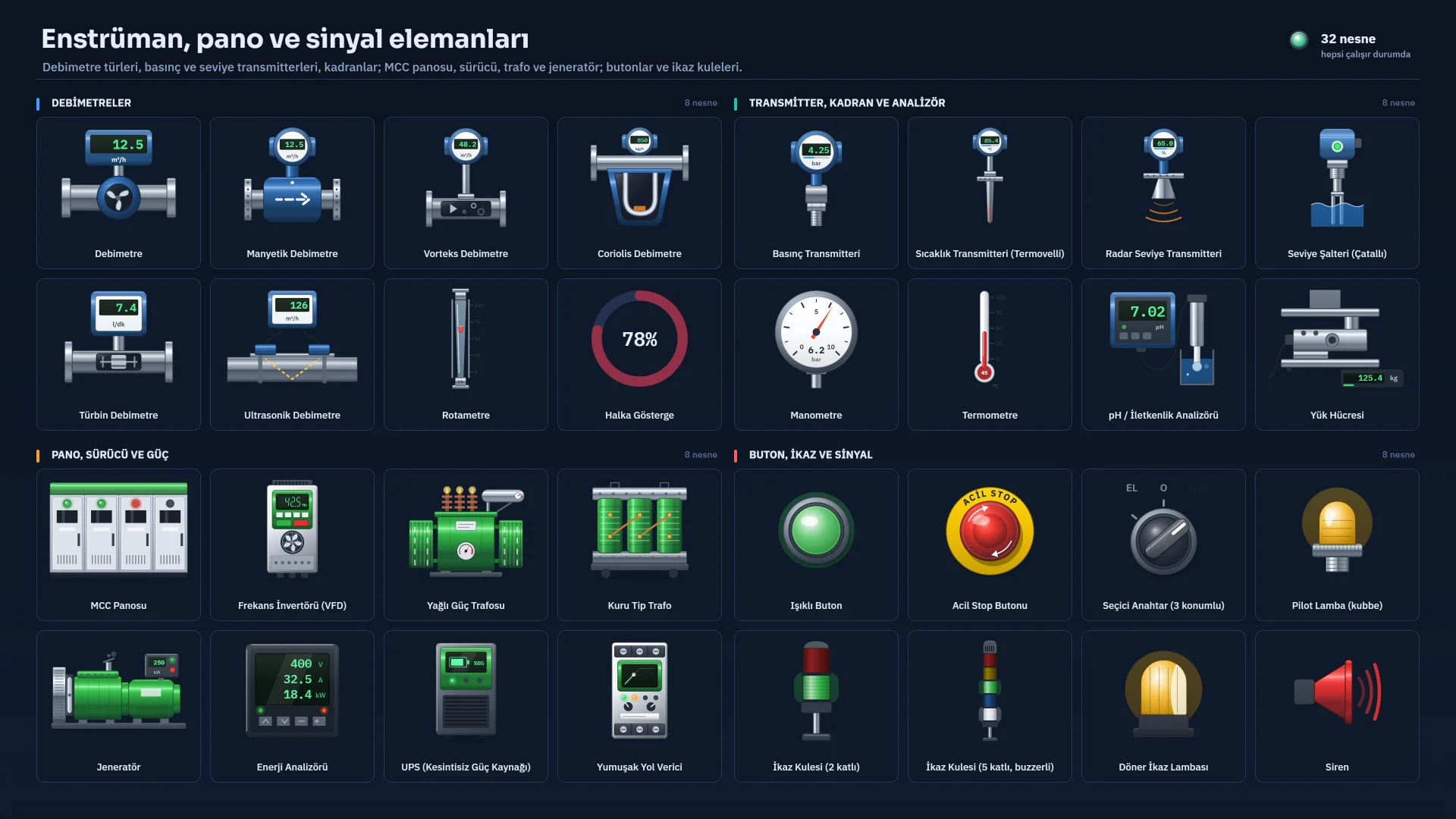
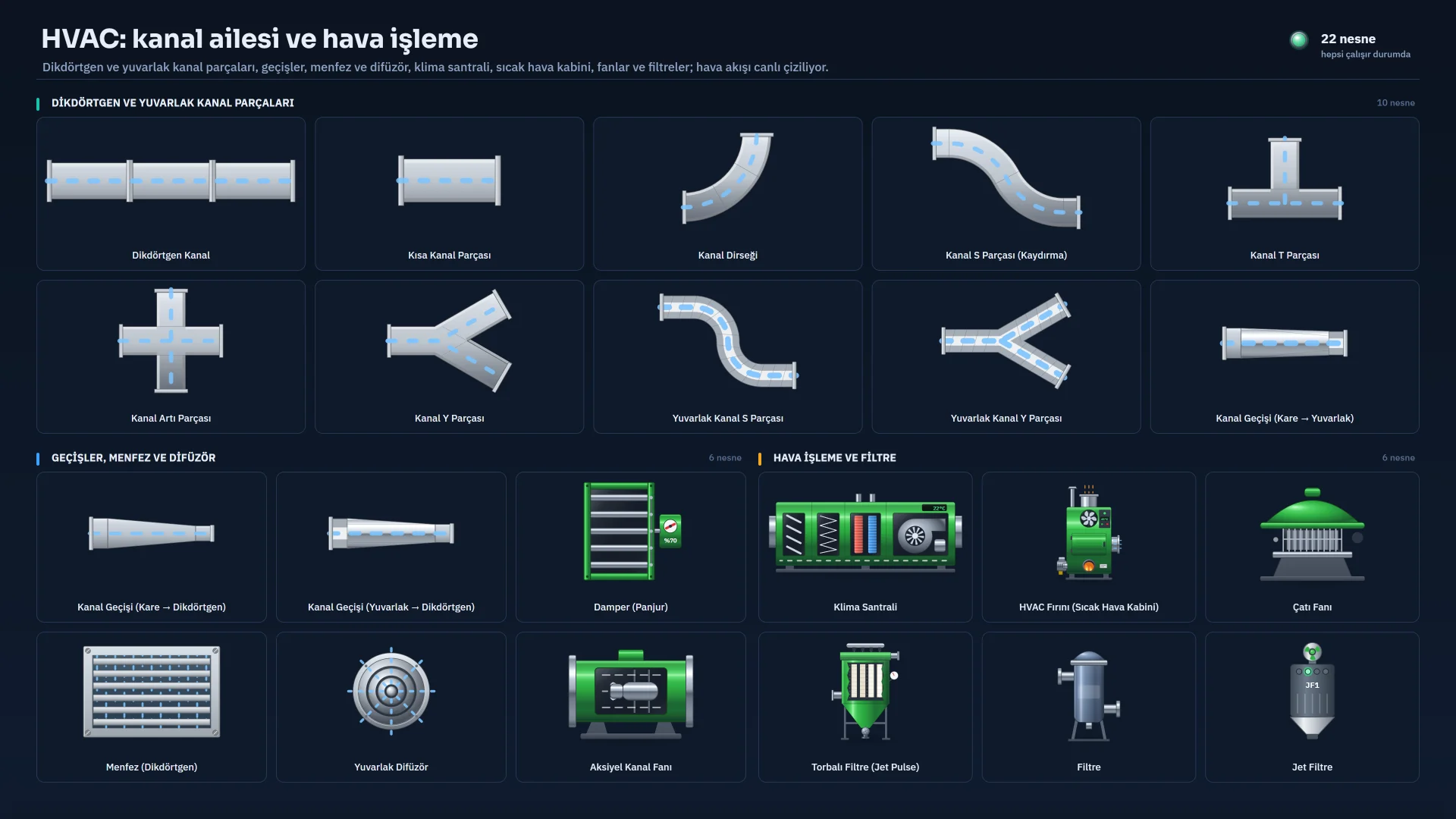
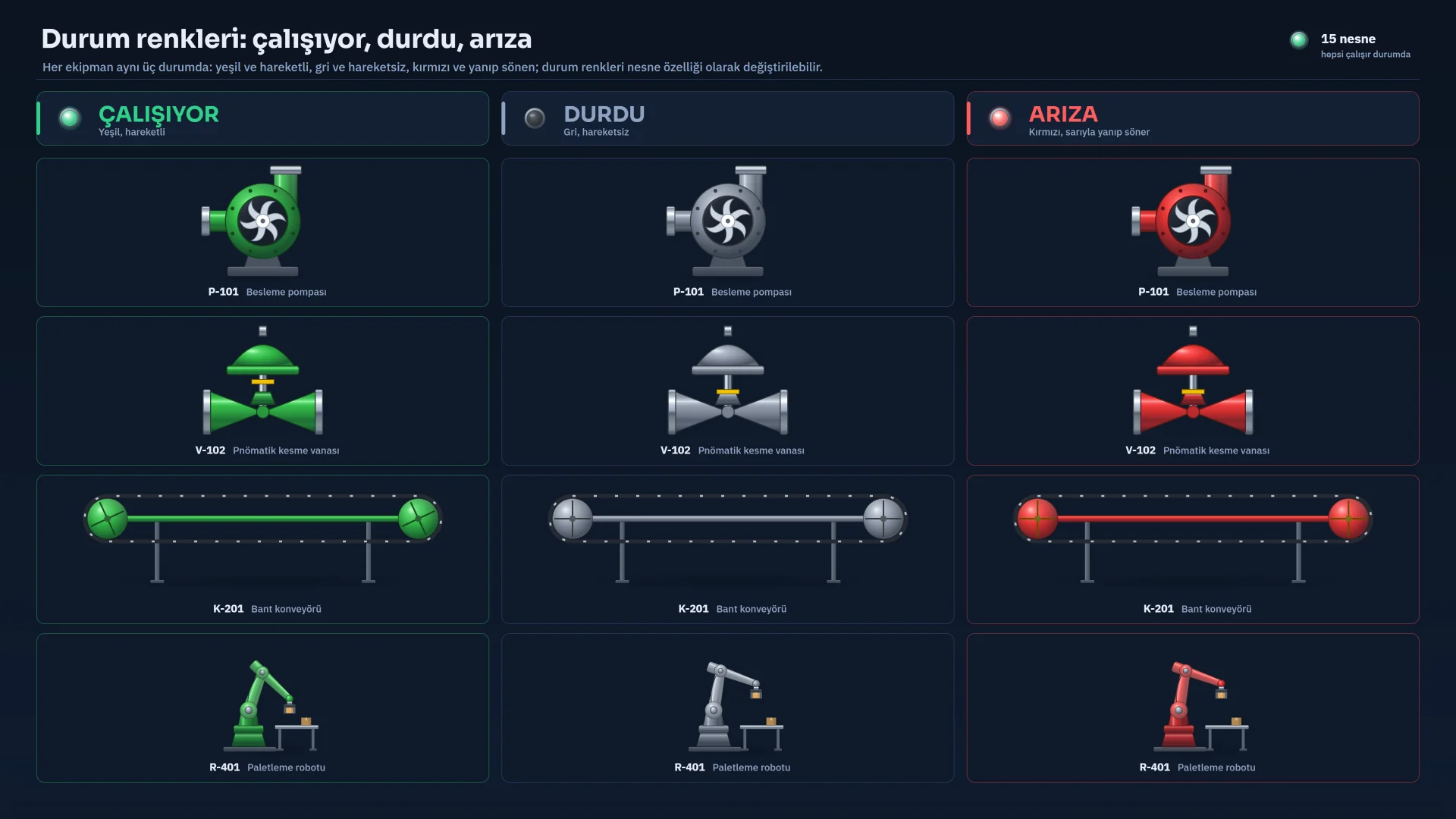
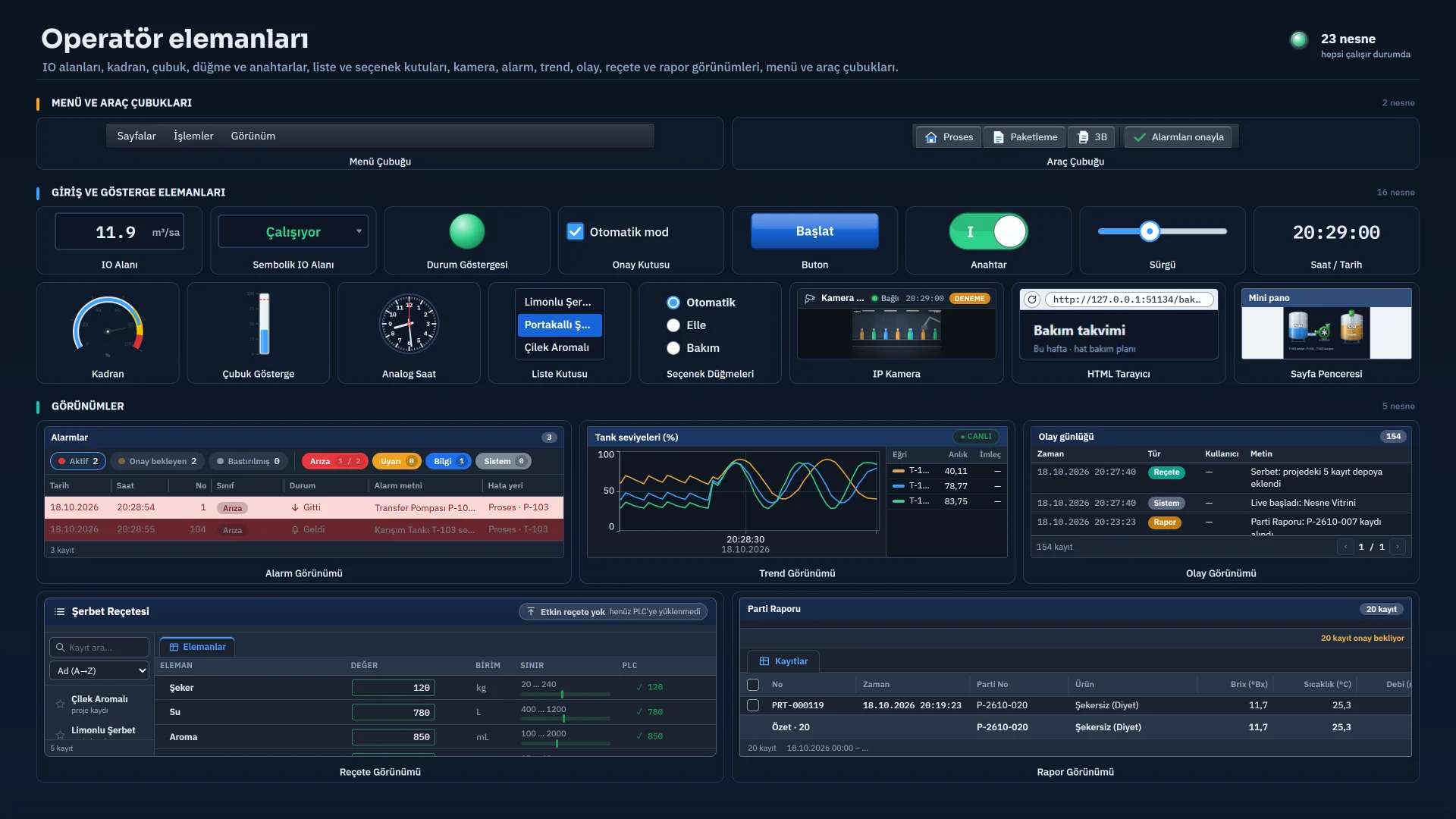
Pump, valve, tank, silo, conveying, heating, robot, instrument, panel and HVAC objects; state colors and operator elements.
The VBScript, JavaScript, C and Python editor, the example gallery and compile errors.
The connections table and driver selection.
Converting TIA Portal HMI projects: wizard steps, preview and result report.
Monitoring from a browser and from TVs on the network, and the remote-monitoring settings.
Some images show the Turkish interface; the product’s interface is available in six languages.
Sample project
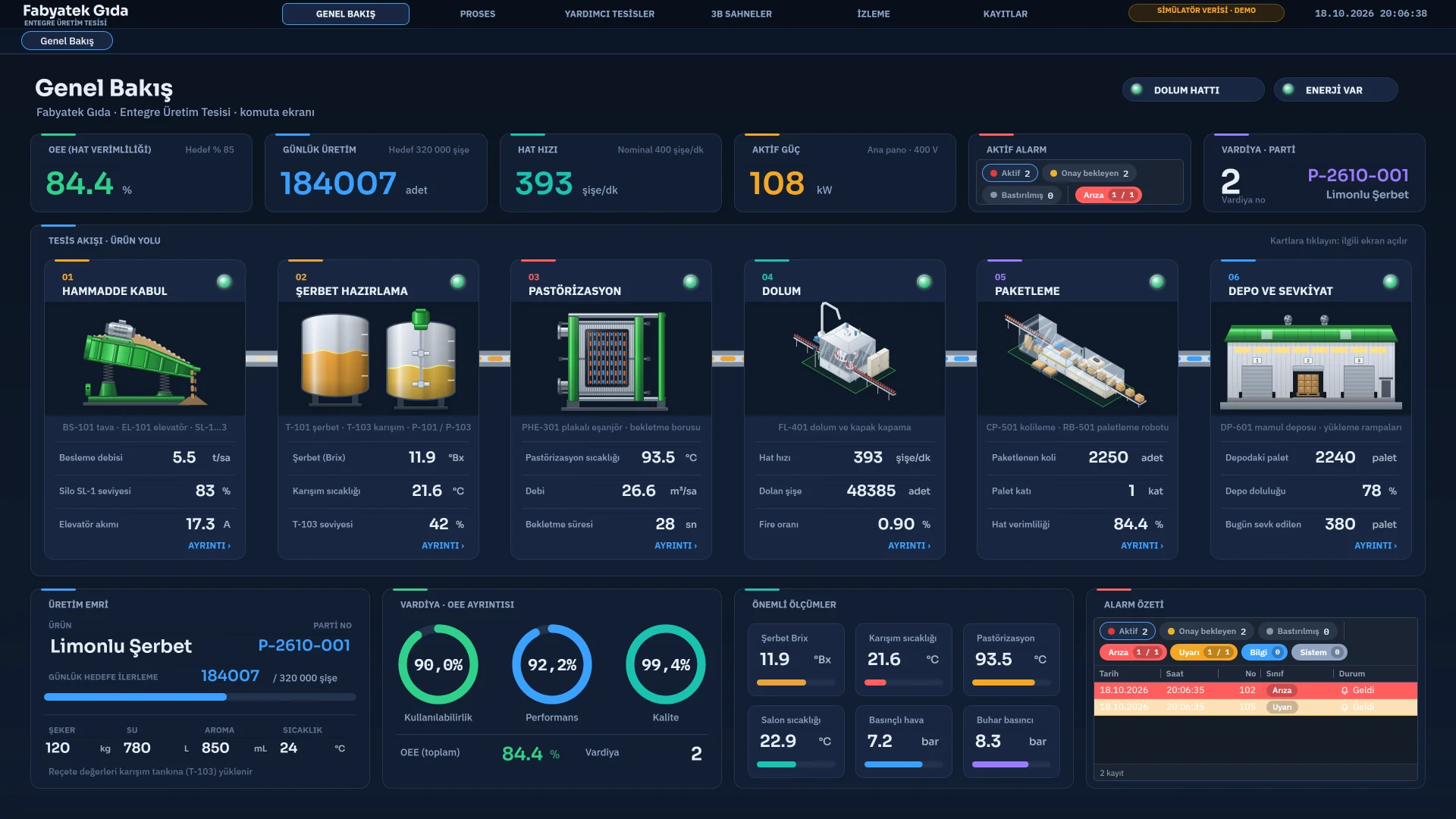
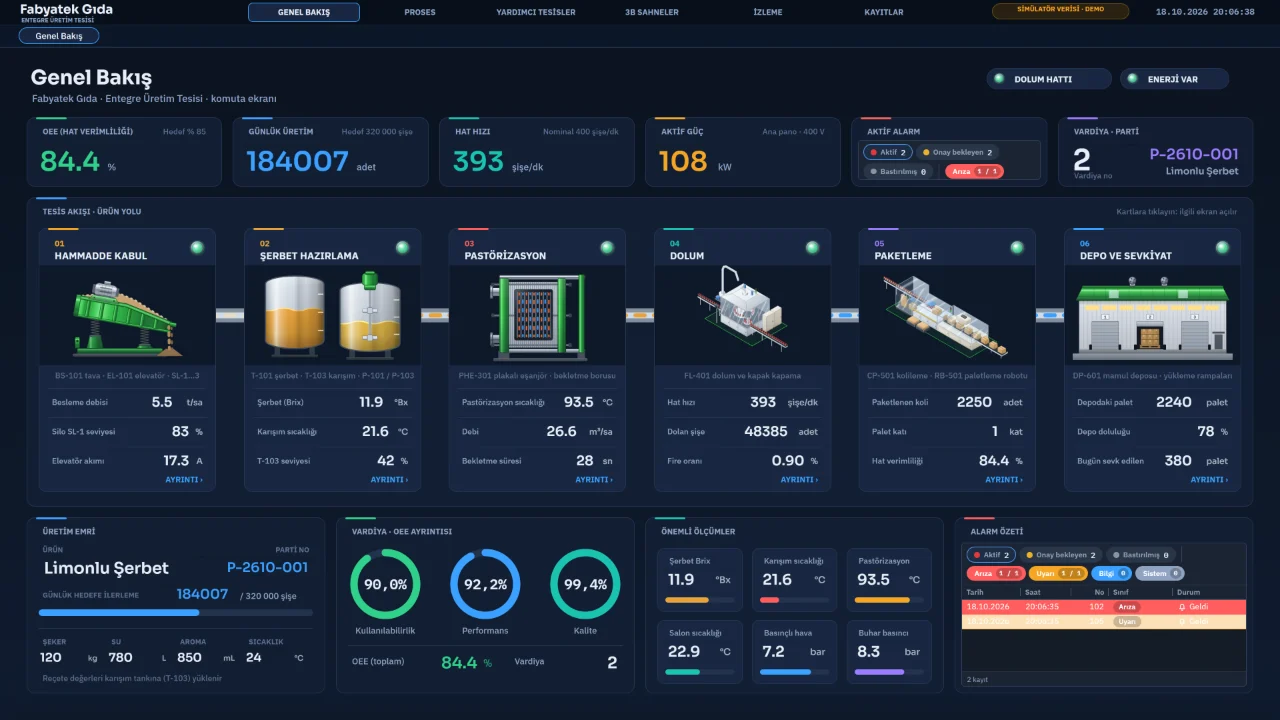
Overview
Plant flow with OEE and production indicators, the production order and the alarm list.
Sample project
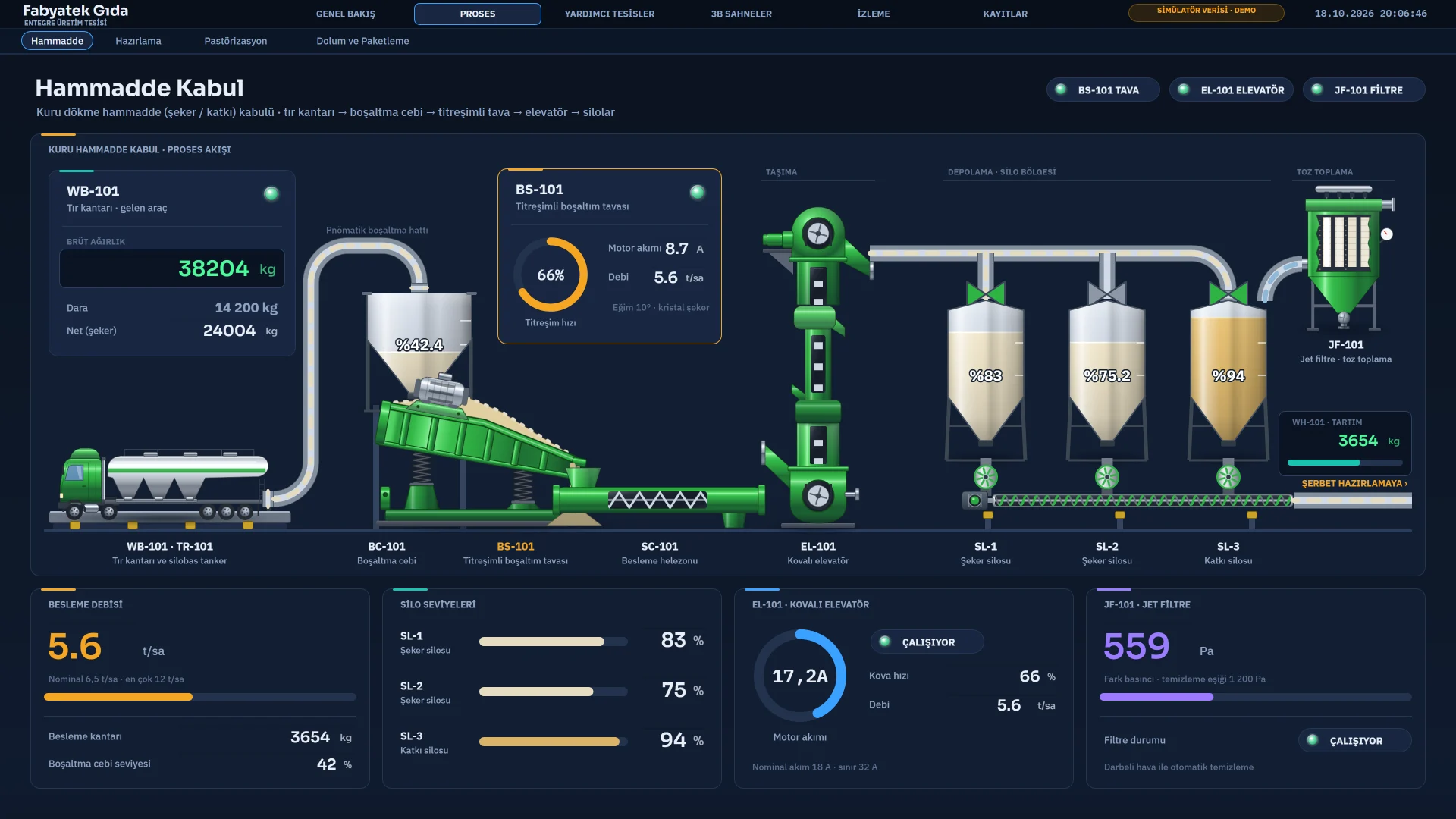
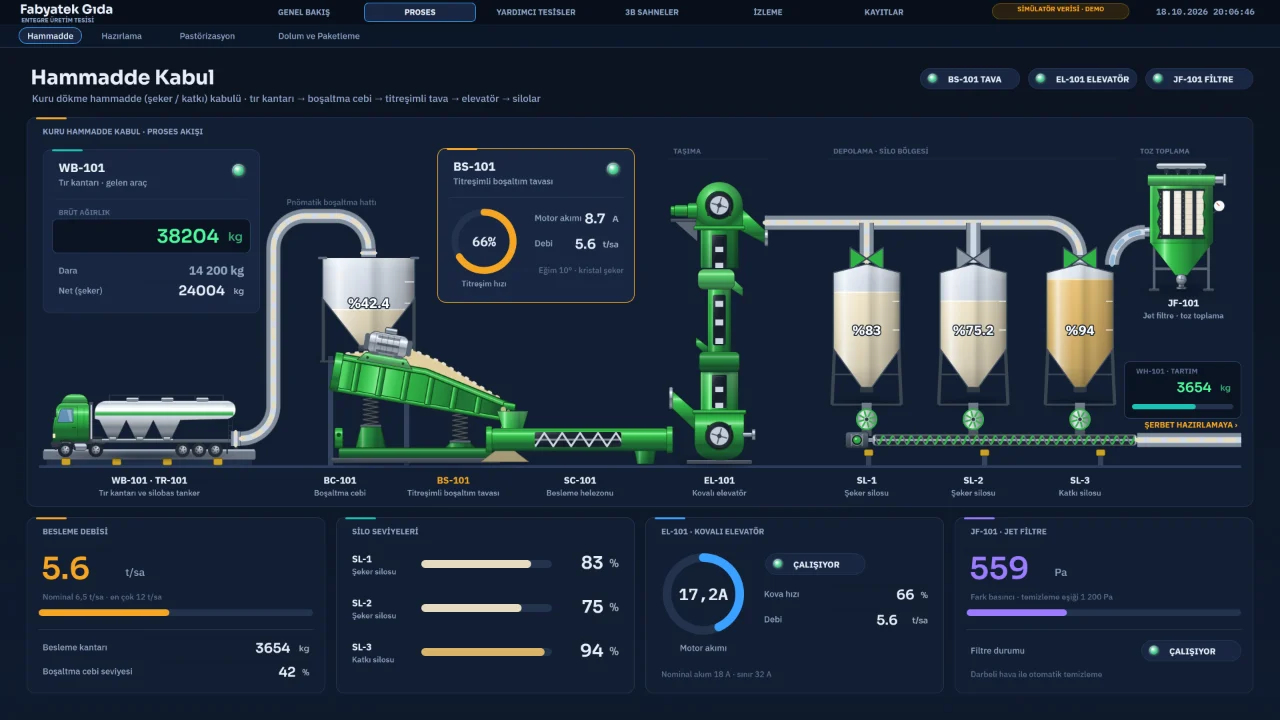
Raw material intake
The raw material intake page with truck scale, hopper, elevator, silos and jet filter.
Sample project
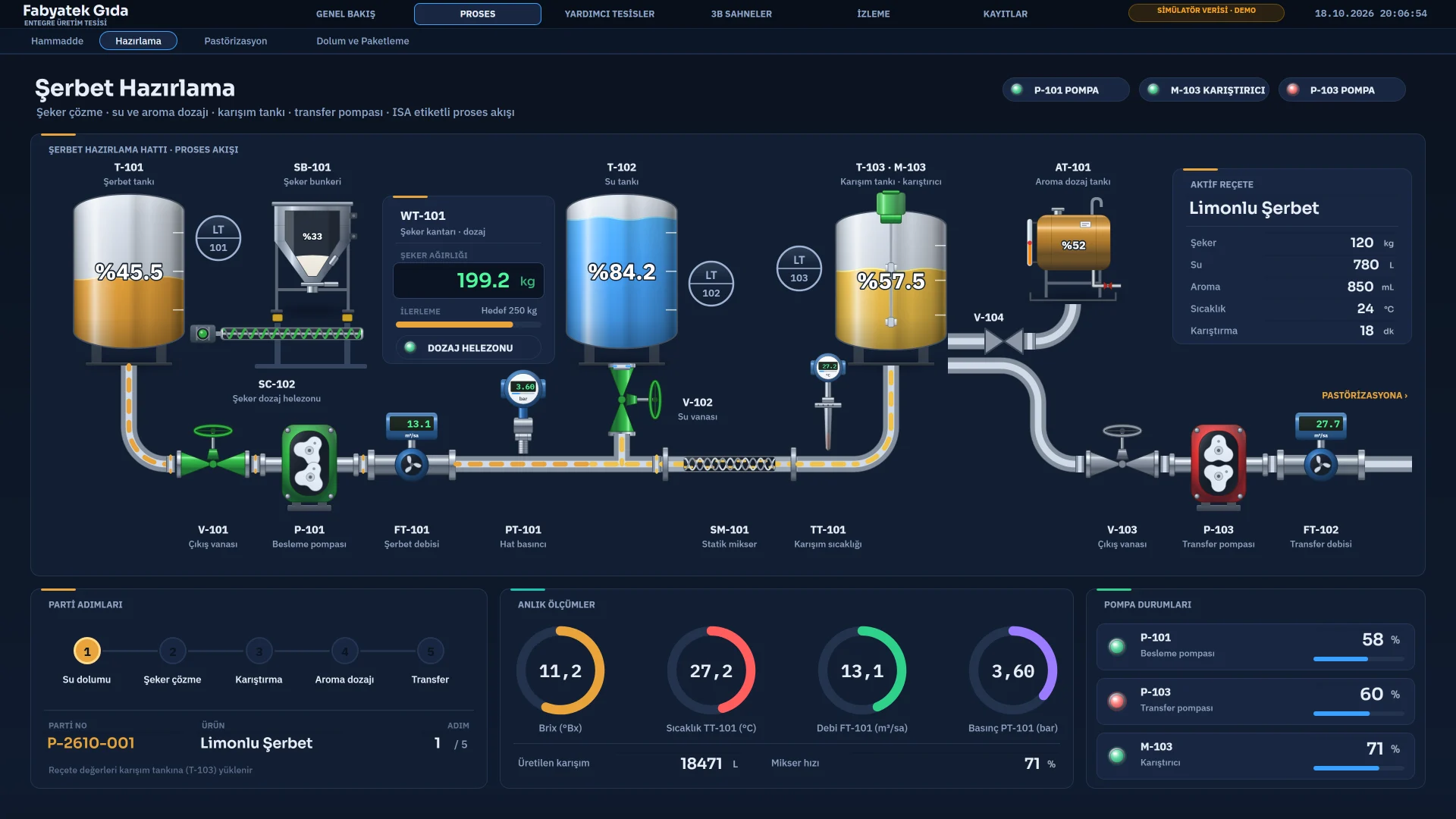
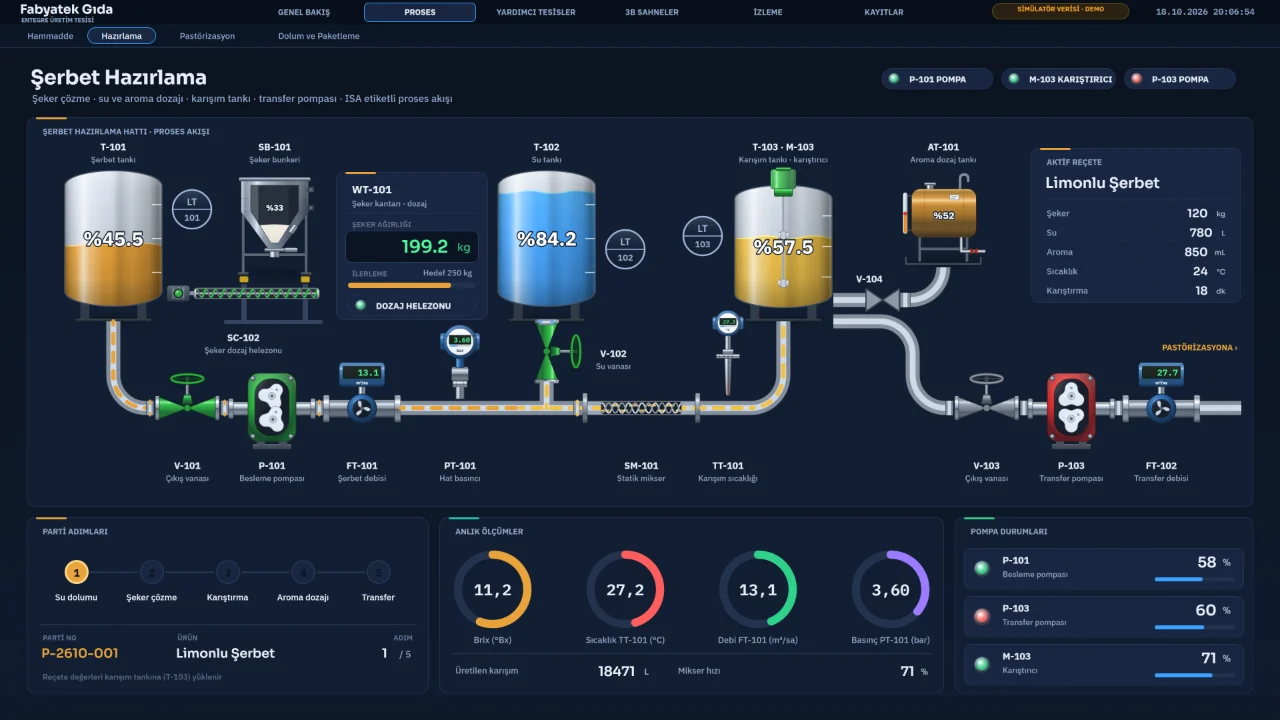
Syrup preparation
Syrup, water and mixing tanks, dosing screw, pumps and the active recipe values.
Sample project
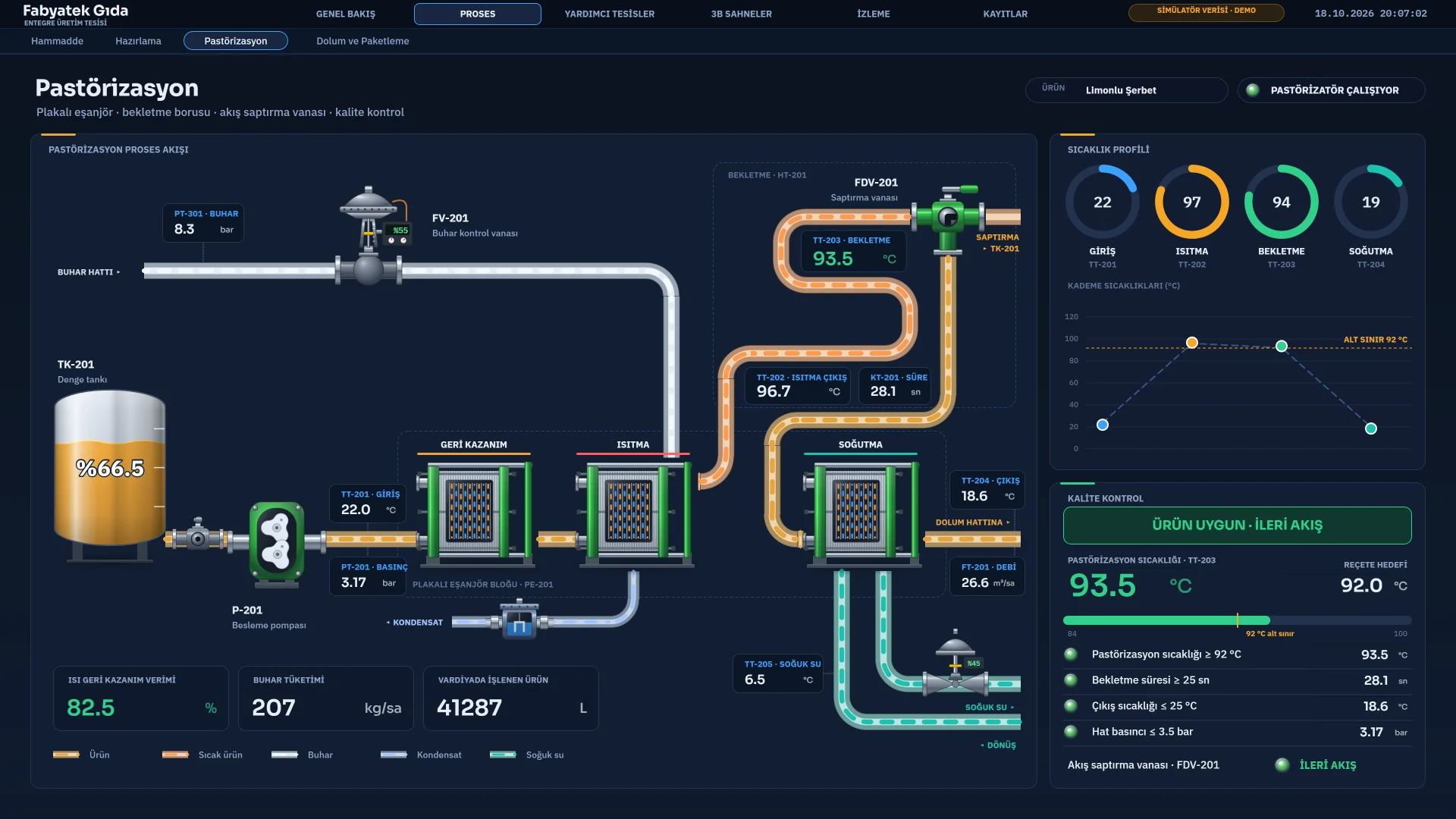
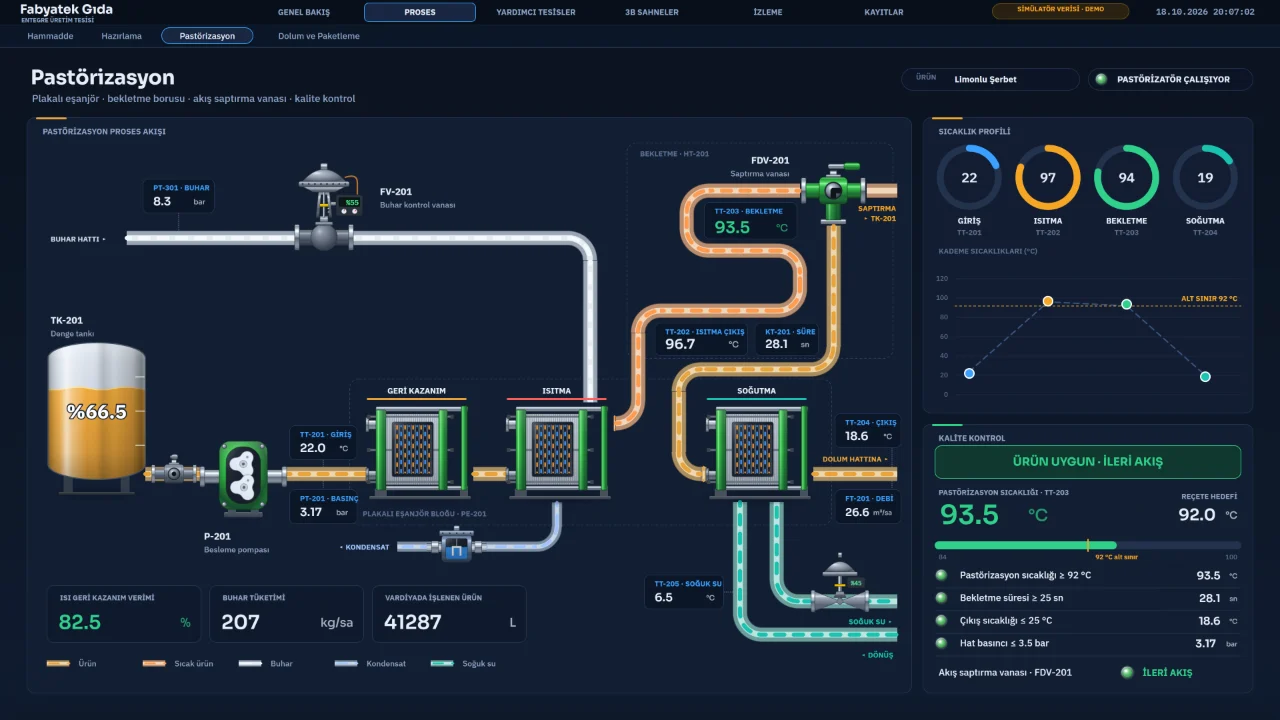
Pasteurisation
Plate heat exchangers, holding tube, flow diversion valve and temperature profile.
Sample project
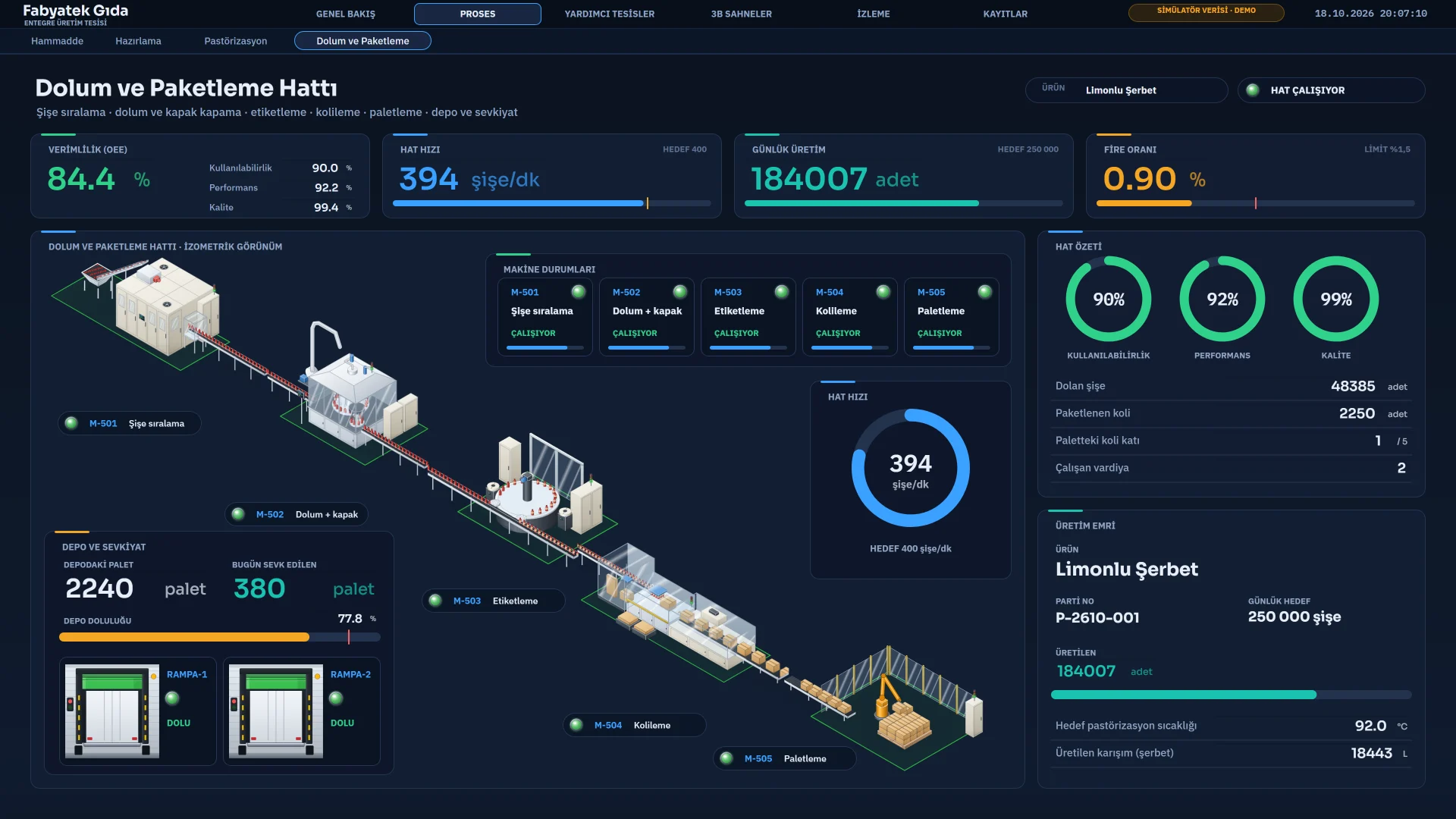
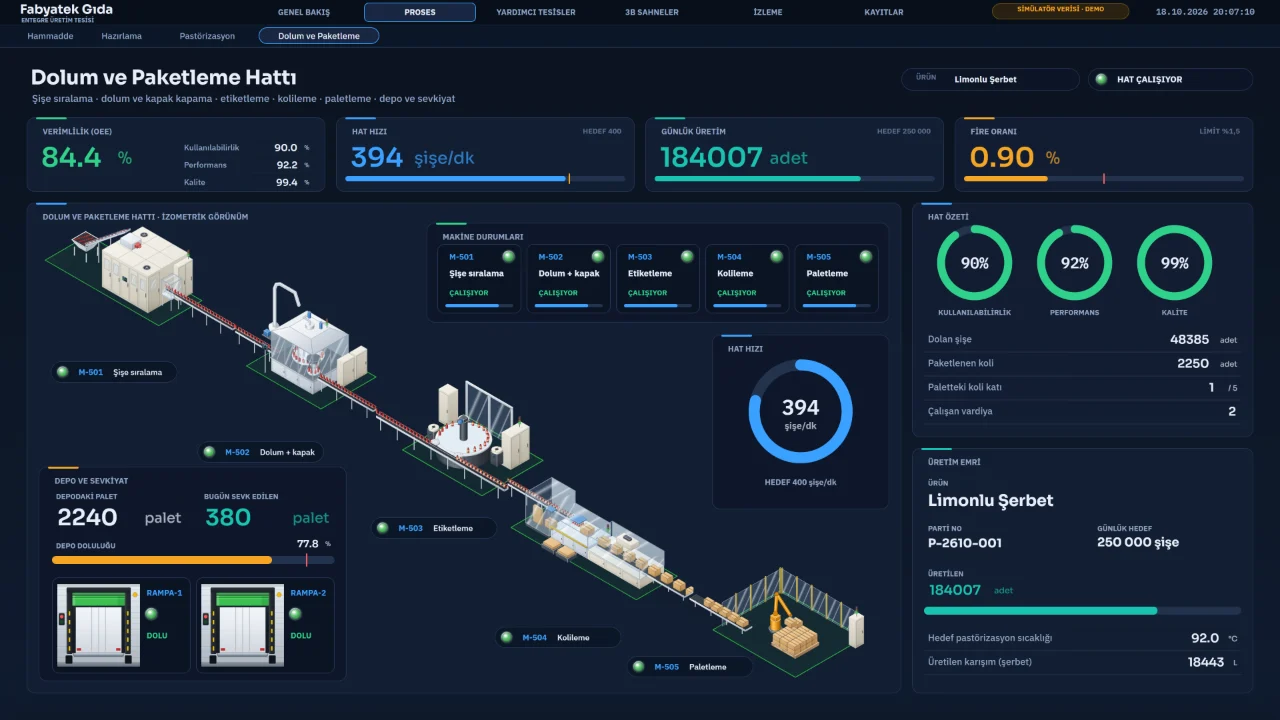
Filling and packaging line
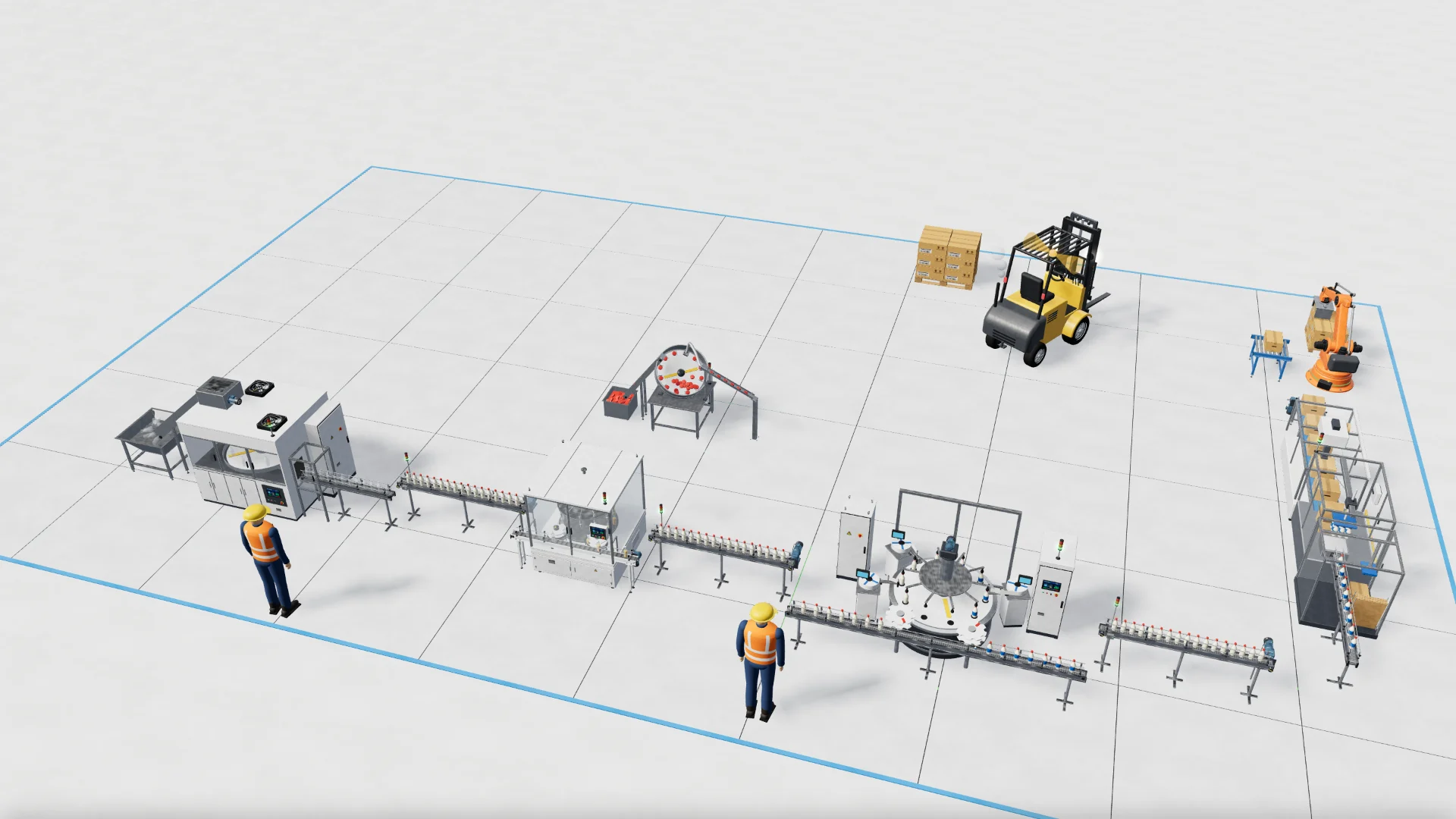
An isometric filling and packaging line, from bottle sorting to palletising.
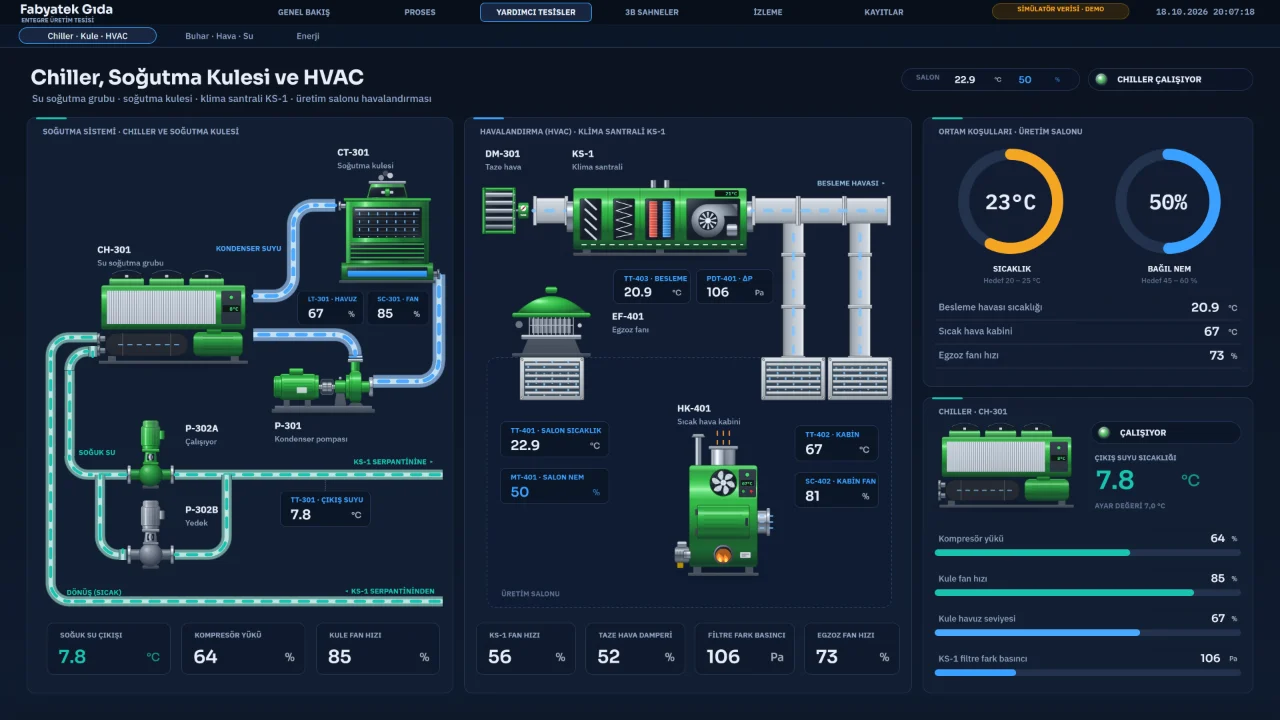
Sample project
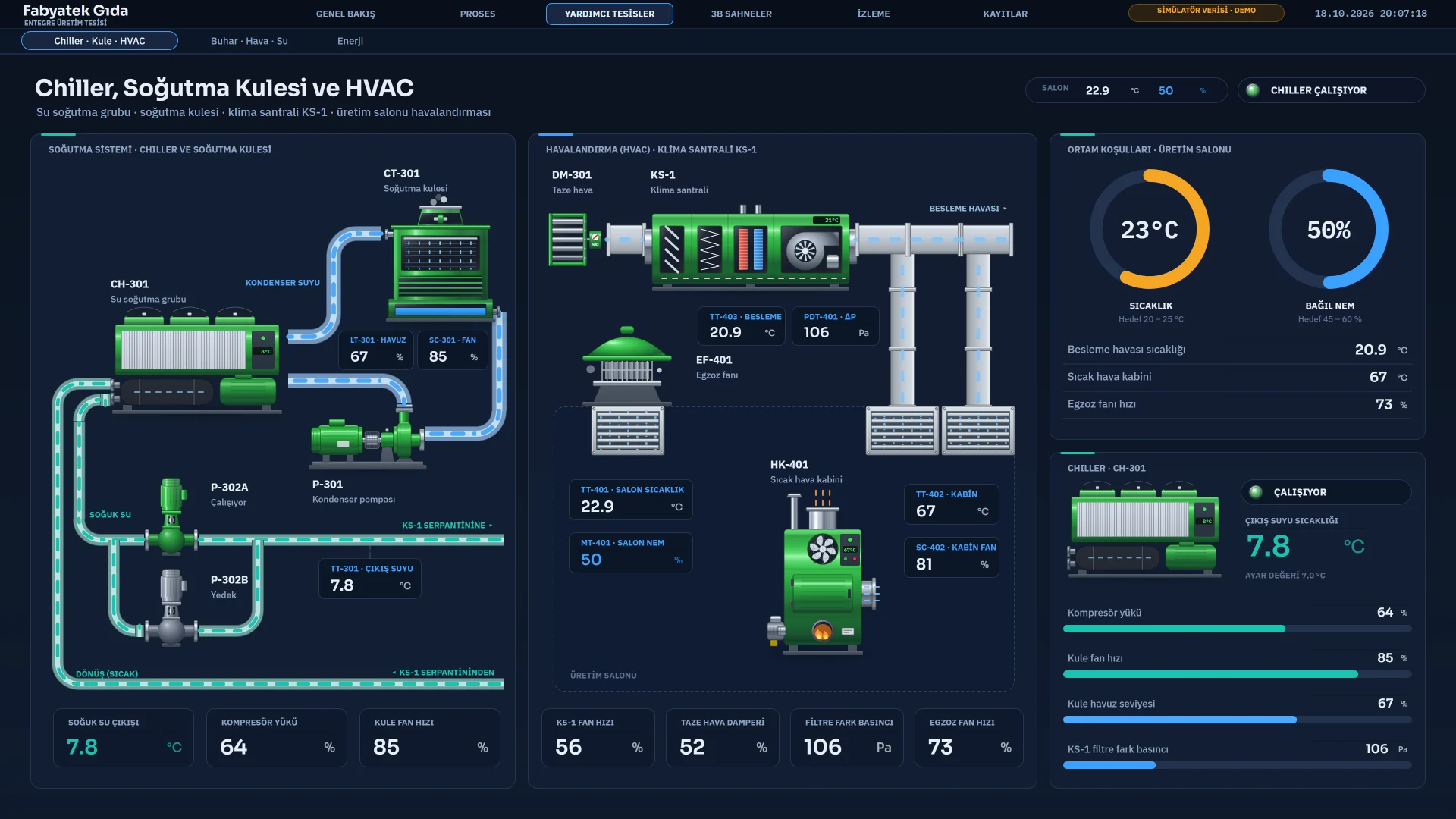
Chiller, tower and HVAC
Water chiller, cooling tower, air handling unit and exhaust fan.
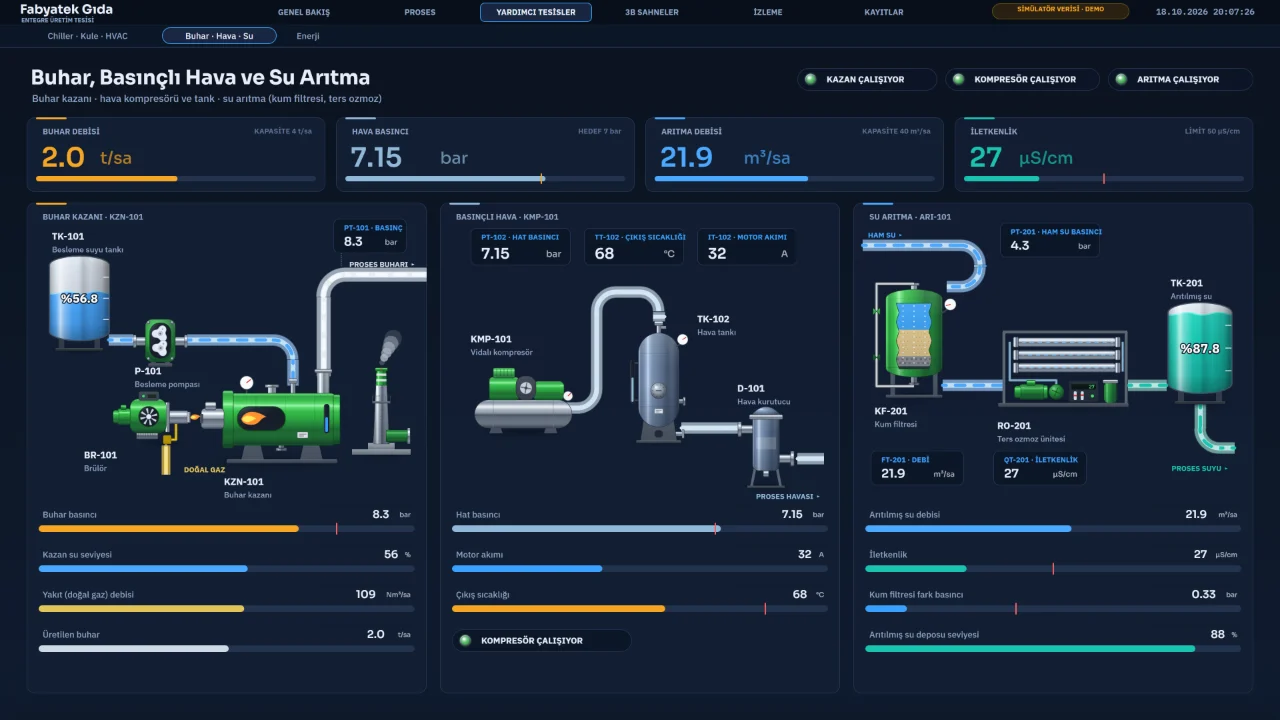
Sample project
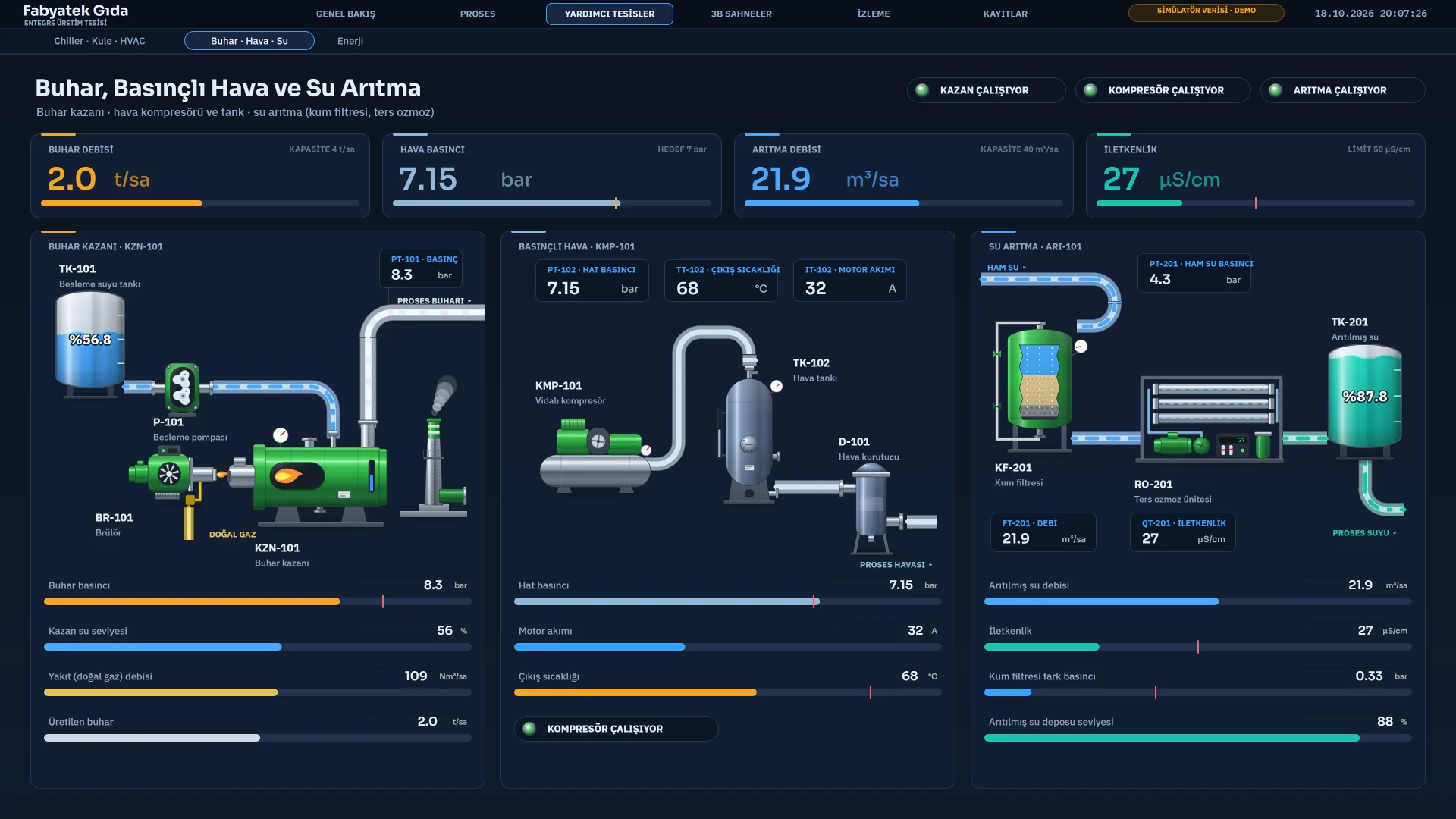
Boiler and water treatment
Steam boiler, air compressor and a reverse osmosis water treatment unit.
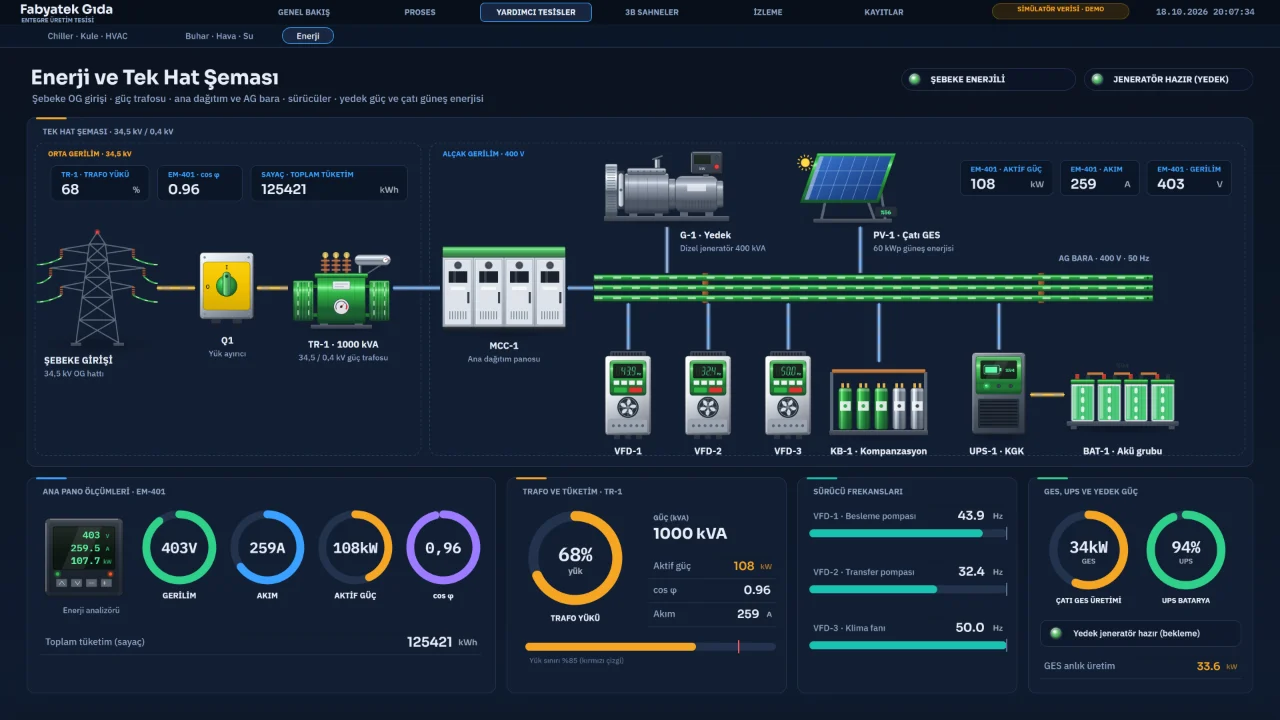
Sample project
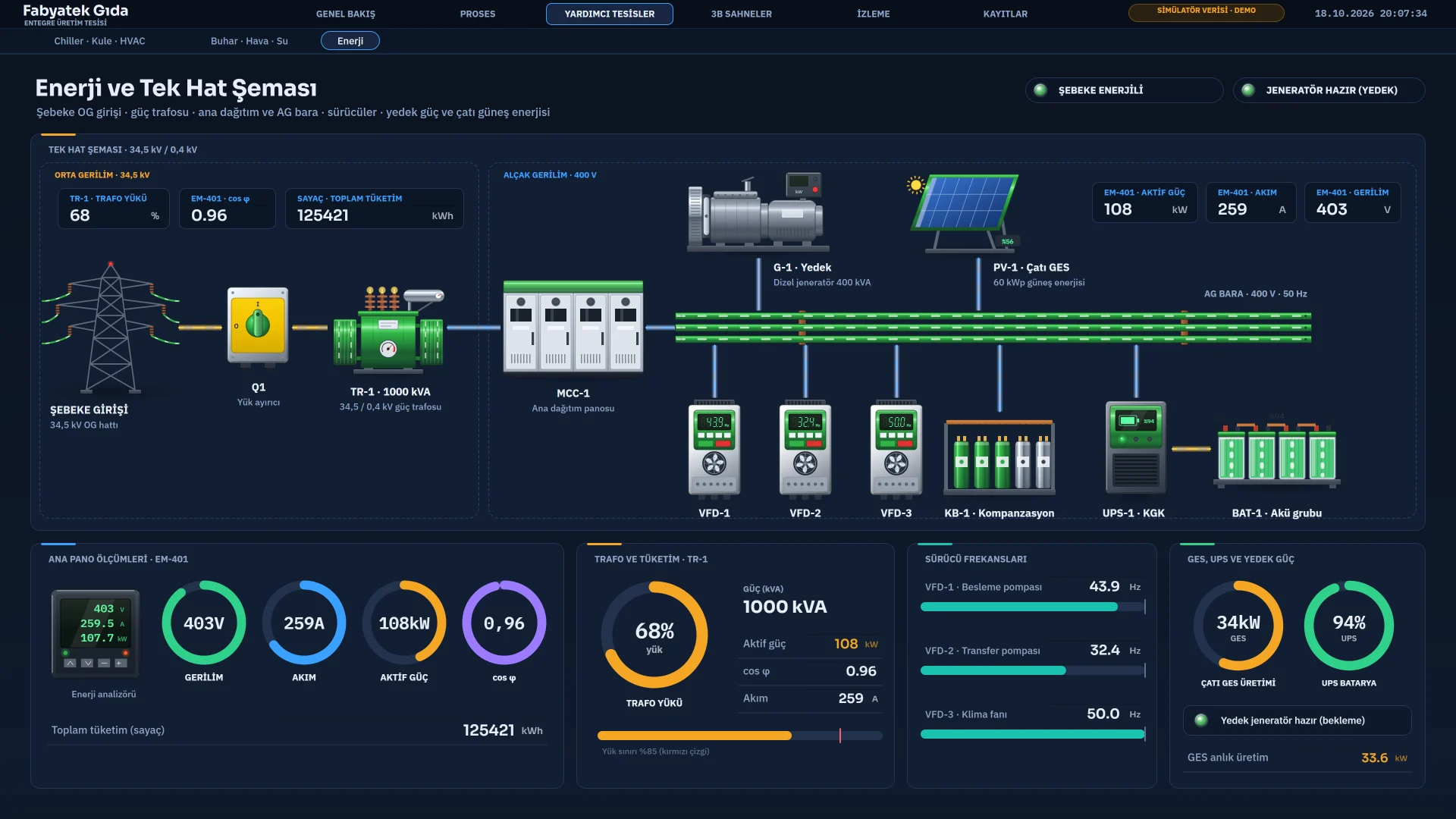
Energy and single-line diagram
A single-line diagram from the grid incomer to the transformer, main board, UPS and generator.
3D scene
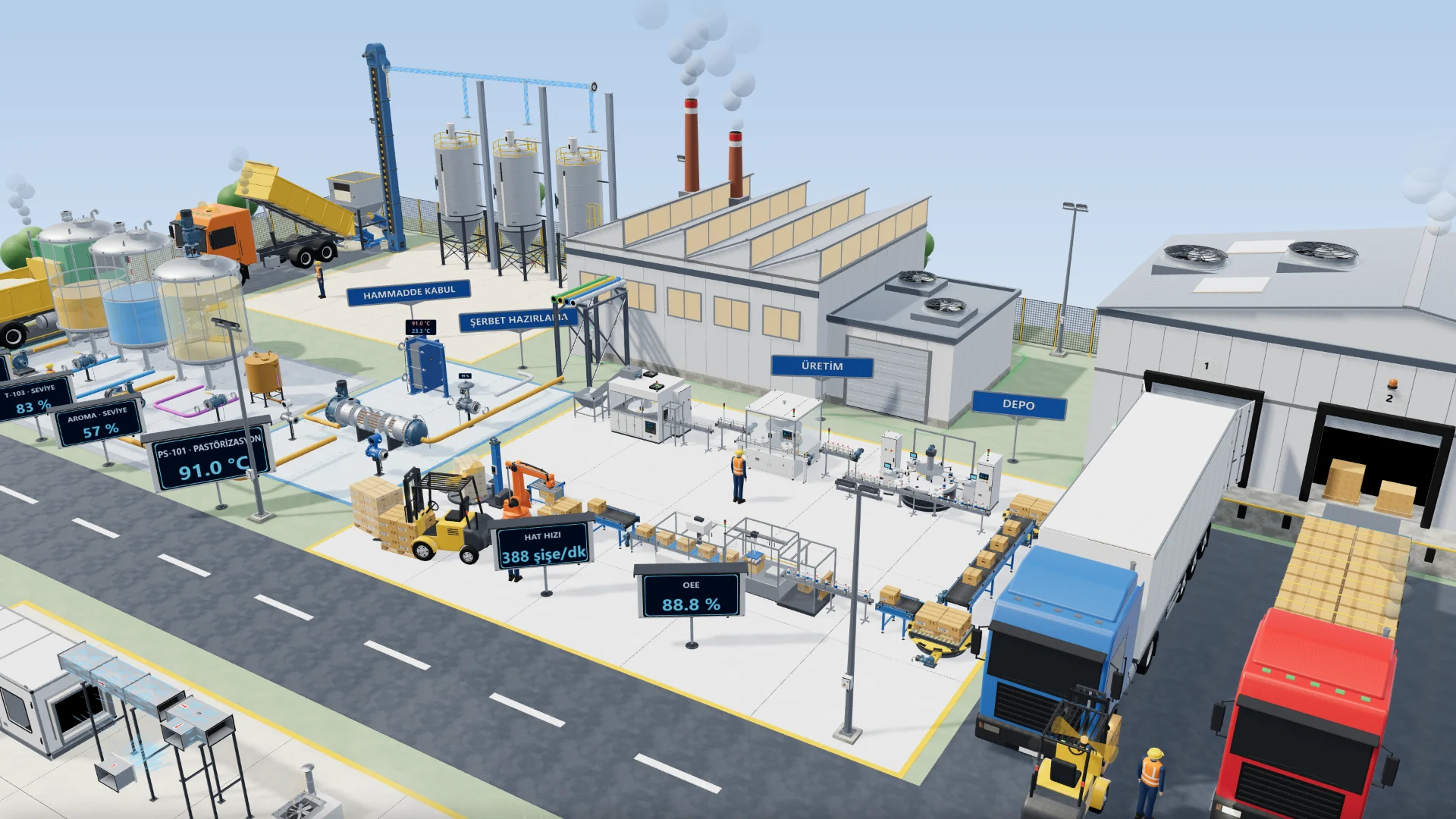
Realistic 3D plant scene
A 3D plant scene built from realistic models, from syrup preparation to the filling line.
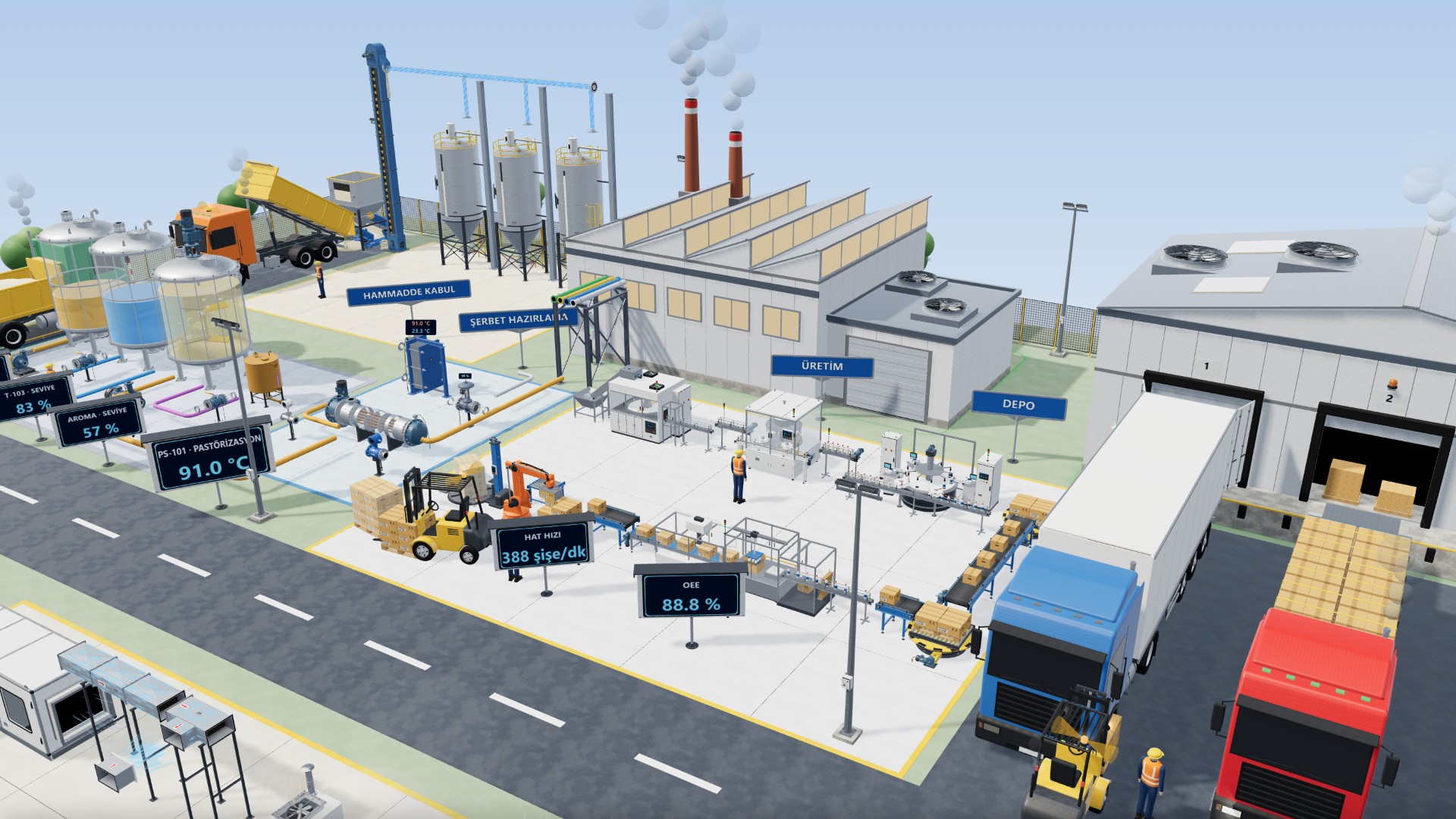
3D scene
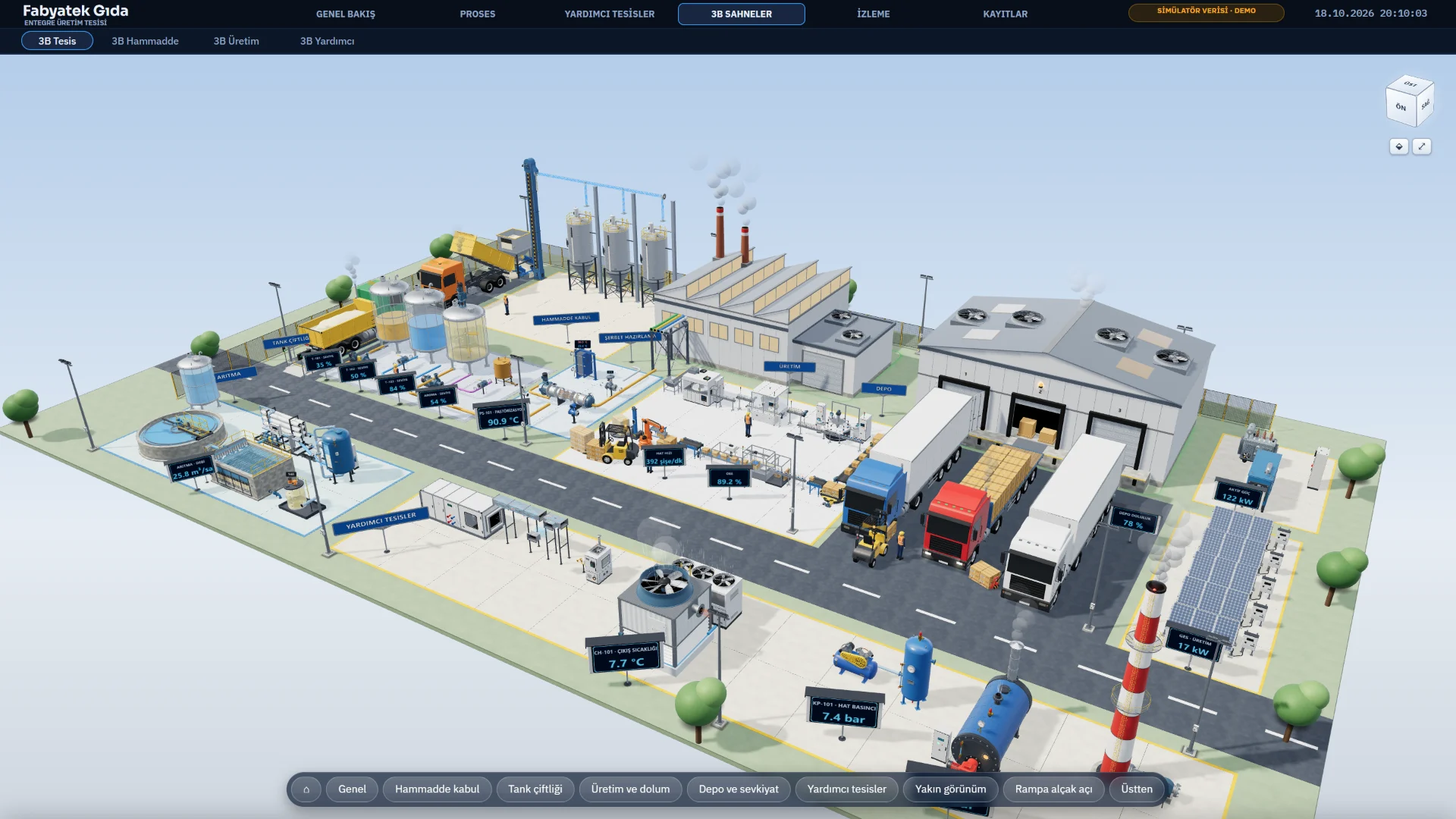
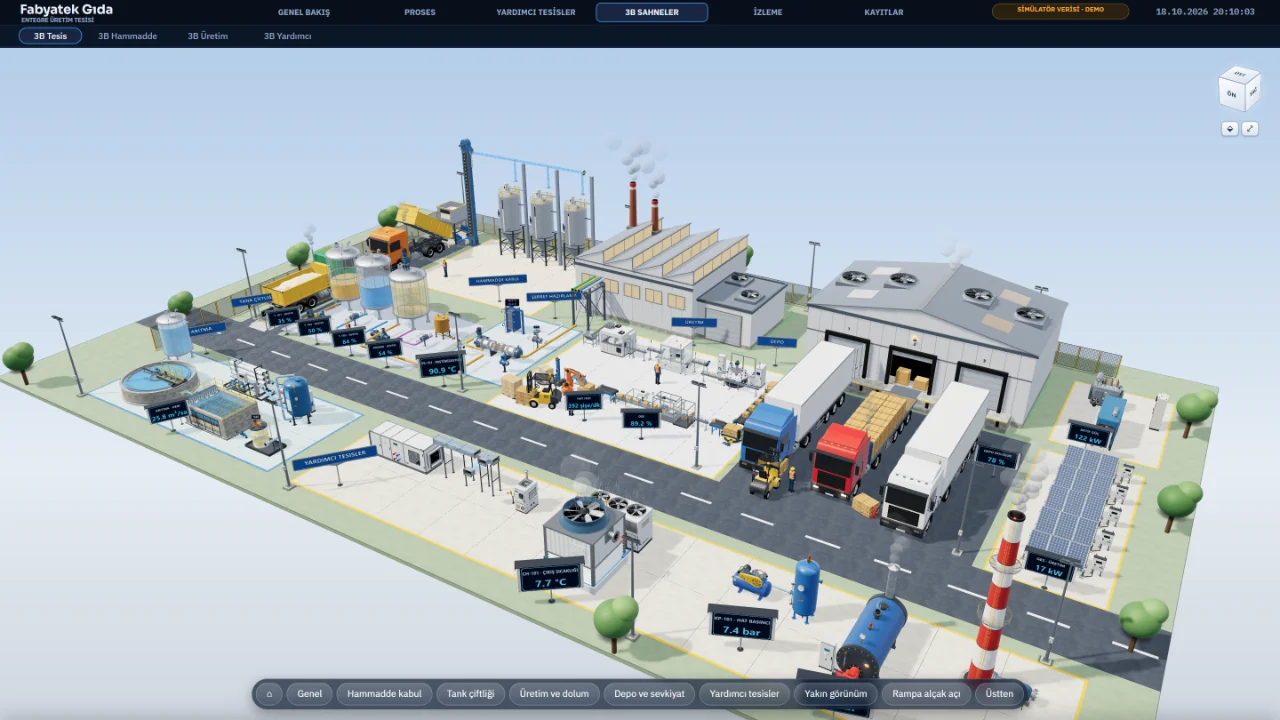
3D plant scene
The 3D plant overview in Live, from raw material intake to the warehouse.
3D scene
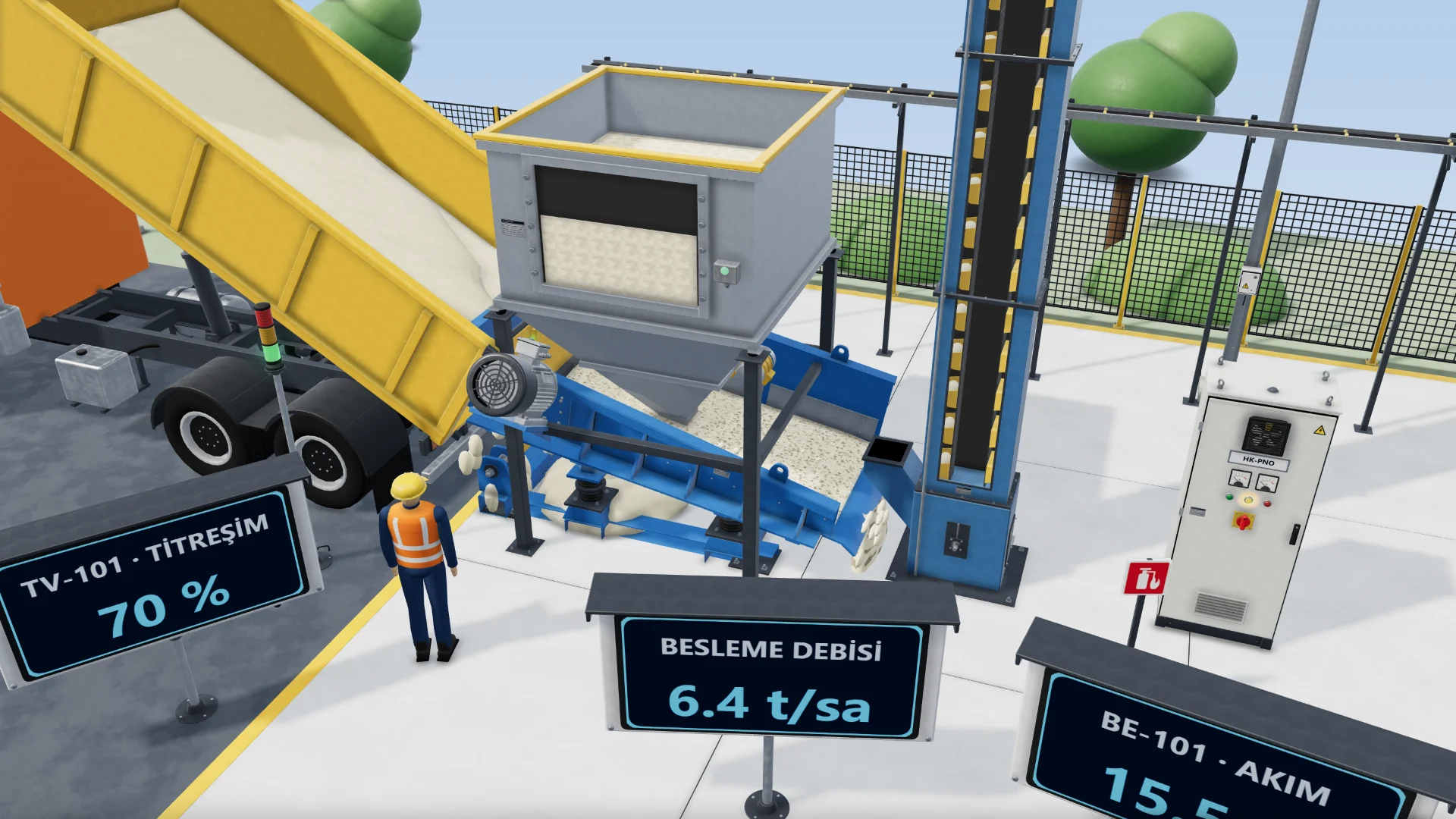
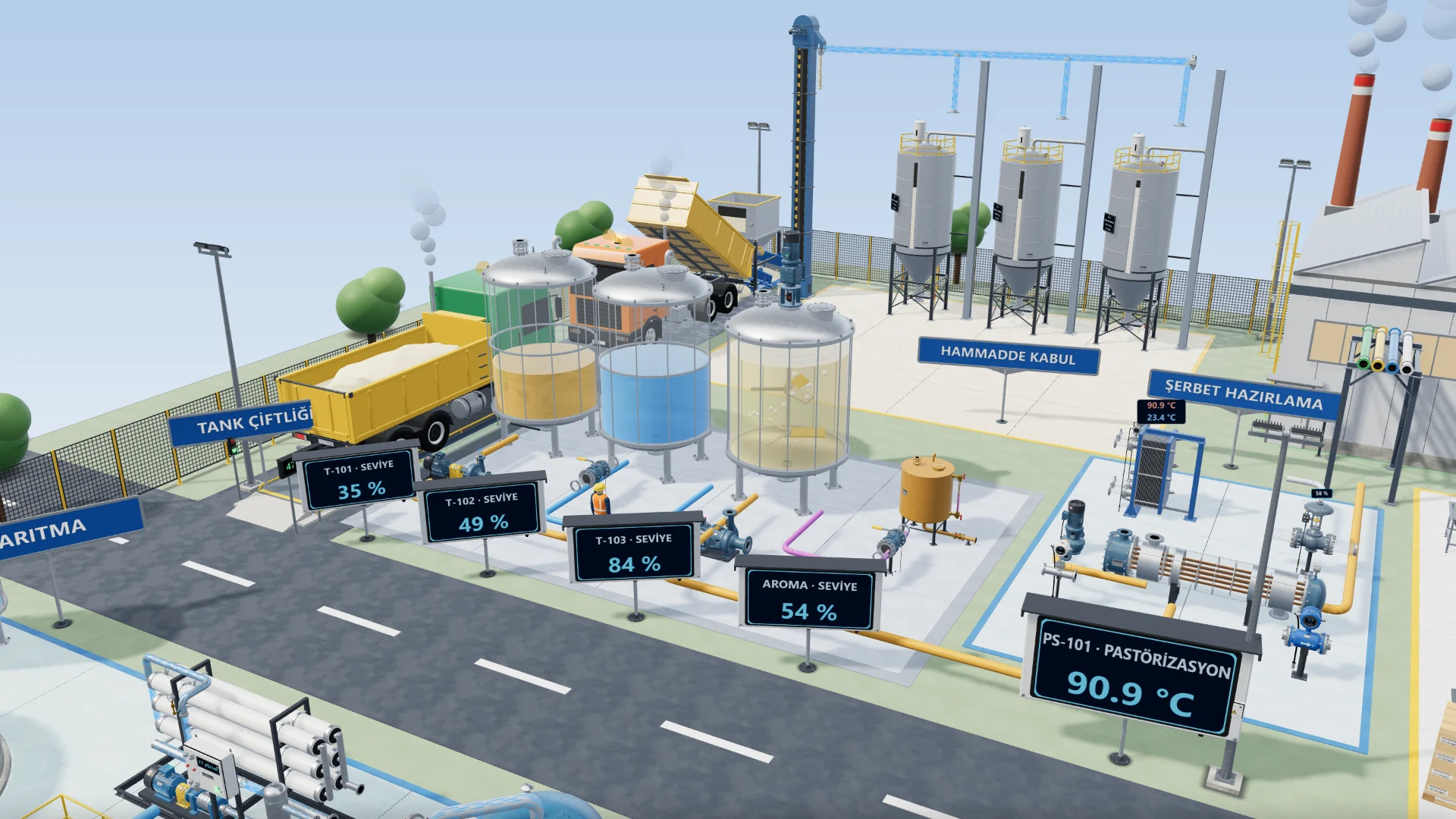
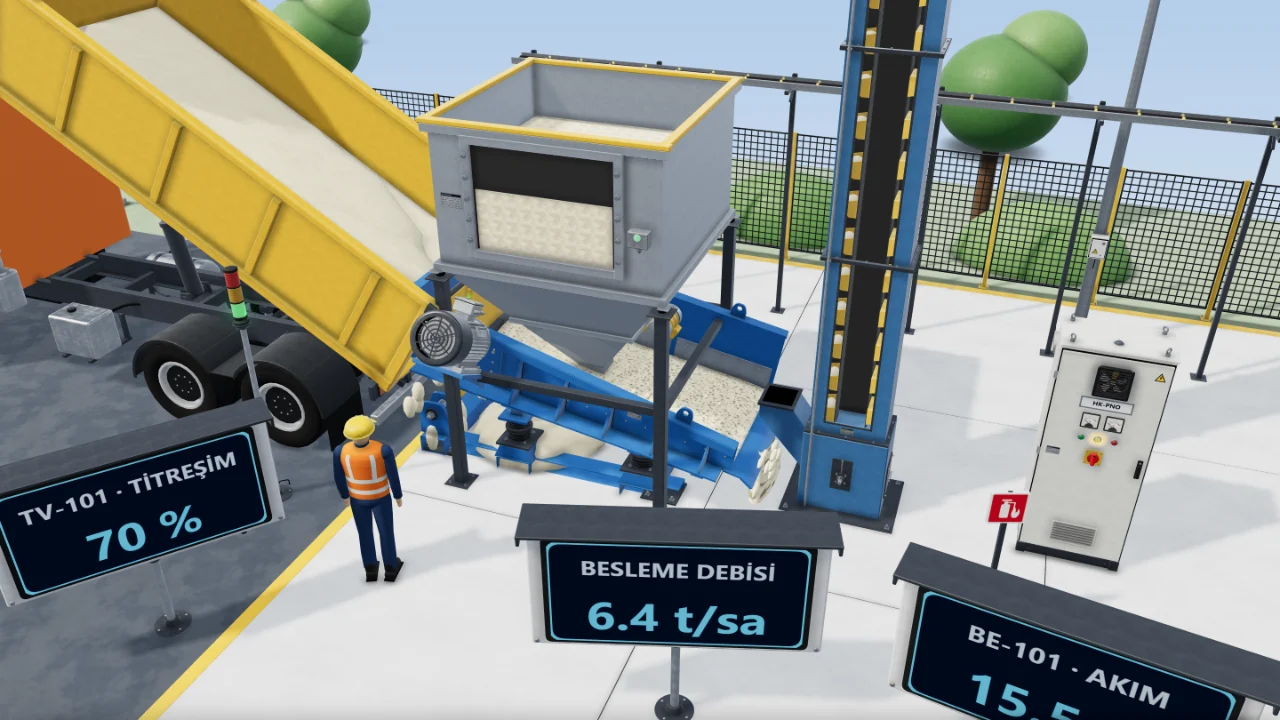
3D raw material intake
Close view of the dump truck, discharge hopper, bucket elevator and control cabinet.
3D scene
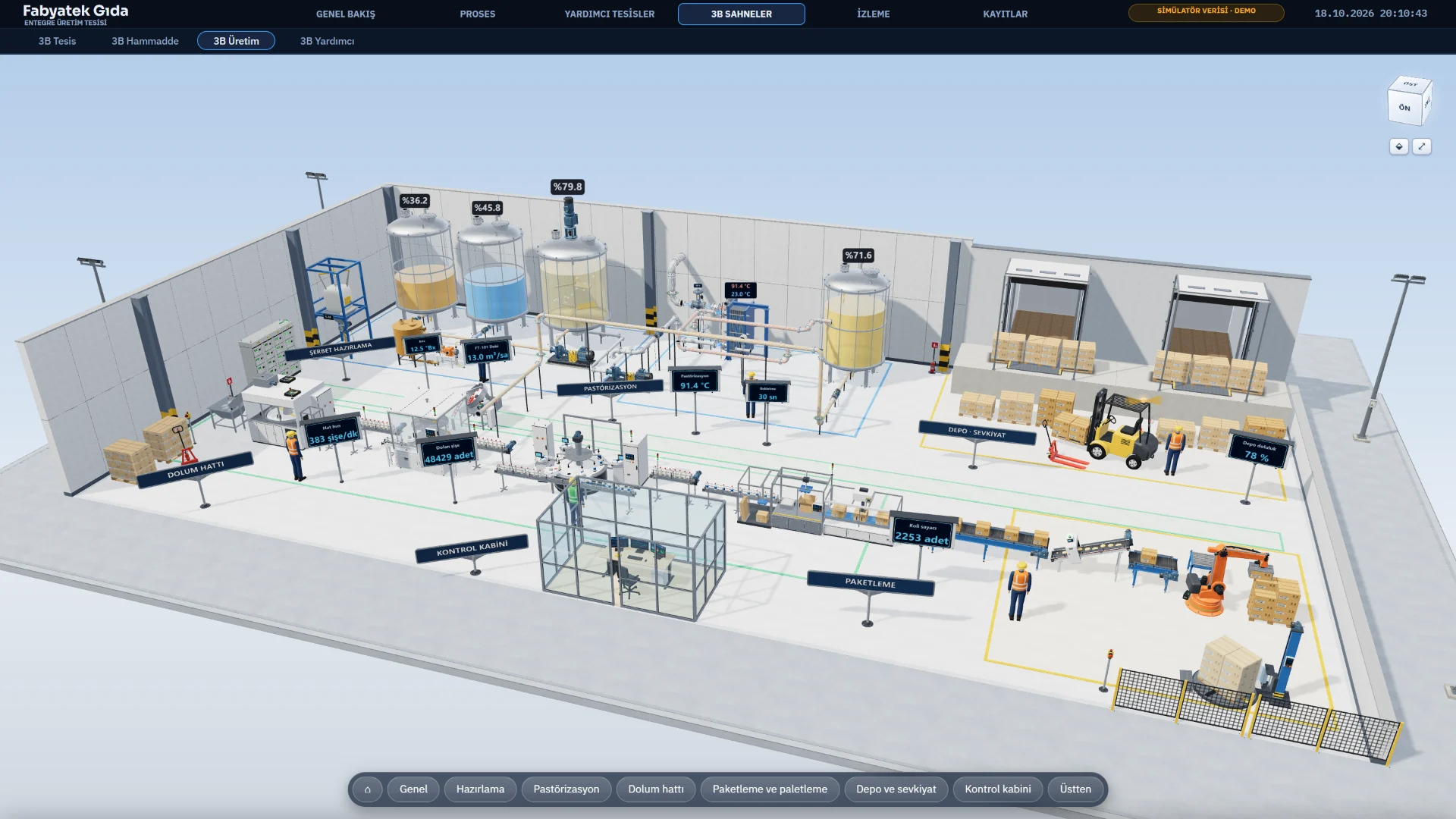
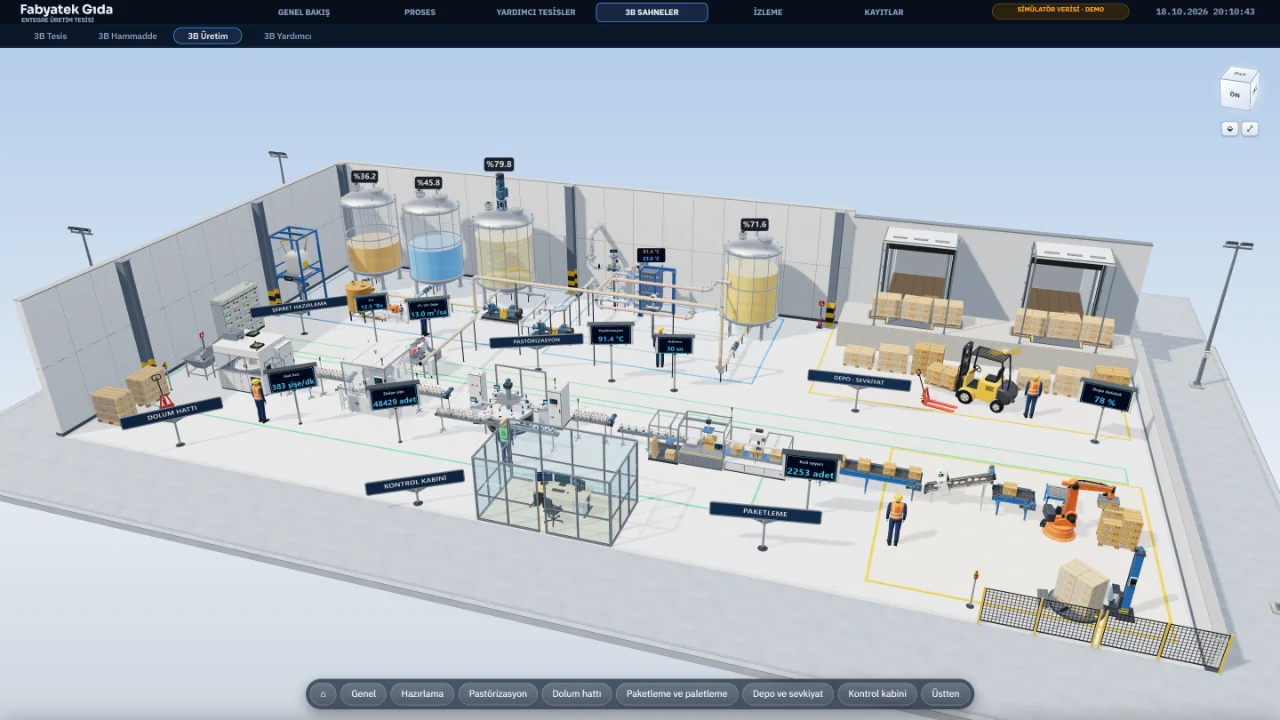
3D production hall
Syrup tanks, pasteuriser, filling line and warehouse docks in one 3D scene.
3D scene
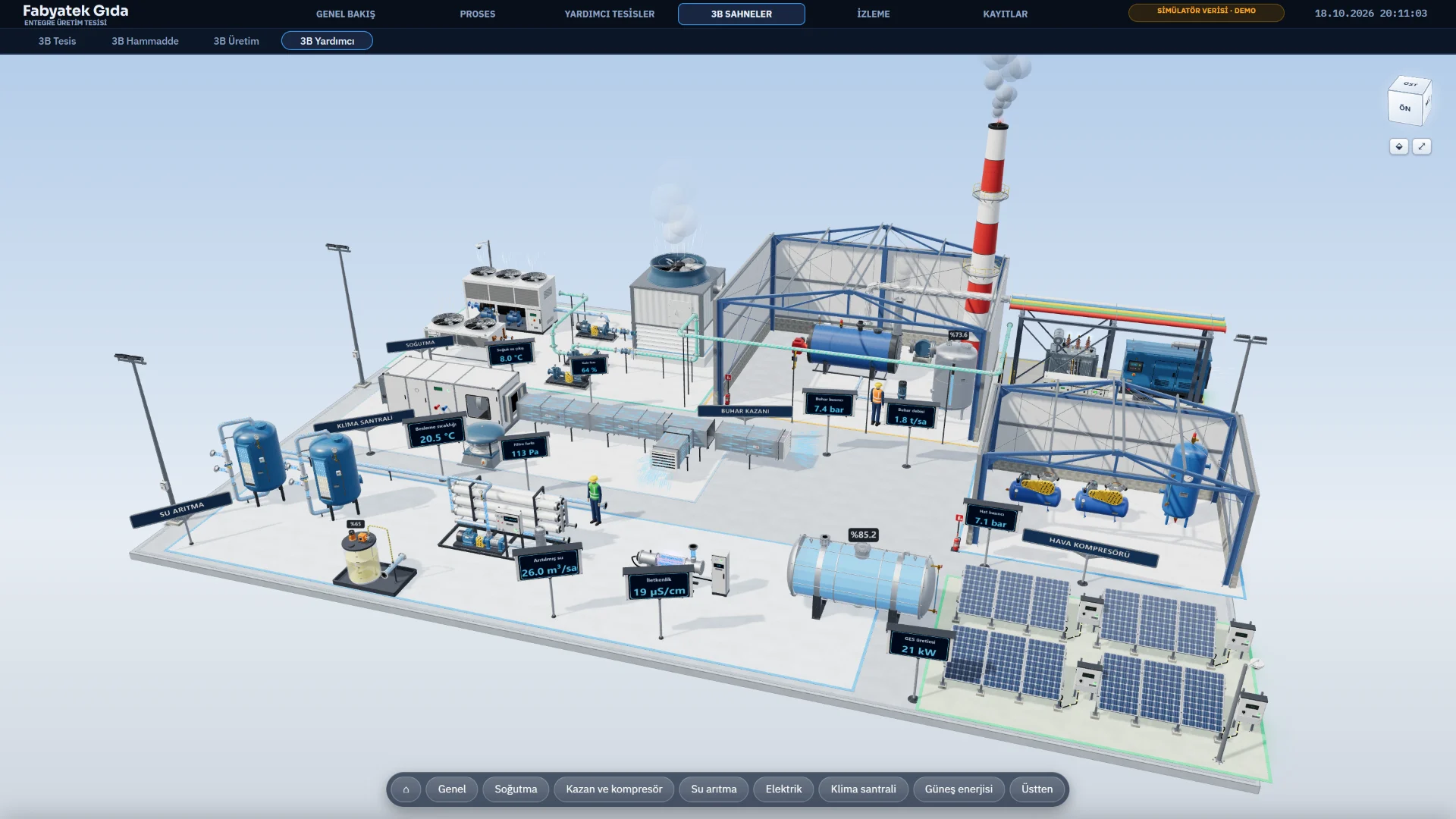
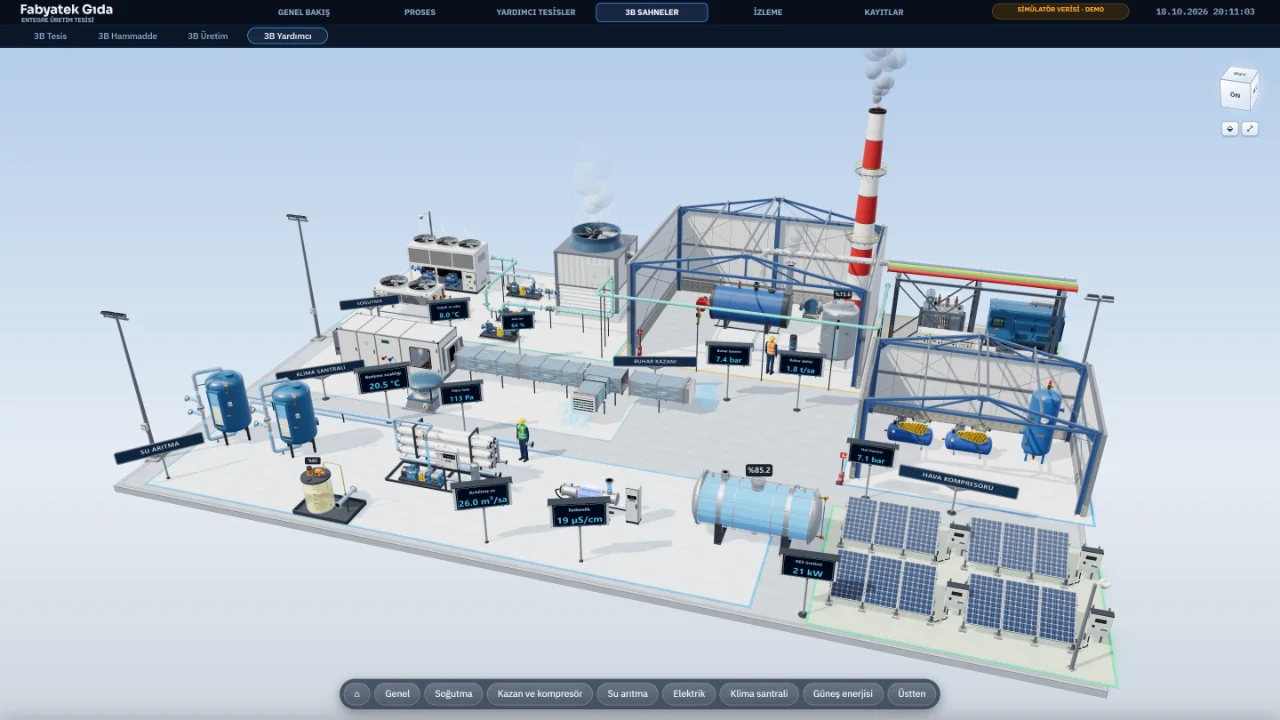
3D utilities
Cooling tower, steam boiler, compressors, transformer and generator in one 3D scene.
3D scene
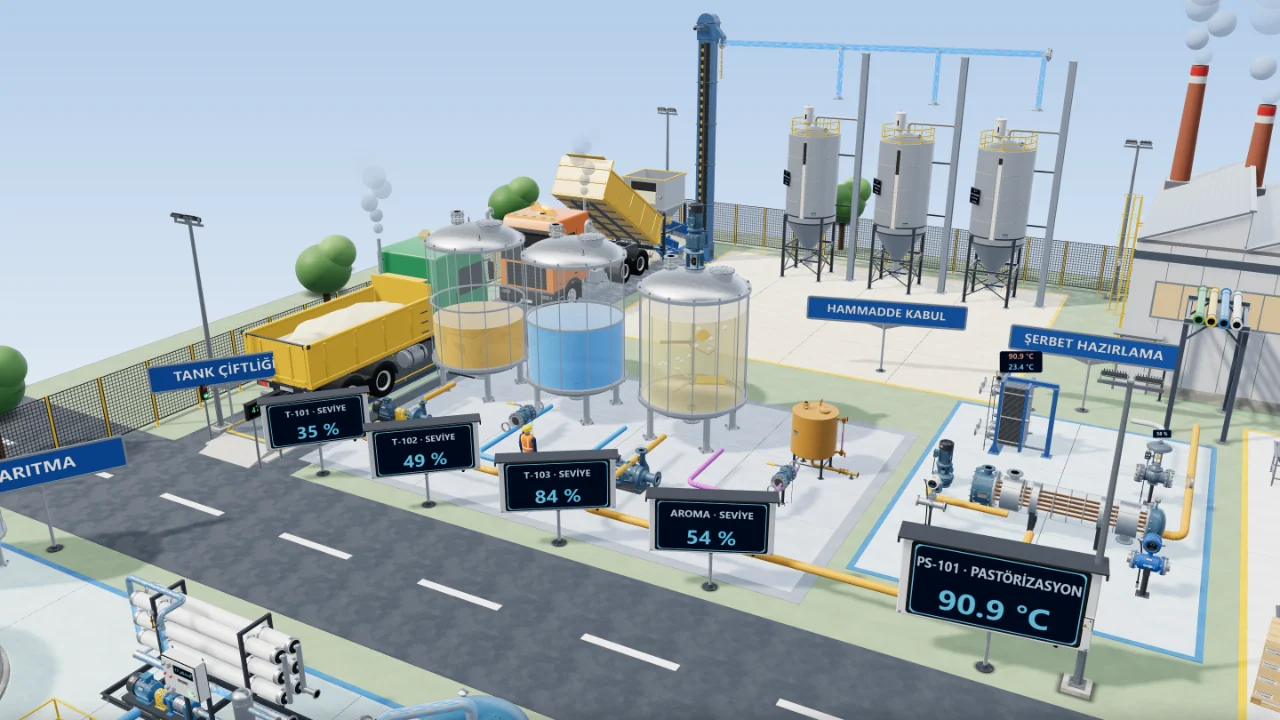
3D tank farm
Tanks, pumps, valves and piping built from realistic models.
3D scene
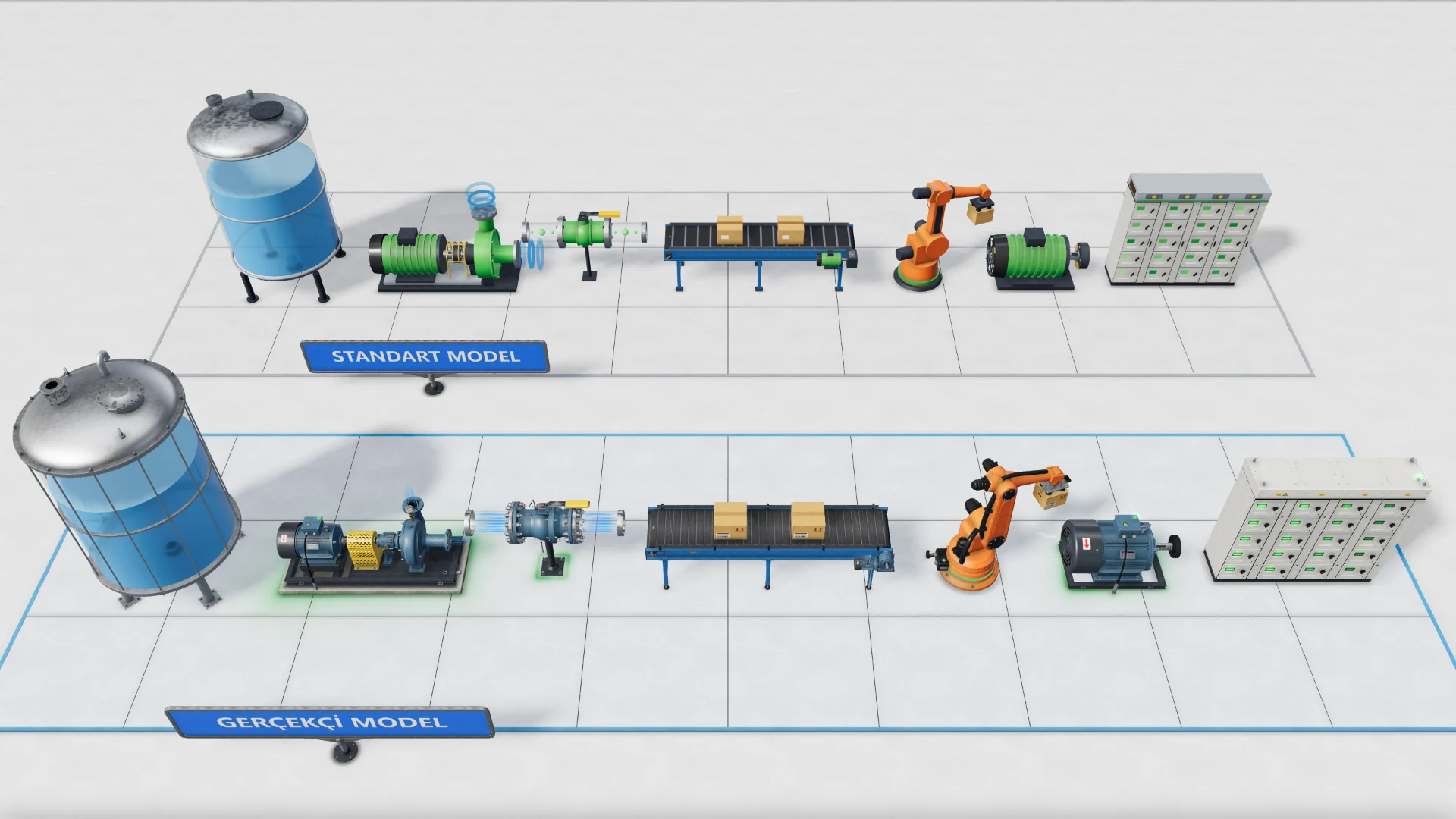
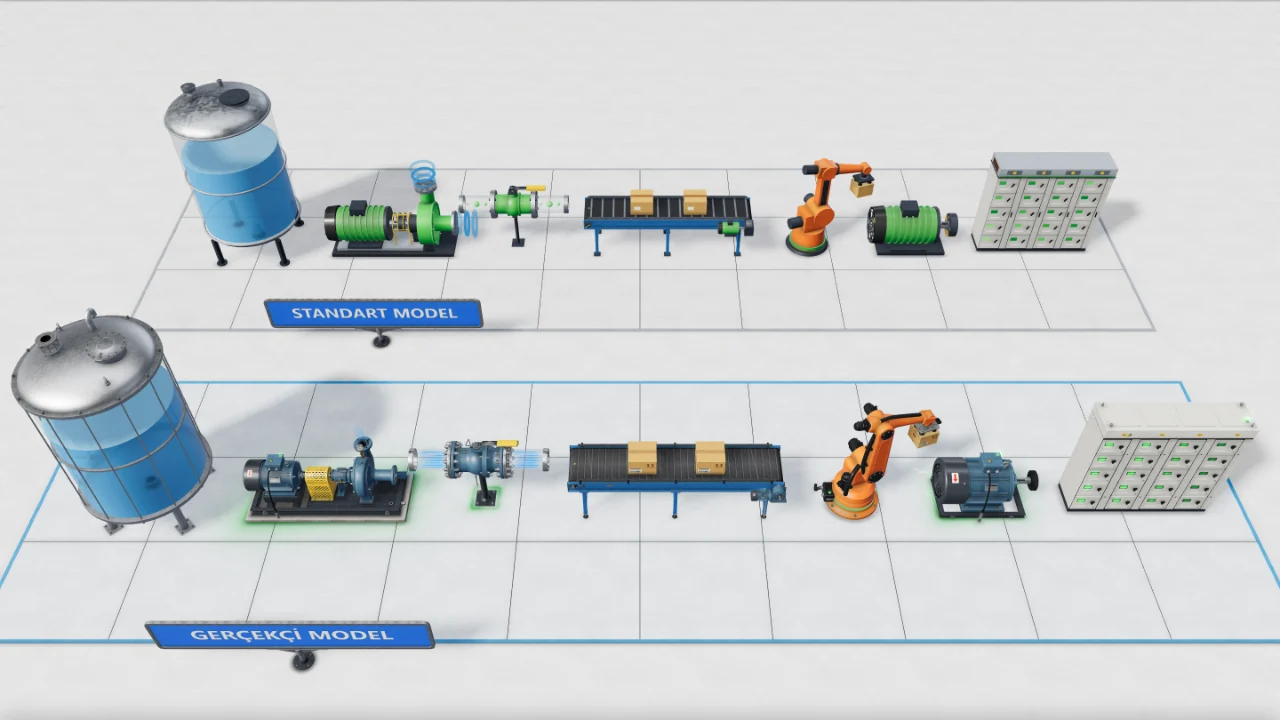
Standard and Realistic models
The same seven objects with the Standard model on top and the Realistic model below.
3D scene
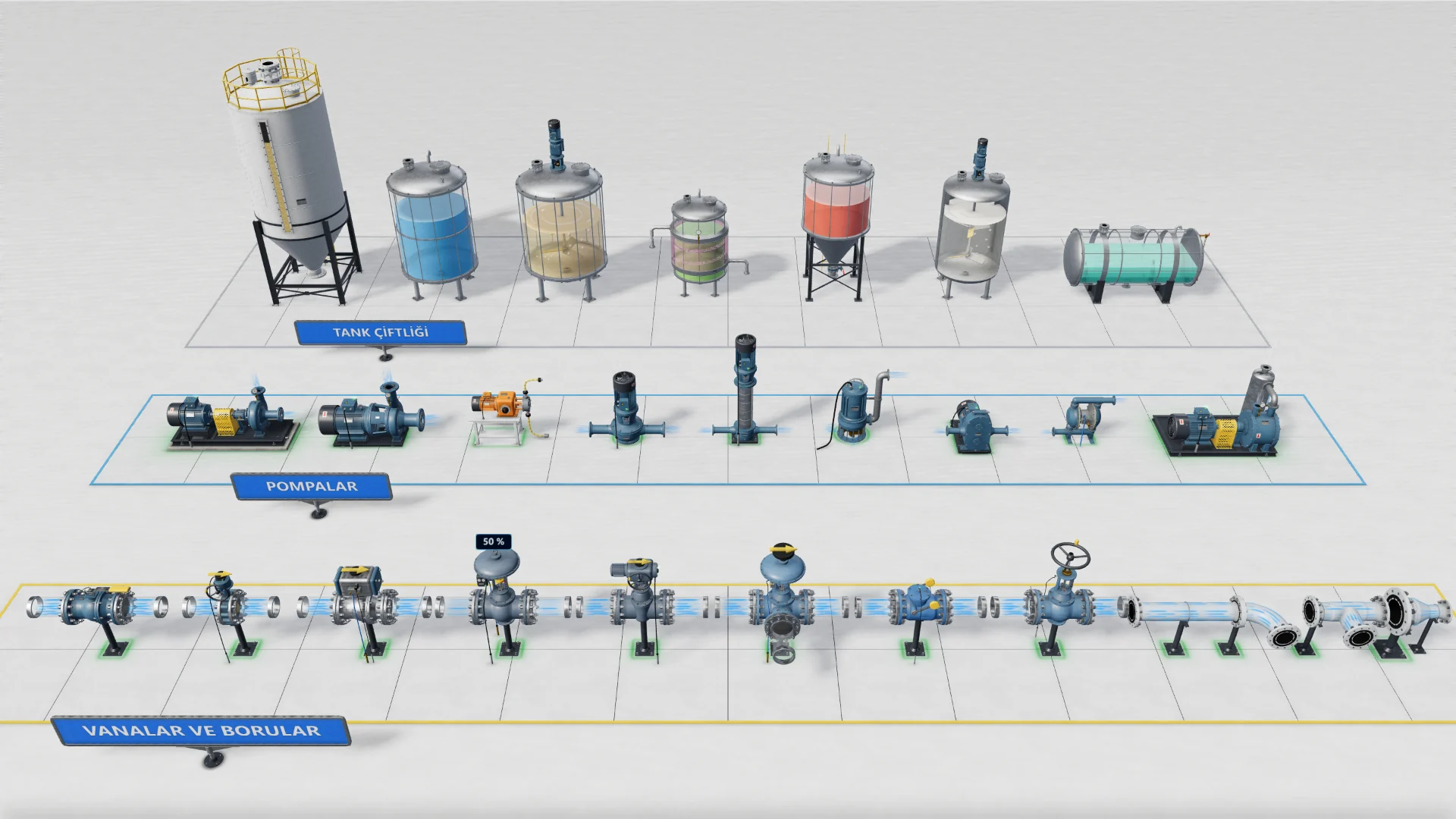
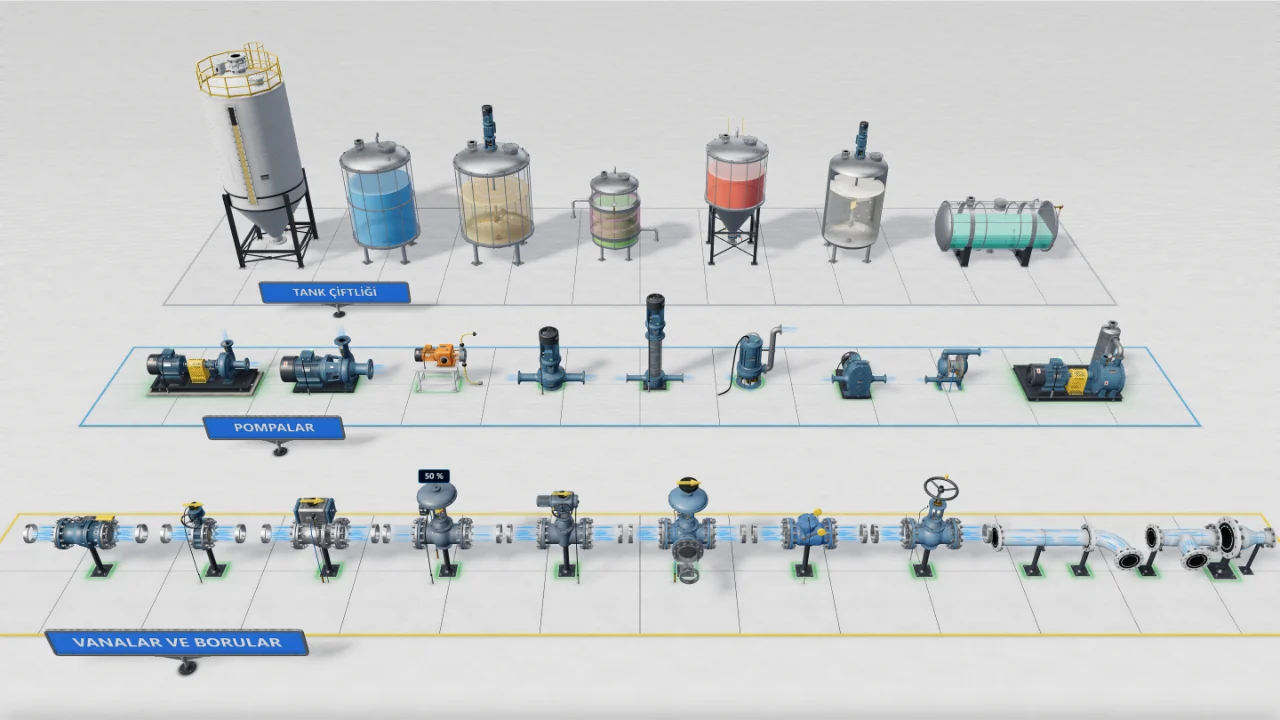
Tanks, pumps and valves
Silo, tanks, pumps, valves and pipe parts as realistic models in one scene.
3D scene
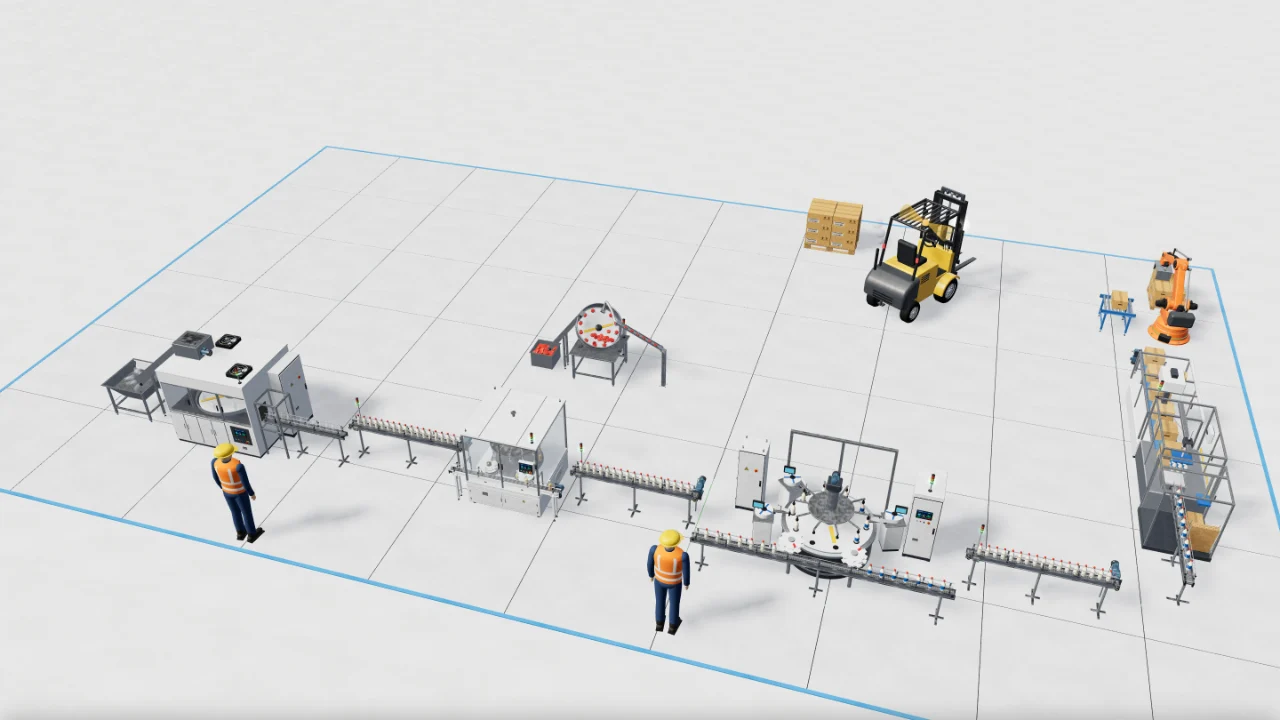
Packaging line
A packaging line joined by conveyors, from bottle sorting to palletising.
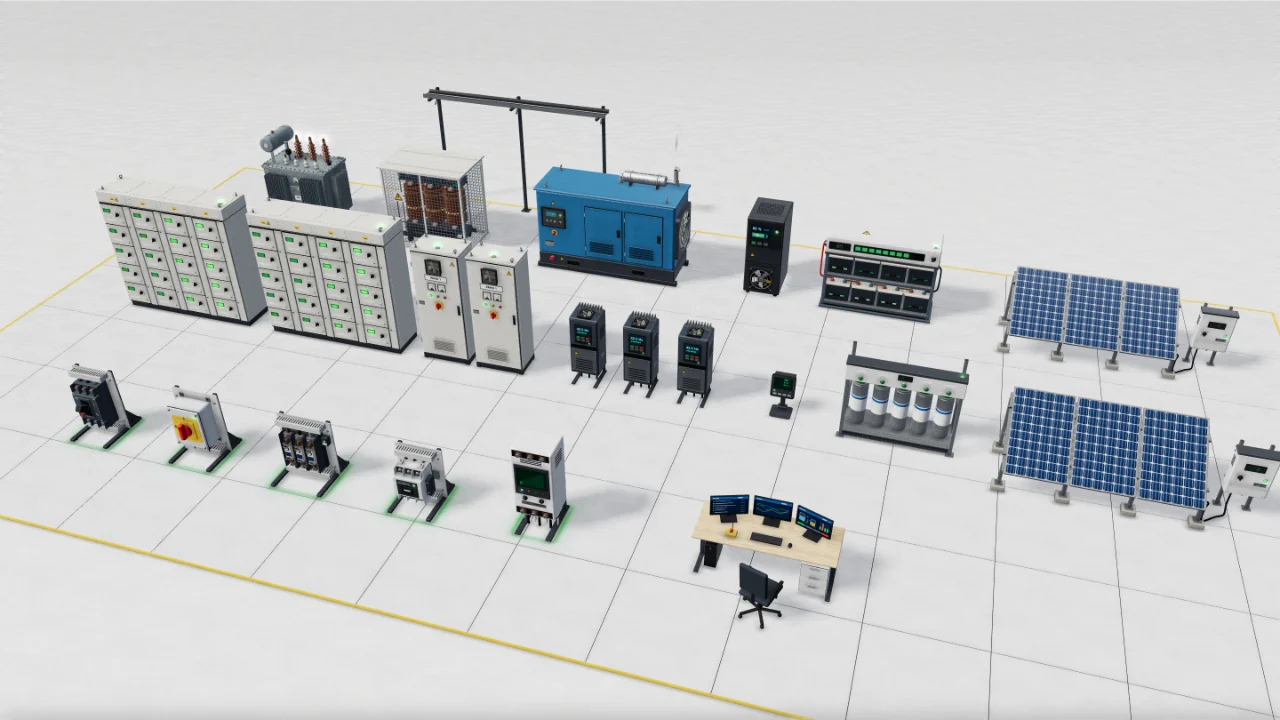
3D scene
Electrical and power
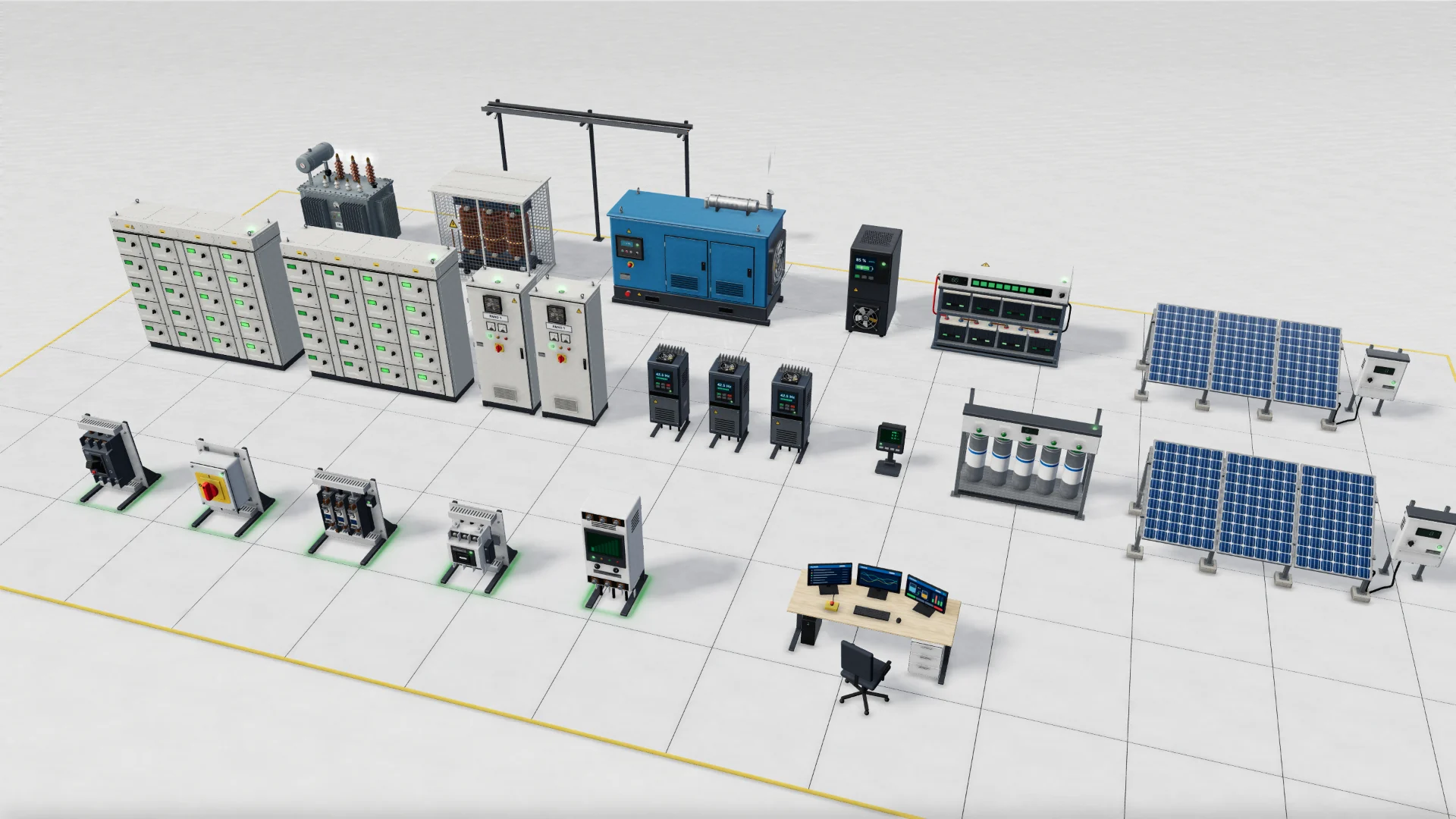
A 3D electrical yard with transformers, generator, UPS, panels and drives.
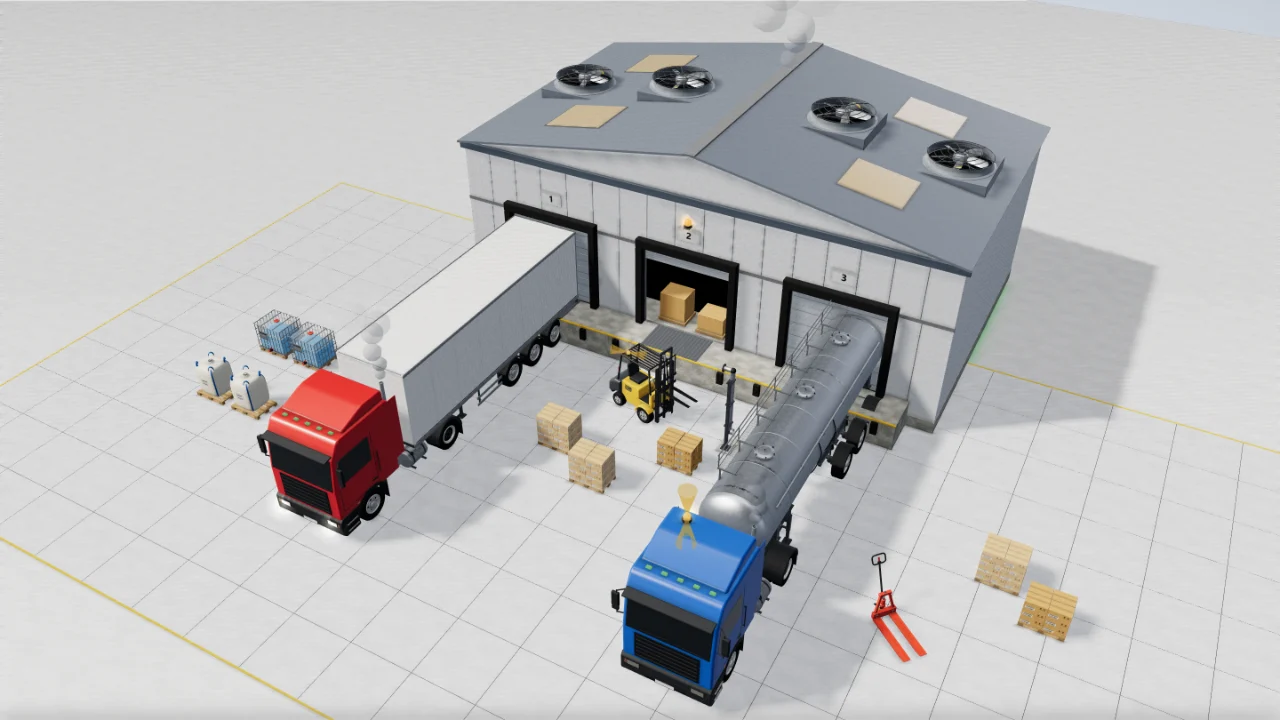
3D scene
Logistics and shipping
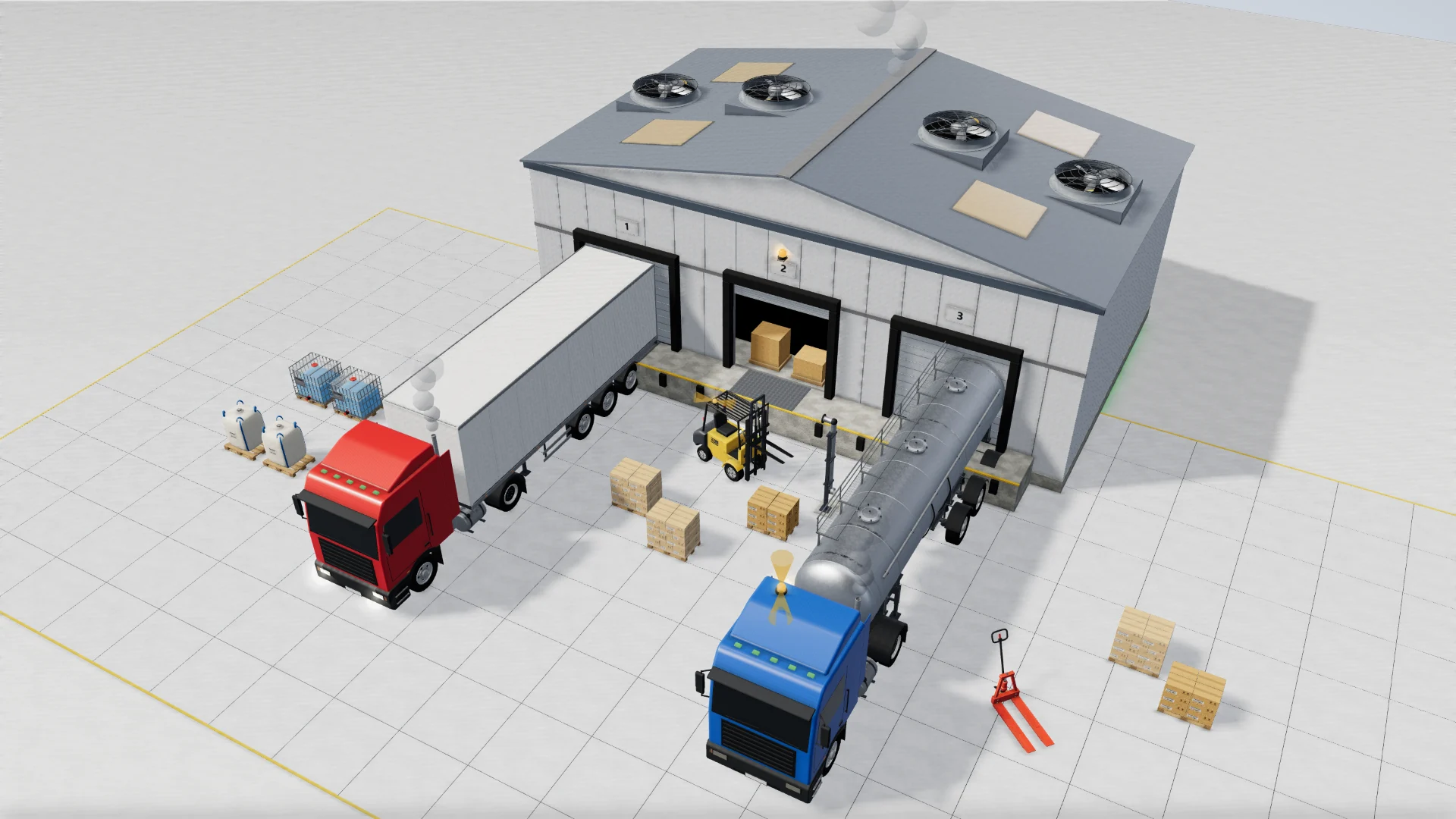
A 3D loading yard with a truck, bulk tanker, forklift, pallets and warehouse.
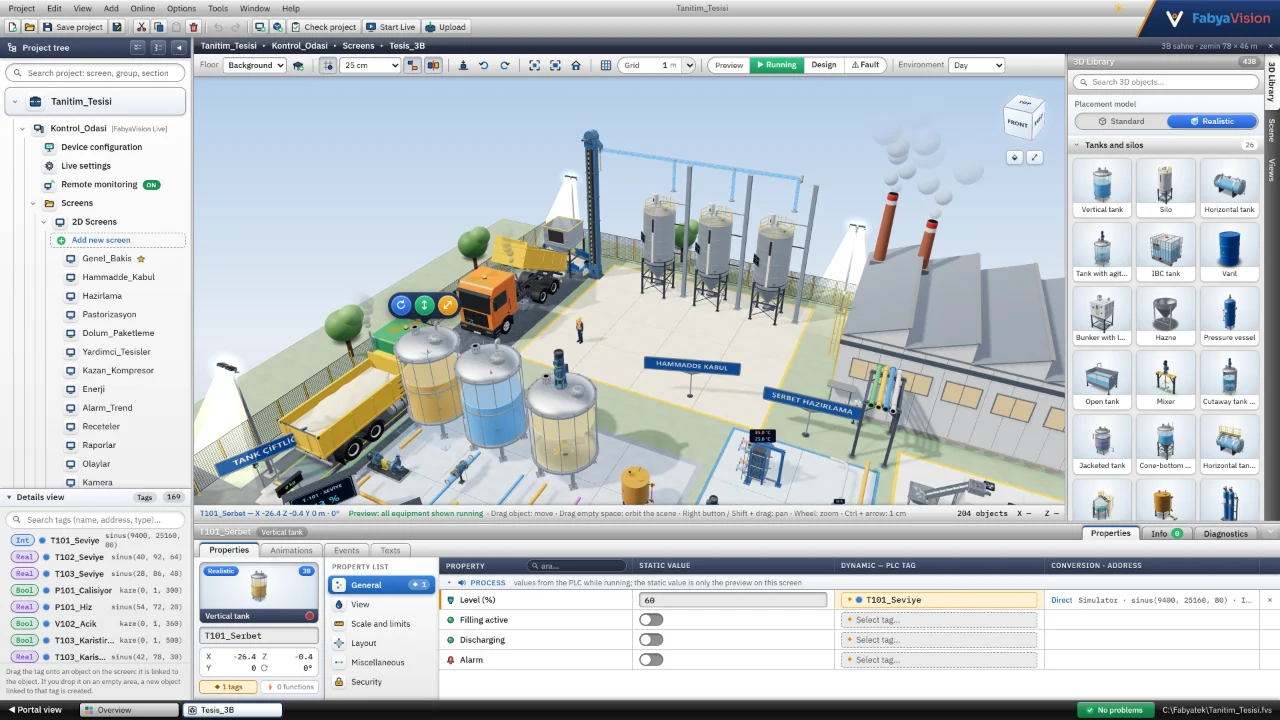
3D scene
3D scene design
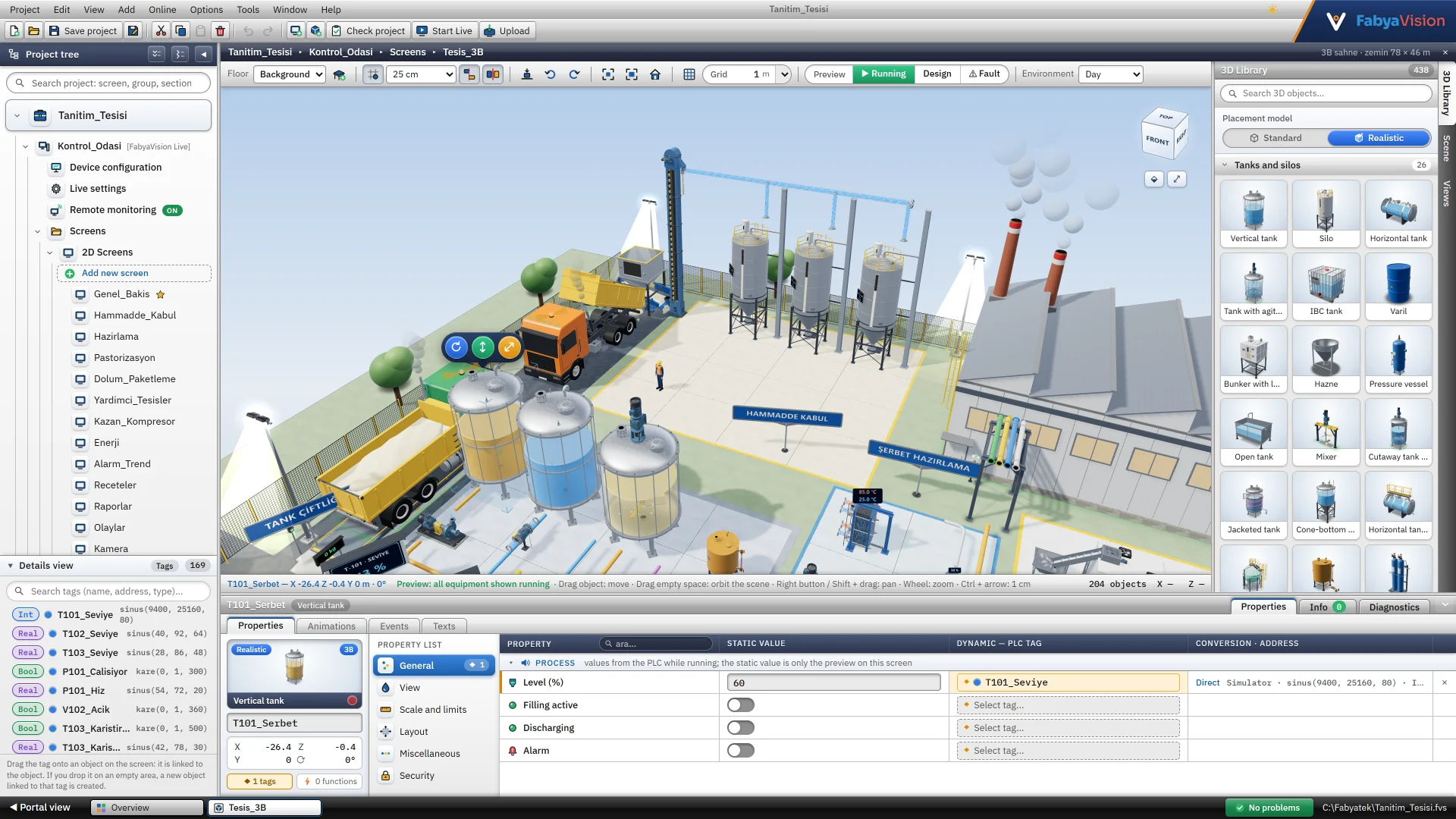
The 3D plant scene in the editor, with the 3D object library on the right.
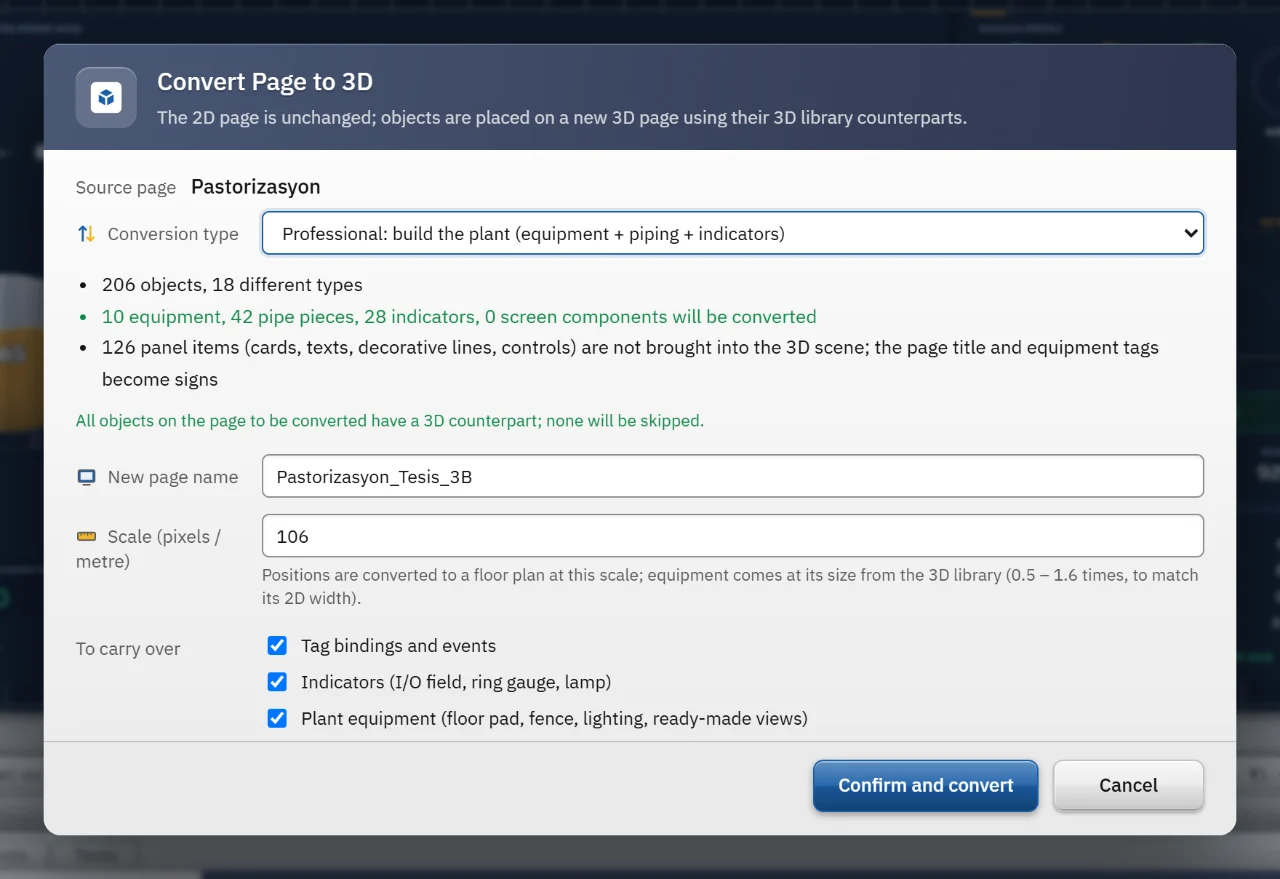
3D scene
Convert screen to 3D
The Professional mode window for converting the pasteurisation screen to 3D.
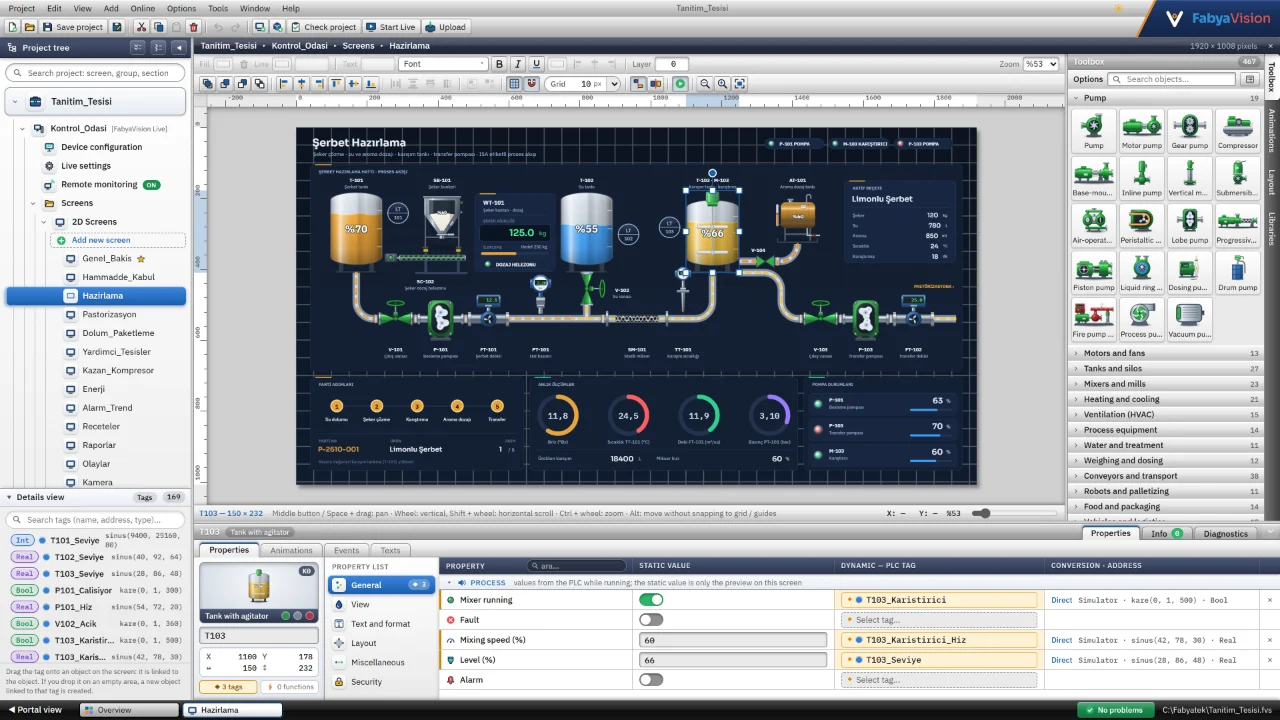
Studio
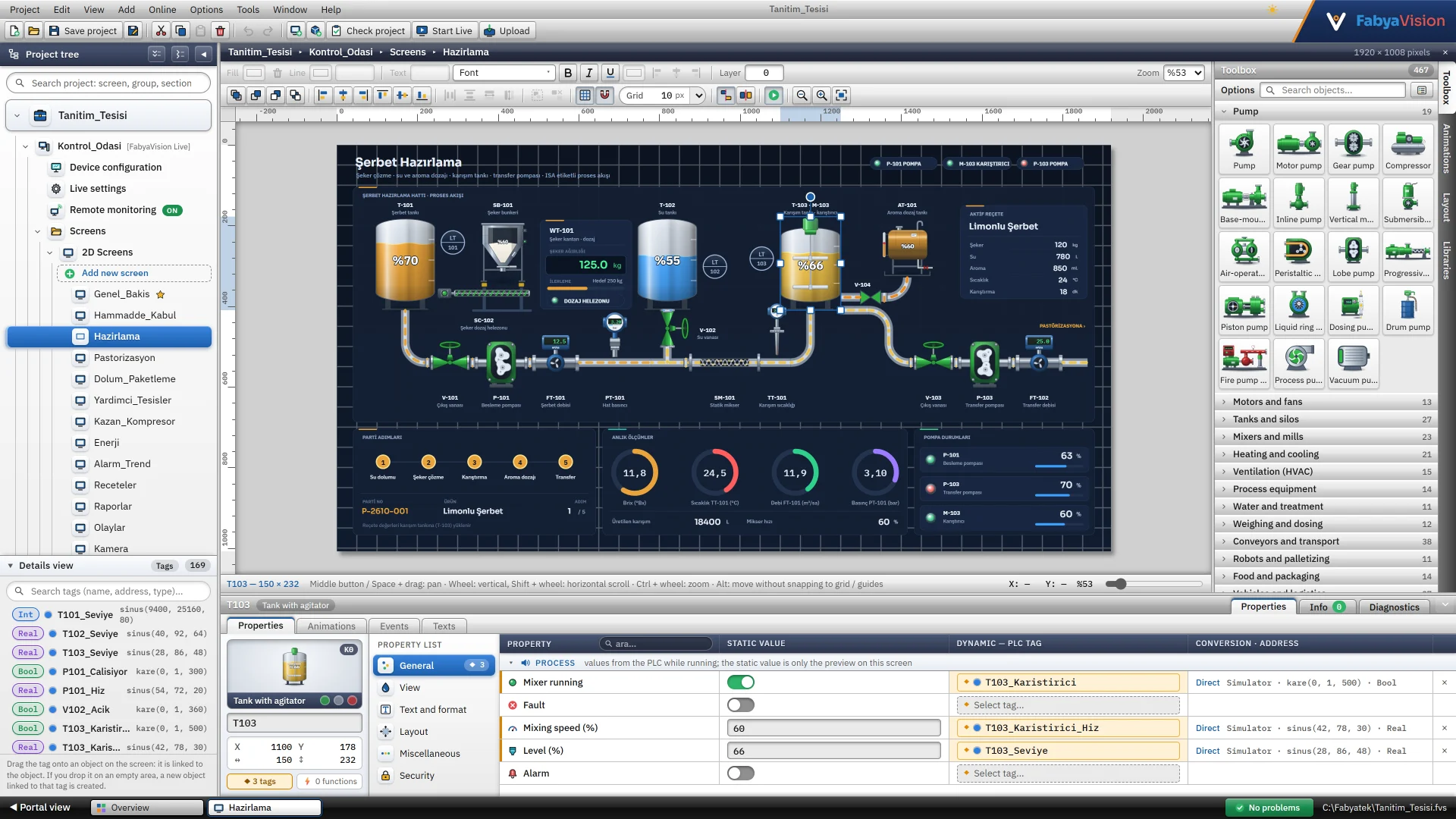
2D screen design
The syrup preparation screen in the editor, with the selected tank's properties and tag bindings.
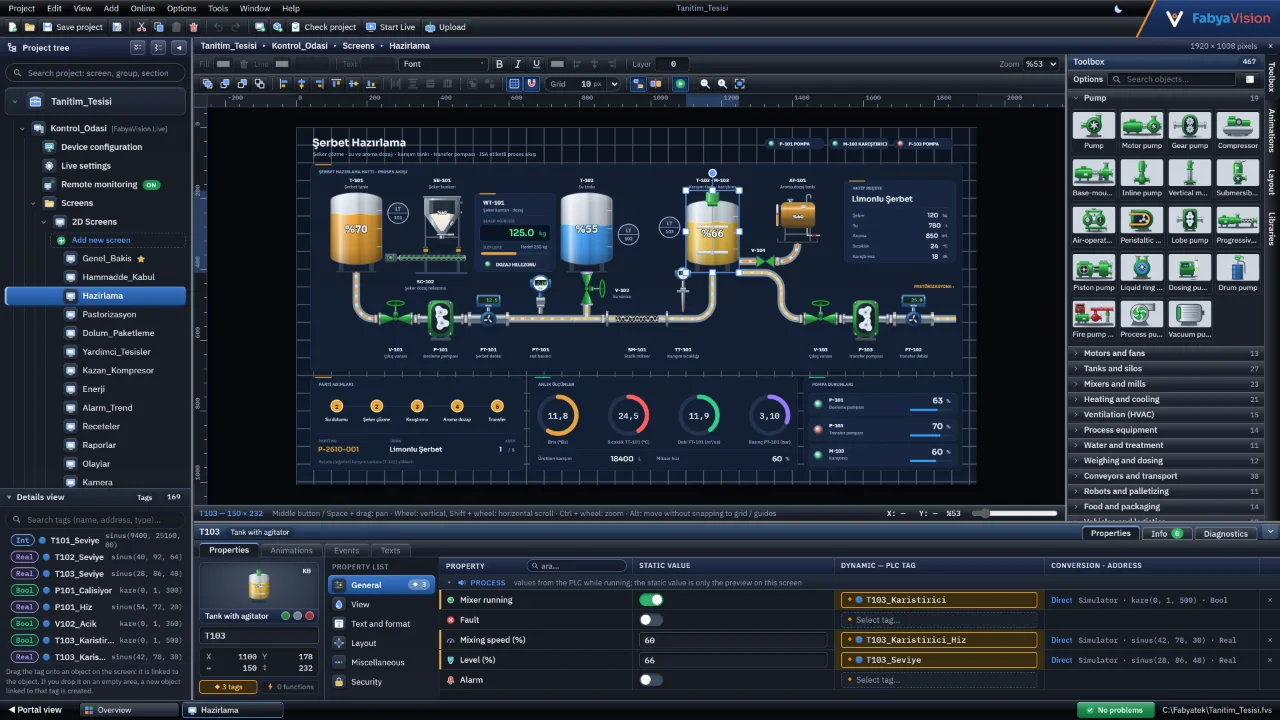
Studio
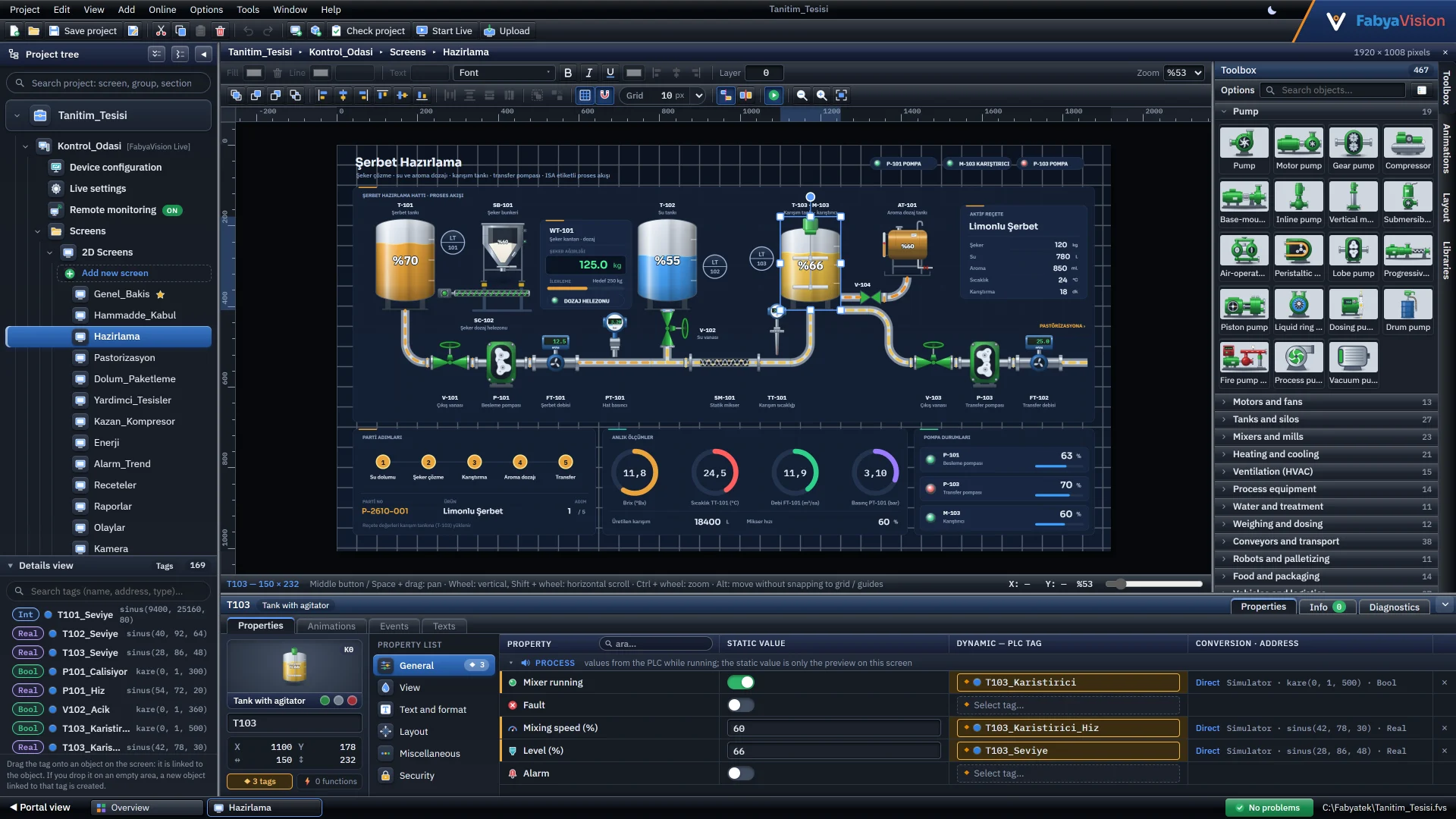
Dark theme 2D design
The same screen editor in the dark theme, switched from the top bar.
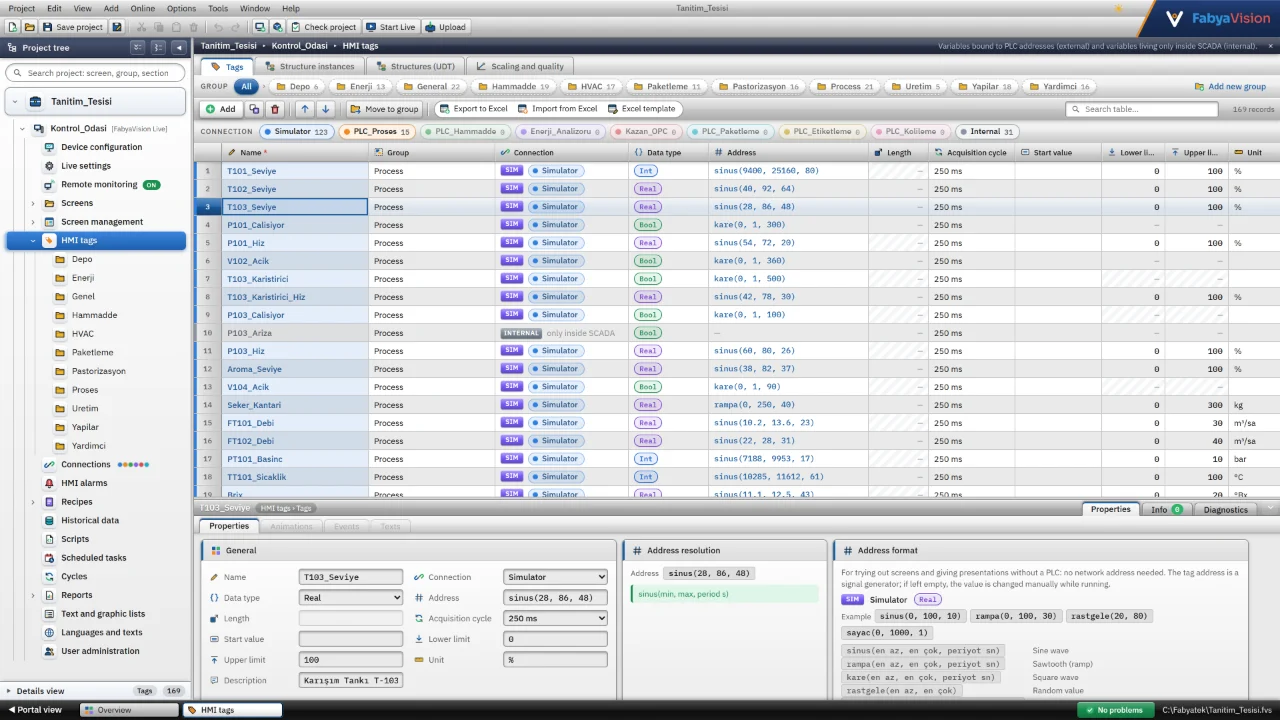
Studio
English interface
The Studio interface in English, with translated menus, project tree and table headers.
Studio
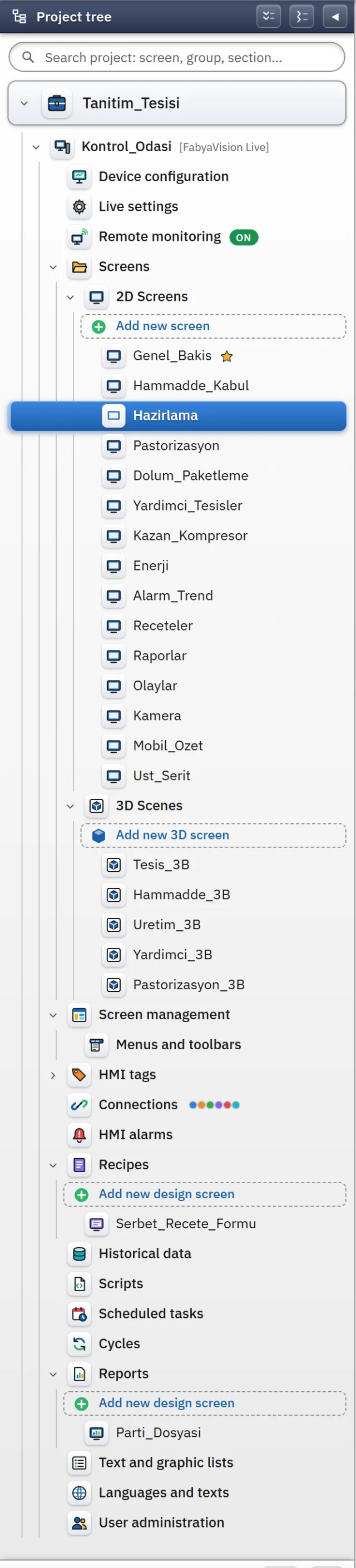
Project tree
Screens, 3D scenes, tags, alarms, recipes, reports and scripts in one project tree.
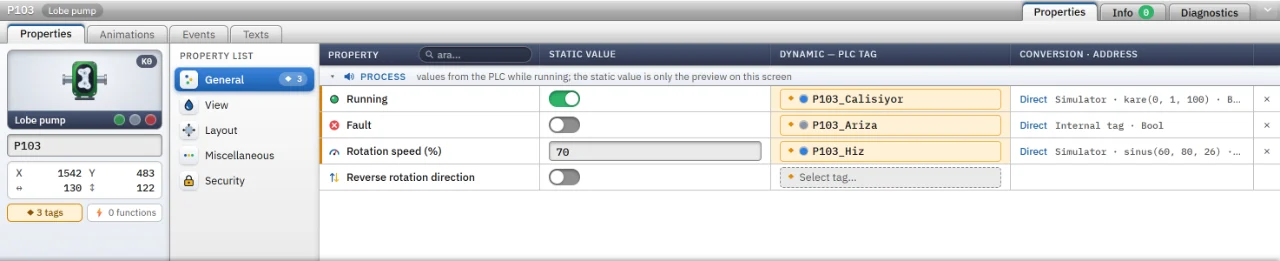
Studio
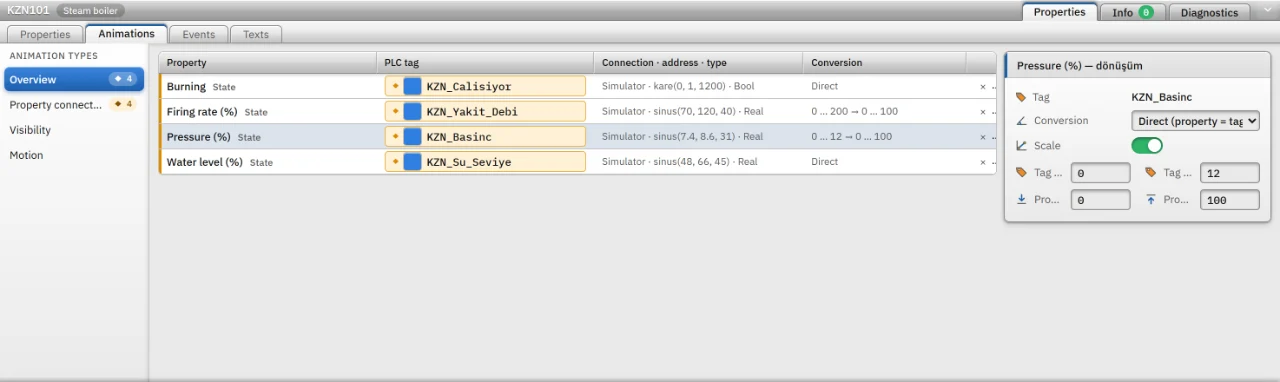
Properties tab
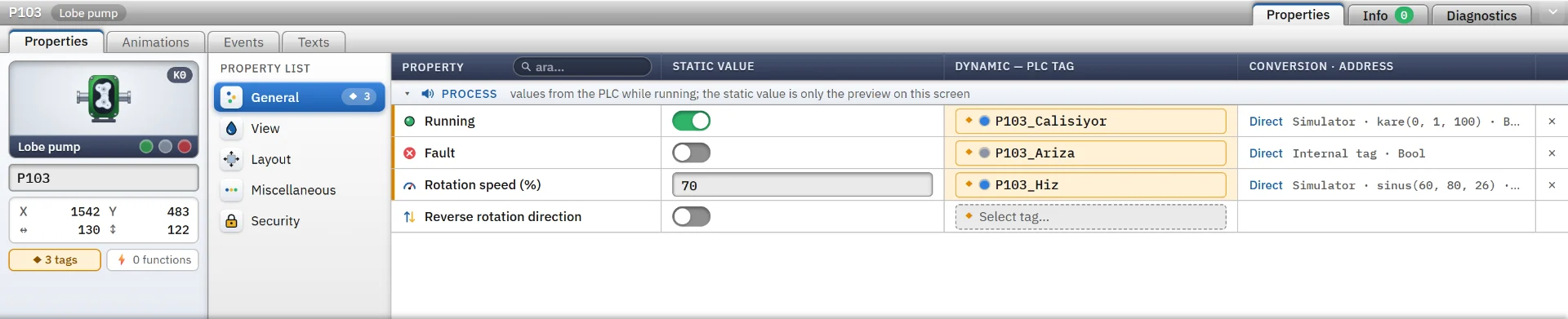
A pump's running, fault and speed properties bound to PLC tags.
Studio
Animations tab
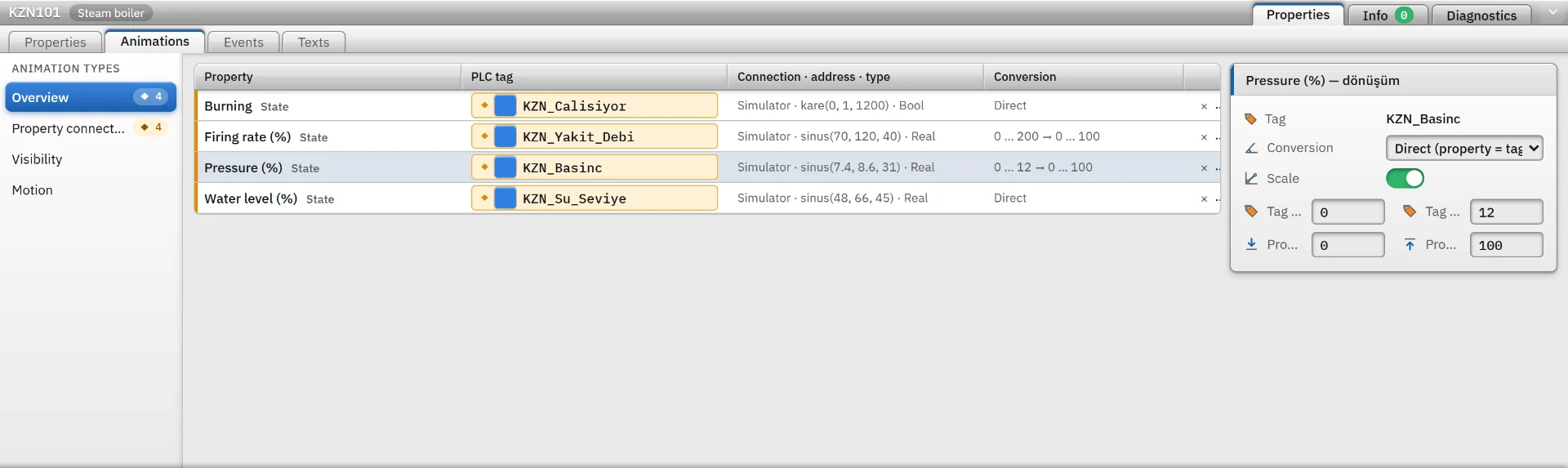
A hopper's level property bound to a tag, with scaling.
Studio
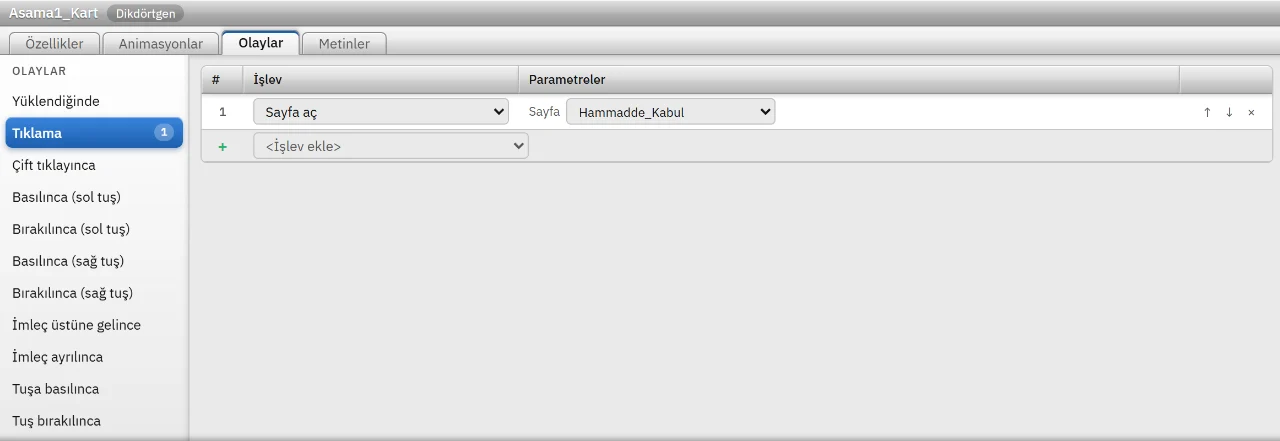
Events tab
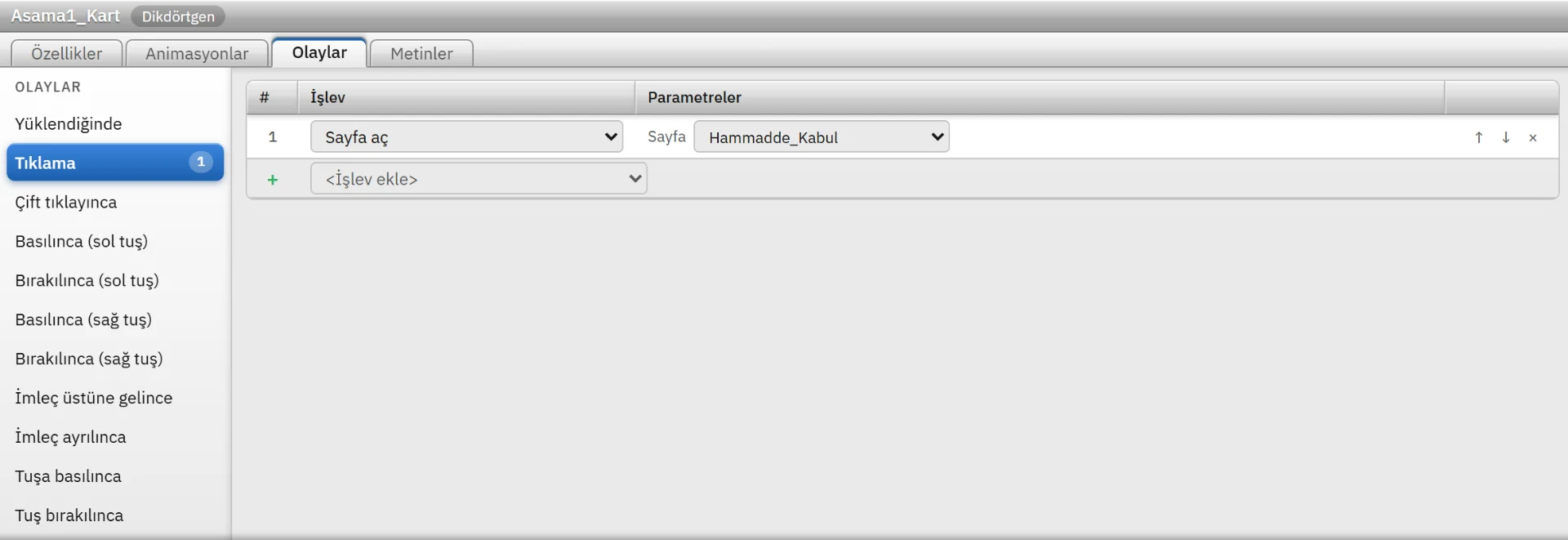
A click event on a stage card that opens a screen, with the functions attached to it.
Studio
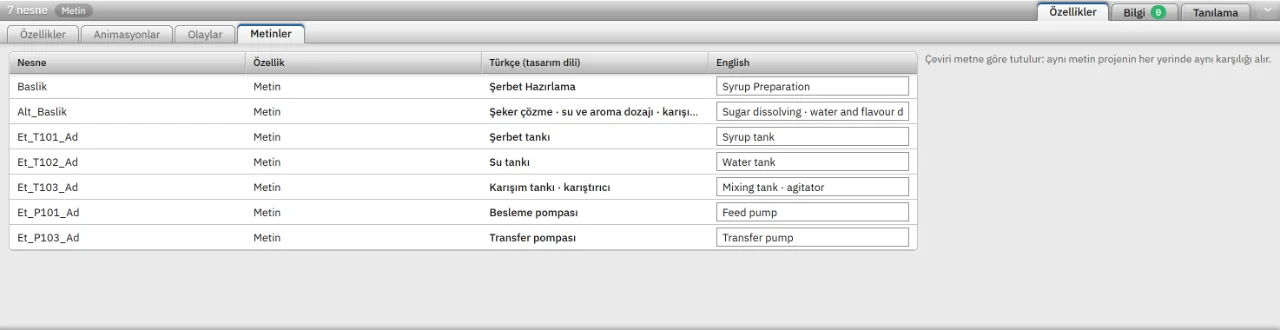
Texts tab
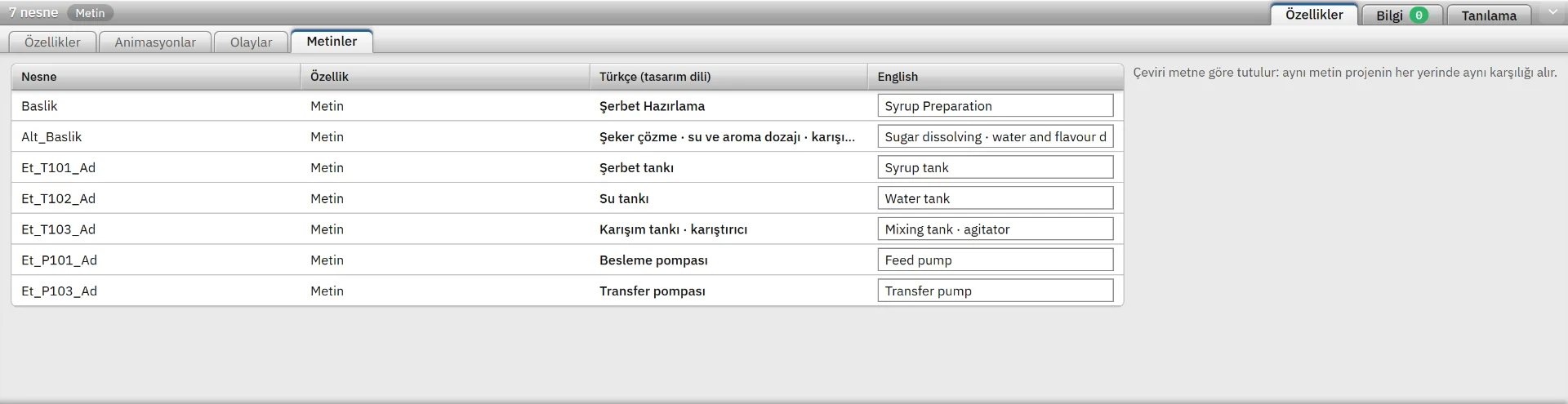
English translations of object texts are entered in one place.
Studio
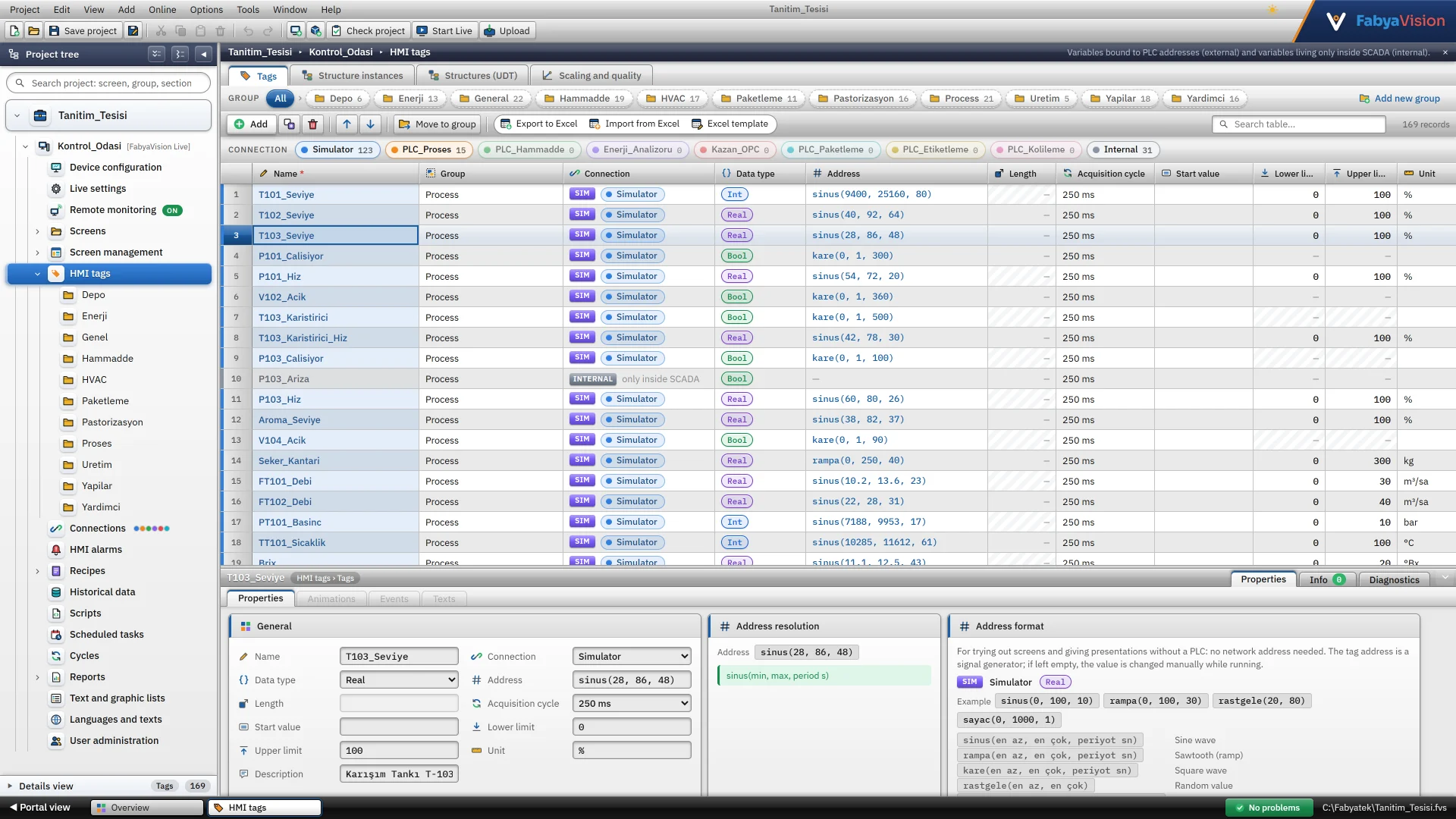
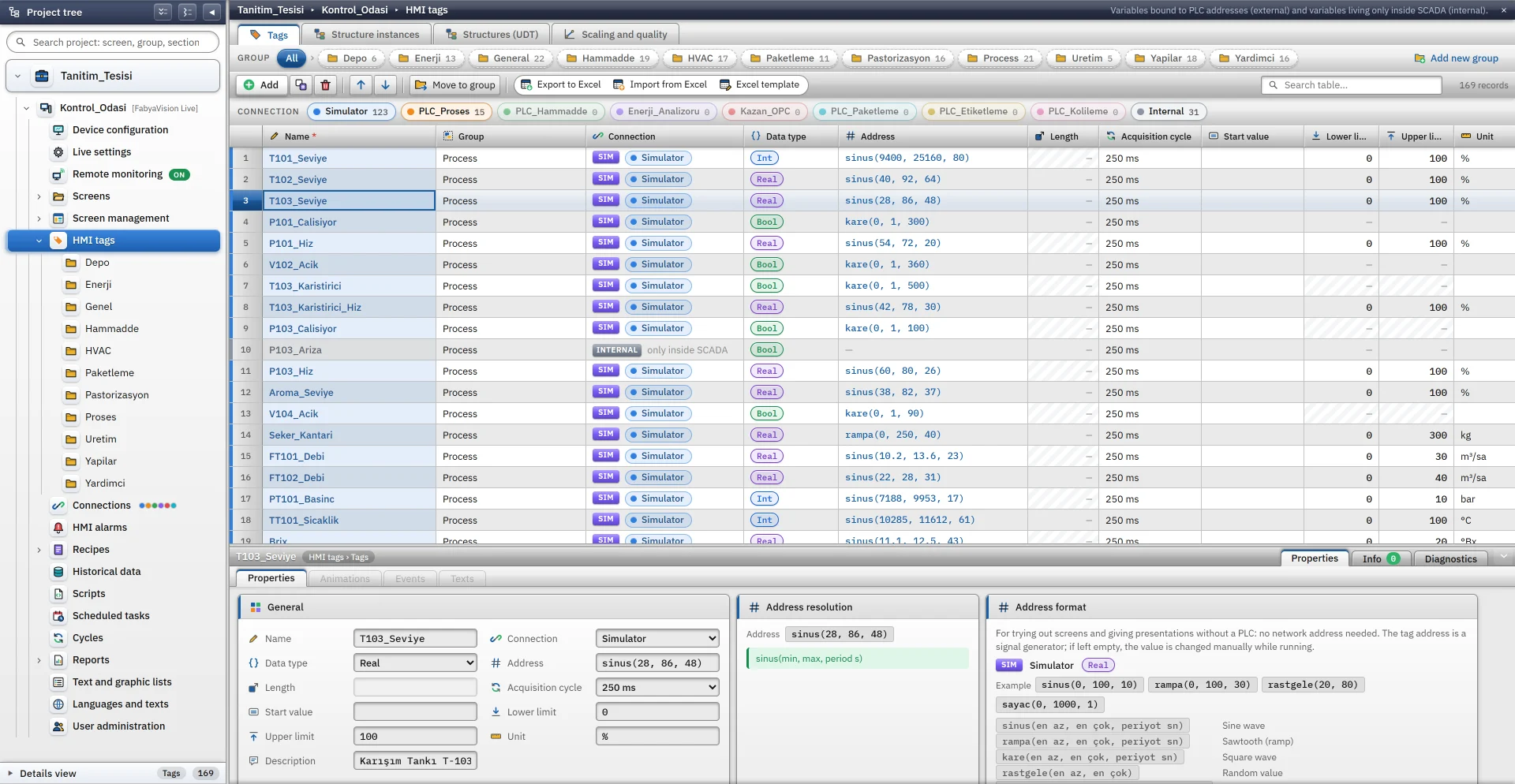
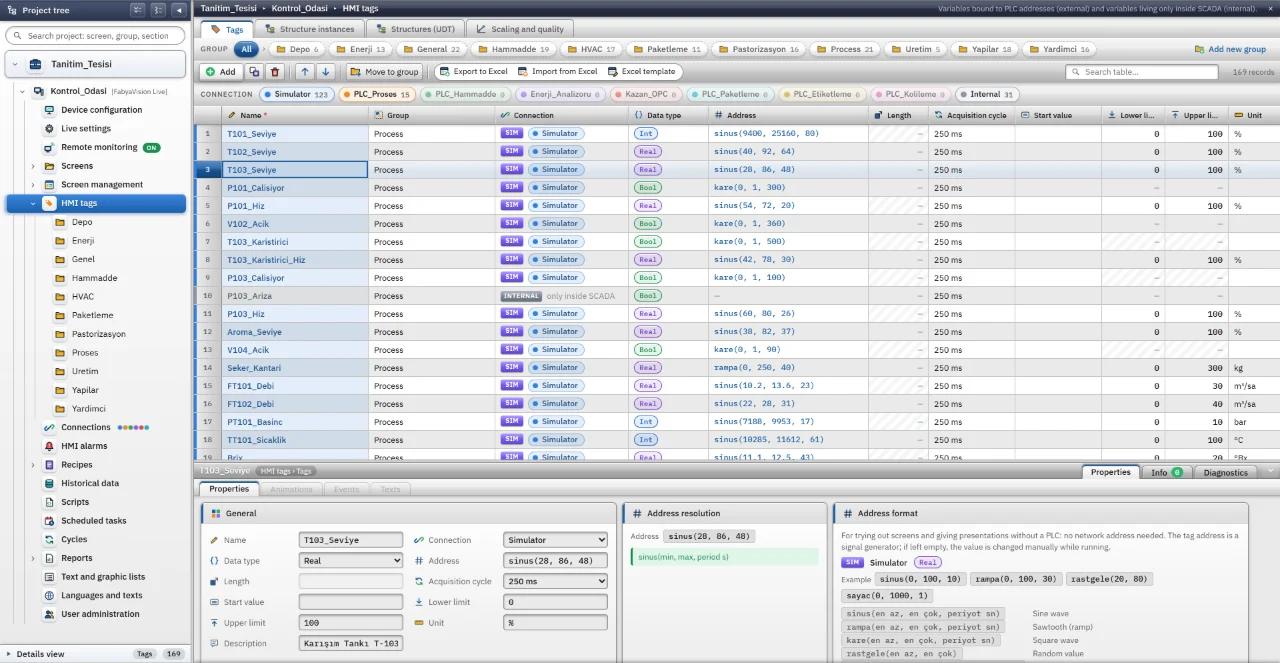
HMI tags
A folder tree and a tag table showing data type, address, cycle and limits.
Studio
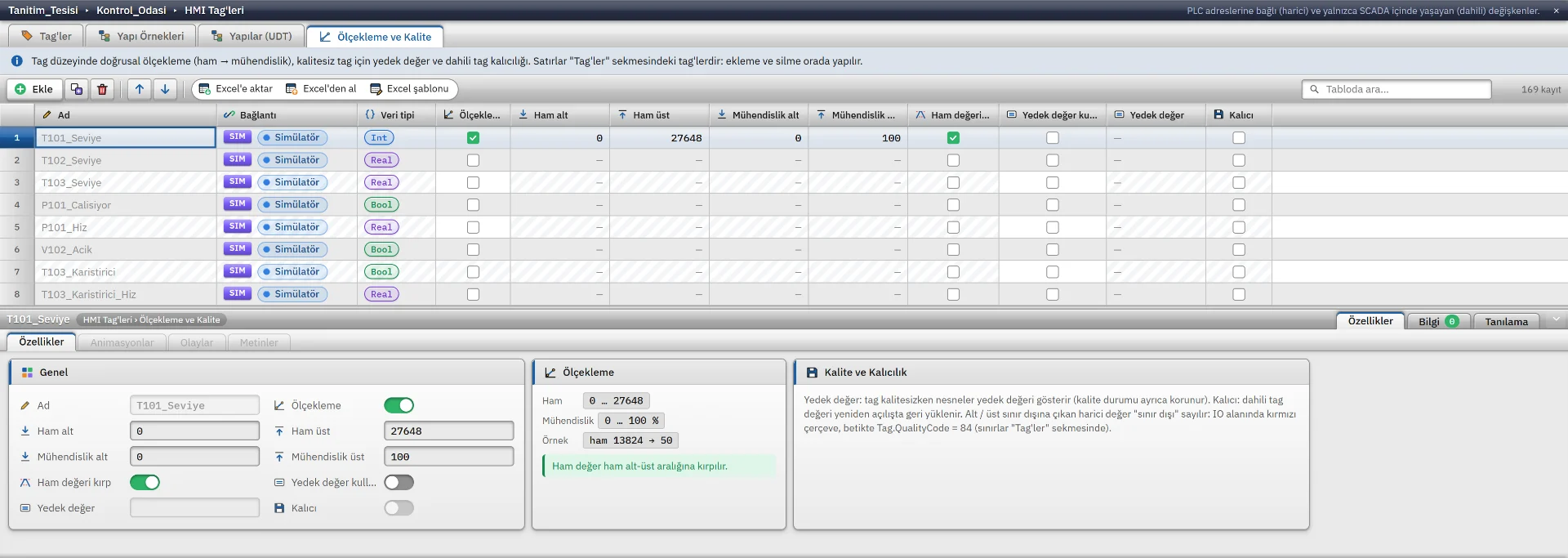
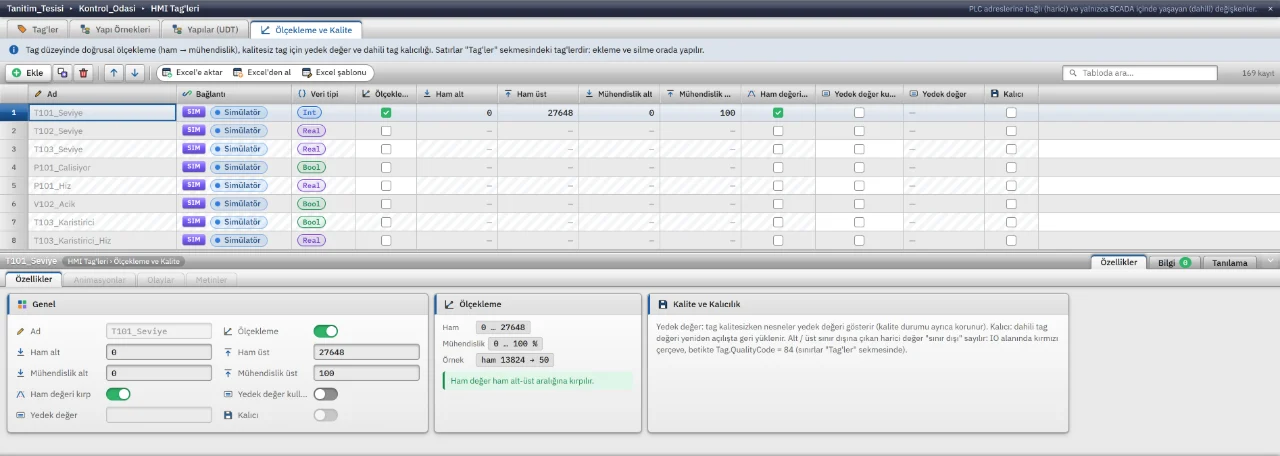
Scaling and quality
Scaling a raw PLC value to engineering units, with quality and limit settings.

Studio
Structures (UDT)
A pump structure (UDT) with its members, data types and offsets in one table.
Studio
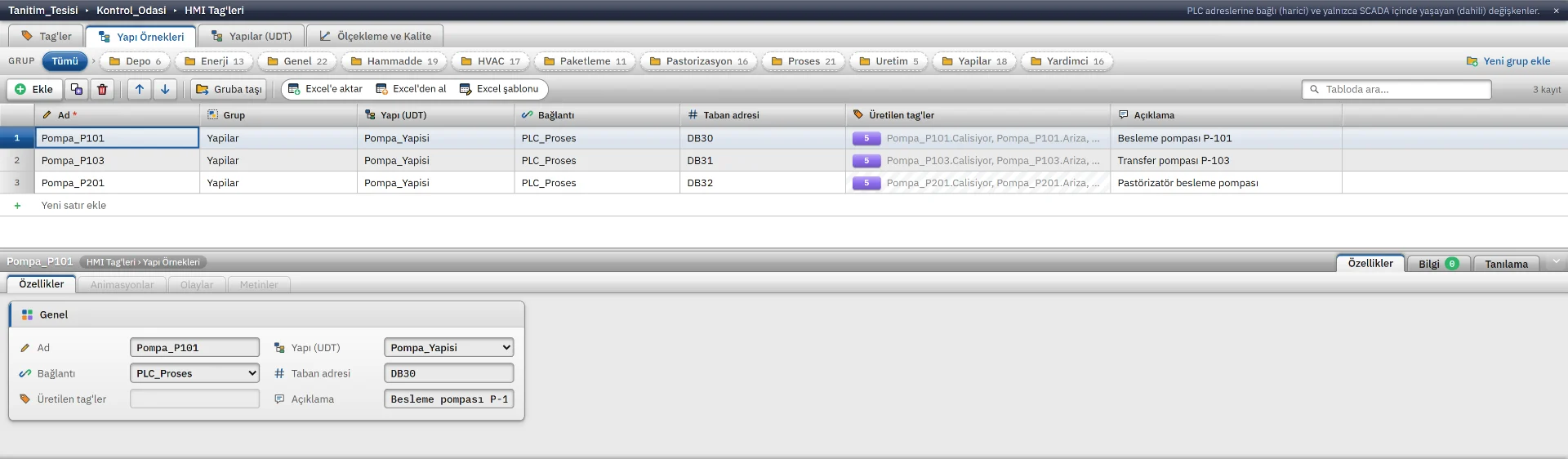
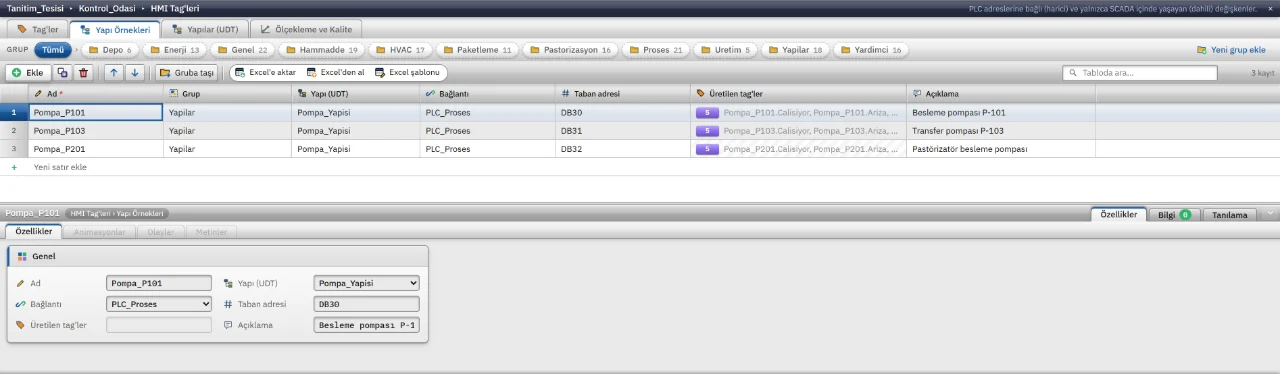
Structure instances
Three pump instances of one structure, with automatically generated tags and PLC addresses.
Studio
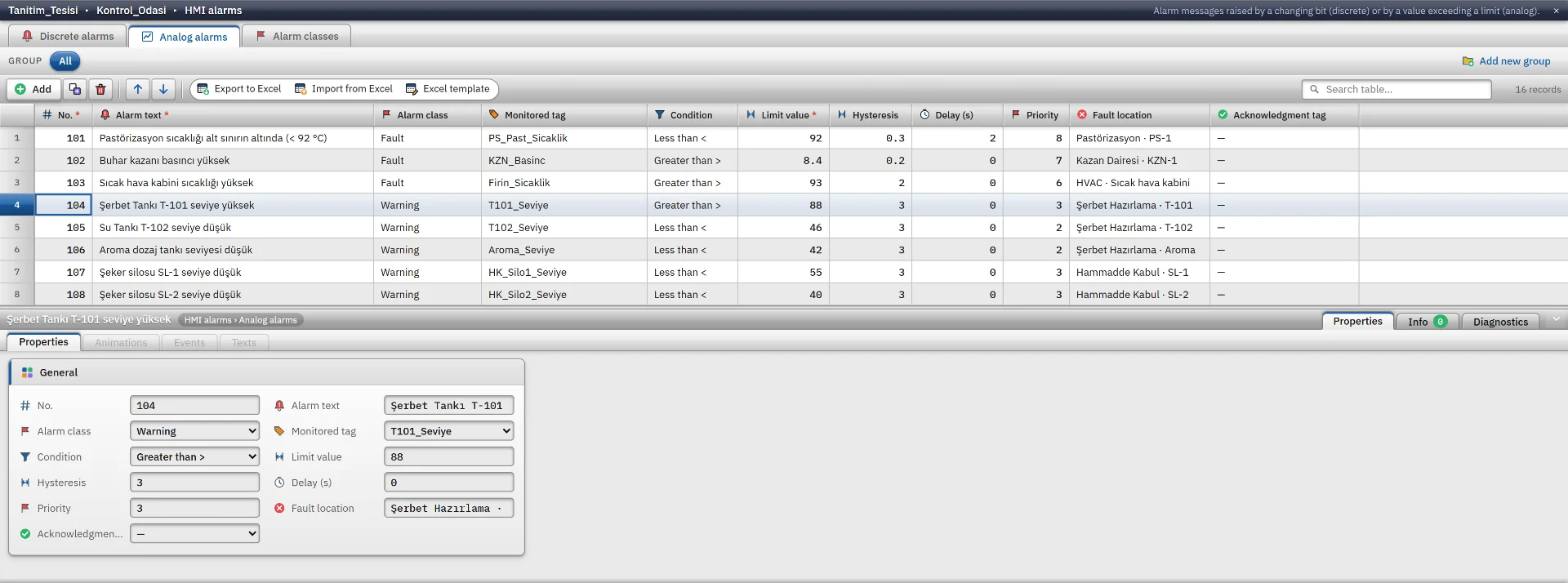
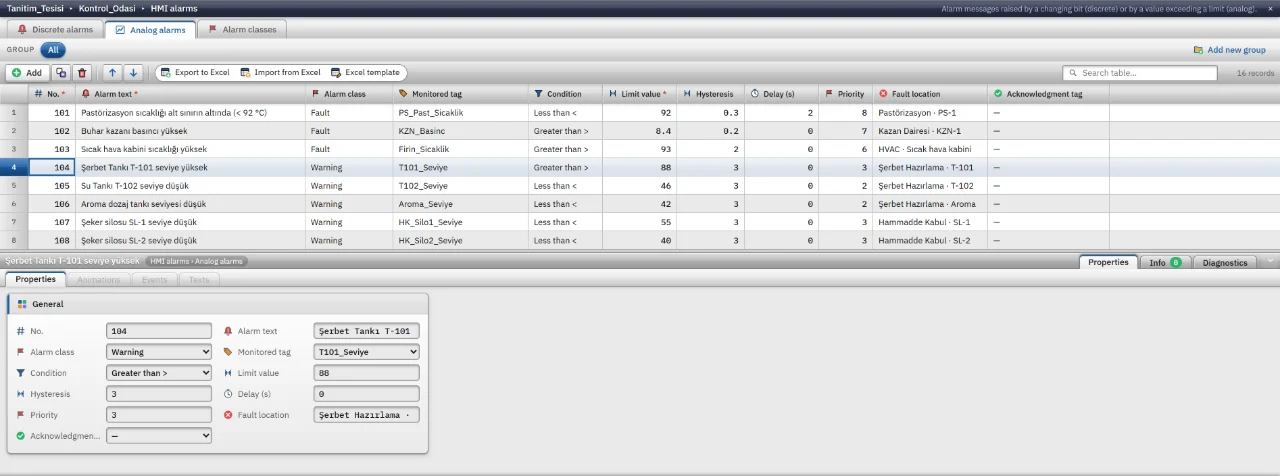
Alarm definitions
Analog alarms with tag, condition, limit, hysteresis, delay and class settings.
Studio
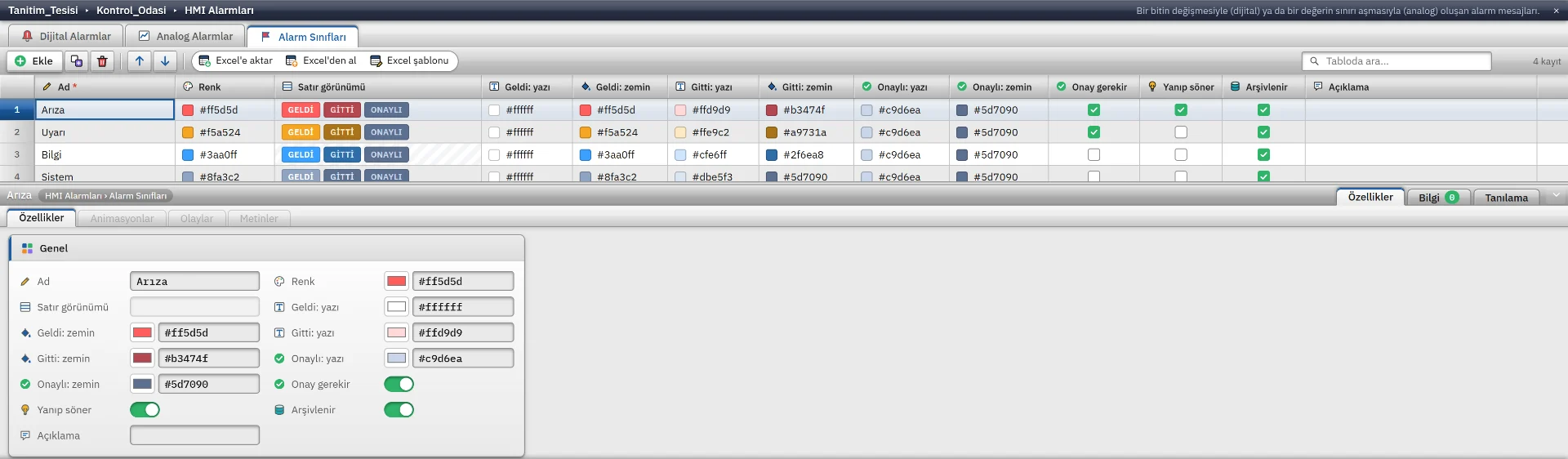
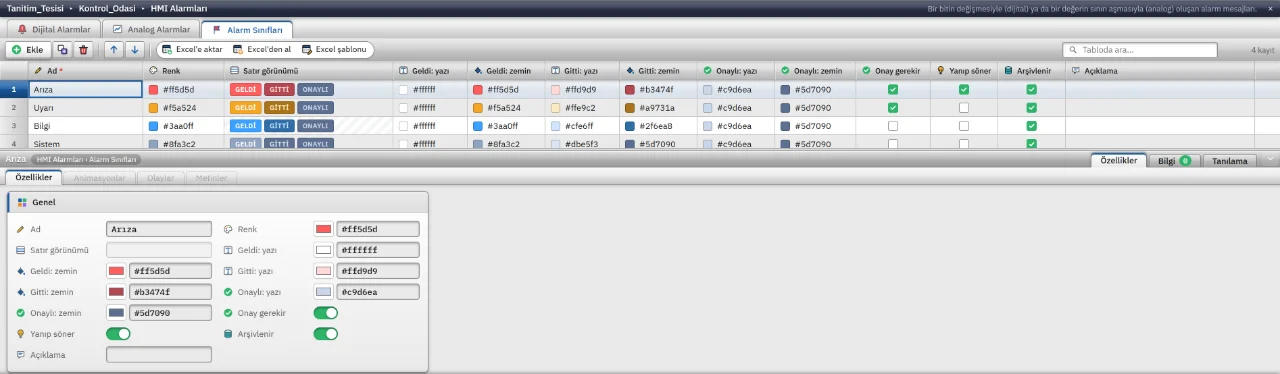
Alarm classes
Colour and acknowledgement settings of the fault, warning and info alarm classes.
Studio
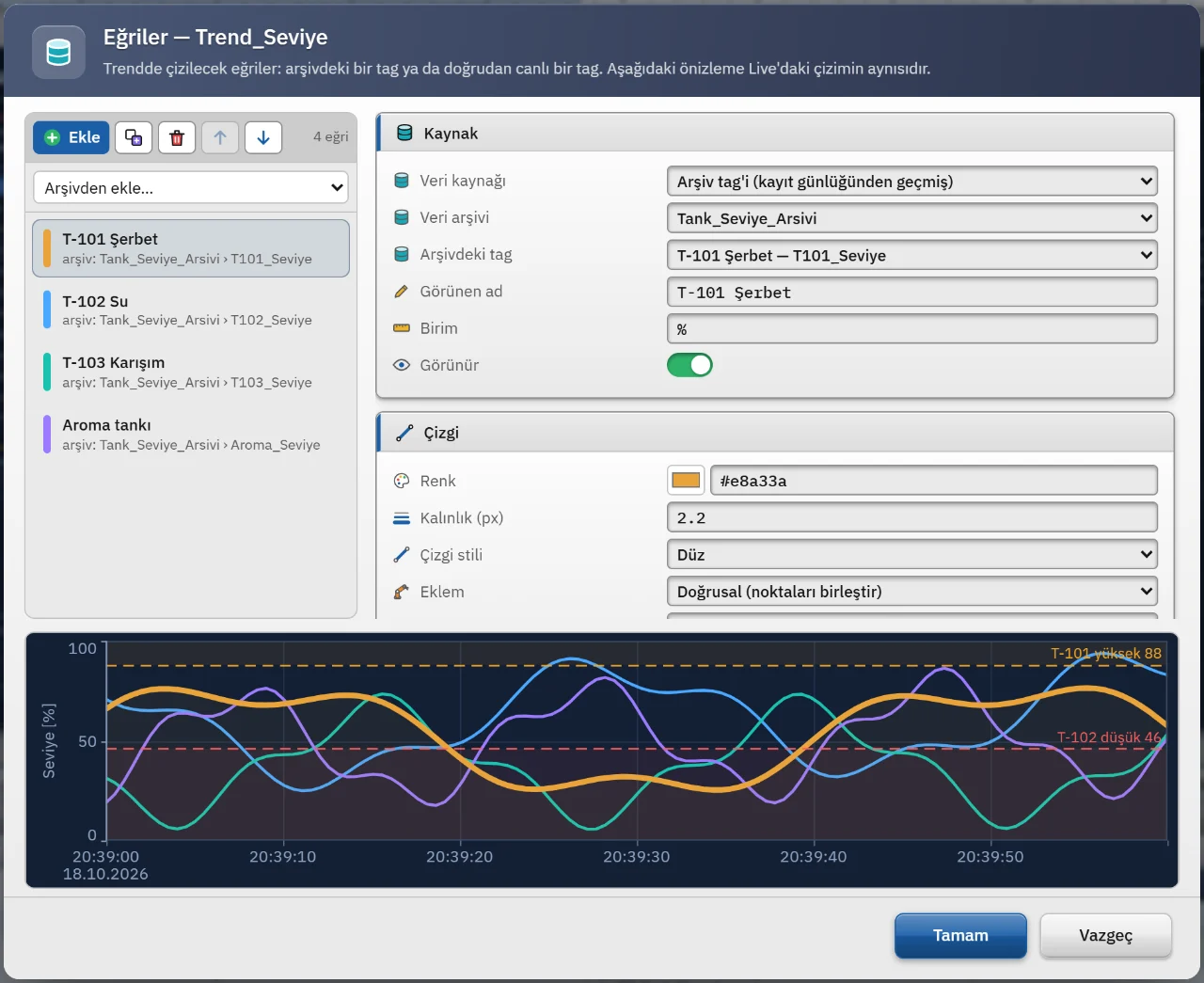
Trend settings
Trend curve colour and axis settings with a live preview.
Studio
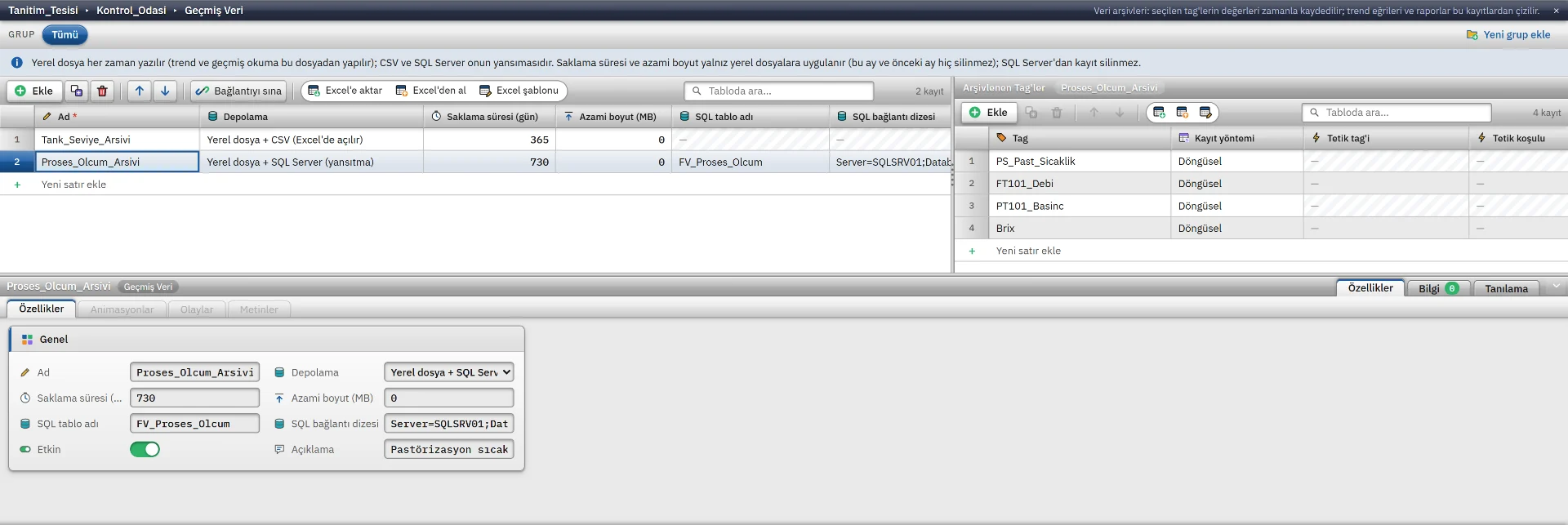
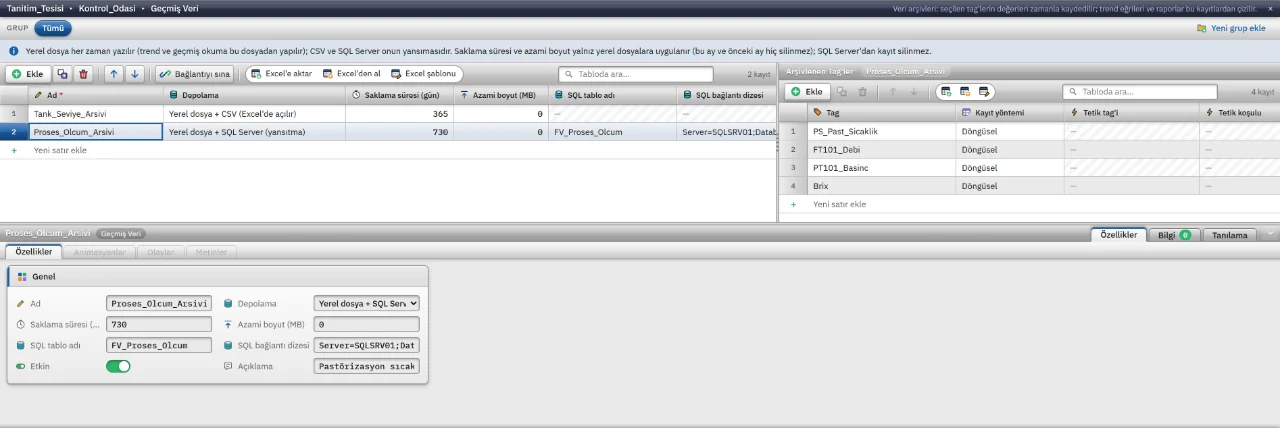
Data archives
Retention, maximum size and CSV or SQL Server mirroring for each archive.
Studio
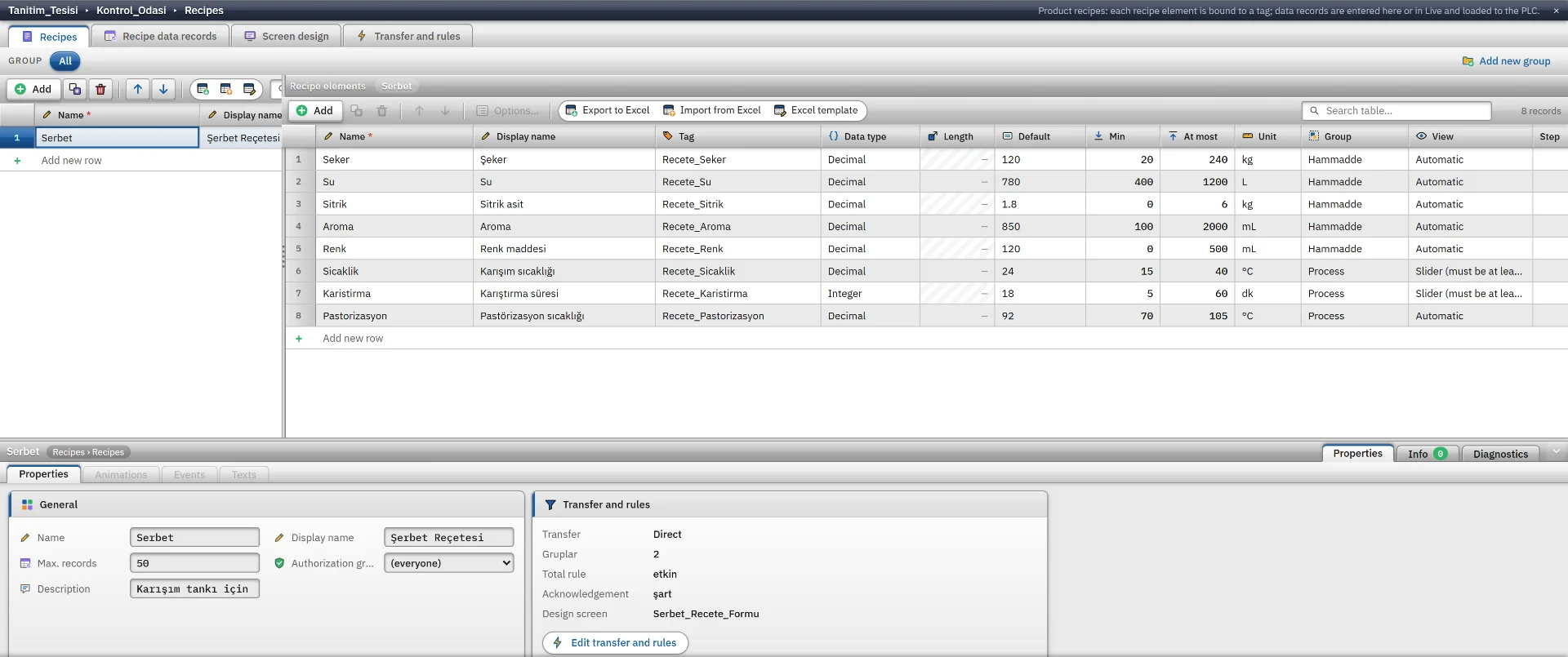
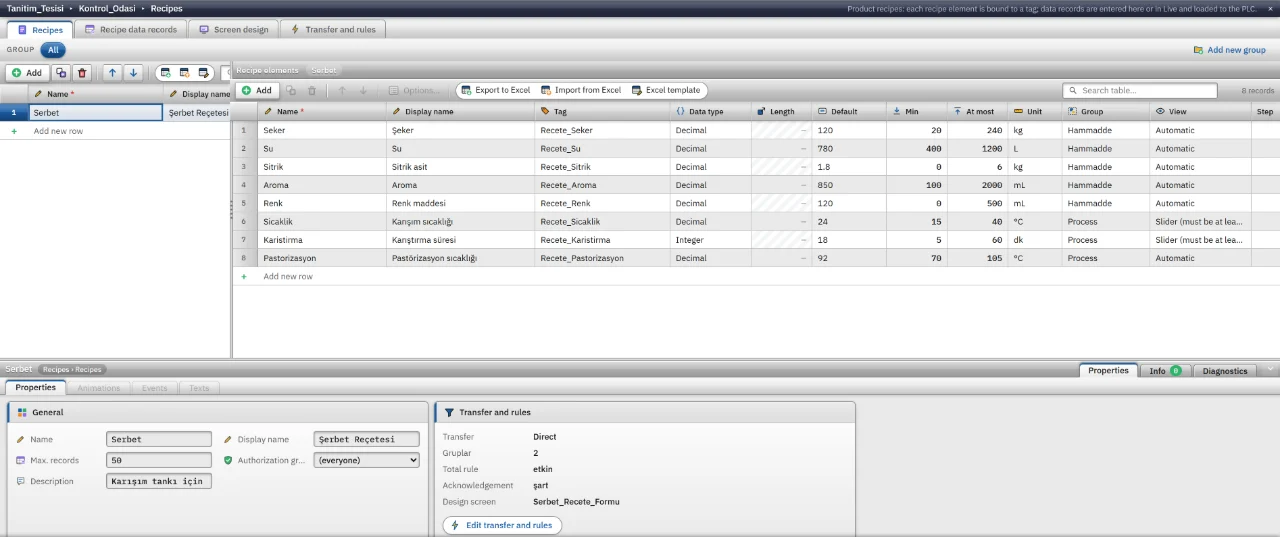
Recipe design
Recipe items with their tag bindings, units and limits.
Studio
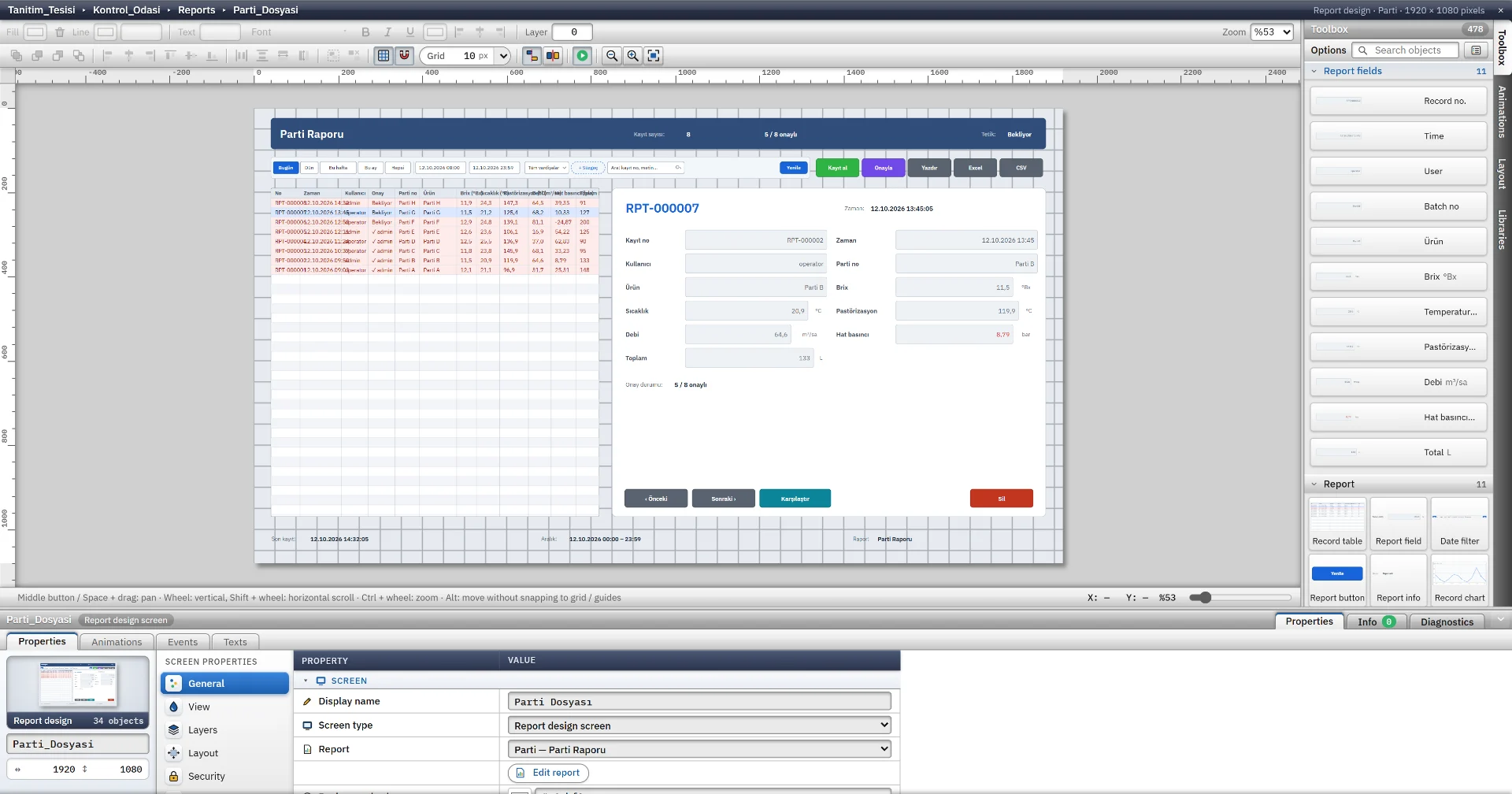
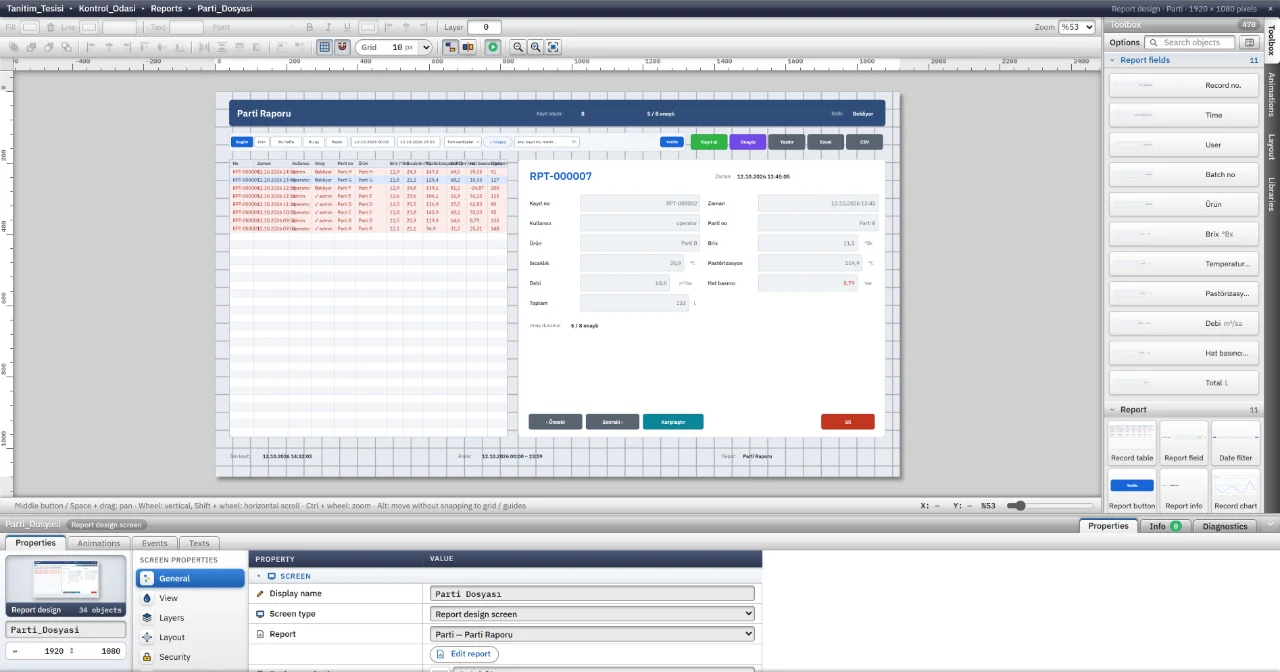
Report page design
A report design page with a record table, date filter and buttons placed by drag and drop.
Studio
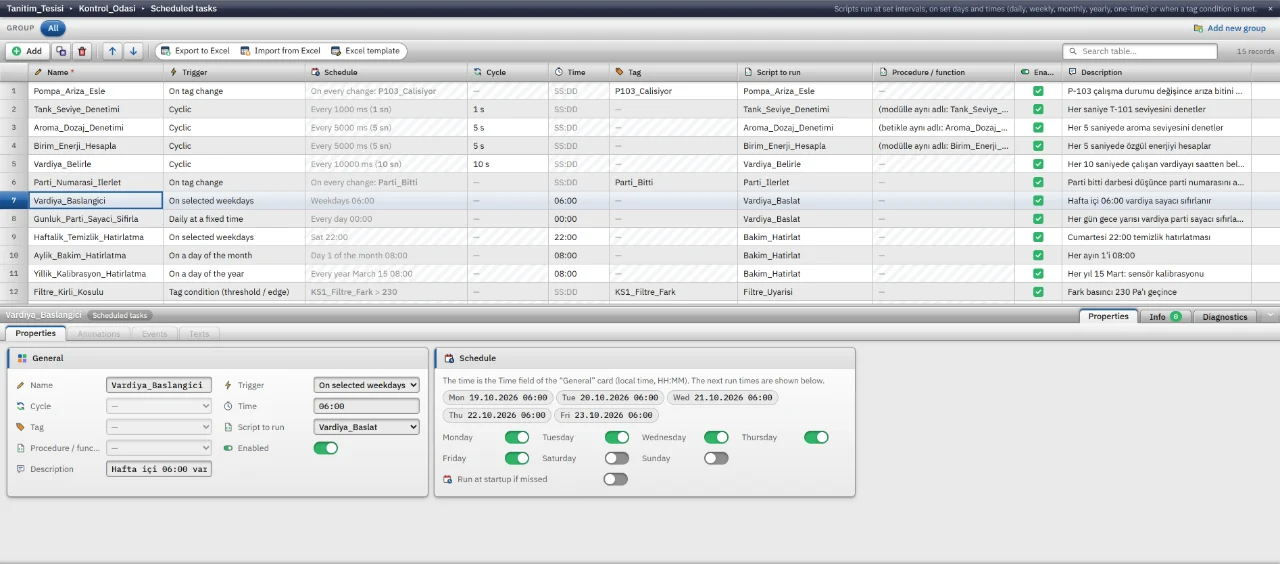
Scheduled tasks
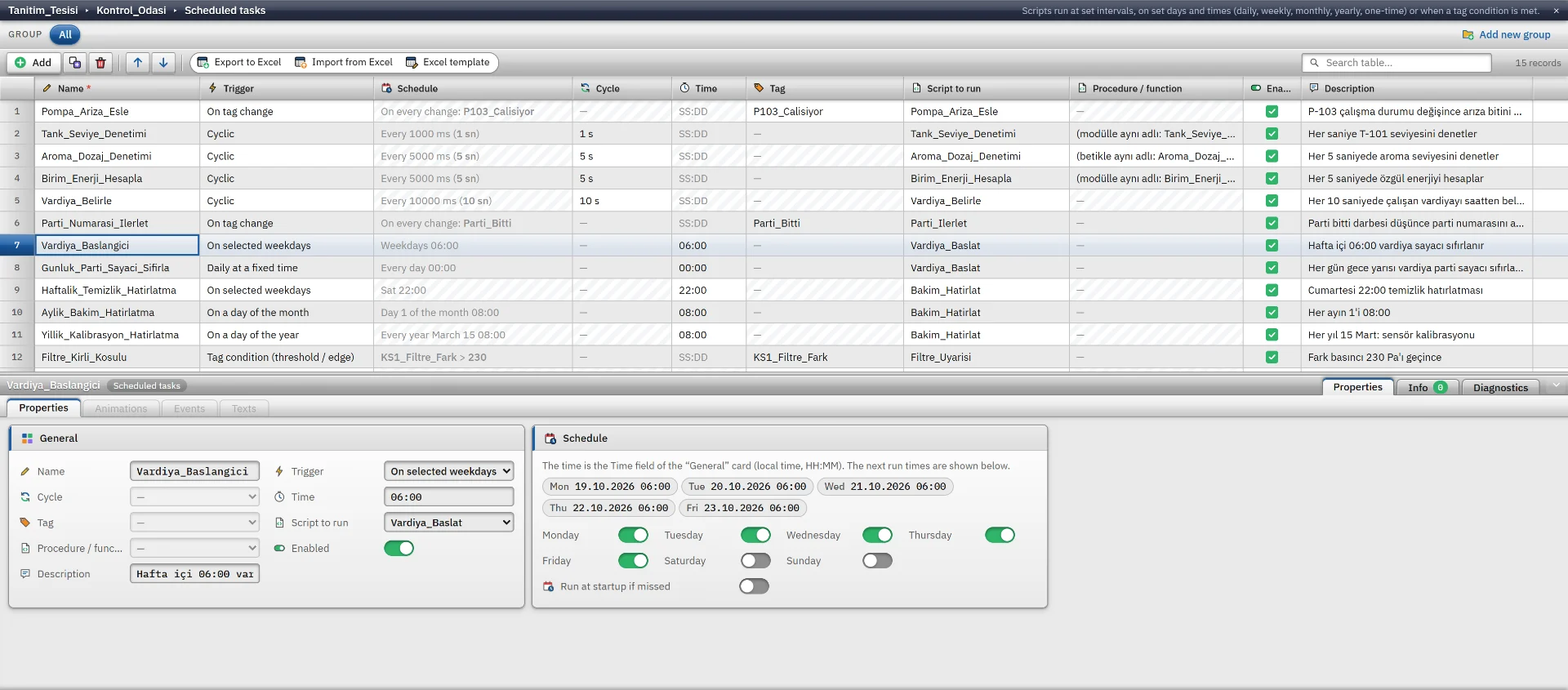
A weekly task with its next five run times.
Studio
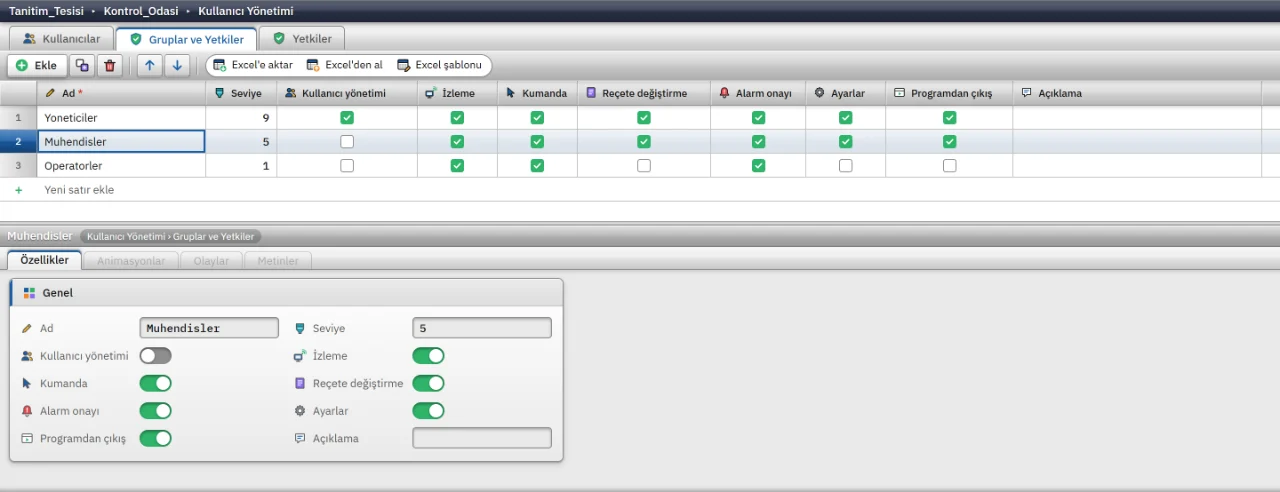
Users and permissions
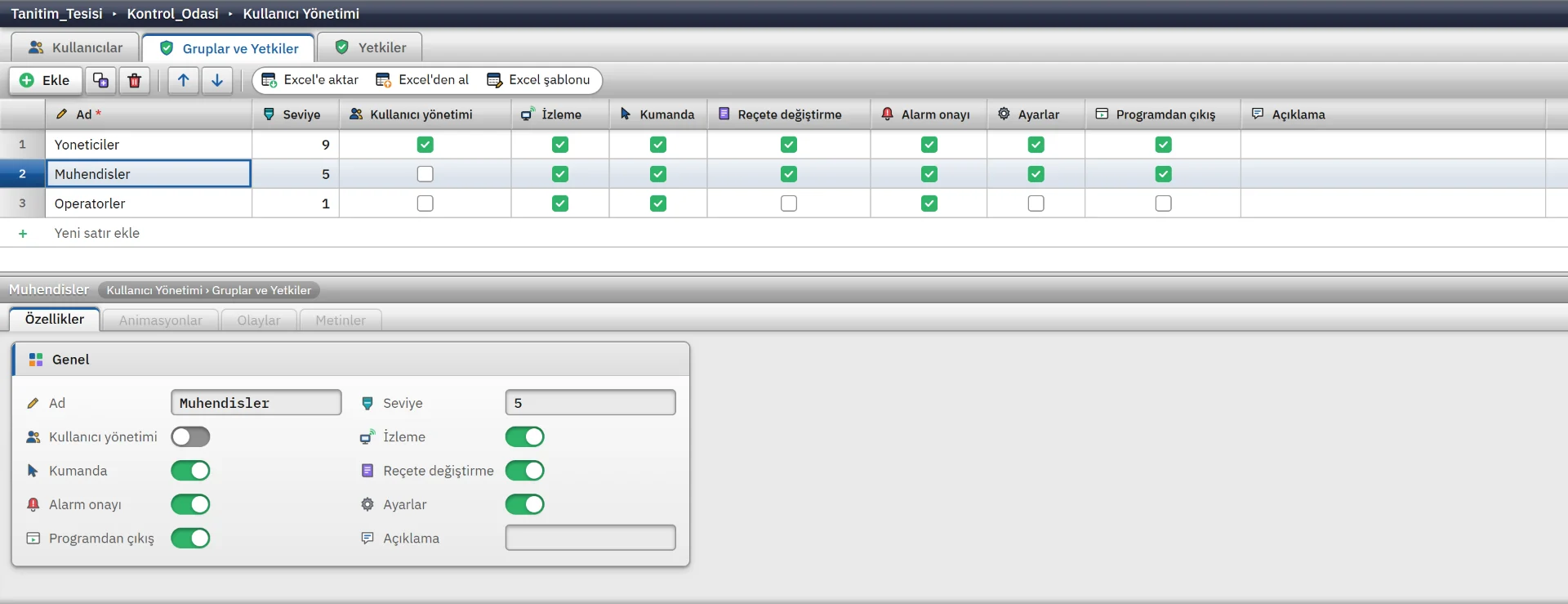
Permission groups and a matrix of monitoring, control, recipe and alarm rights.
Studio
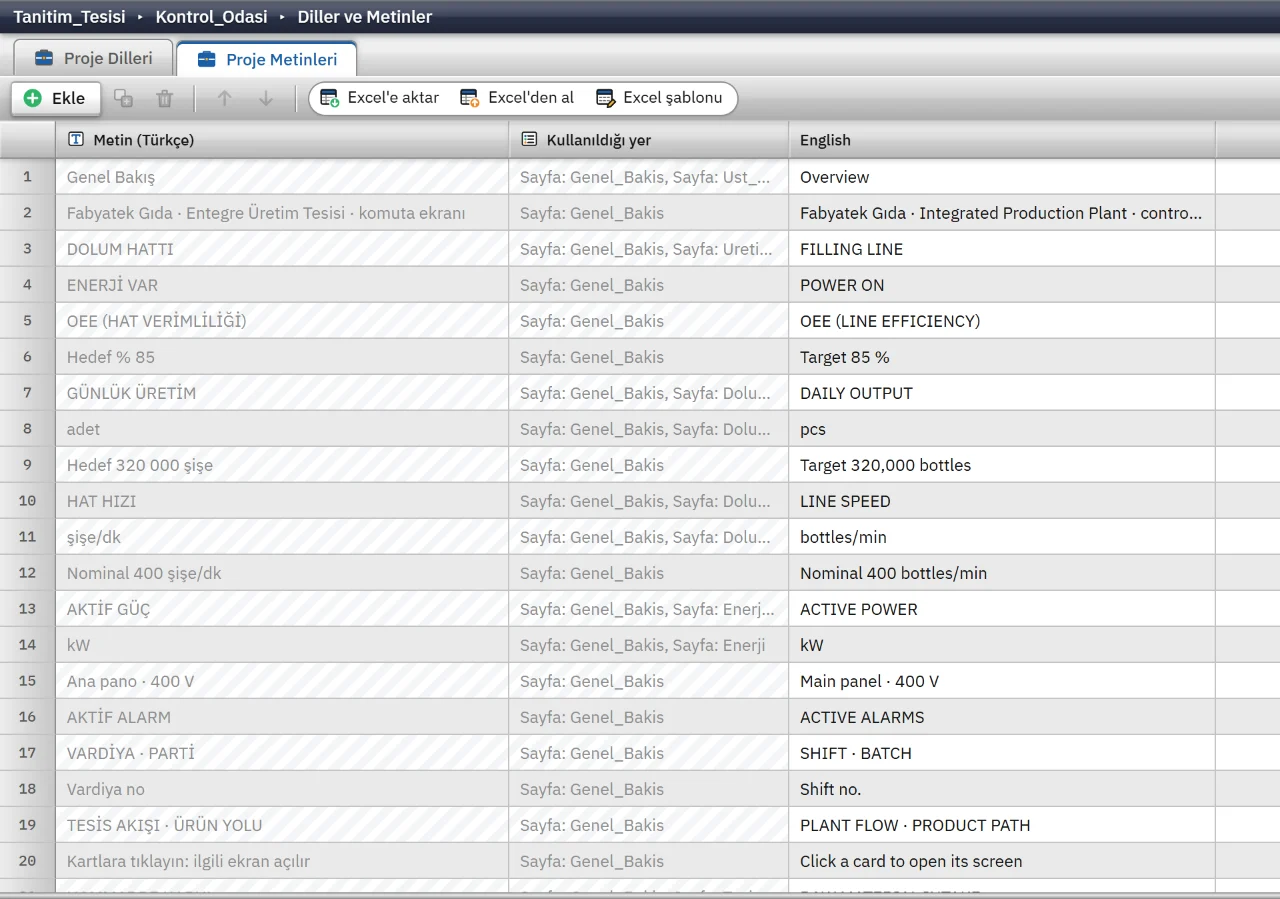
Languages and texts
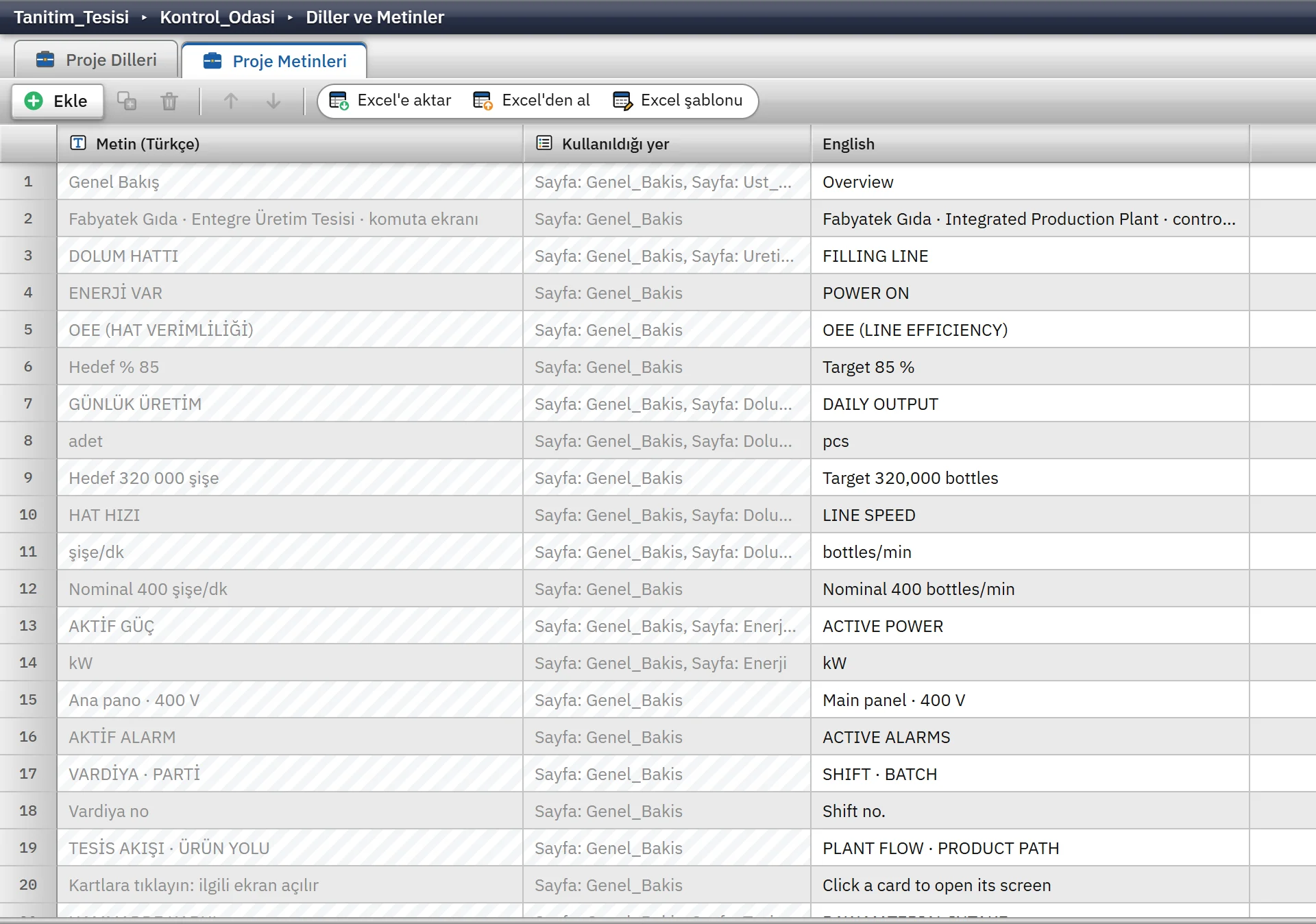
All project texts in one table, with the Turkish source text and English translation.
Studio
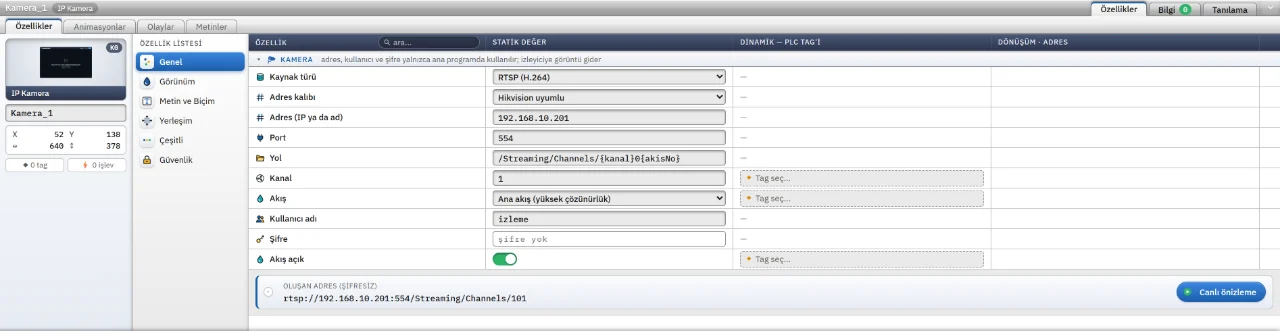
IP camera object
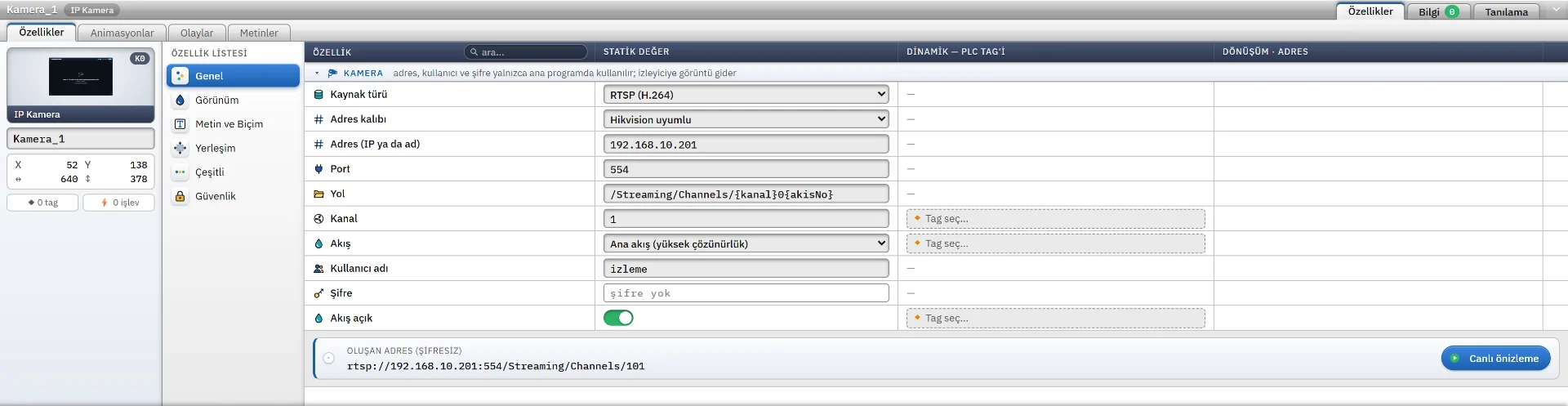
IP camera object settings for source type, address, port, channel and stream.

Studio
Check project
The project check reports that connections, tag addresses and table references are consistent.

Studio
Check results
Errors and warnings listed with their location, each opening its section when clicked.
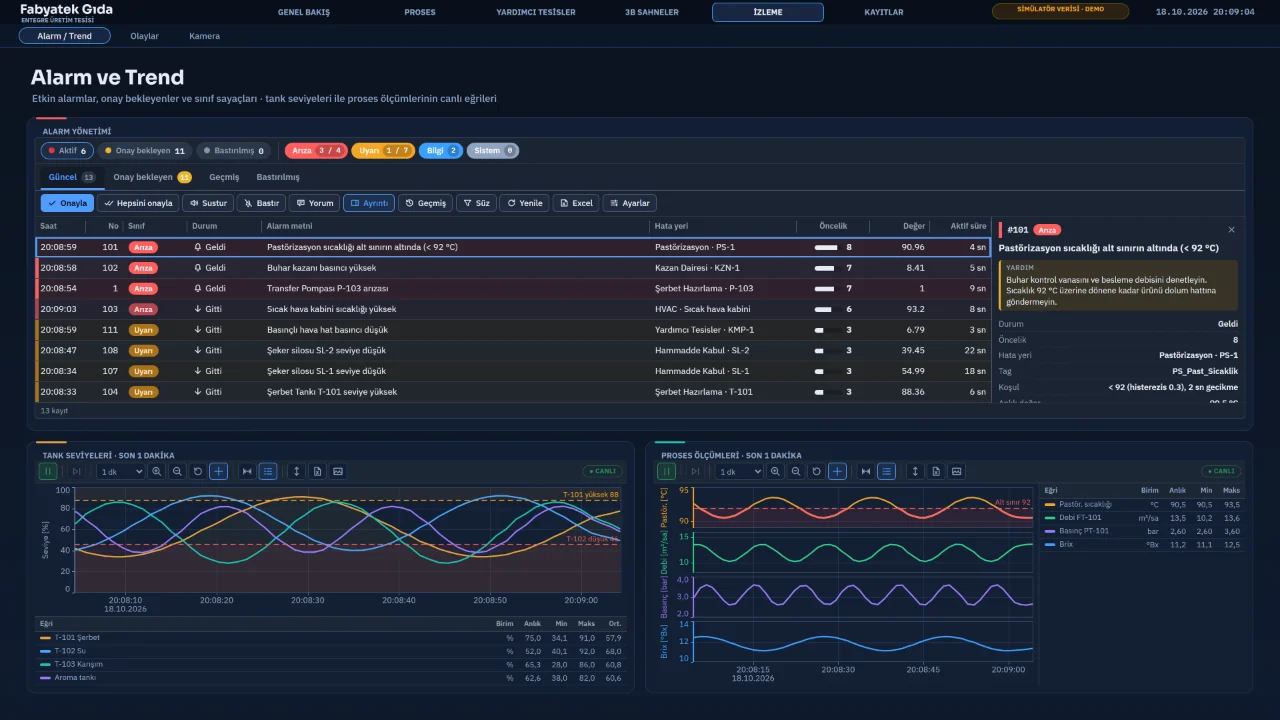
Live
Alarm and trend views
Alarm list with class colours, details of the selected alarm and two trends below.
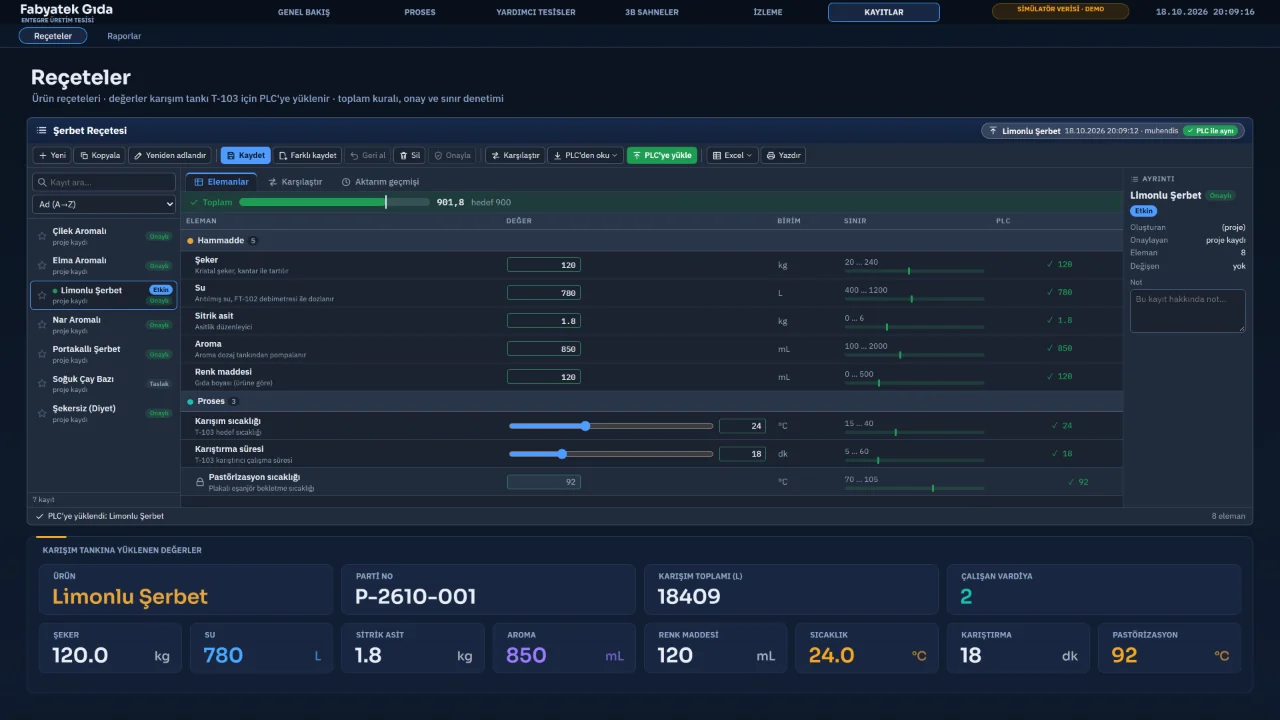
Live
Recipe management
The recipe view with product records, element limits and PLC values.
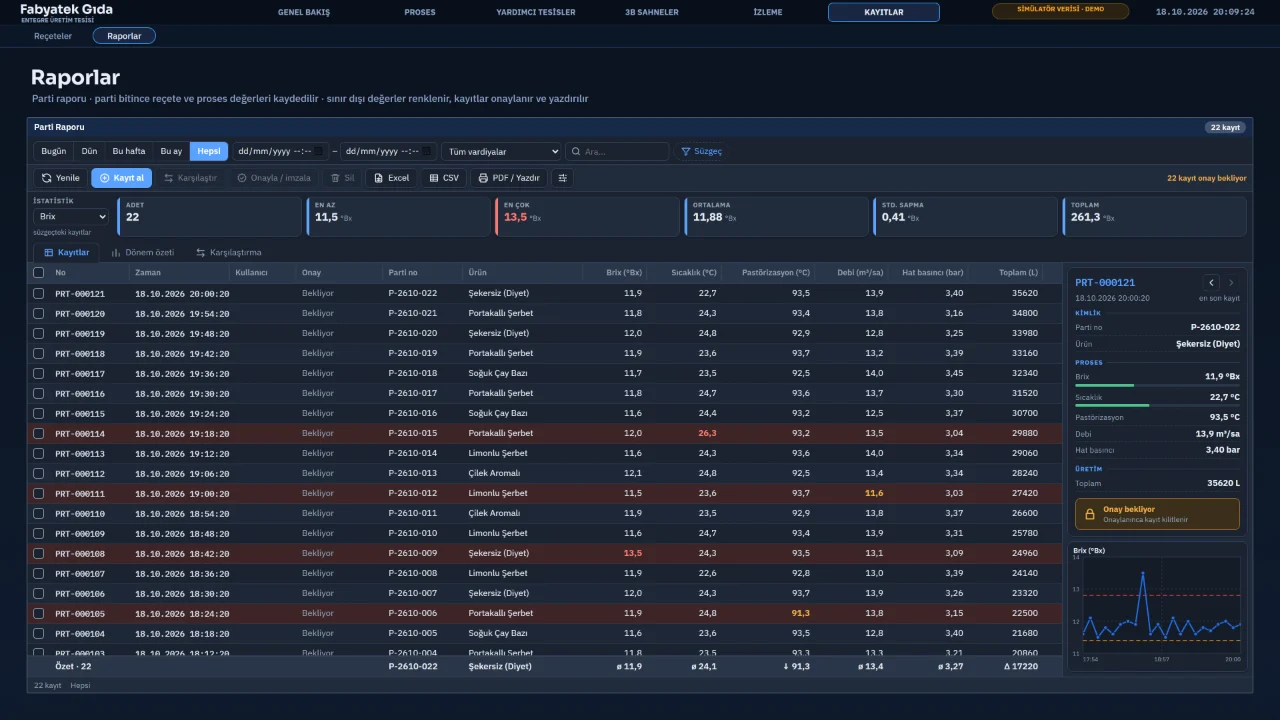
Live
Batch report
A table of batch records with statistics and a chart of the selected record.
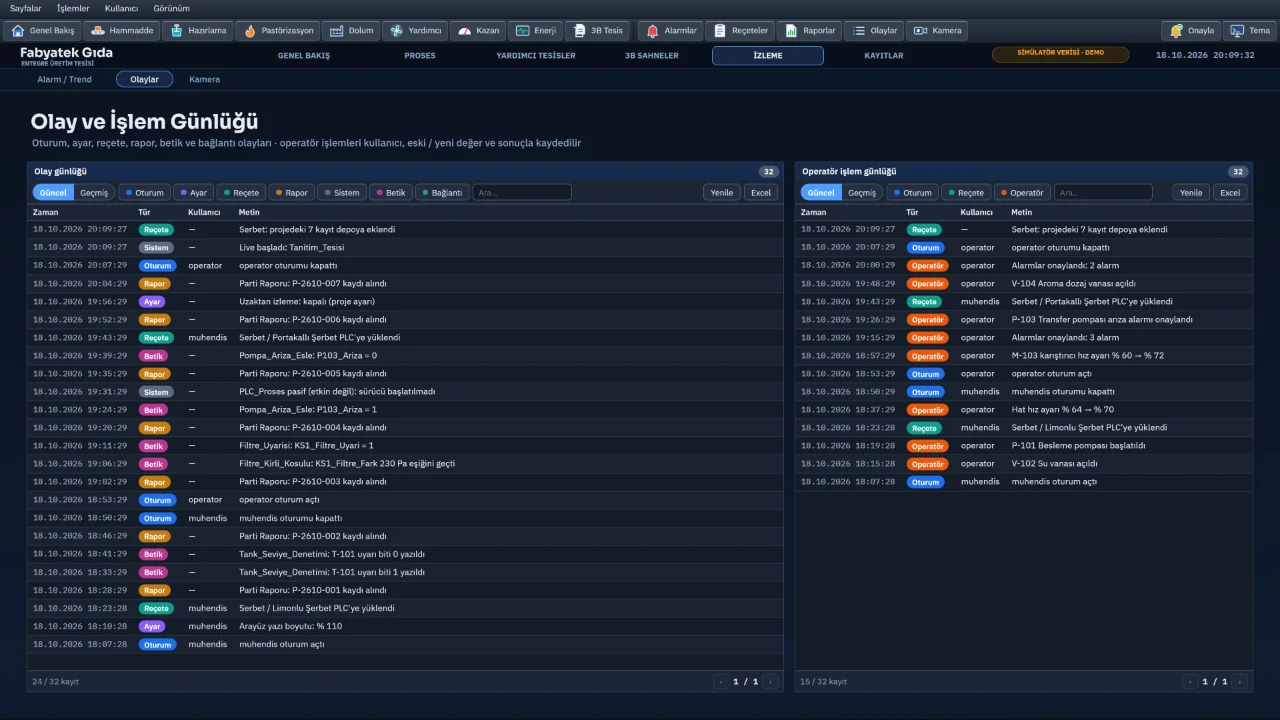
Live
Event and operation log
An event log filterable by type and a separate log of operator actions with users.
Live
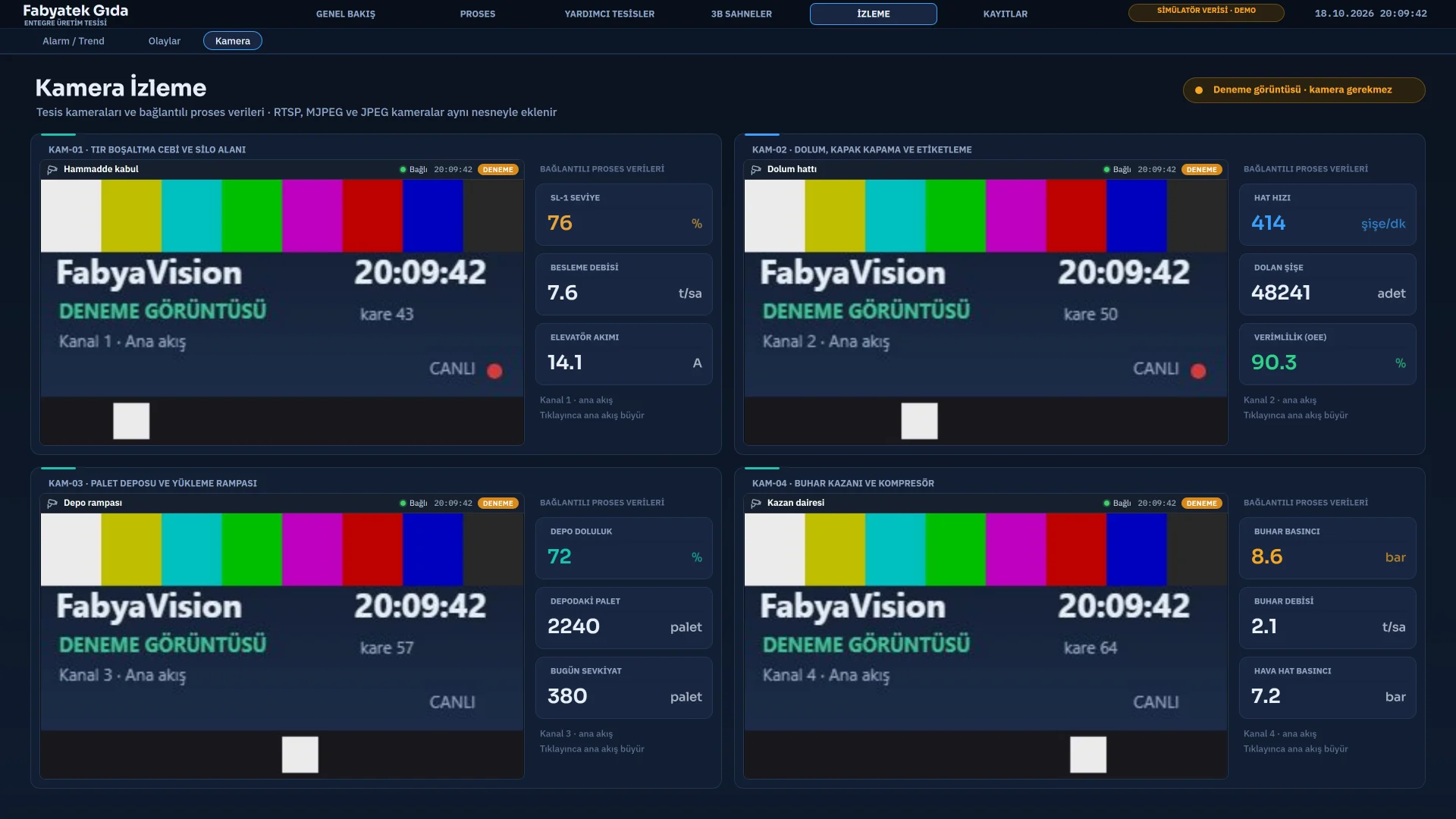
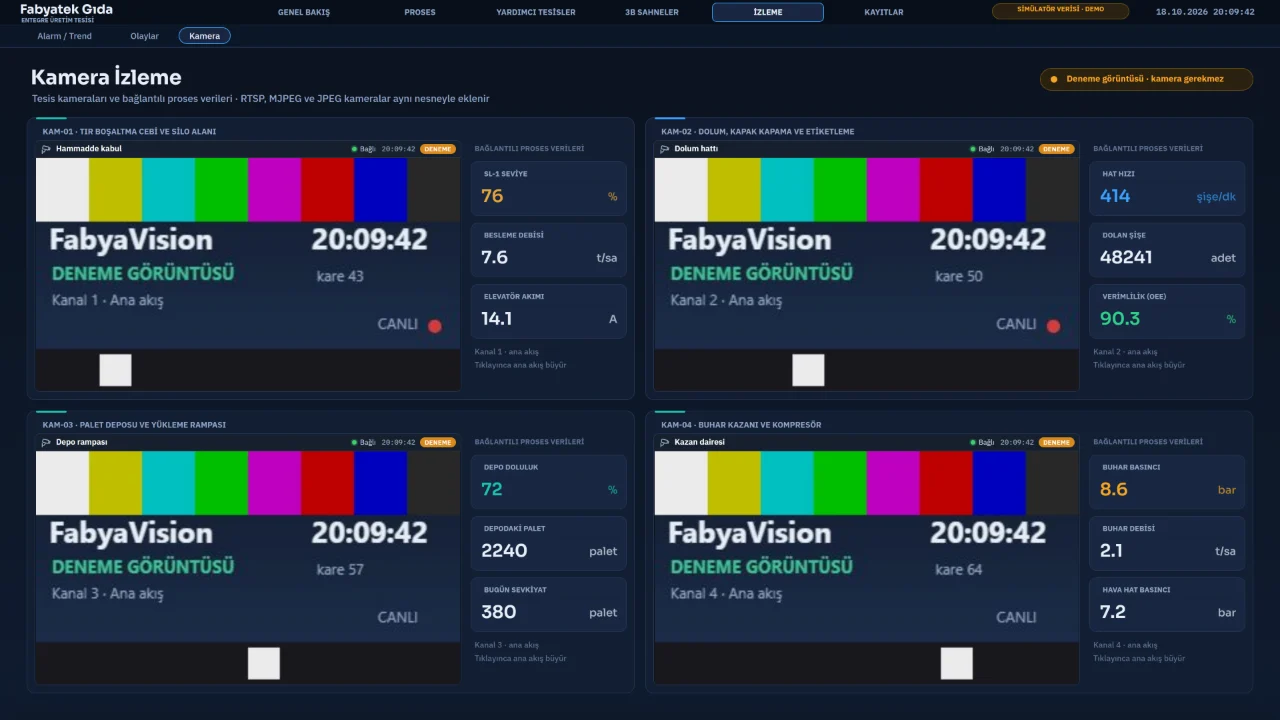
Camera monitoring
Four camera channels with the process values linked to each camera.
Live
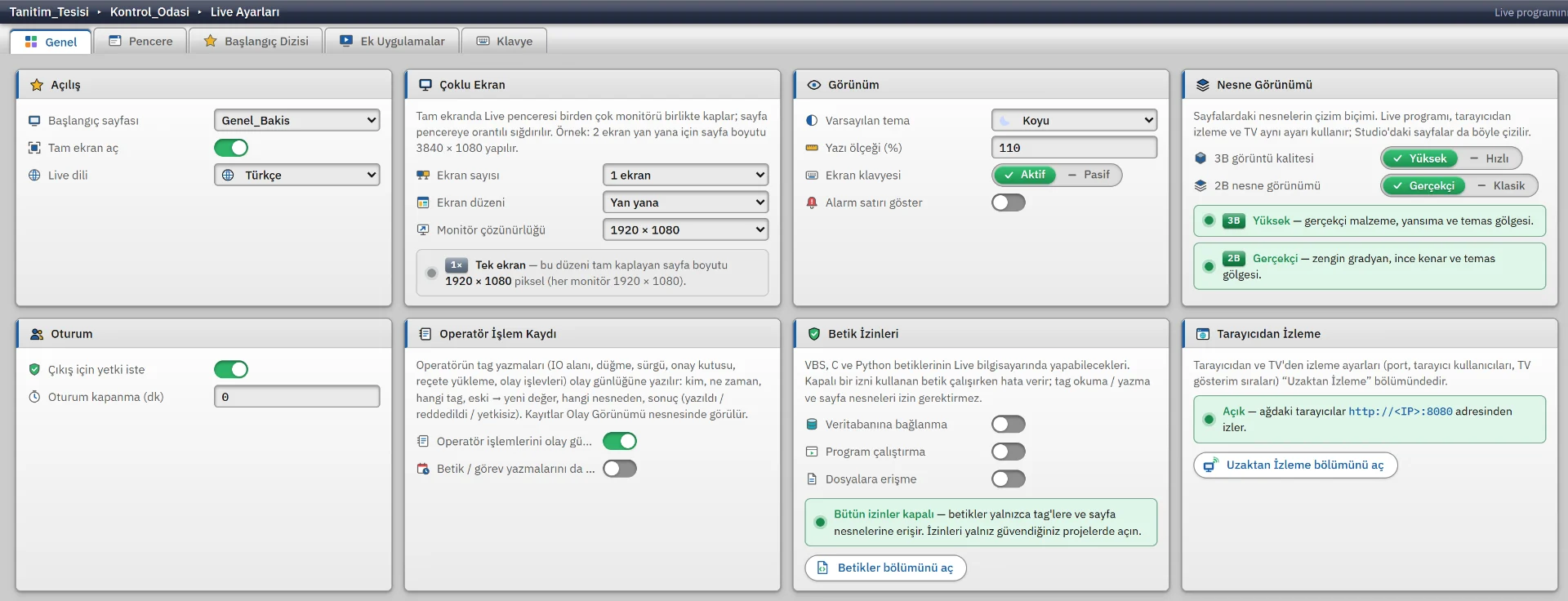
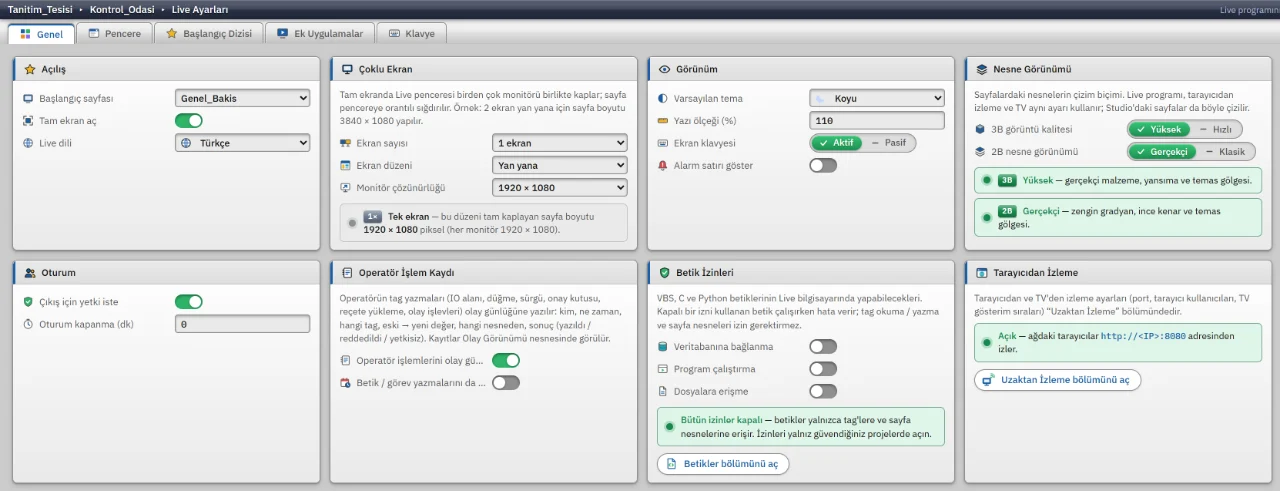
Live settings
Live settings for startup screen, multi-monitor, theme, session and script permissions.
Live
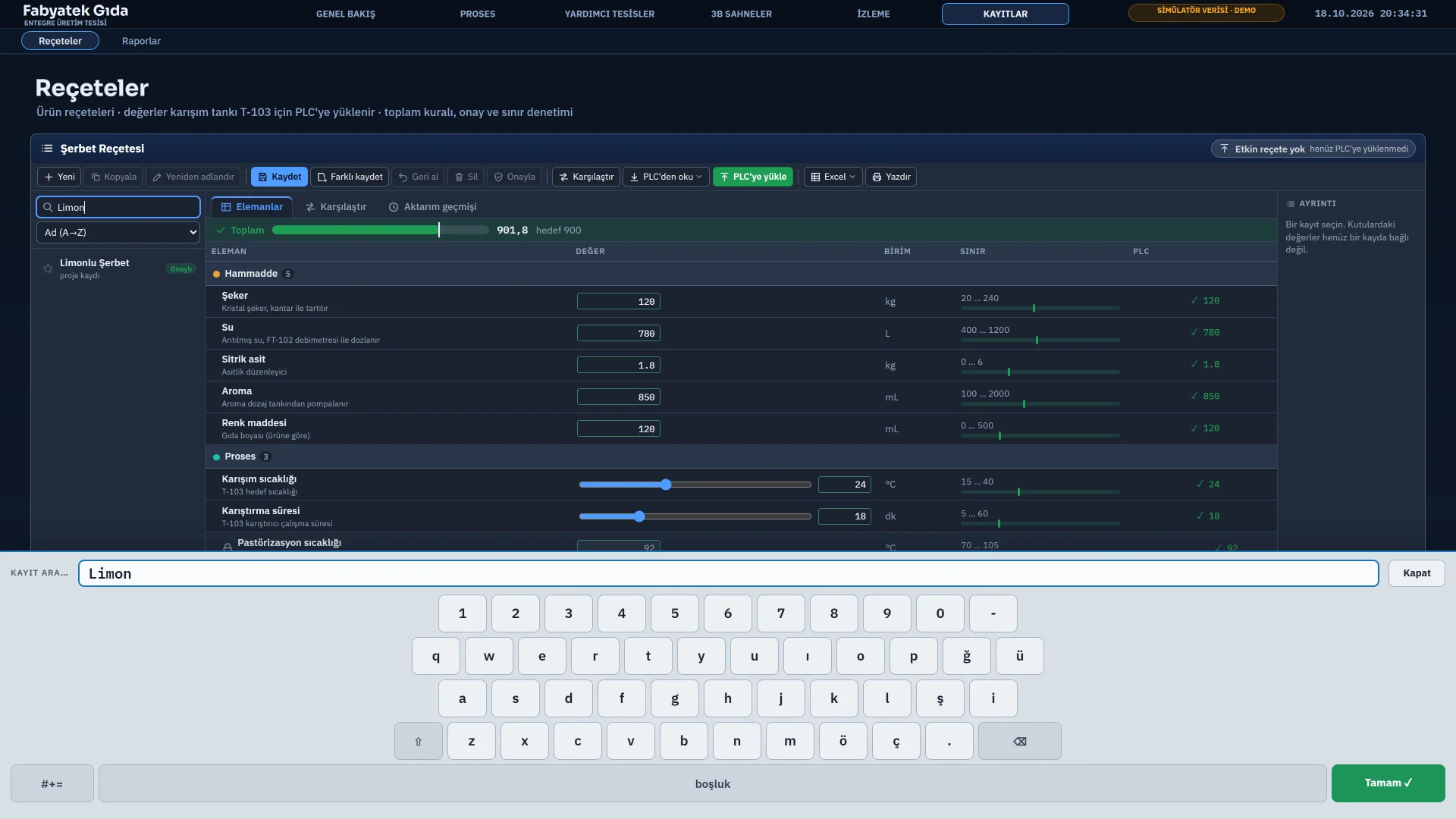
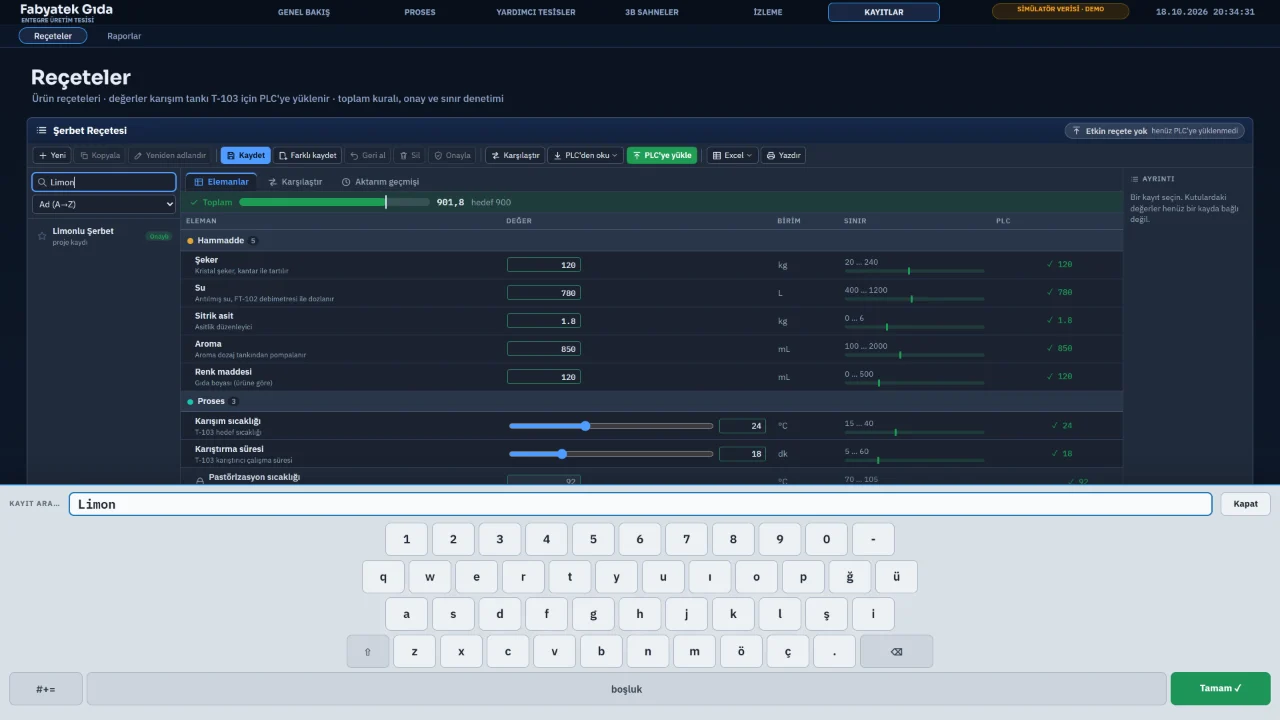
On-screen keyboard
The on-screen keyboard opened by tapping a field, with a numeric keypad for number fields.
Object library
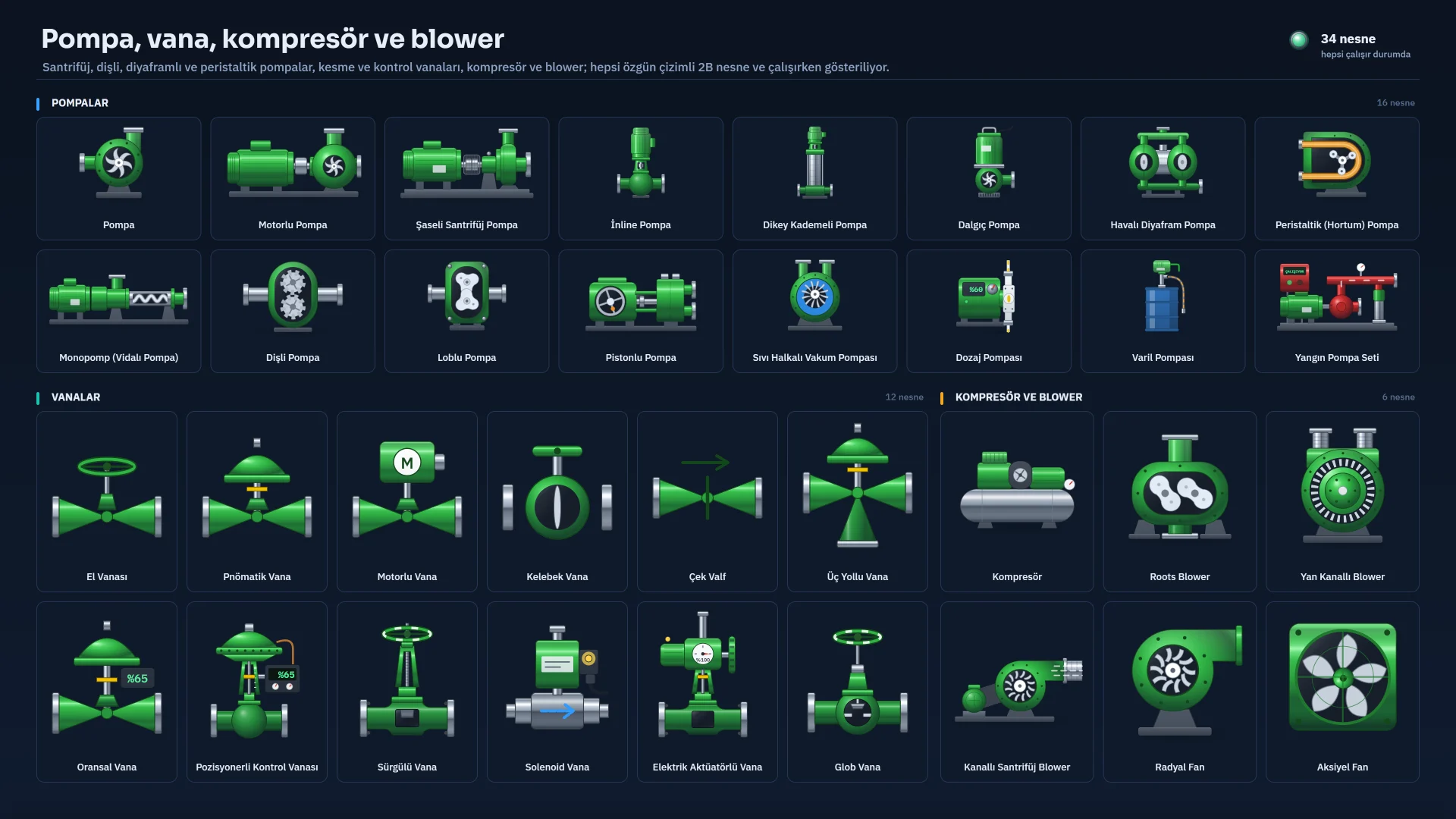
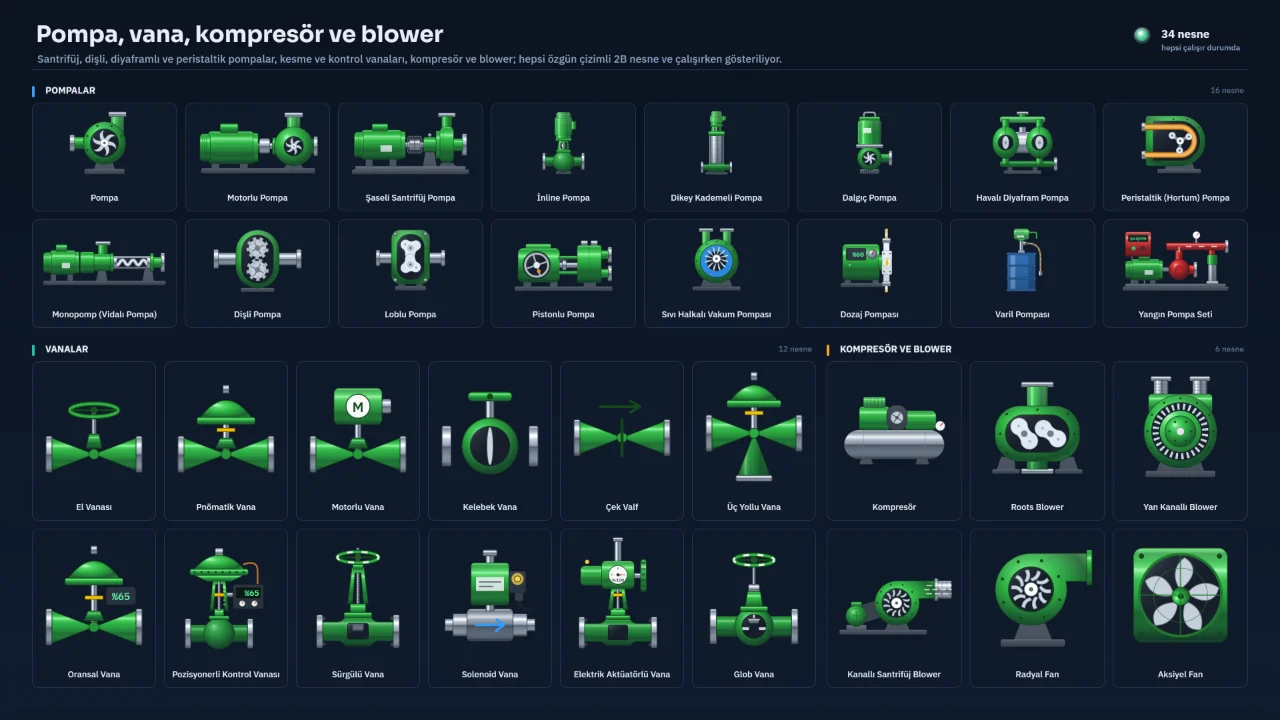
Pumps, valves and compressors
Pump, valve, compressor and blower types as 2D objects.
Object library
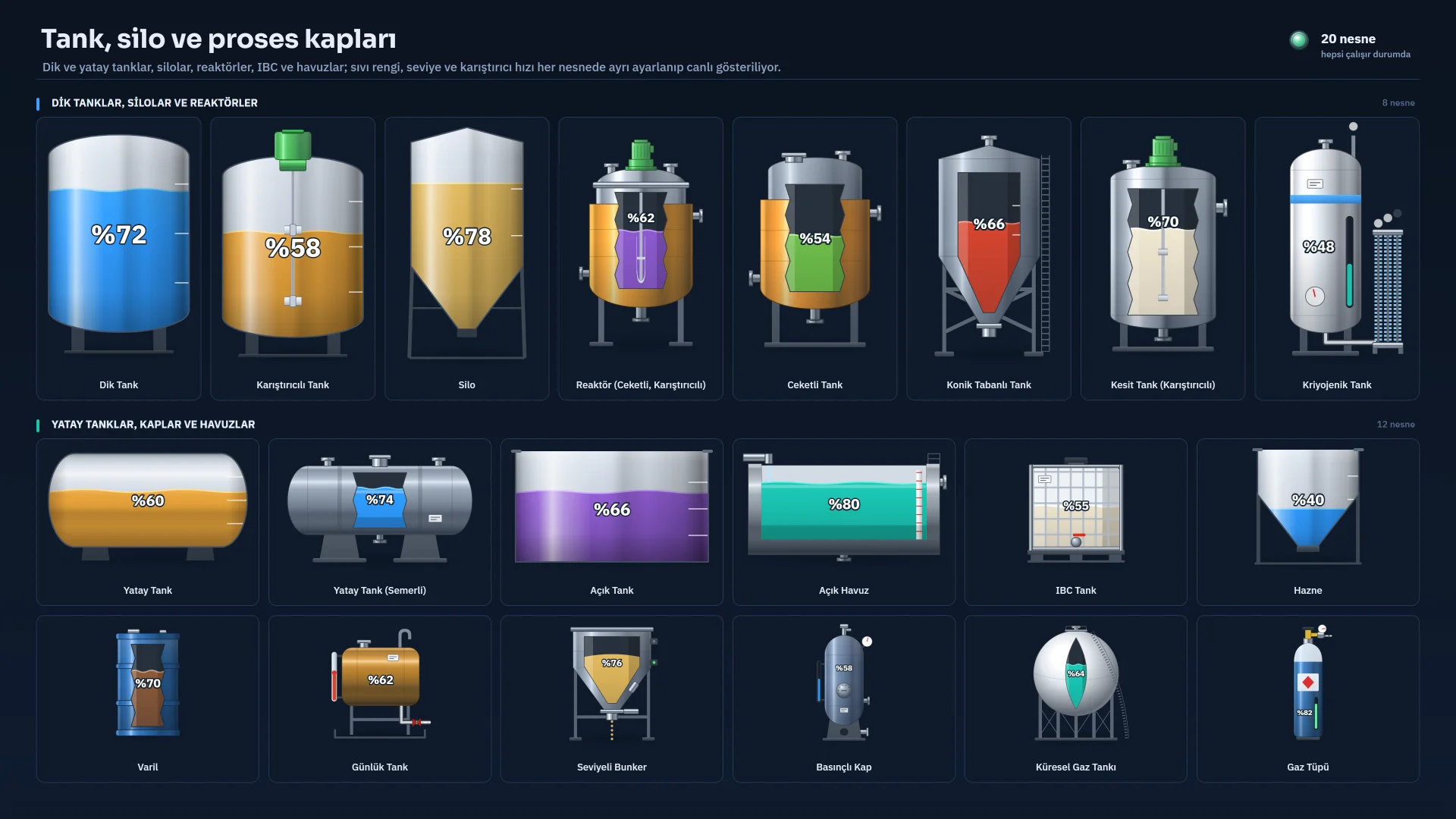
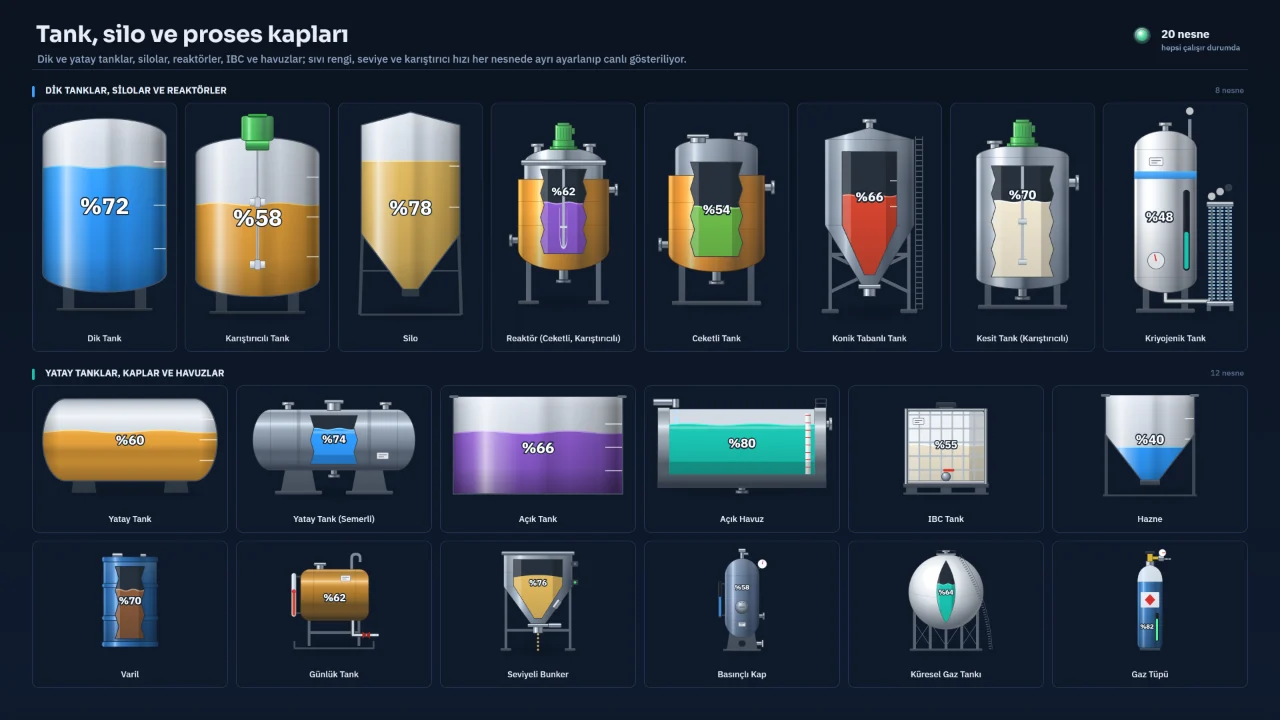
Tanks, silos and reactors
Vertical and horizontal tanks, silos, reactors, IBCs and basins.
Object library
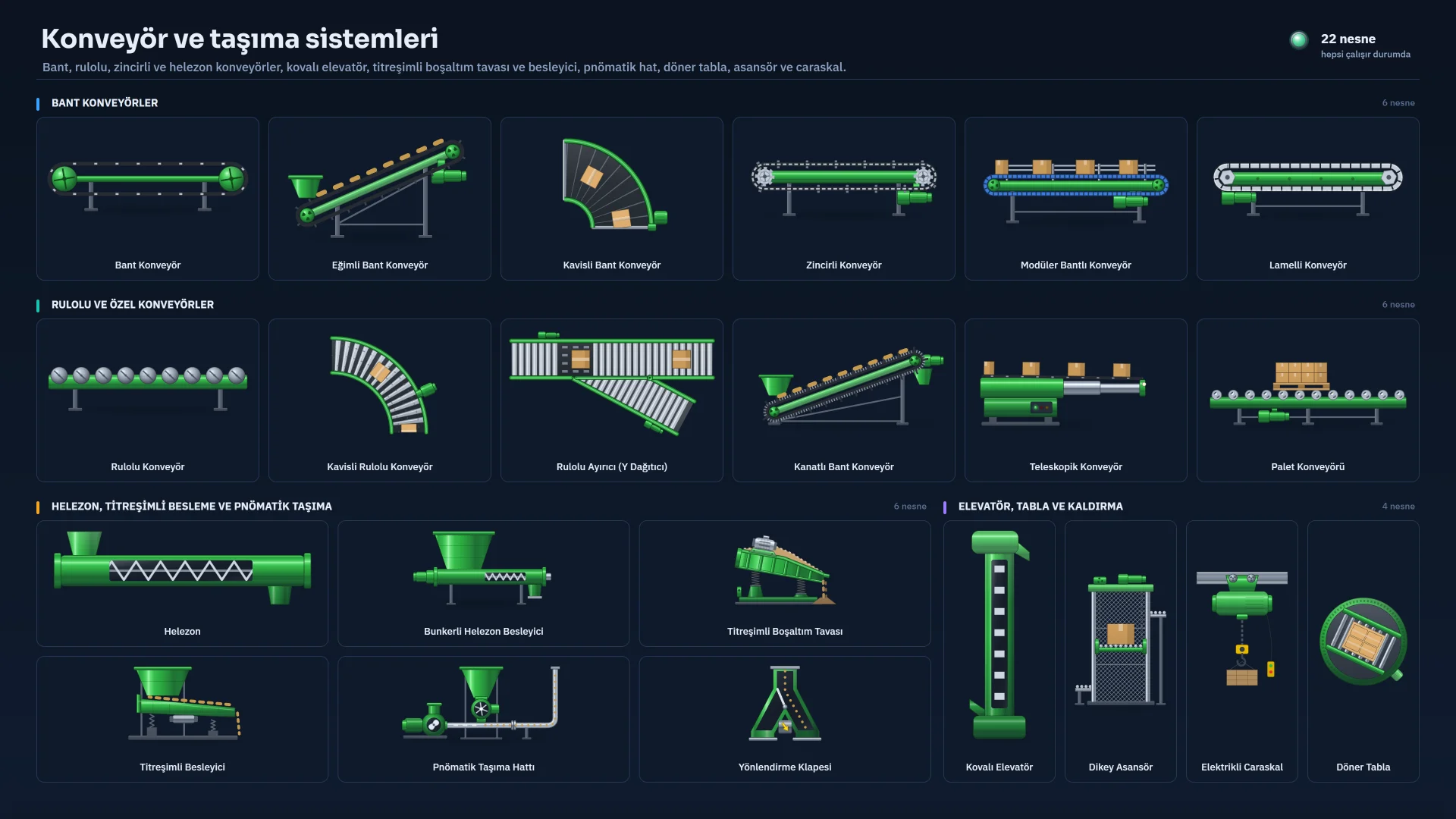
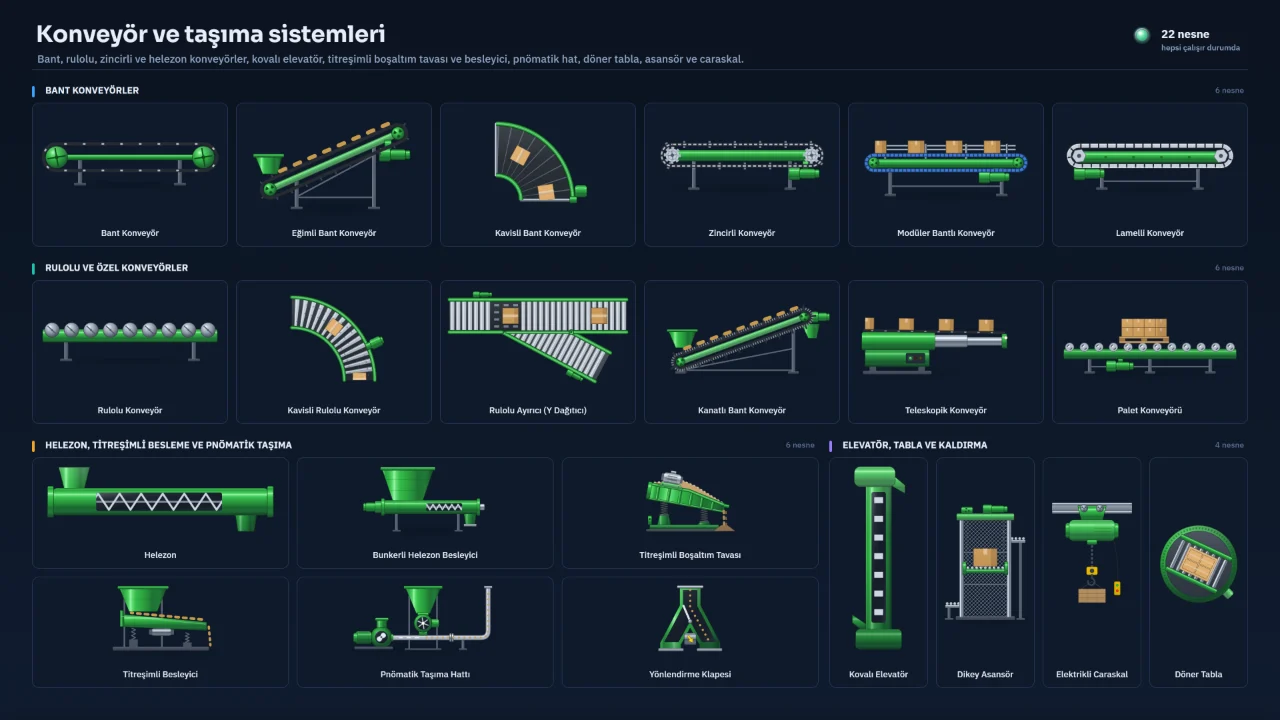
Conveyors and material handling
Belt, roller, chain and screw conveyors, bucket elevator, lift and hoist.
Object library
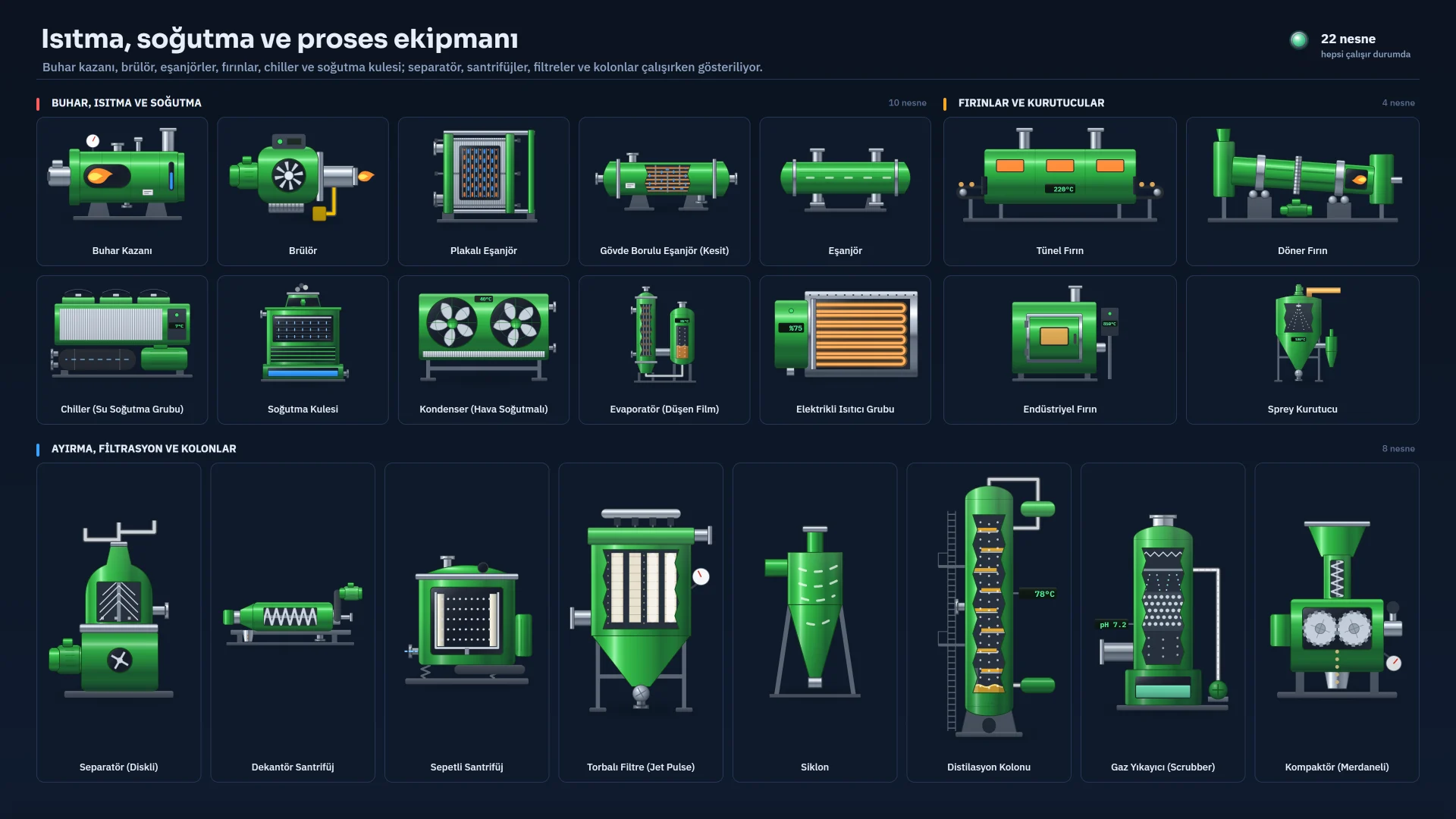
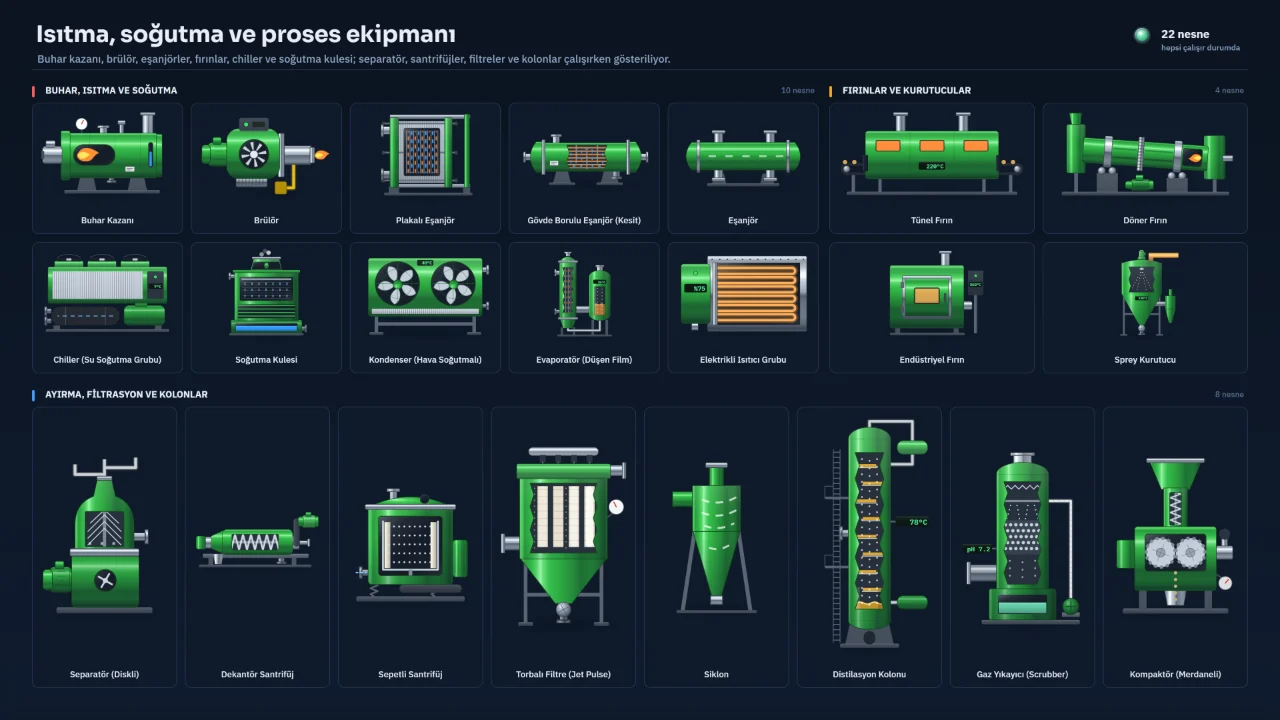
Heating and process equipment
Steam boiler, heat exchangers, ovens, cooling tower, separators and filters.
Object library
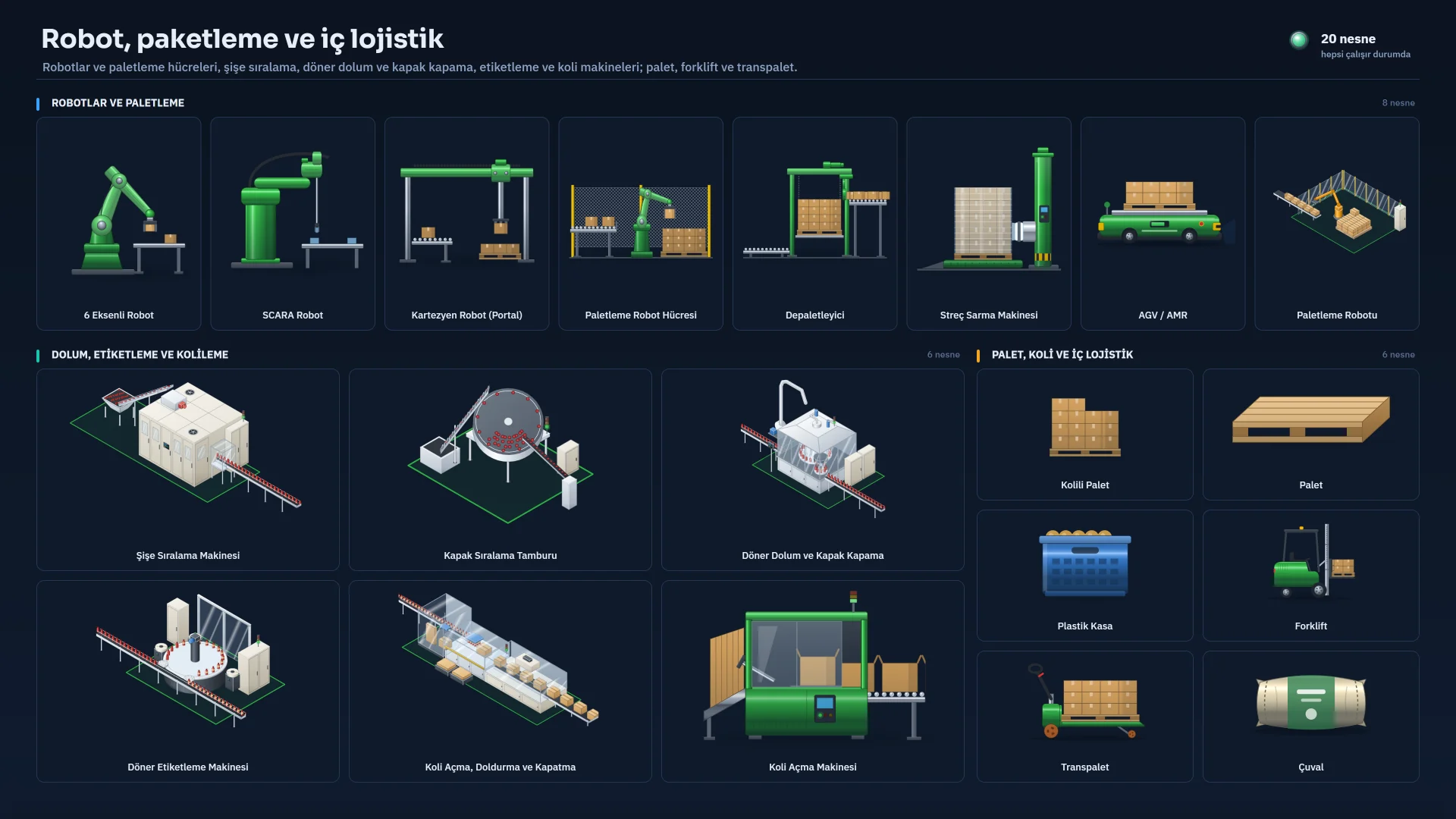
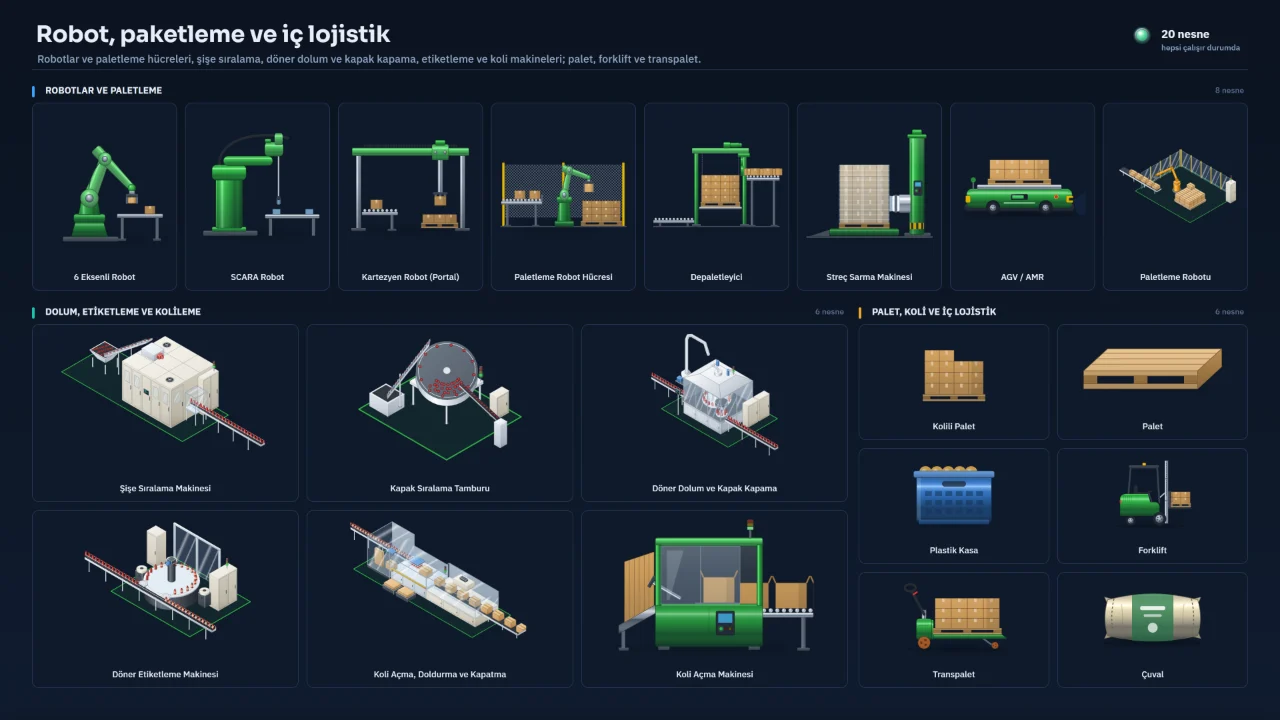
Robots and packaging
Robots, palletising cells, filling and labelling machines, forklifts and pallets.
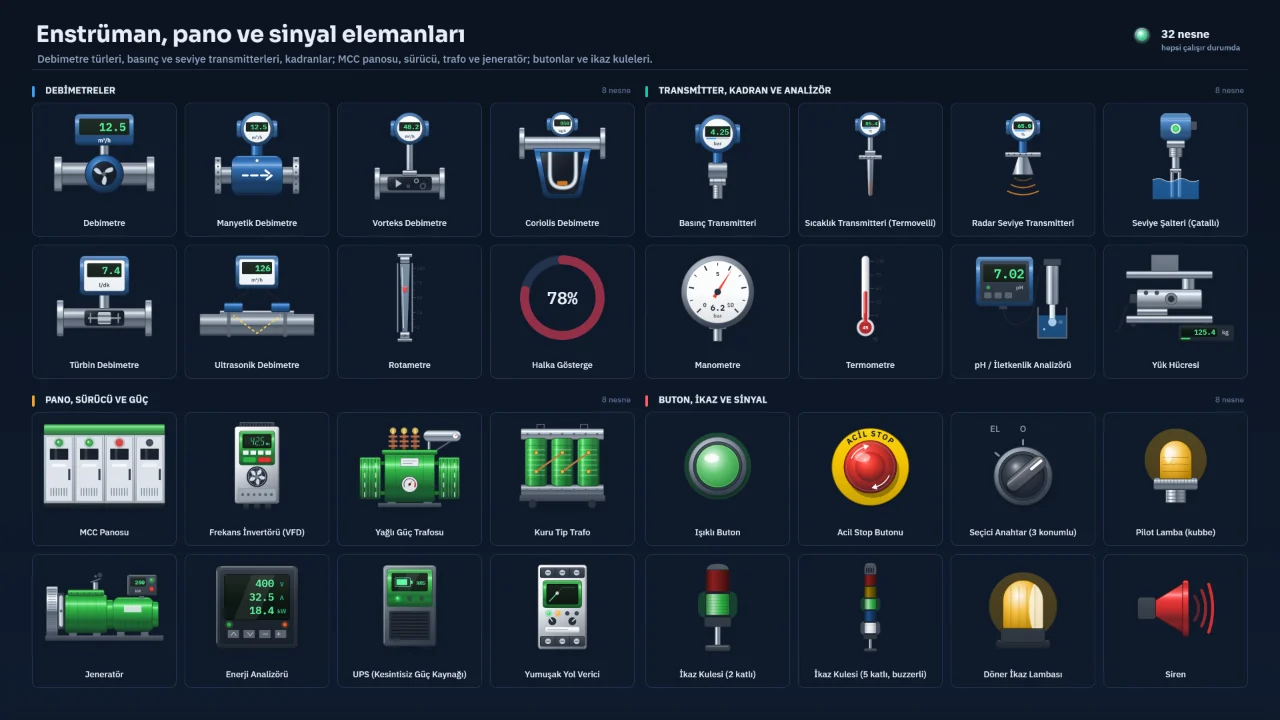
Object library
Instruments and switchgear
Flow meters, transmitters, MCC panel, drive, transformer, push buttons and signal towers.
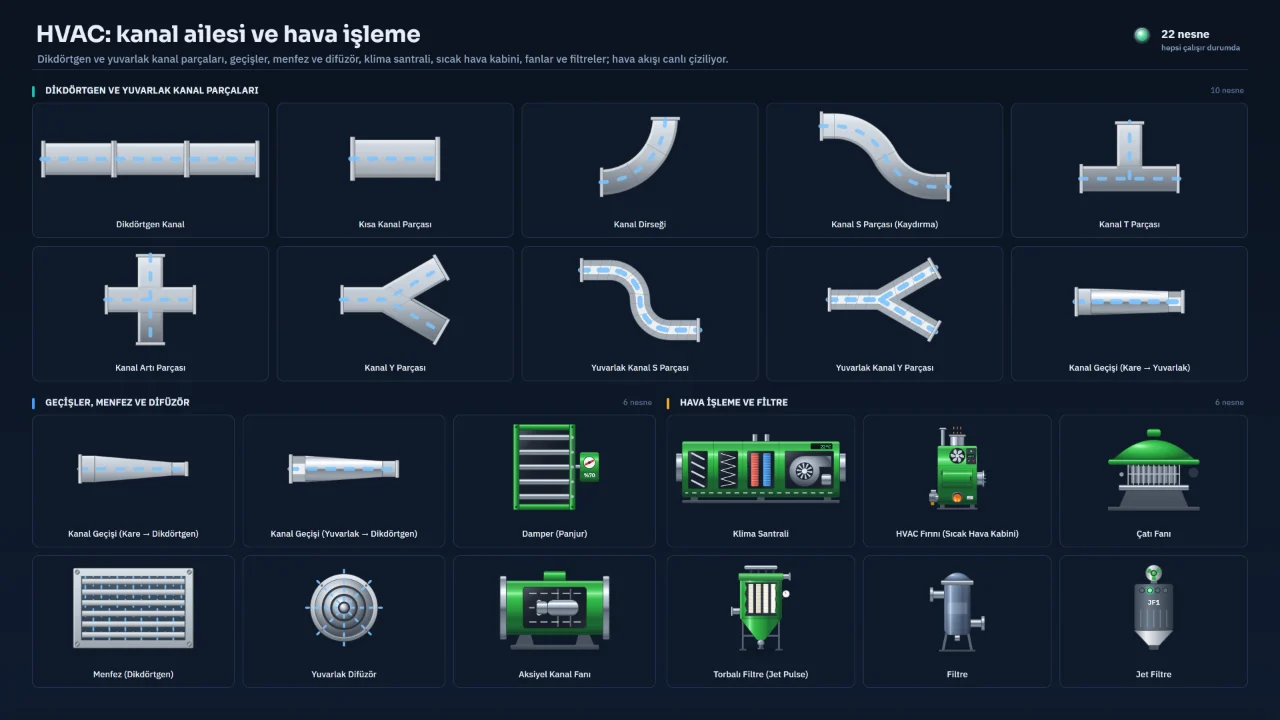
Object library
HVAC and air ducts
Duct parts, grilles, air handling unit, fans and filters.
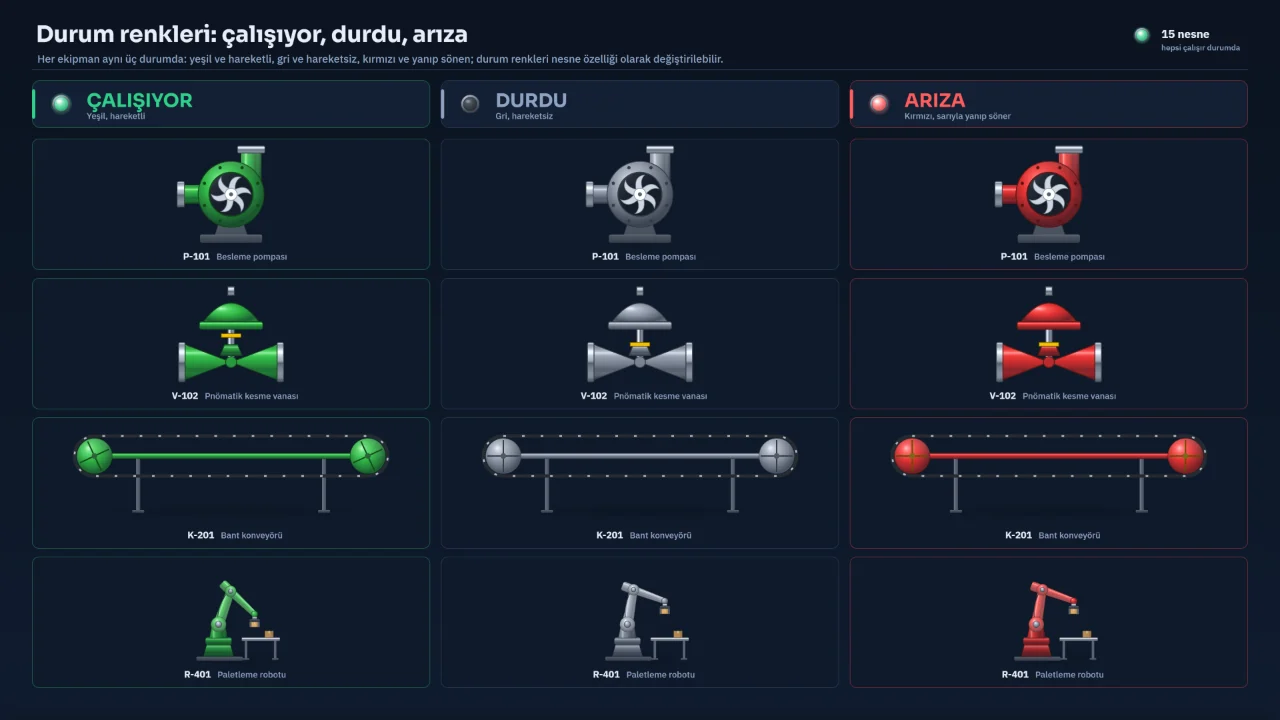
Object library
Status colours
The same equipment running (green), stopped (grey) and faulted (red).
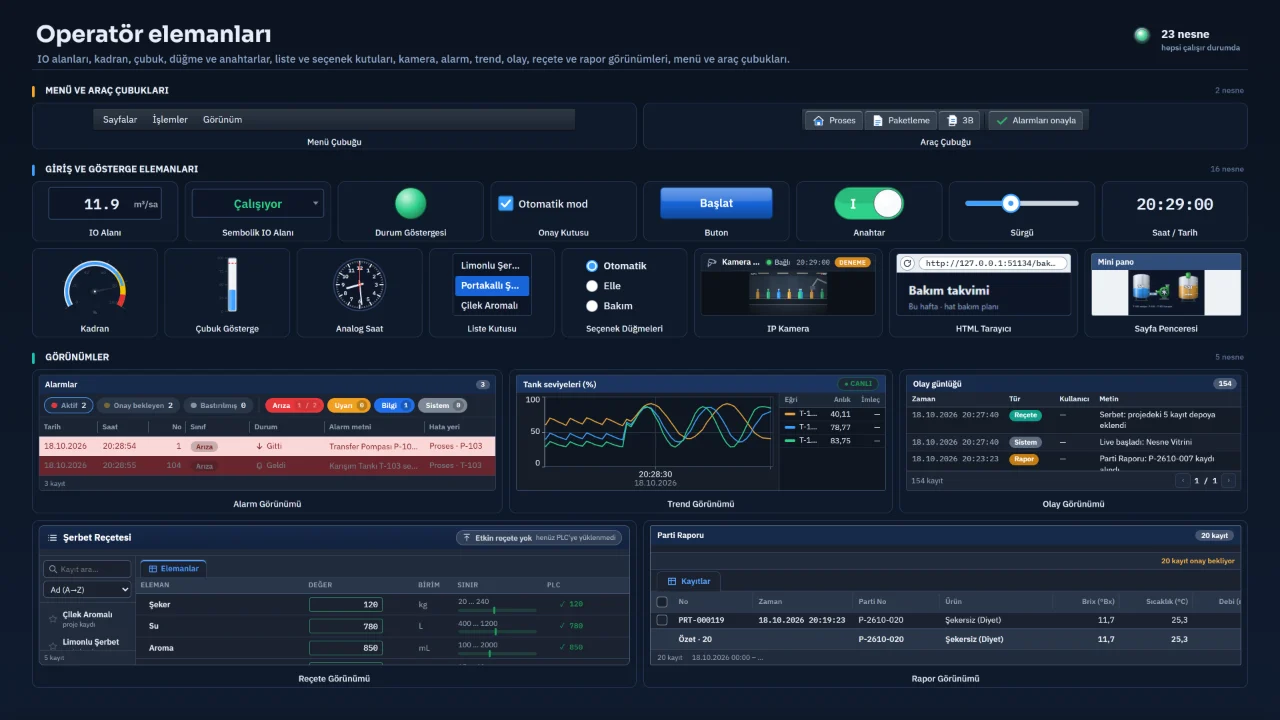
Object library
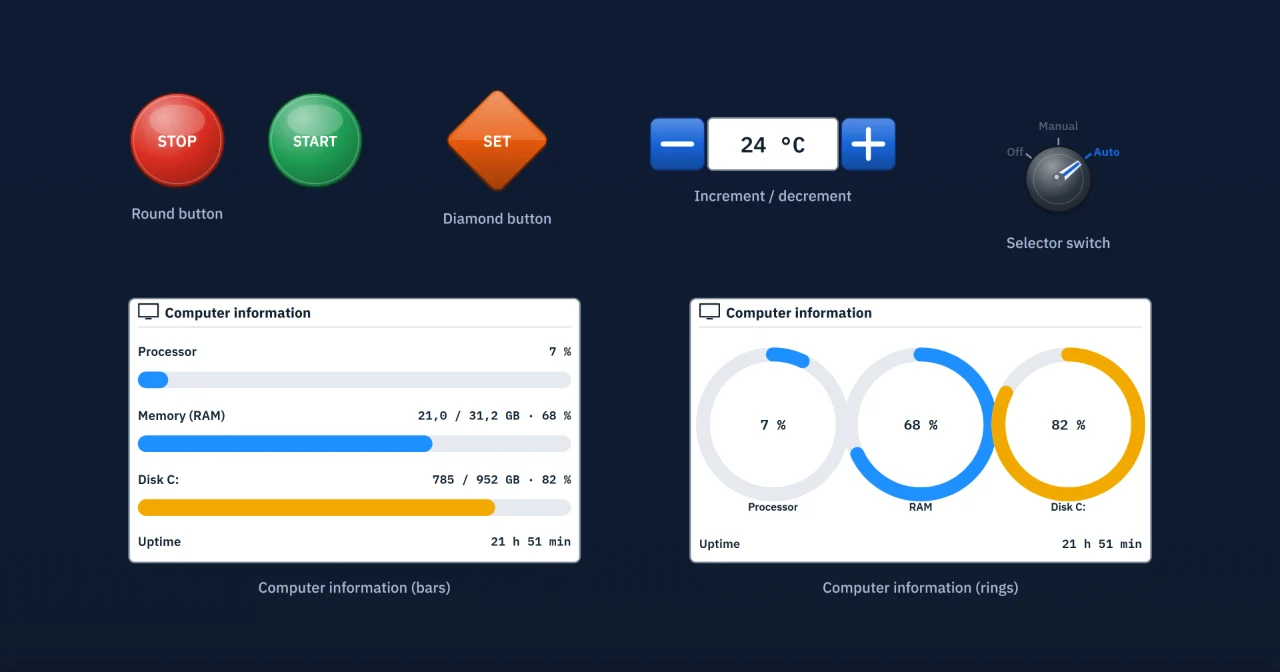
Operator elements
I/O fields, gauges, buttons, switches and alarm, trend, recipe and report views.
Object library
New operator elements
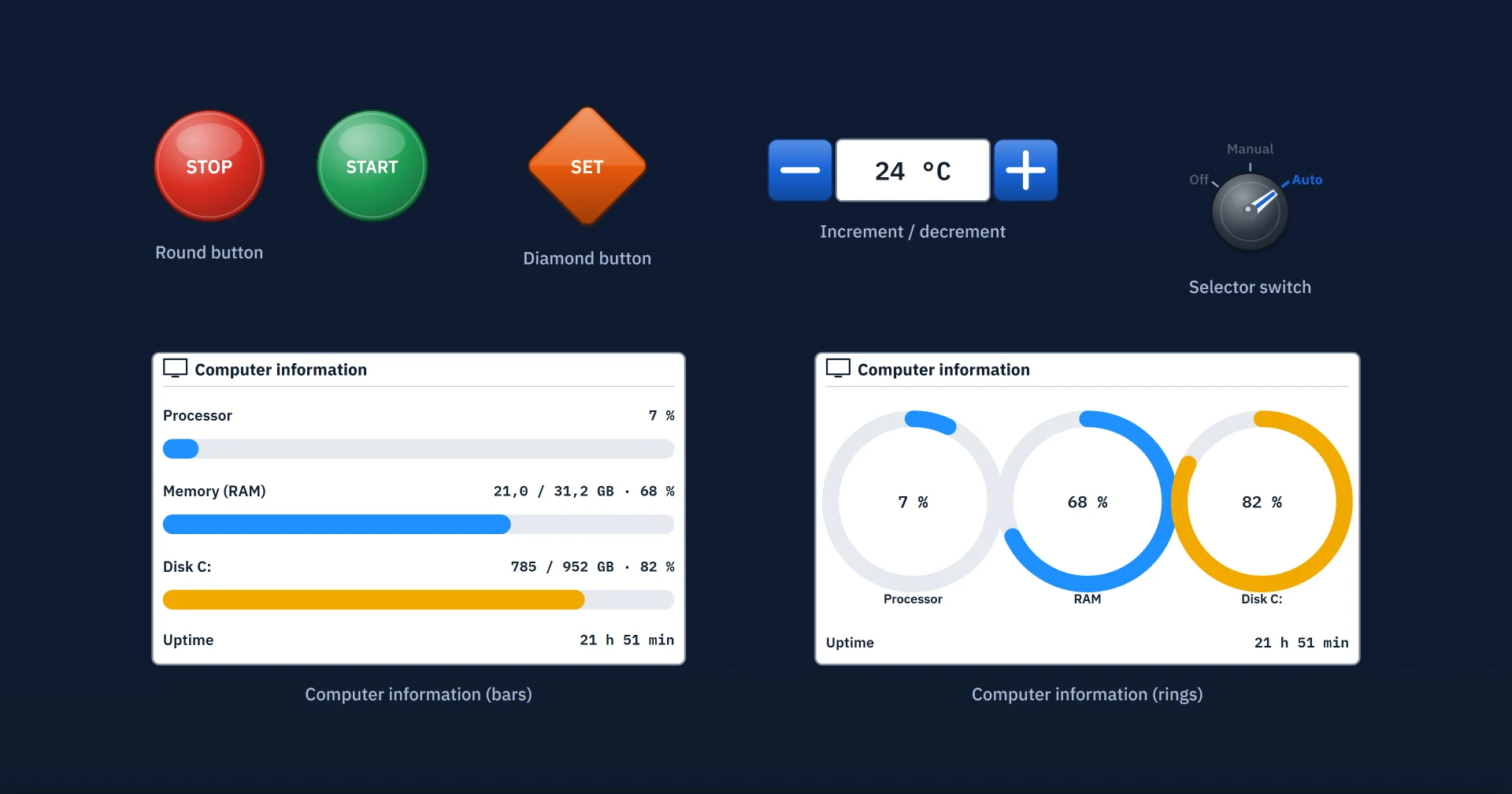
Operator elements such as the round button, increment / decrement, selector switch and PDF viewer.
Scripting
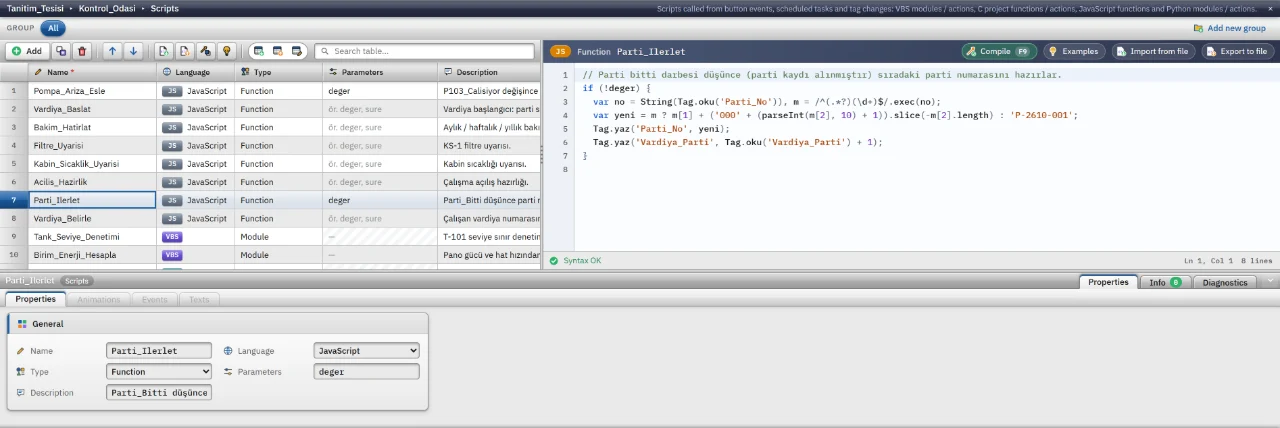
JavaScript script
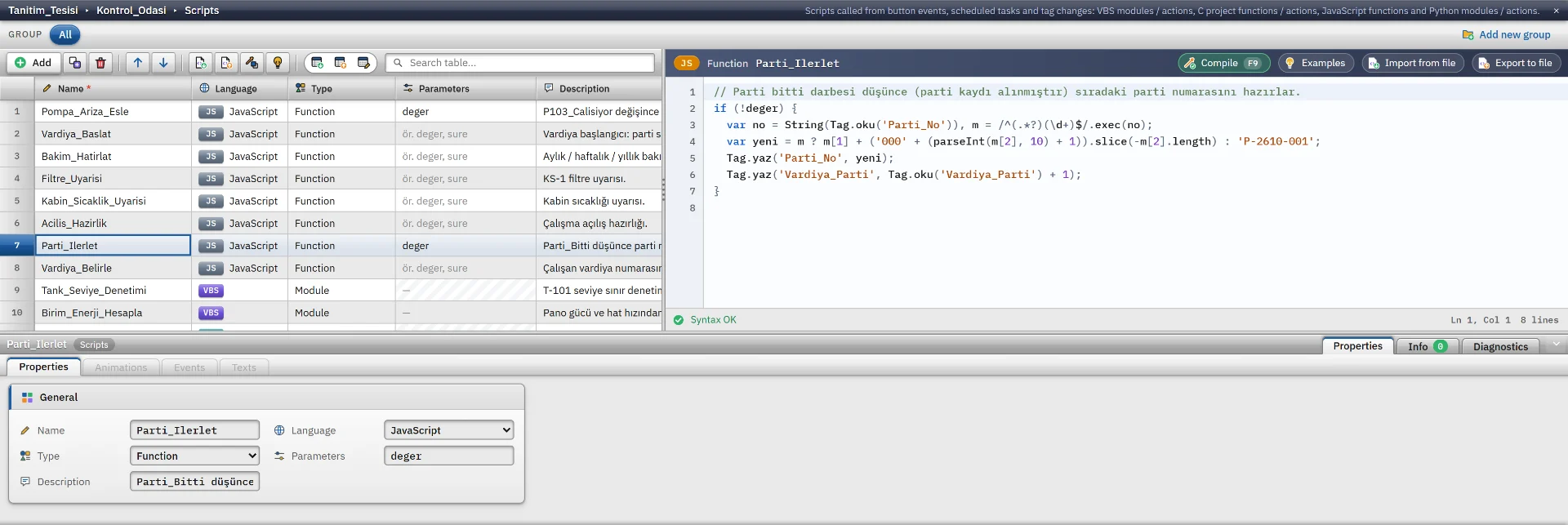
A JavaScript function with syntax colouring and live syntax checking.
Scripting
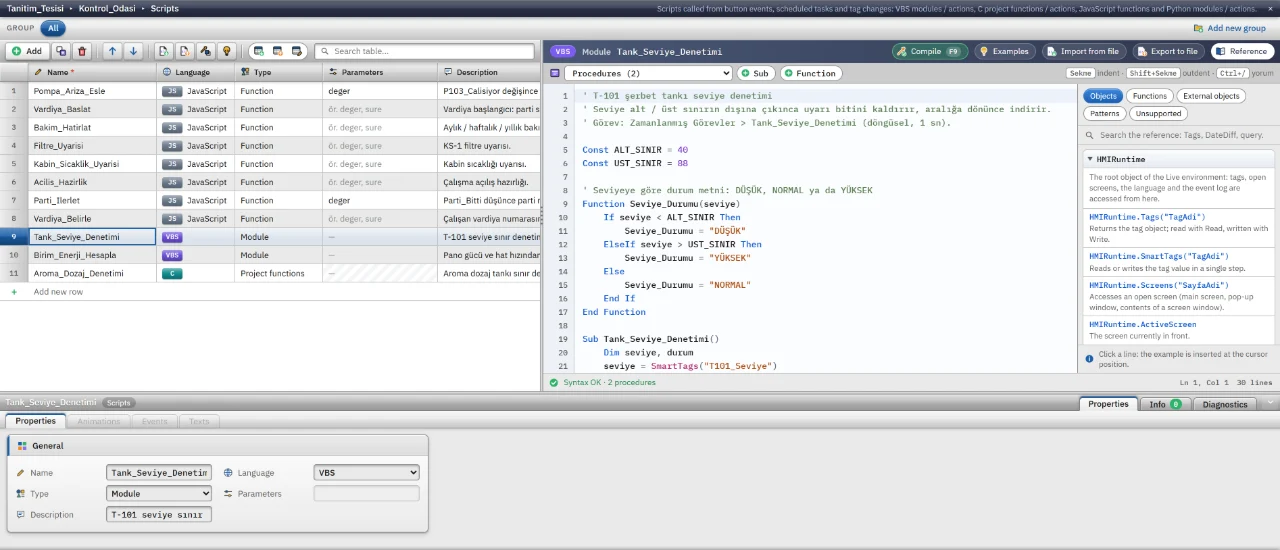
VBScript
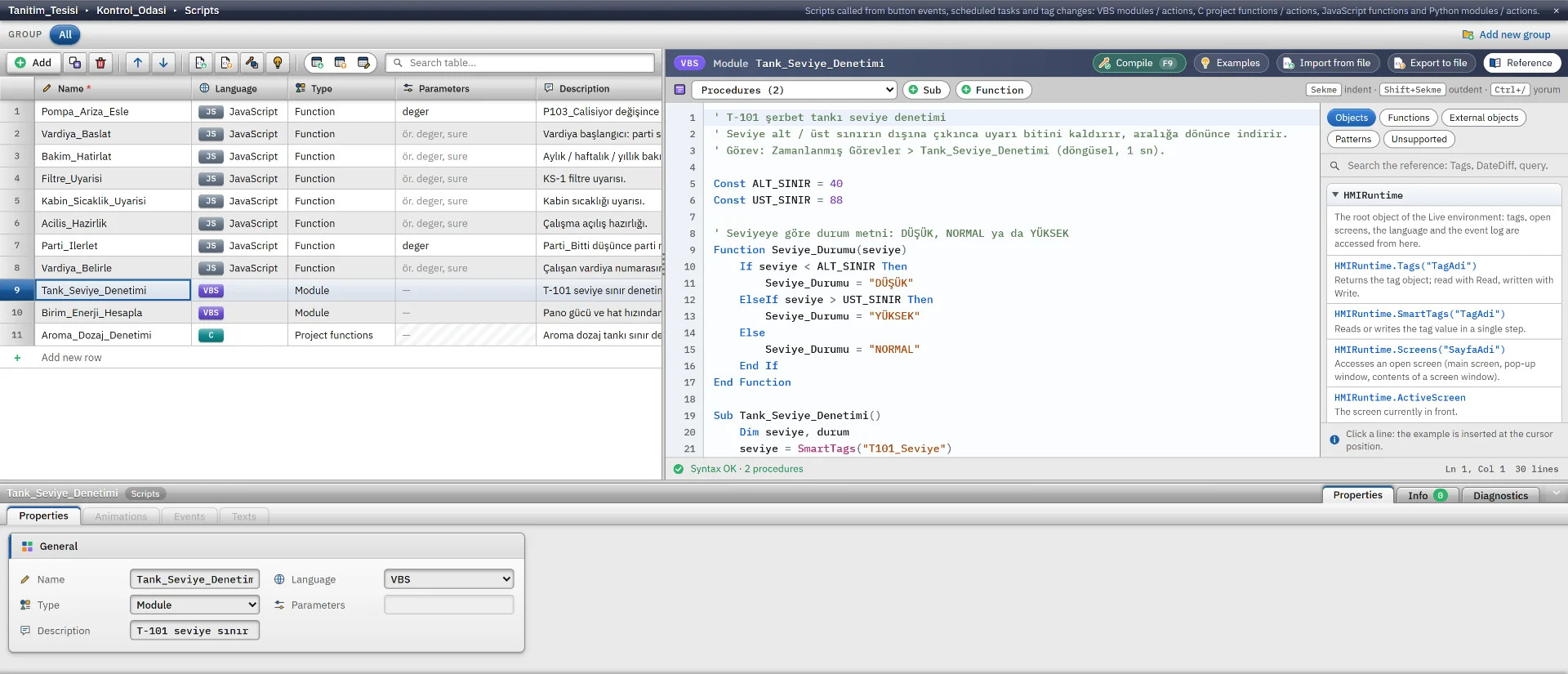
A VBScript module with a procedure list and an object model reference.
Scripting
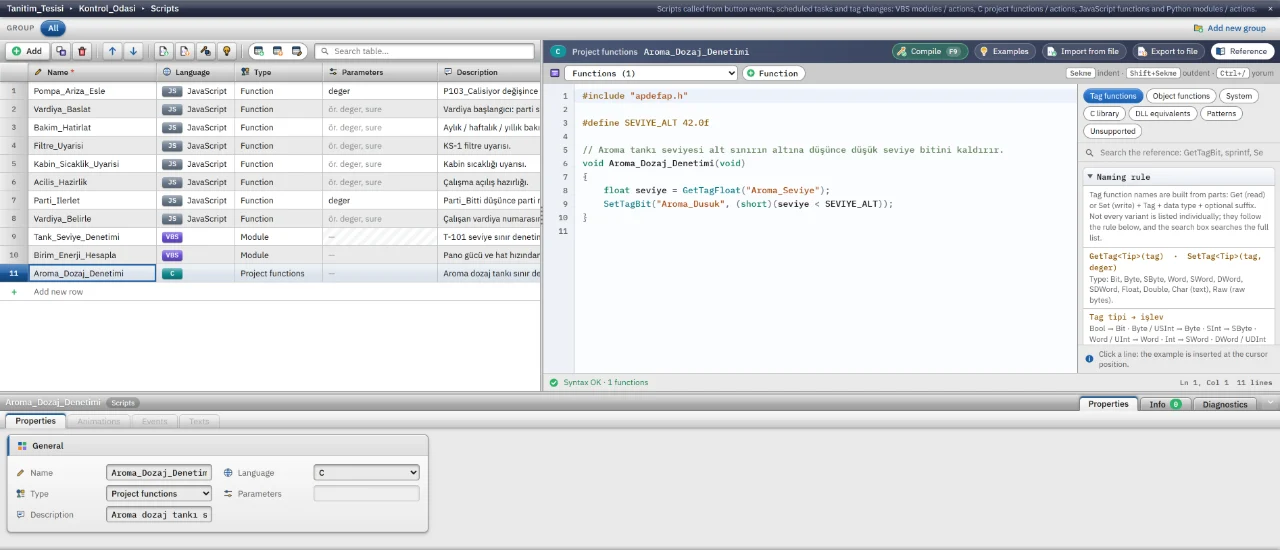
C script
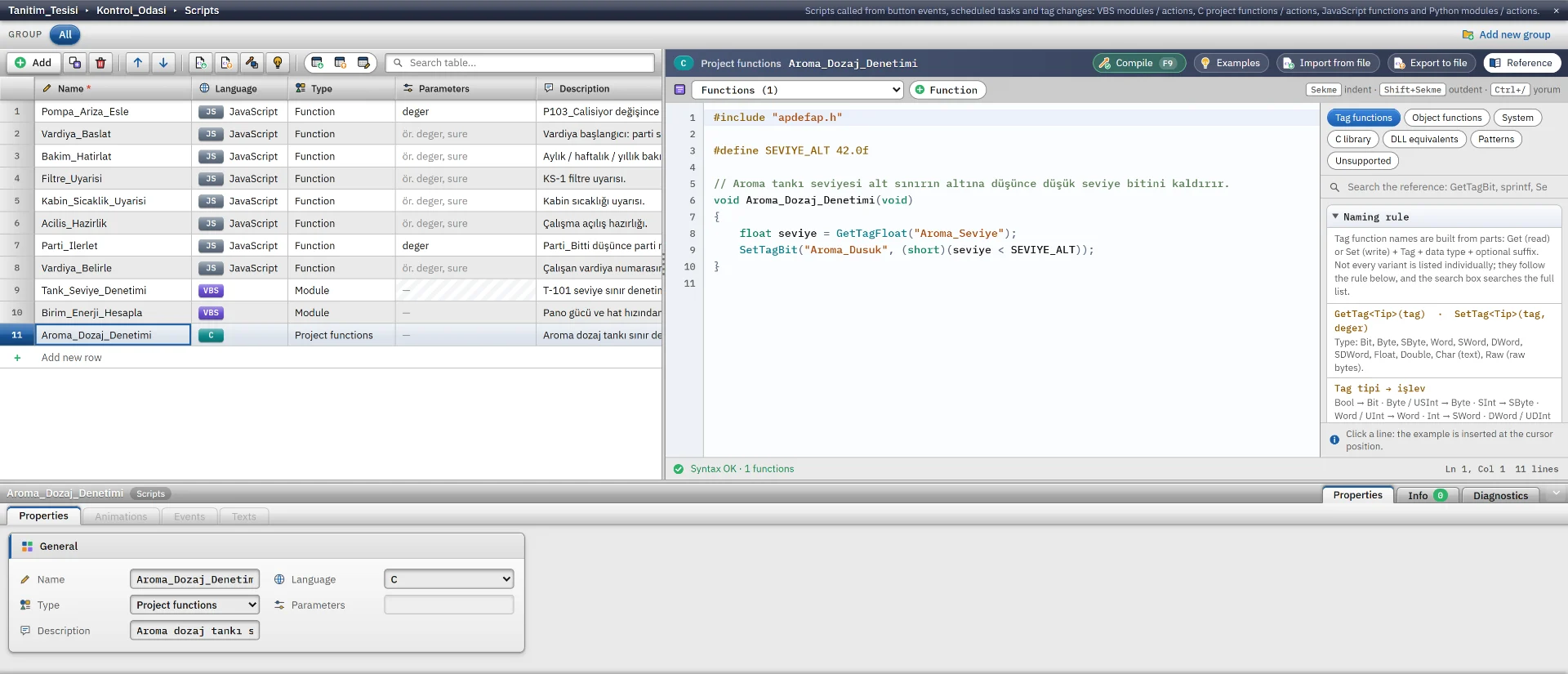
The C script editor with a function library that inserts examples at the cursor.
Scripting
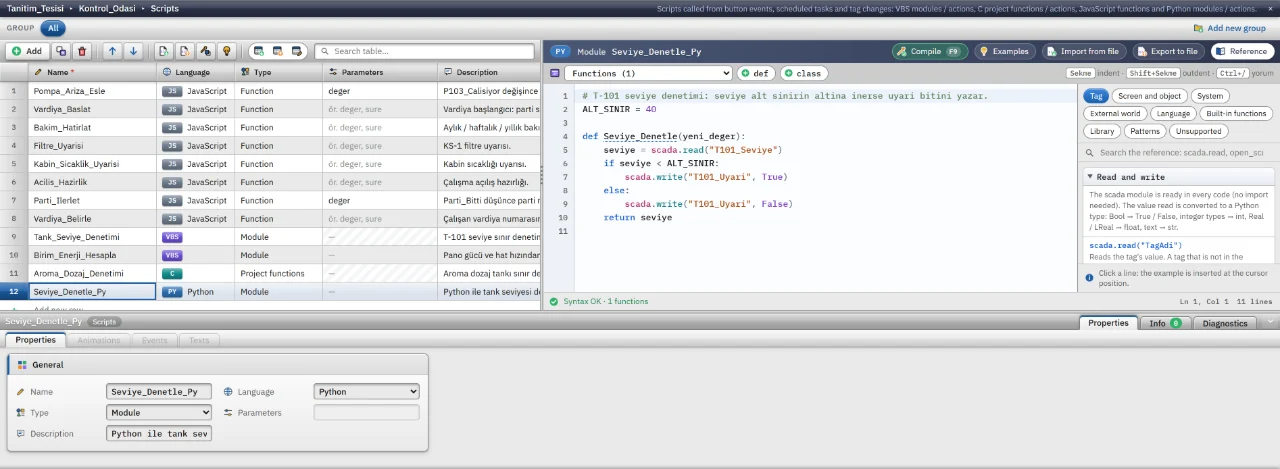
Python script
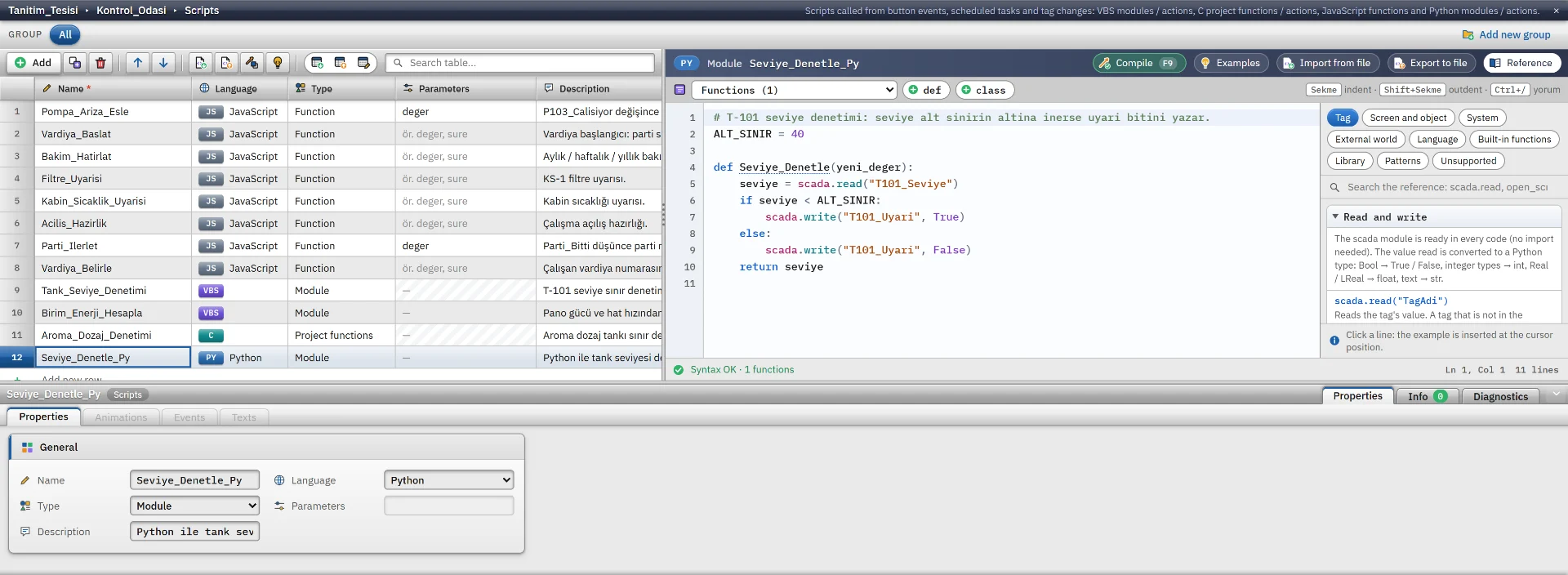
A Python module with a scada.read / scada.write reference panel on the right.
Scripting
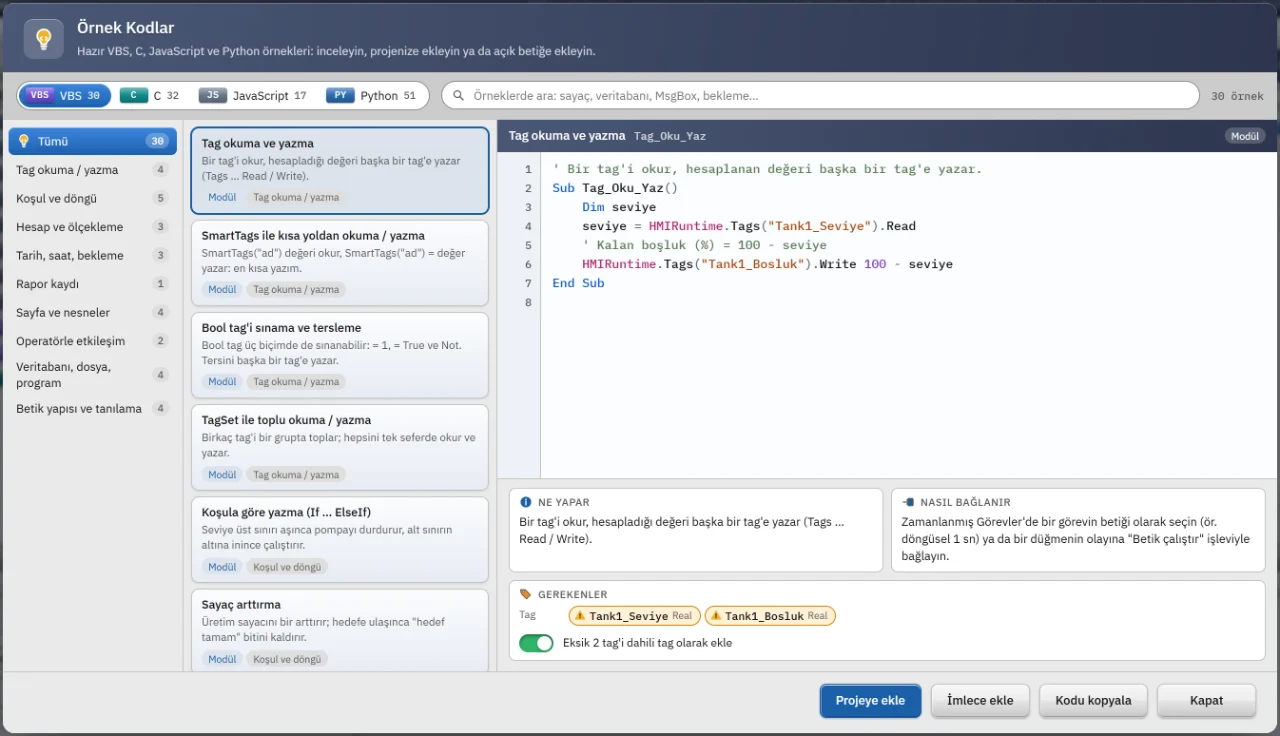
Code example gallery
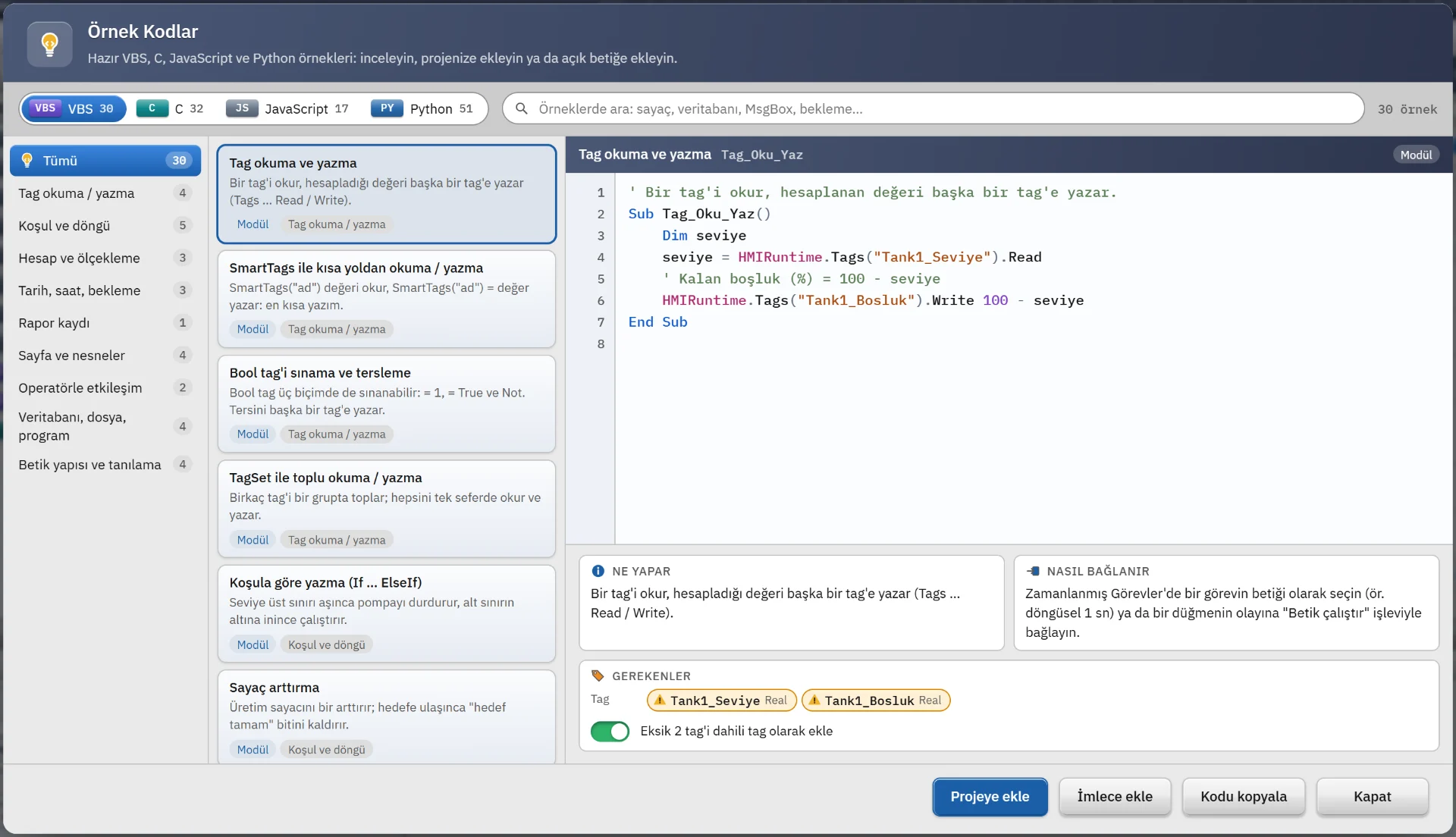
Ready-made VBS, C, JavaScript and Python examples with preview and add buttons.
Scripting
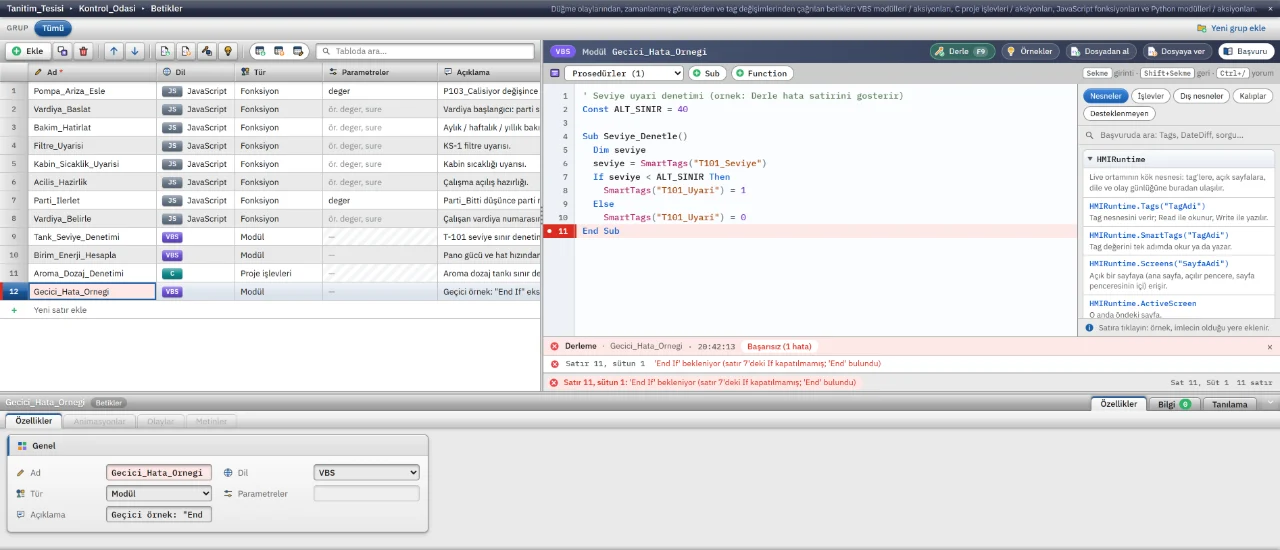
Compile errors
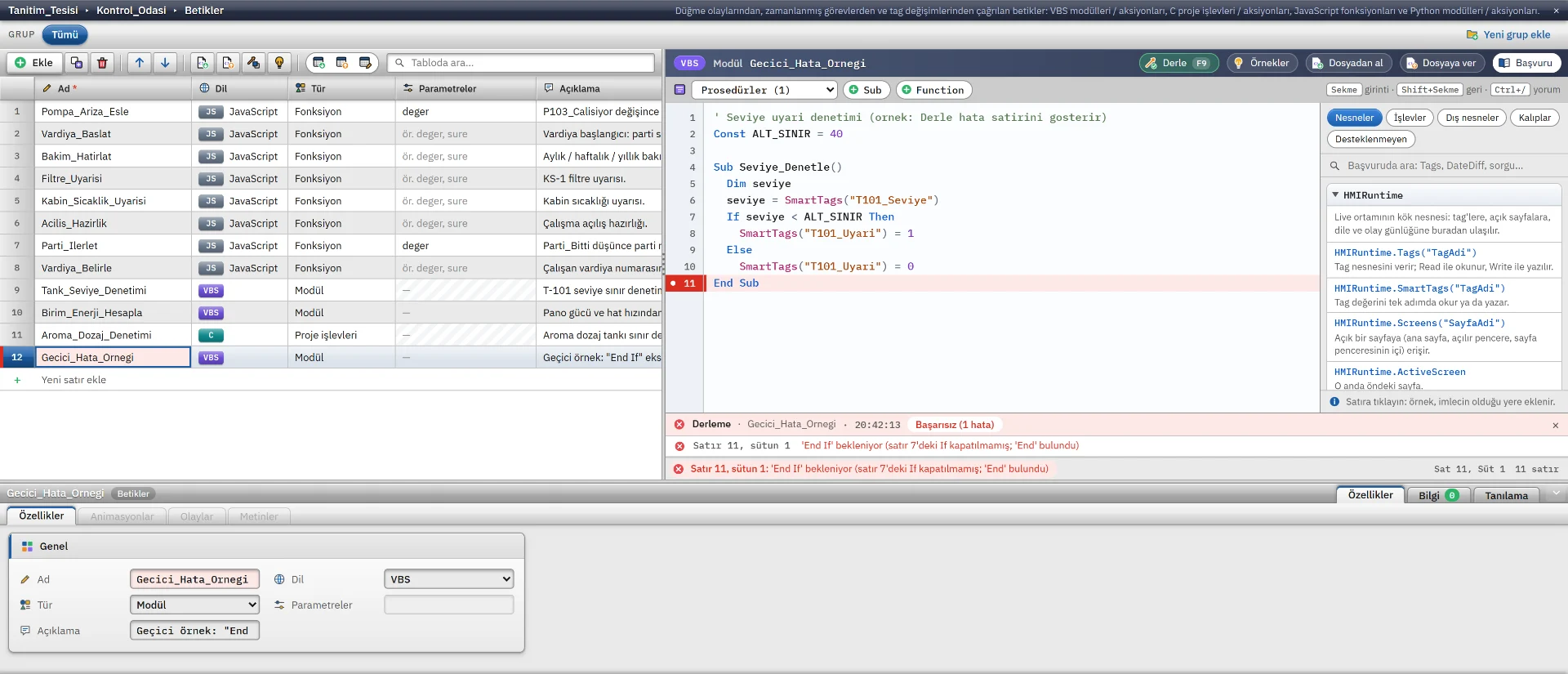
Compile errors listed with line numbers, each jumping to its line when clicked.
Connectivity
HMI connections
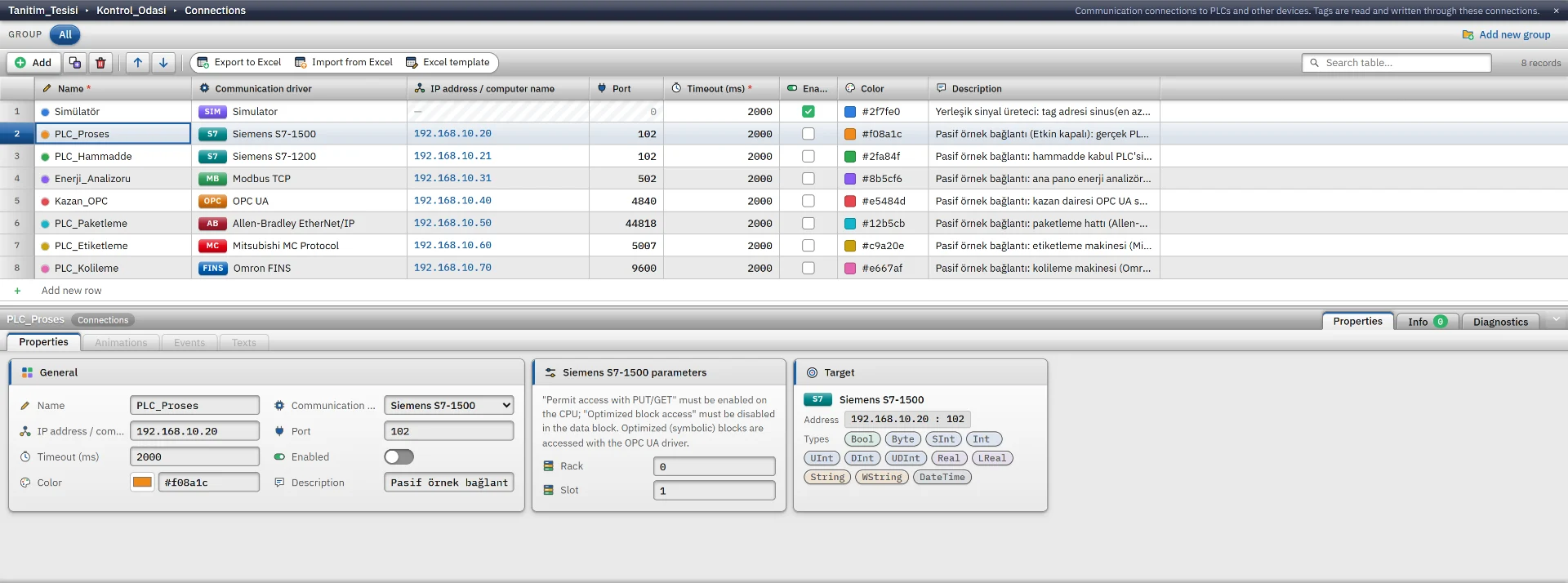
The PLC connection list and the parameters of the selected S7-1500 connection.
Connectivity
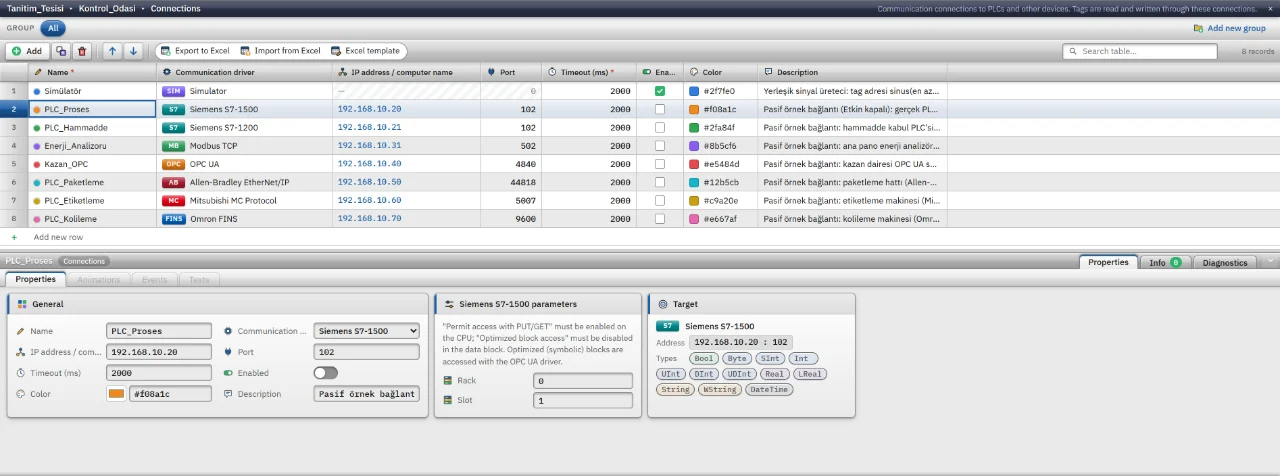
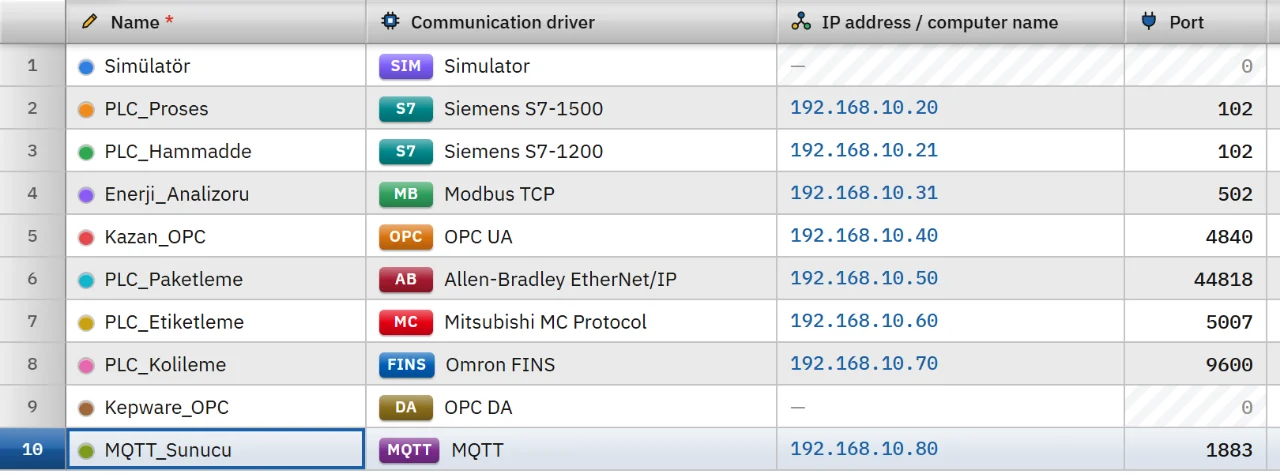
Communication drivers
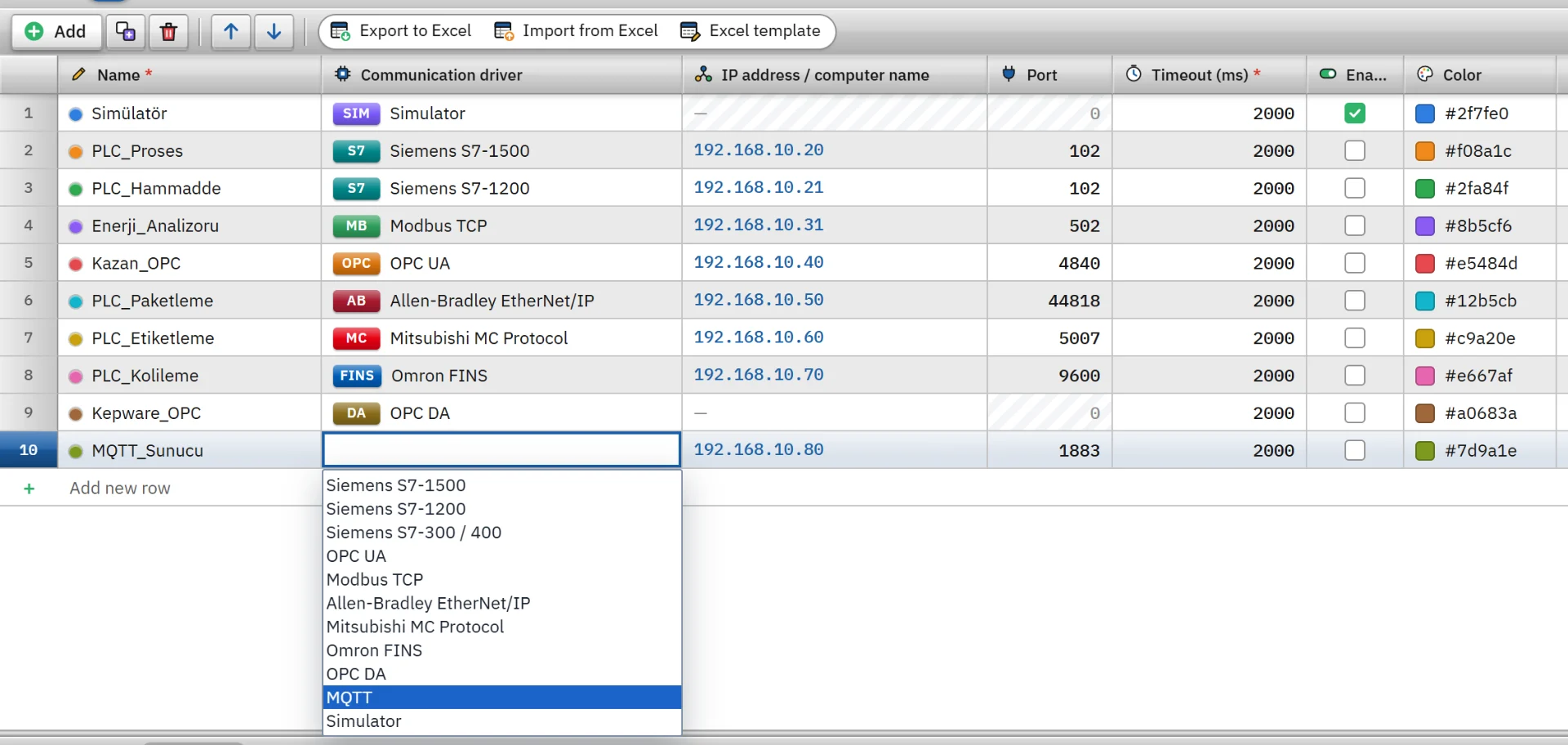
One connection per driver type plus the simulator in a single table, with badges and ports.
Connectivity
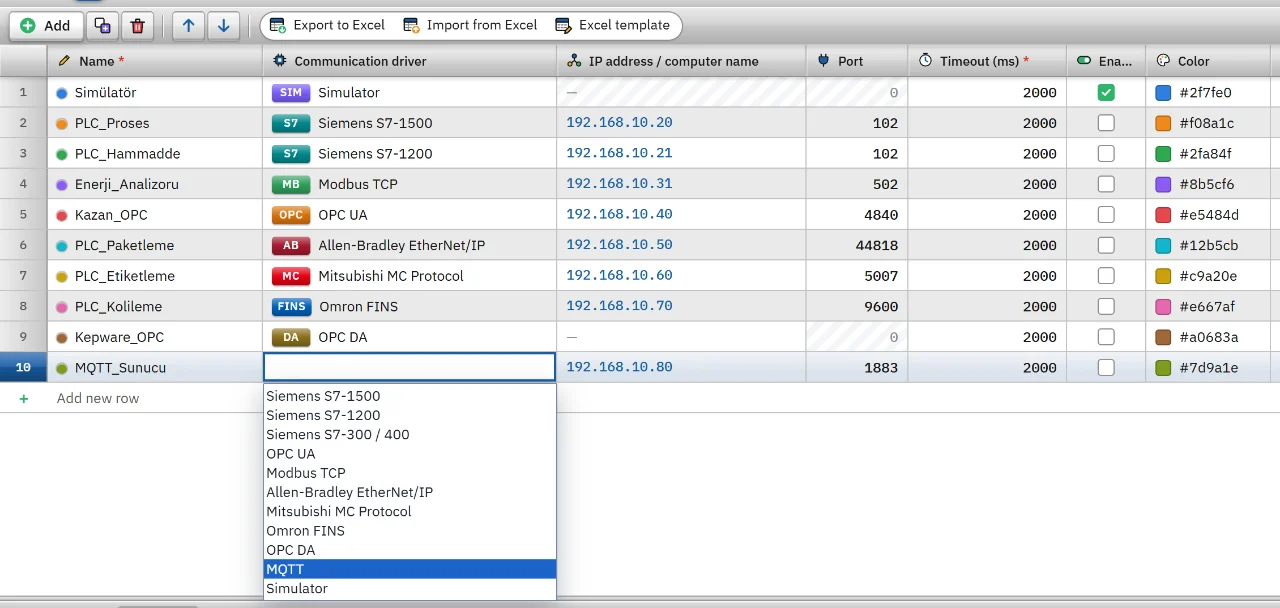
Driver selection
The communication driver list opened on a connection row.
Convert
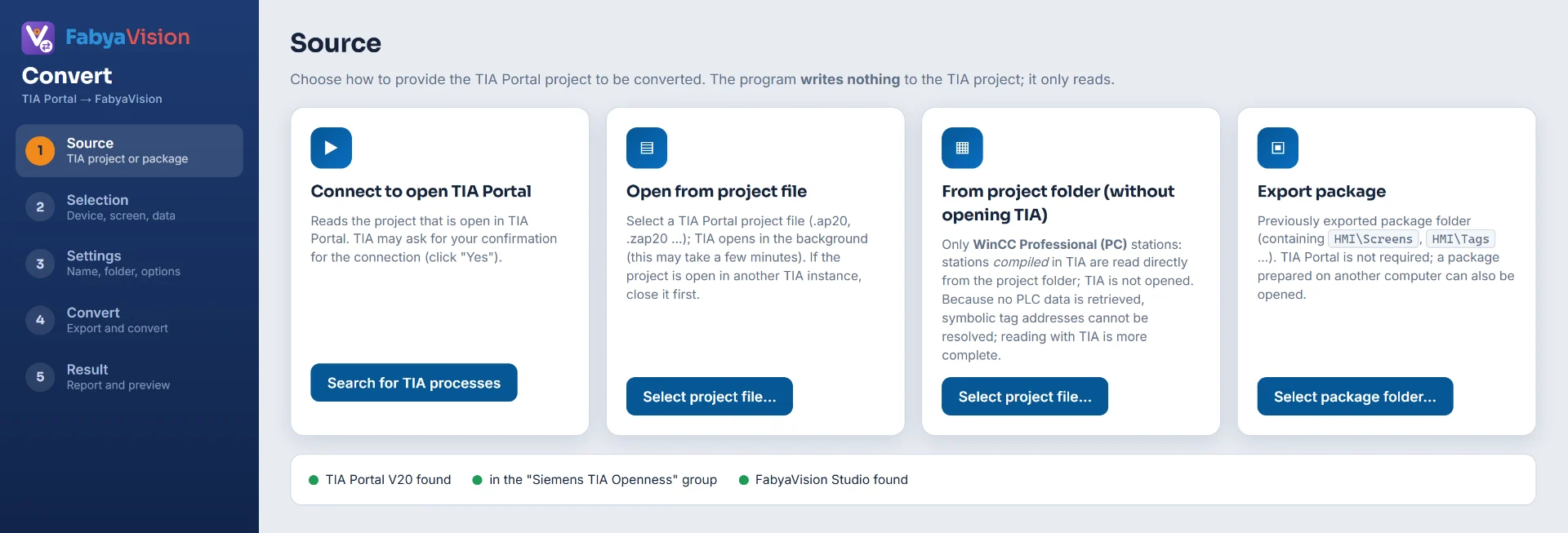
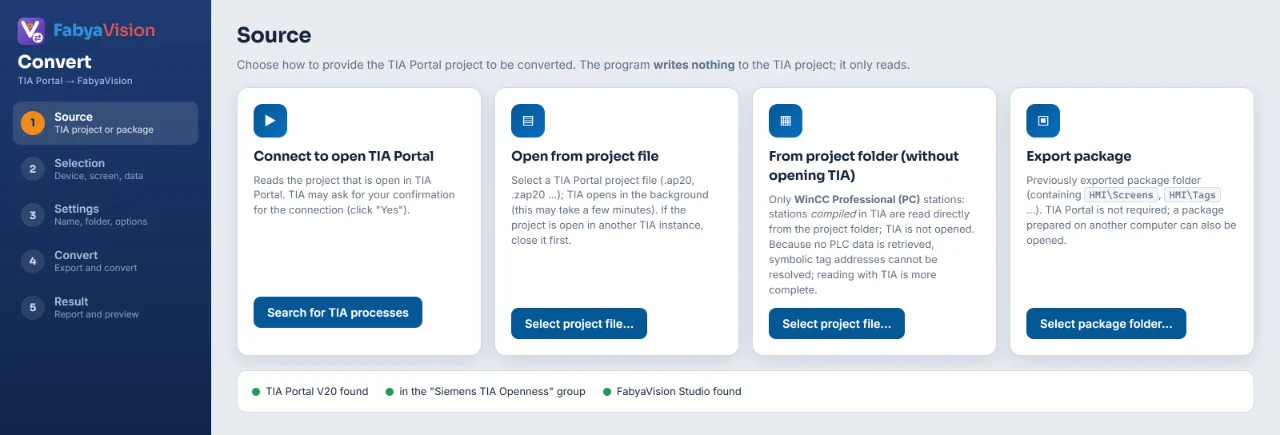
Convert: choosing the source
The TIA Portal project is taken from a running TIA, a file, a folder or an export package.
Convert
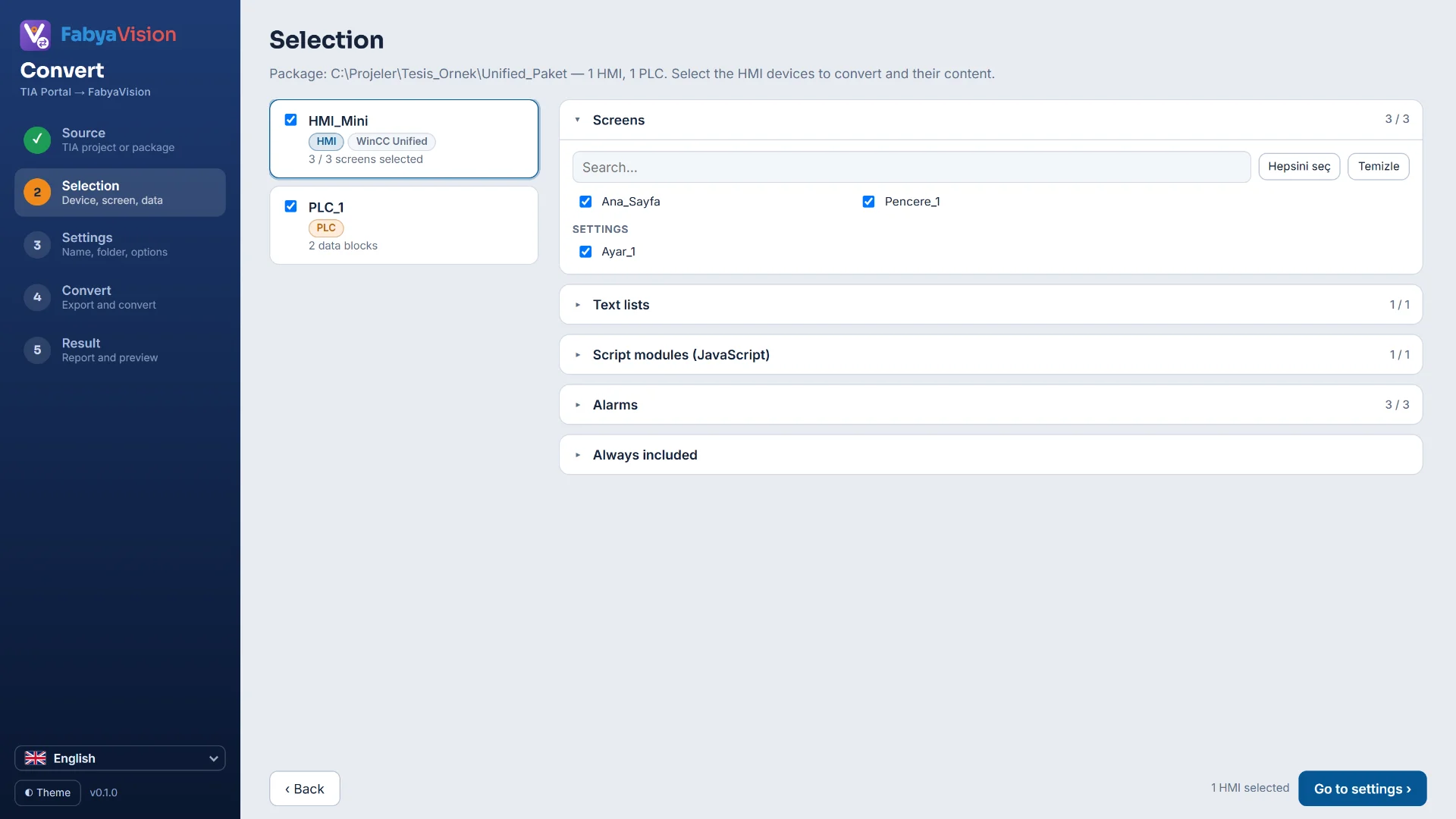
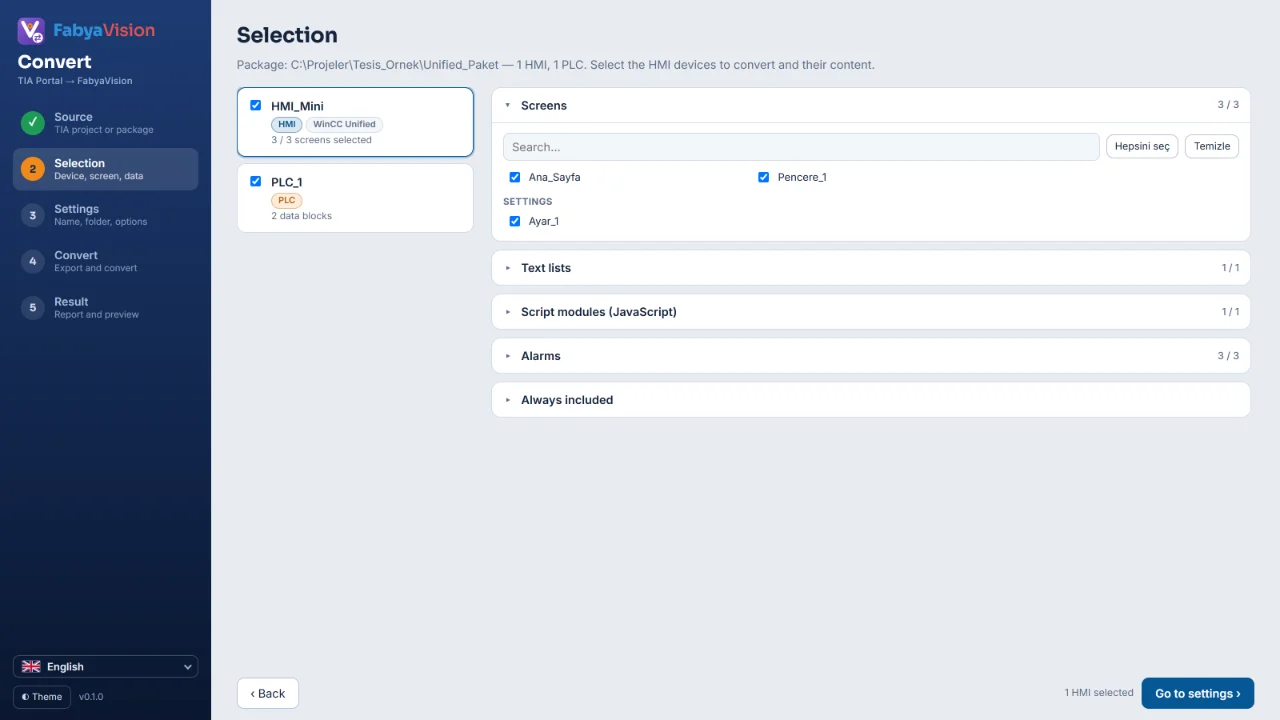
Convert: selection
Package devices shown as cards, with check boxes for what to convert.
Convert
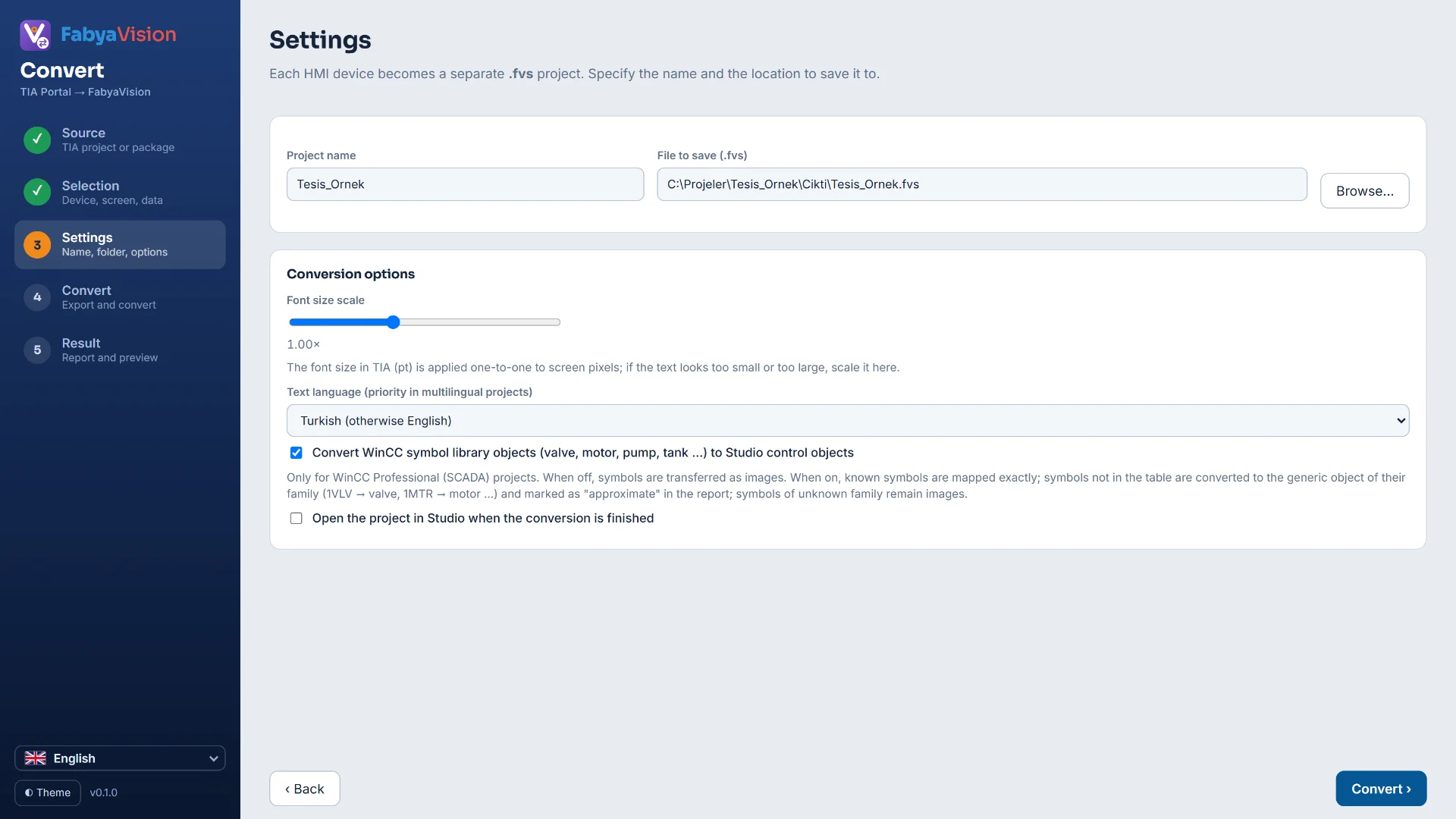
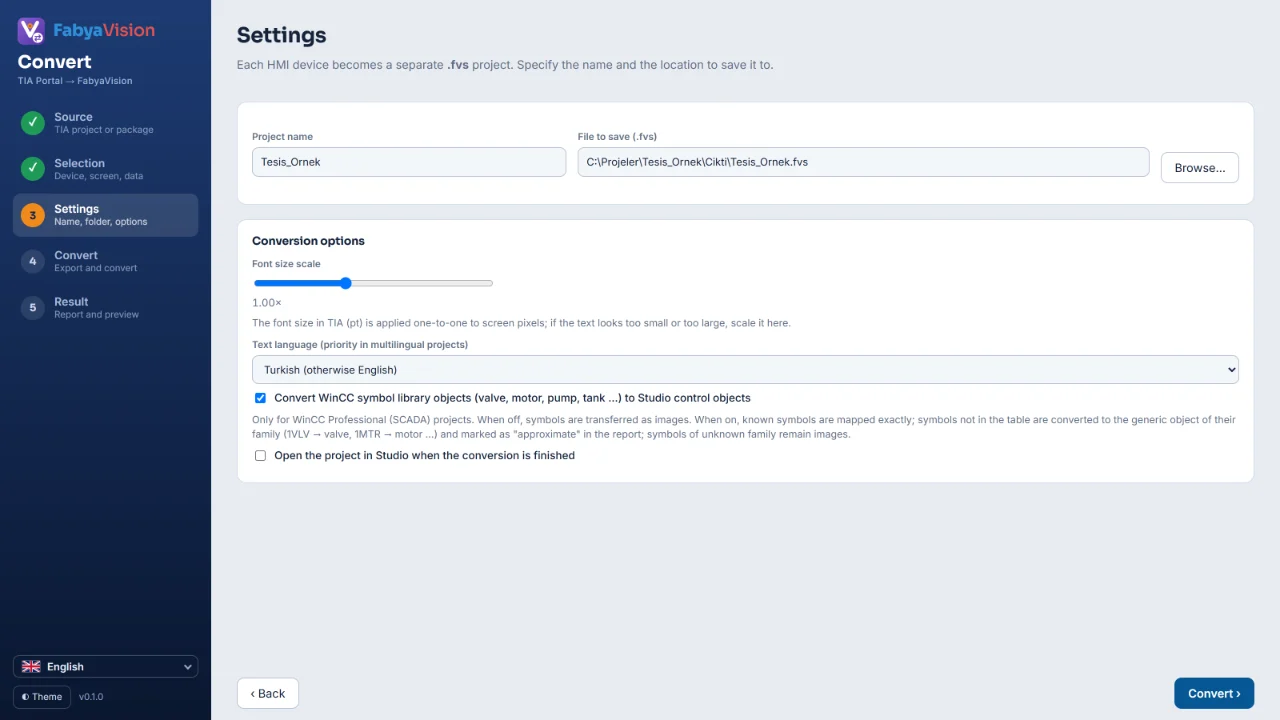
Convert: settings
Name, file and text language settings for the .fvs project made from each HMI device.
Convert
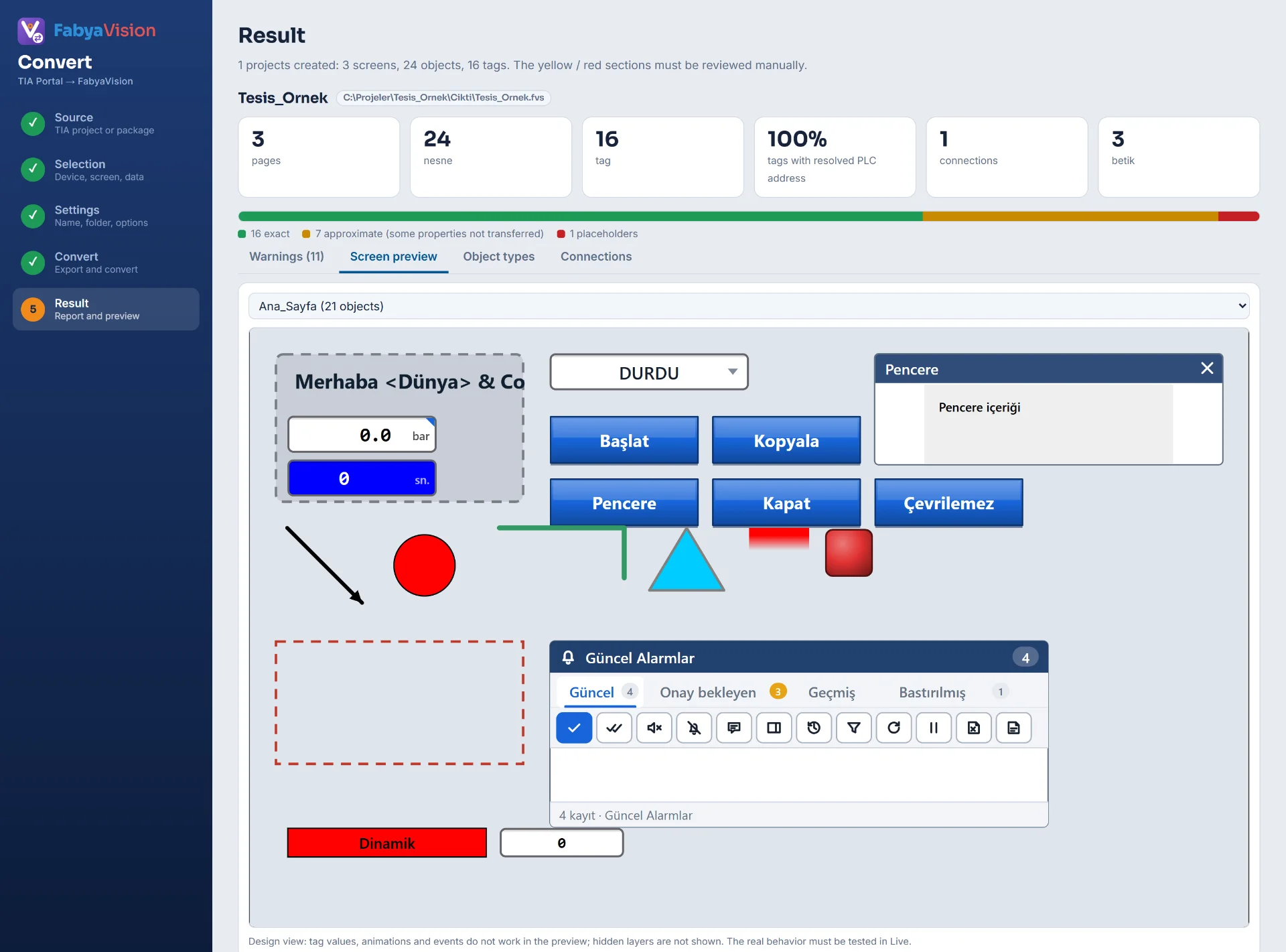
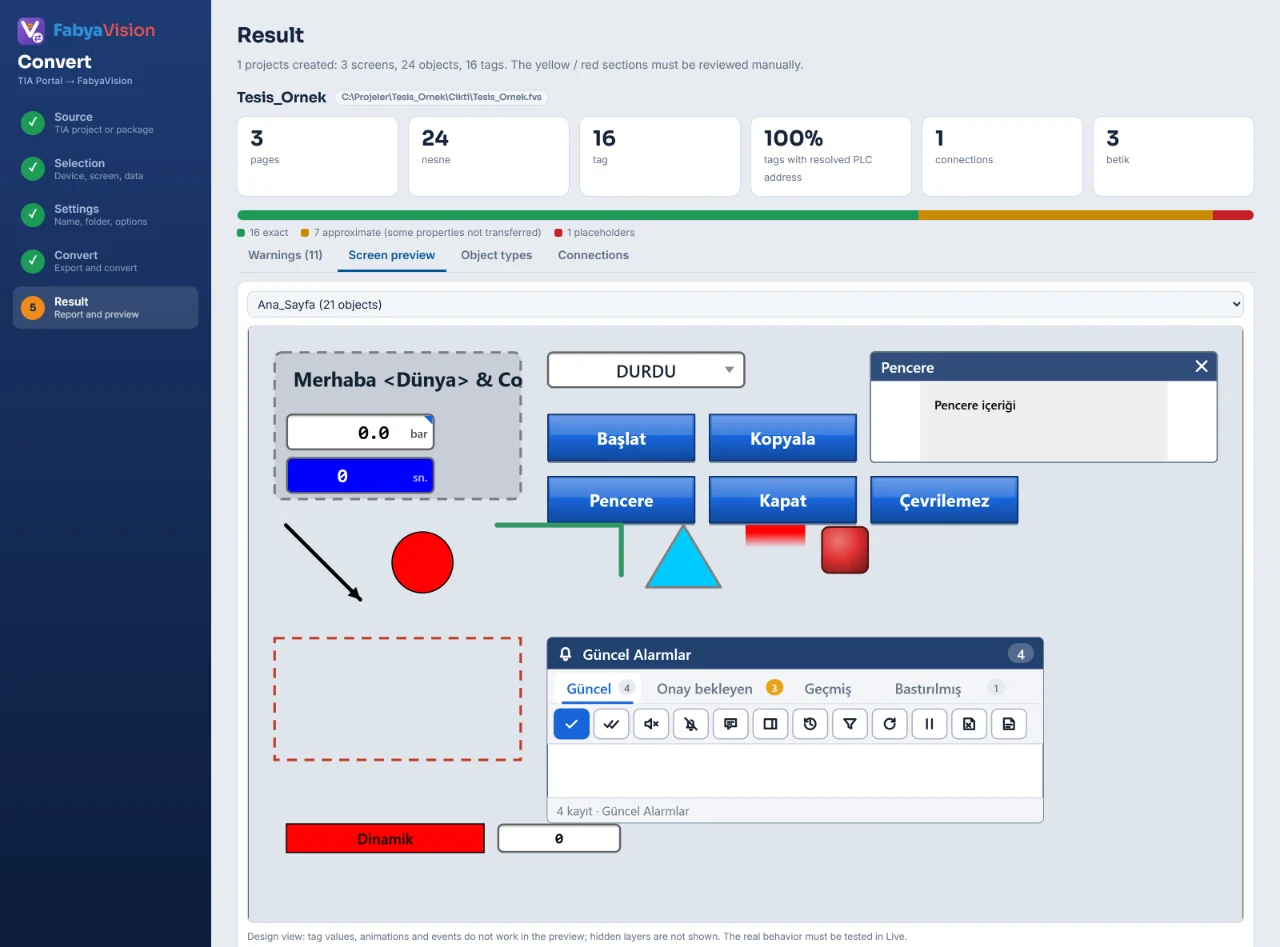
Converted screen preview
The converted screen previewed with the same drawing engine as Studio and Live.
Convert
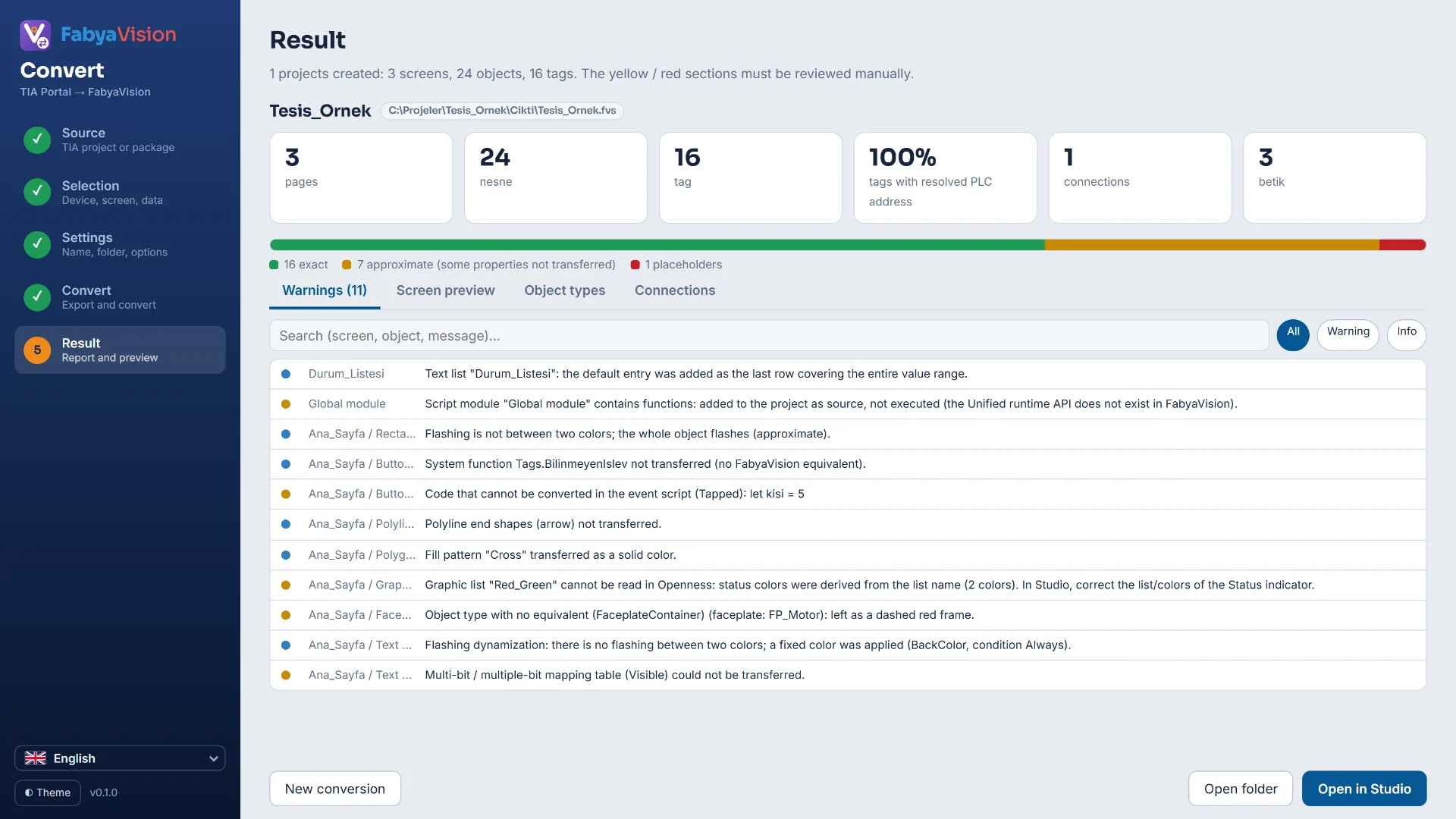
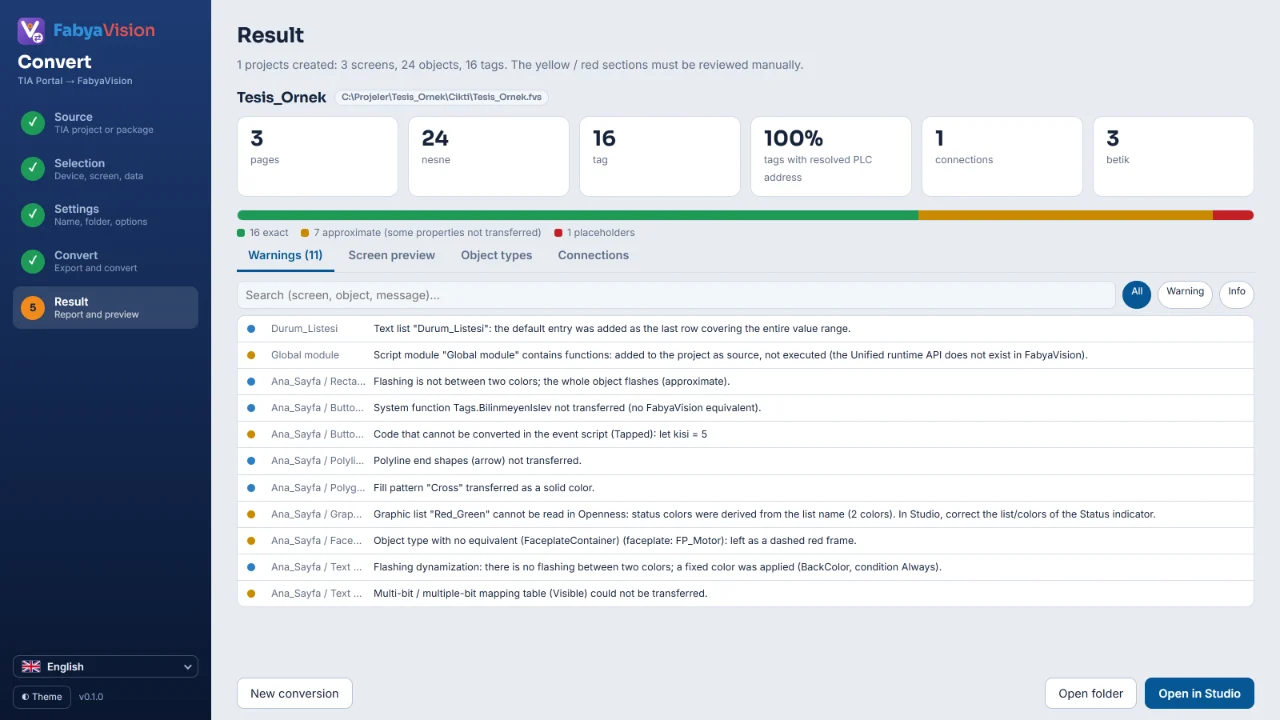
Conversion result
Counts of pages, objects, tags and connections, with the exact, approximate and placeholder split.
Monitoring and TV
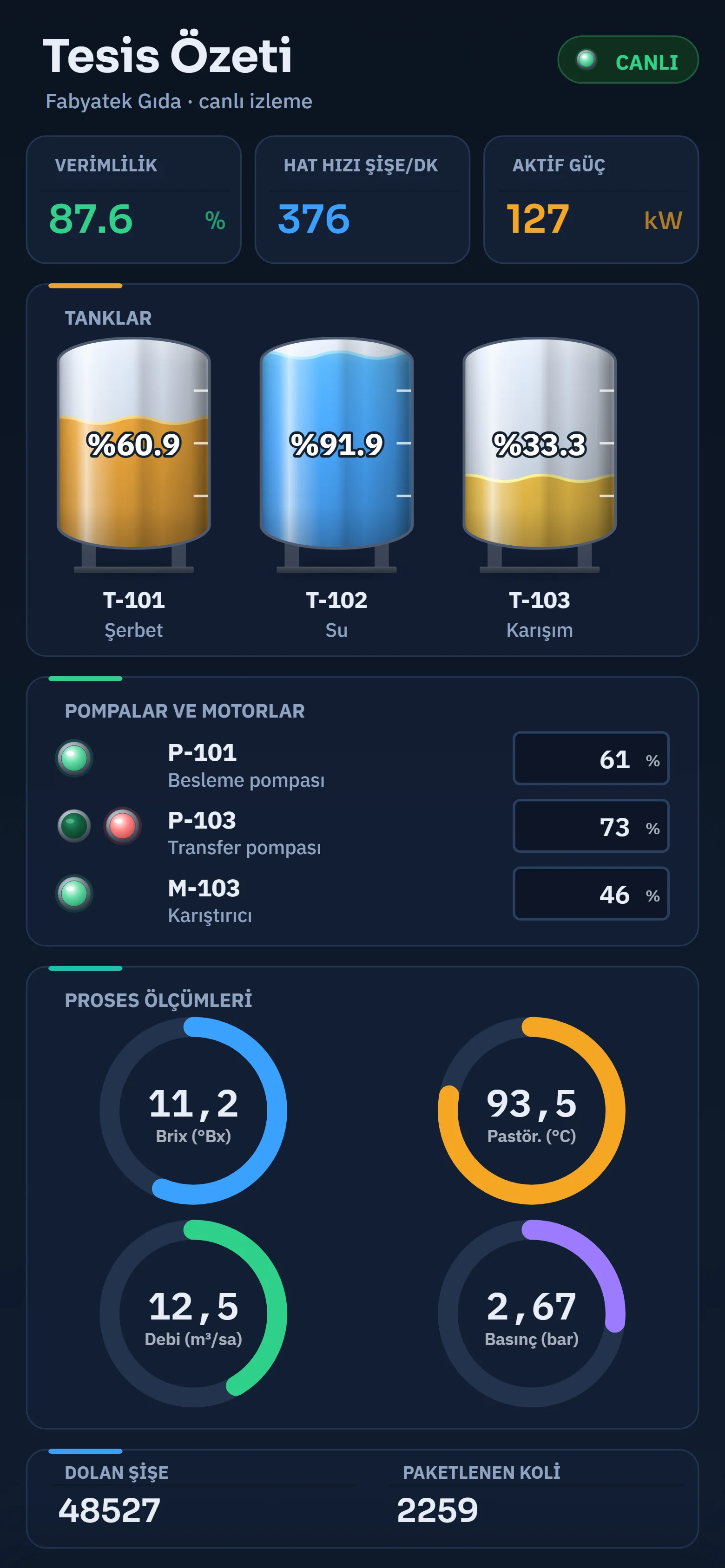
Phone browser monitoring
A portrait page in a phone browser showing efficiency, tank levels and pump states.
Monitoring and TV
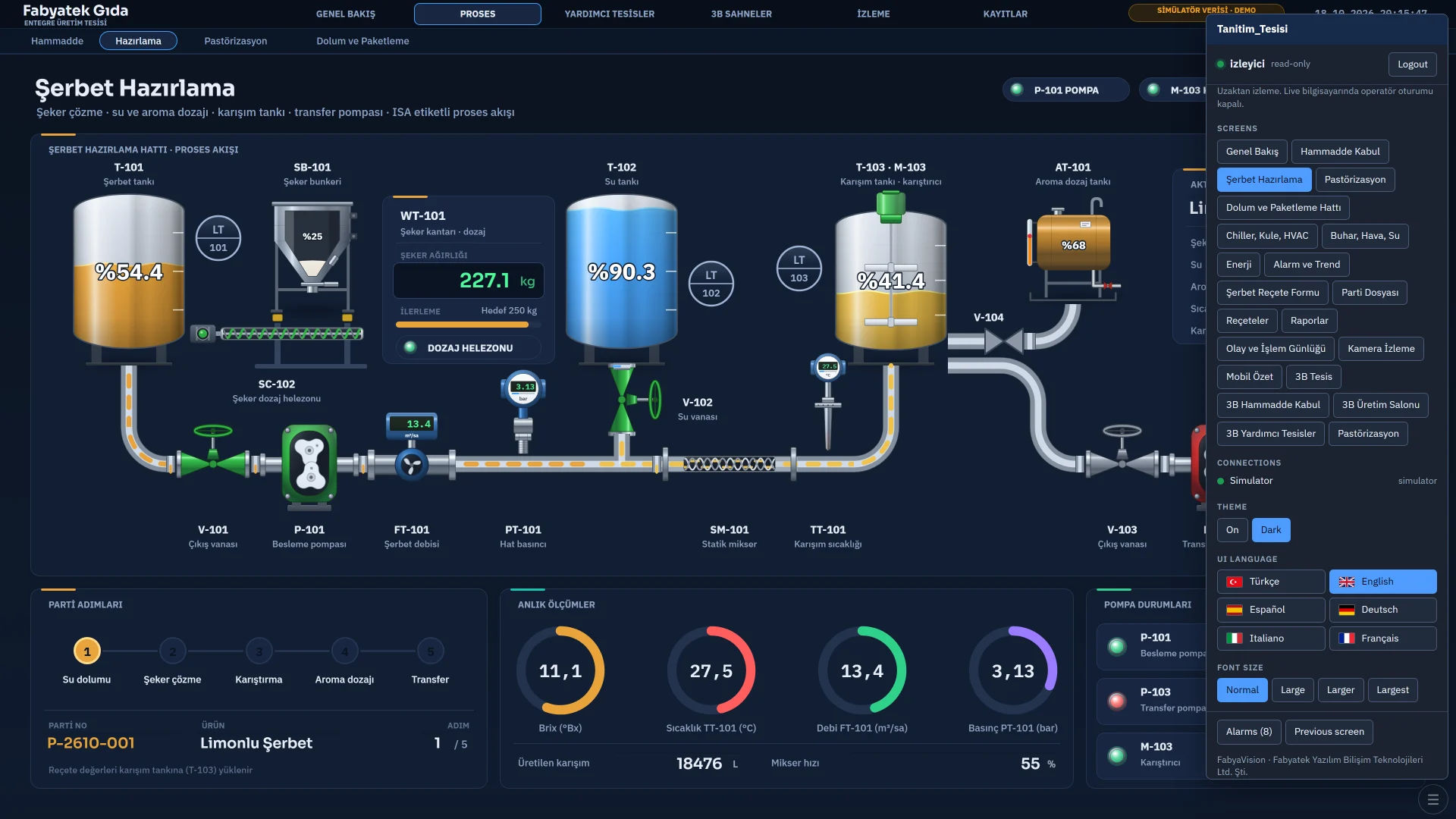
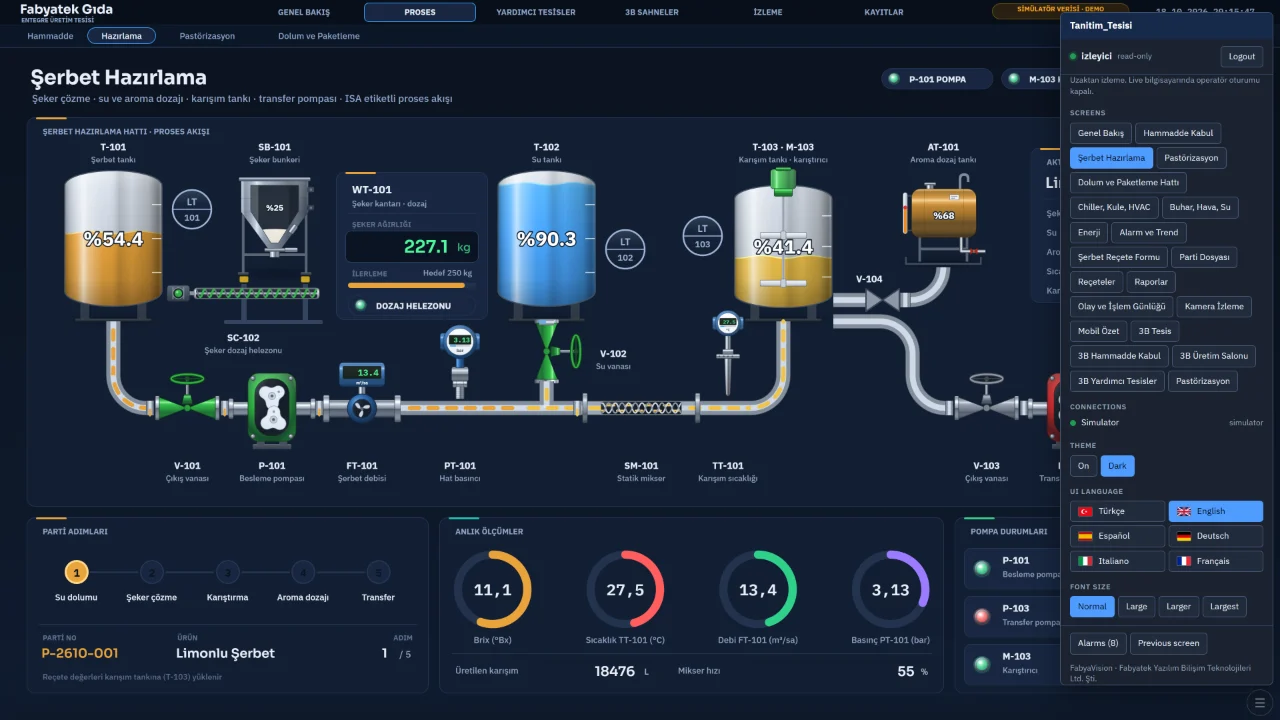
Desktop browser monitoring
The syrup preparation page in a desktop browser, with the page list and viewer options on the right.
Monitoring and TV
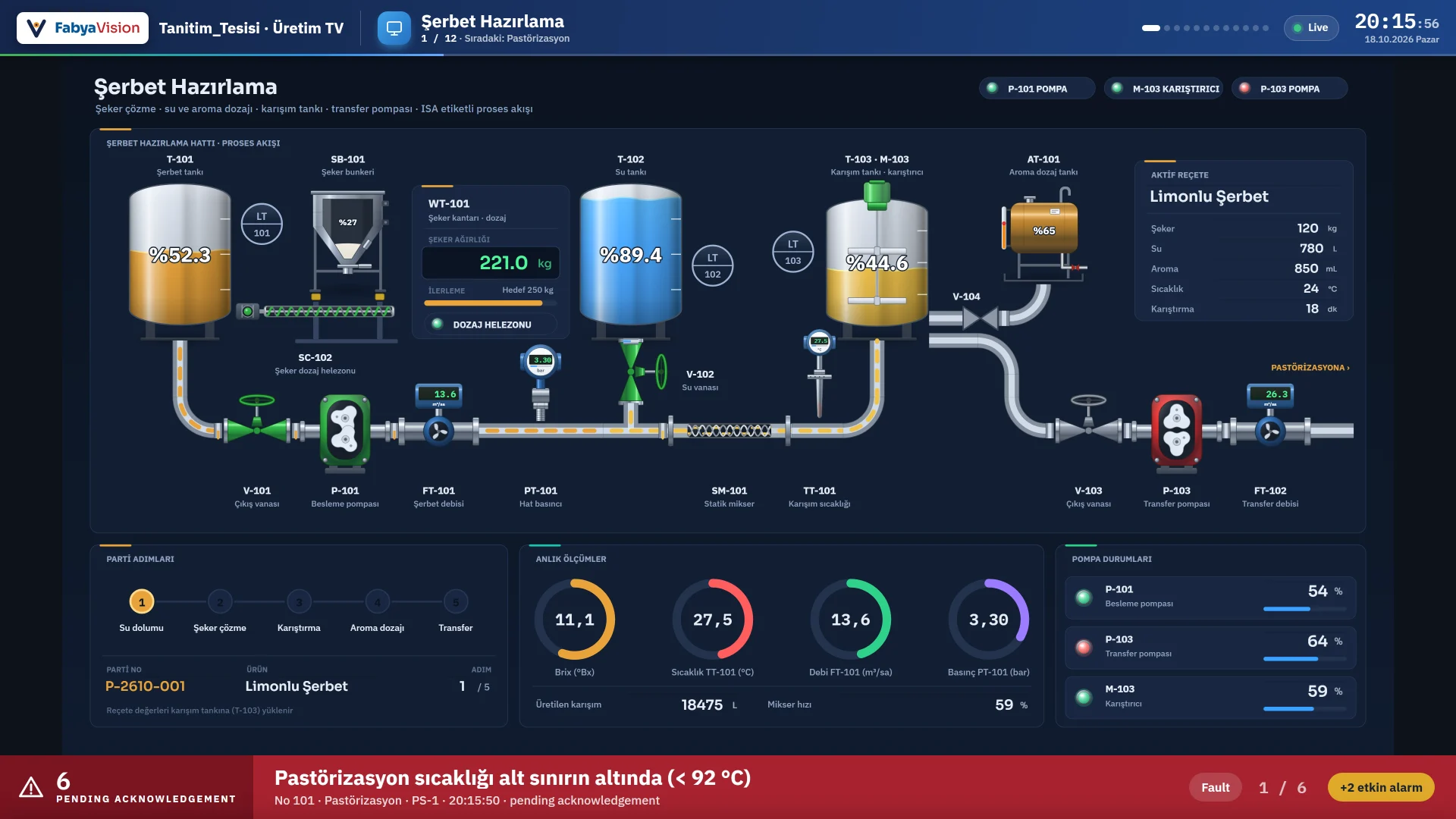
TV display
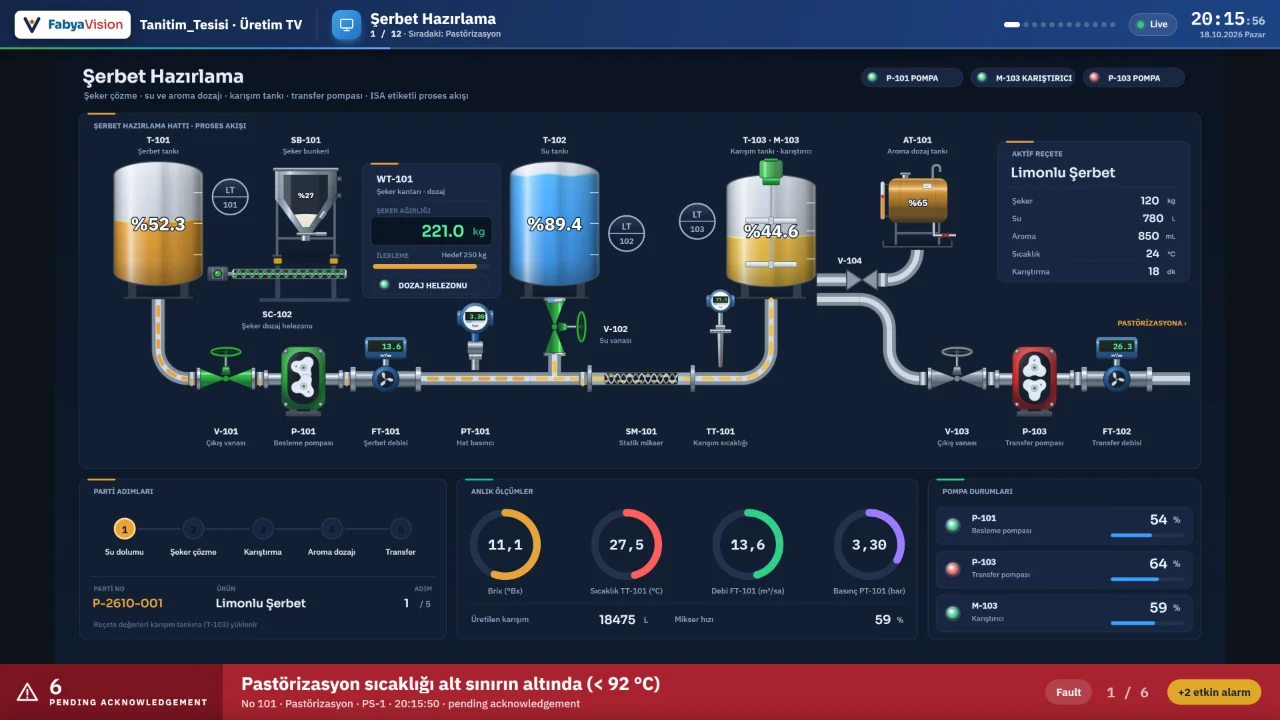
Pages rotating full screen on a production TV, with a clock on top and an alarm banner below.
Monitoring and TV
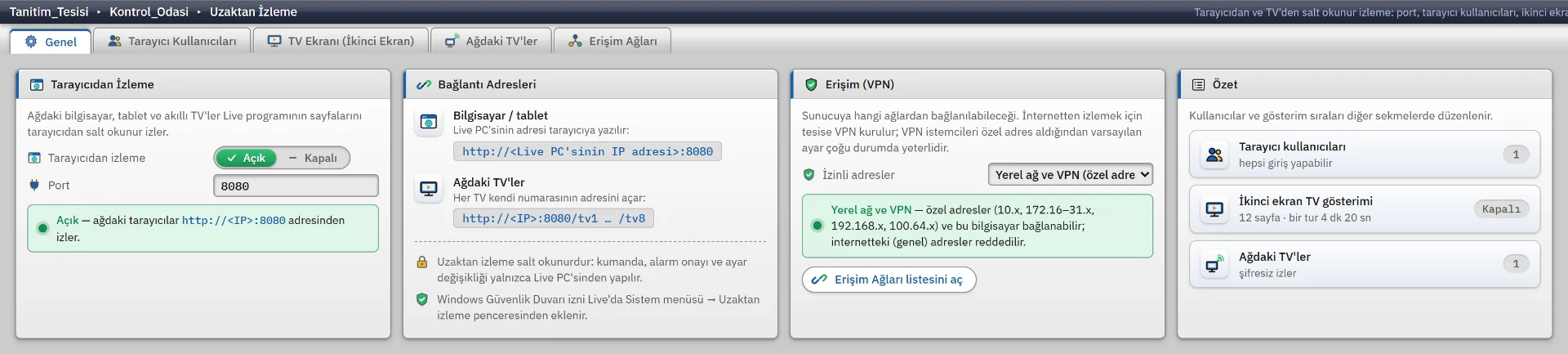
Remote monitoring
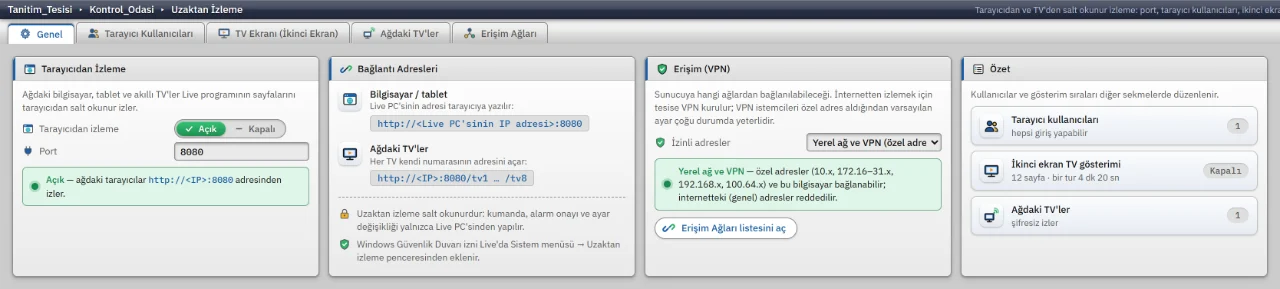
Remote monitoring settings for port, addresses, browser users and TV playlists.
Monitoring and TV
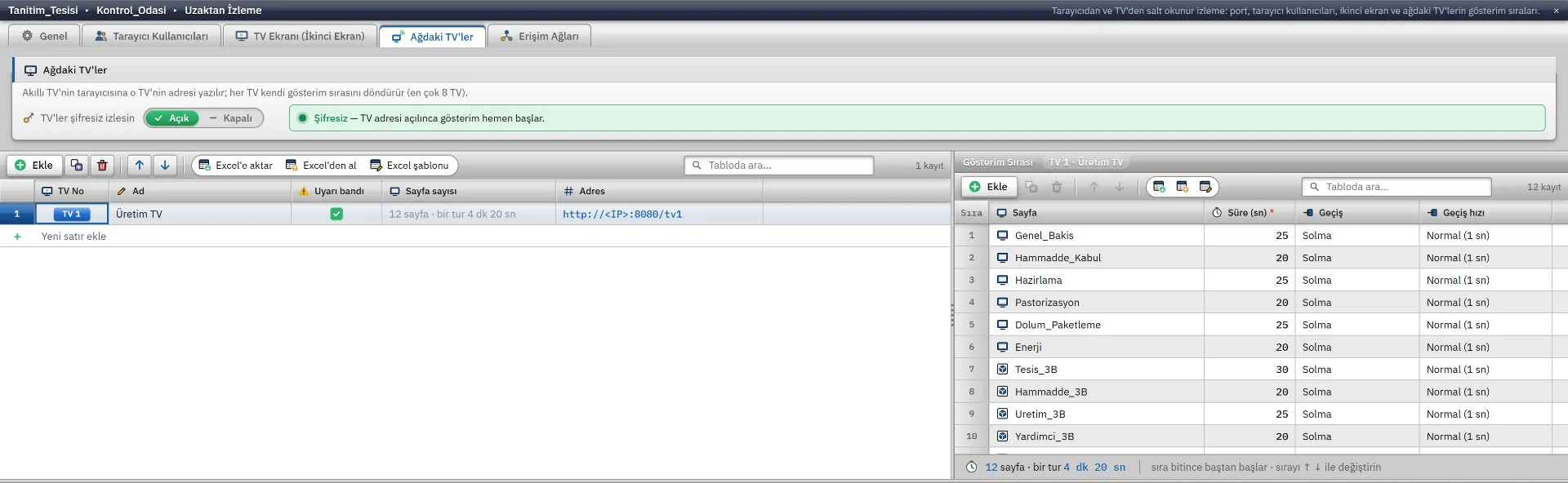
Network TVs
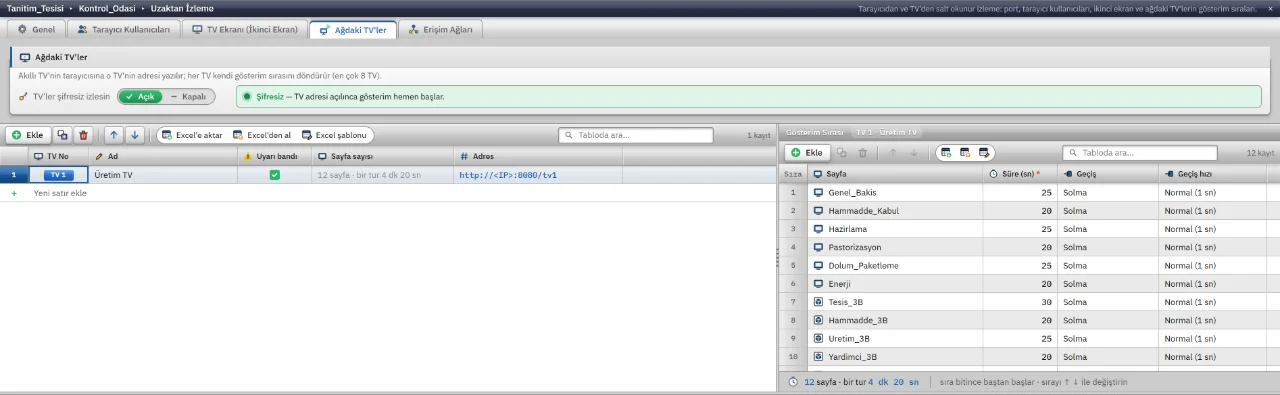
A playlist for each TV, with screen, duration and transition effect.
There are no images in this category yet.