
FabyaVision Studio
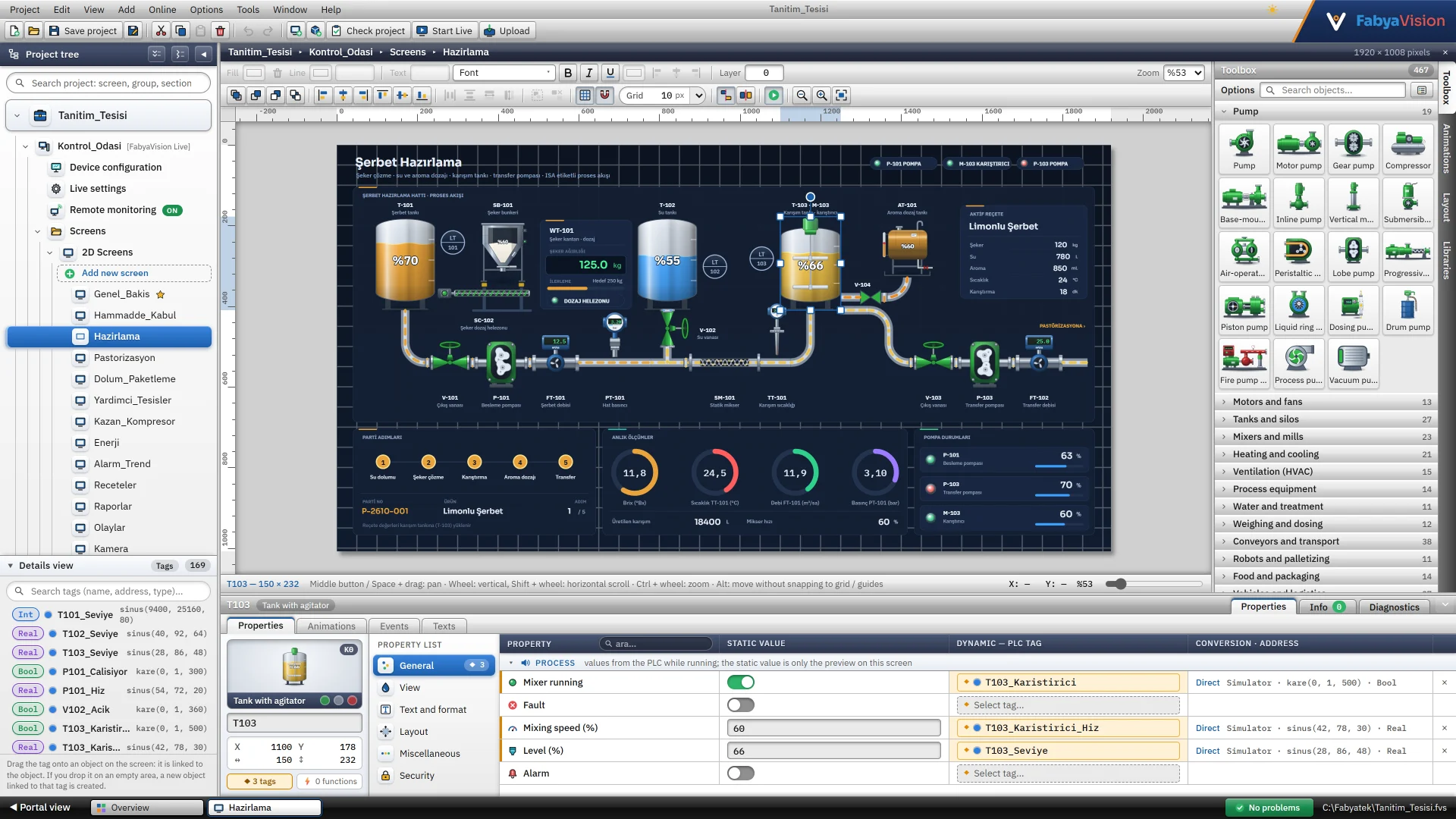
A whole SCADA project is prepared in one workspace: project tree, page editor, inspector and table editors.
Platform
You design the project in Studio and run it in Live. Convert turns an existing TIA Portal HMI project into a FabyaVision project.
Flow
Each program leaves its result in the same .fvs project file.


In brief
A whole SCADA project is prepared in one workspace: project tree, page editor, inspector and table editors.
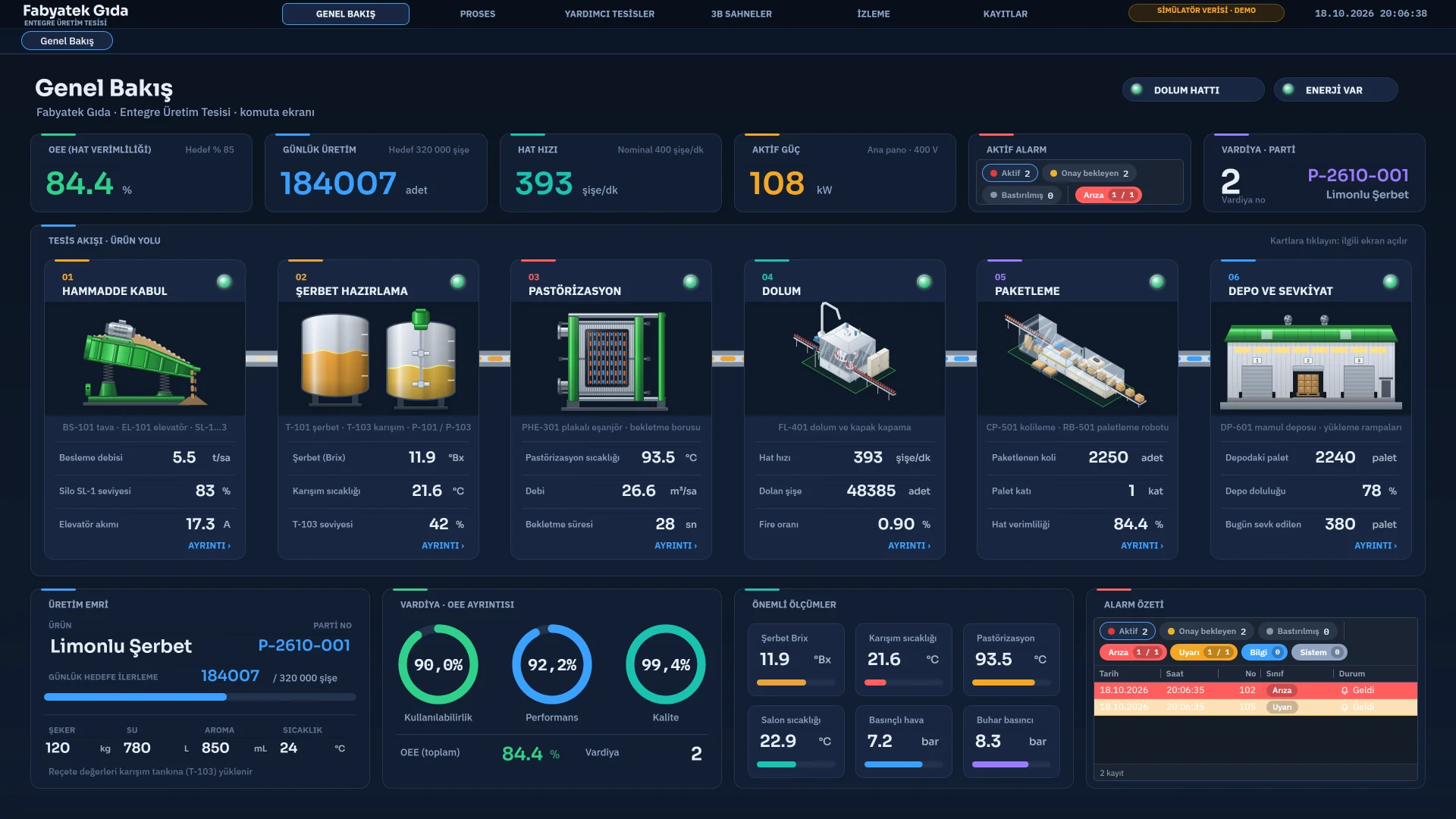
Runs the project in the plant: operator screens, alarms, trends, recipes, reports and tasks.
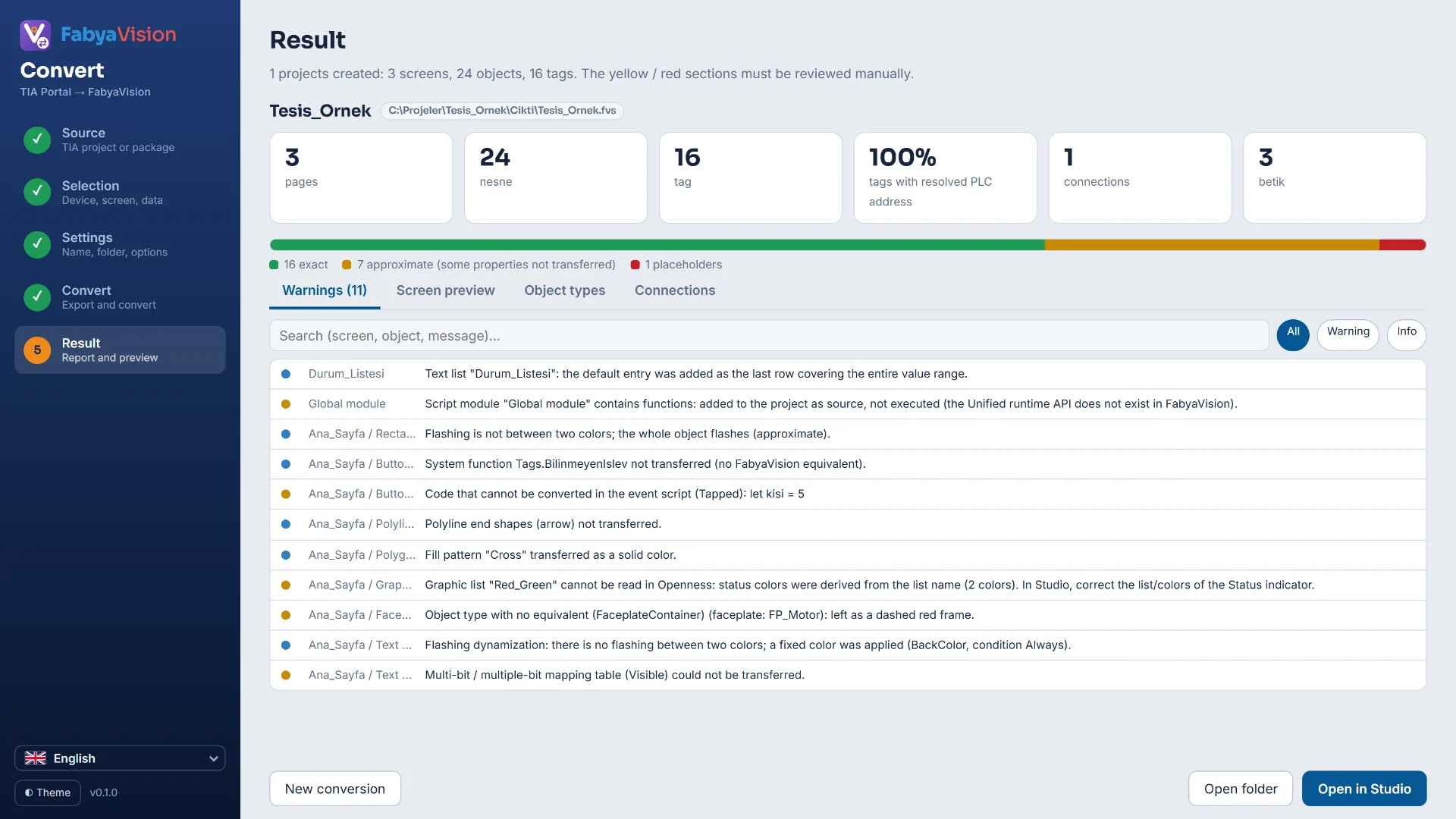
Reads the classic HMI, WinCC Unified and WinCC Professional devices in a TIA Portal V20 project.
Shared foundation
Equipment drawings are generated in code: 2D objects are vector (SVG), 3D objects are WebGL. Their colors and motion bind to tags.
All three are Windows applications whose interface is drawn with Microsoft Edge WebView2. They are installed on premises and are not a cloud service.
A project is a single file: copy it to back it up or move it to another computer. Older .fyscada files open too.
The bundled sample project: 22 pages (5 of them 3D scenes), 169 tags, 17 alarms, 11 scripts, 15 tasks.
Installer
All components on one computer.
Studio
: included
Live
: included
Convert
: included
For an operator station or a panel PC.
Studio
: not included
Live
: included
Convert
: not included
For the computer where projects are prepared.
Studio
: included
Live
: not included
Convert
: included
You pick the components one by one during setup.
Studio
: selectable
Live
: selectable
Convert
: selectable
The installer includes .NET Framework 4.8 and the WebView2 Runtime, which is why the file is about 740 MB.
Deployment
Studio and Live can also run on the same computer.
Studio · Convert
Projects are prepared here; Studio does not connect to PLCs.
Live
Live runs the project, talks to the PLCs and shows the operator screen.
PLCs, OPC servers and MQTT brokers.
Computer, tablet and smart-TV browsers, with user name and password.
Up to eight TVs, with a page sequence and transition effects.
Technical summary
| Topic | Details |
|---|---|
| Architecture | A .NET Framework 4.8 shell hosting an HTML / SVG interface in Microsoft Edge WebView2. Studio and Live run as 32-bit, Convert as 64-bit. |
| Project file | A single JSON file (.fvs). Persistent tags and logs are kept in a data folder next to the project. |
| Requirements | Windows 10 / 11 · .NET Framework 4.8 · Microsoft Edge WebView2 Runtime · a WebGL-capable graphics driver for 3D. |
| Interface and manual | The interface comes in 6 languages: Türkçe, English, Español, Deutsch, Italiano, Français. The offline manual has 100+ topics in the same 6 languages. |
The demo installs all three programs and the sample project; the sample project runs with the simulator, no PLC needed.