Overview
The driver talks to Logix family controllers (ControlLogix, CompactLogix) and to Micro800 over EtherNet/IP explicit messaging: TCP, port 44818. No additional library is needed.
The family you choose sets the routing and the way tags are read.
| Item | ControlLogix / CompactLogix | Micro800 |
|---|---|---|
| Routing | The request is forwarded over the backplane to the CPU in the CPU slot | No routing; the request goes directly to the controller |
| Reading | Many tags are read in one request (bulk packet) | The controller does not support batch requests, so each tag is read with a separate request |
| Writing a bit | In a single step in the PLC (read-modify-write service) | Read, bit changed, written back |
What to set up in the PLC
-
Provide Ethernet access
The Ethernet port of the controller, or its EtherNet/IP module, must be reachable from the Live computer. Any firewall in between must allow TCP port 44818.
-
Turn on External Access
External Access must be enabled for reading on the tags to be read and for read / write on the tags to be written. If it is off, the PLC returns the error access denied.
-
Find the CPU slot
Find the slot number of the CPU in the ControlLogix chassis. On CompactLogix and Micro800 the slot is 0.
-
Check the key switch position
The key switch position of the controller (RUN / PROG) may not allow writing.
Setting up the connection in Studio
-
Add a connection
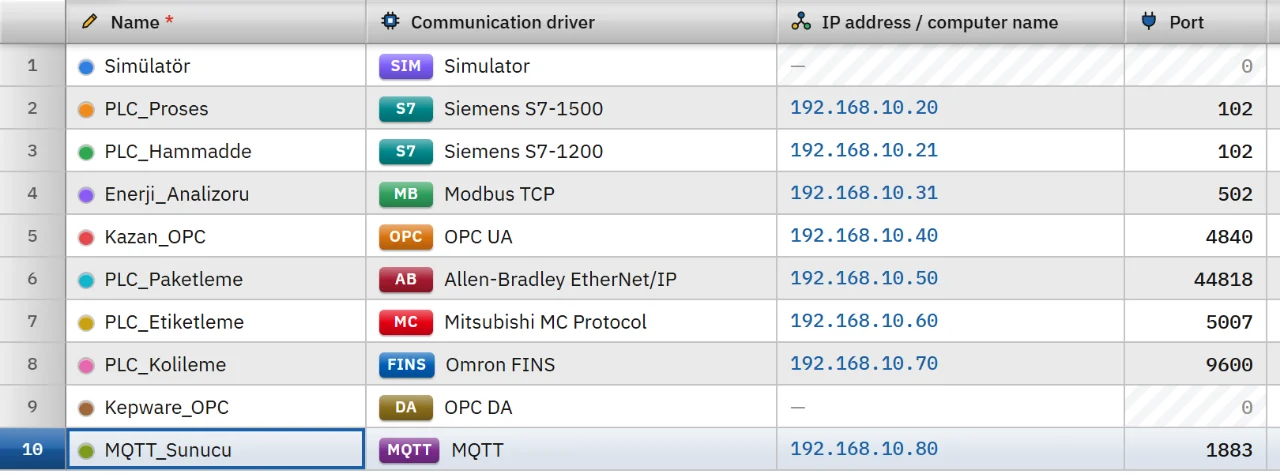
In the Connections section click Add and choose Allen-Bradley EtherNet/IP as the communication driver. Type the address of the controller in the IP address cell; the port is filled in as 44818.
-
Choose the family and the slot
In the inspector choose ControlLogix / CompactLogix or Micro800 as the Controller family. CPU slot (0 – 16) is the slot of the CPU in the ControlLogix chassis; it stays 0 for CompactLogix and Micro800.
-
Add tags
In the HMI Tags section create tags and type the name of the tag in the PLC in the Address cell. The data type in the PLC is not written in the address; the driver learns it from the PLC on the first read and converts the value to that type when writing. See the HMI tags page for details.
-
Test the connection
Online › Test connections only shows that TCP port 44818 is open. The EtherNet/IP session and tag access are tried in Live when a tag is read.
Address format
Tank_Seviye // Controller tag Program:Ana.Sayac // Tag of the Ana program Motor.Hiz // Member of a structure (UDT) Dizi[3] // Array element Dizi[1,2] // Element of a multi-dimensional array Durum.5 // Bit 5 of an integer tag, Bool Bitler[40] // Element of a Bool array - The tag name is not case-sensitive. It starts with a letter or
_, contains only letters, digits and_, and has at most 40 characters. It cannot contain two consecutive_and cannot end with_. - An array uses at most 3 dimensions, and the index can be 0 – 99999. The bit number is between 0 – 63 and is written only on a Bool tag.
- For an element of a Bool array, the driver detects on the first read that the array is based on 32-bit words and rebuilds the address automatically as word and bit.
- An entire structure or array cannot be read as a single tag. Give a member or element address such as
Motor.Hizinstead ofMotor. For many members use a structure instance: the base address (Motor1) and the member name are joined with a dot (Motor1.Hiz).
Data types
- Bool
- Byte
- SInt
- Int
- UInt
- DInt
- UDInt
- Real
- LReal
- String
The WString and DateTime types are not supported. If the type of the tag in the PLC changes later, the driver learns the type again at the next read.
Read and write behavior
- The way tags are read and bits are written depends on the family (see the table in the Overview).
- A written tag is read back at once. If the connection drops, the driver retries after 1 s, 2 s and 5 s, then every 10 s.
- A tag that cannot be read is taken out of the read set, the other tags are not affected, and it is retried every 30 s.
- Live applies a read cycle of at least 100 ms. For the behavior common to all drivers see the communication drivers page.
Limits
- Messages are sent unconnected (UCMM). There is no connected (Forward Open) messaging and no fragmented reading; data that does not fit in a single packet cannot be read.
- Structures and arrays are addressed only as members or elements. There is no CPU redundancy in the connection.
- There is no authentication or encryption.
Common errors
Connection messages appear in the Connections section of the system menu in Live. For tag errors during reading no message is shown; the tag only gets bad quality.
| Message | Cause and fix |
|---|---|
| The device did not respond to the EtherNet/IP session request (timeout) | The port or the device is wrong, or EtherNet/IP is turned off. Check the port (44818) and that the device supports EtherNet/IP. |
| The CPU in slot 0 could not be reached; check the CPU slot number in the connection | The slot number is incorrect on ControlLogix. |
| The device does not support routing the request to the backplane (CIP status 08) | The controller is a Micro800. Set the controller family to Micro800. |
| Tag not found in the PLC (CIP status 04) | The name is wrong, or the tag is inside a program. Use the Program:Ana.Tag form.
|
| Tag or its member not found in the PLC (CIP status 05) | The member name or the array index is wrong. |
| Tag does not fit in a single packet (CIP status 06) | A structure or array address was given. Give a member or element address. |
| The PLC did not allow access (CIP status 0F) | The External Access setting of the tag is off for reading or writing. Turn it on in the PLC. |
| The state of the PLC does not allow the request (CIP status 10) | The key switch position or operating mode blocks the write. |
| The Allen-Bradley EtherNet/IP driver does not support the WString type | The address cell in Studio gives this message. Use String. |
Frequently asked
What do I do differently on a Micro800?
Choose Micro800 as the controller family; the CPU slot is 0. Because Micro800 does not support batch requests, each tag is read with a separate request.
Can I read a whole UDT as one tag?
No. Give the member address, for example Motor.Hiz. For many members use a structure instance.
Related pages
Connections
The Connections table, driver selection, connection test, diagnostics, reconnection and password storage.
StudioHMI tags
External and internal tags, scaling, quality, structures (UDT) and bulk transfer with Excel.
ConnectivitySiemens S7
Connects to S7-1500, S7-1200 and S7-300 / 400 CPUs through PUT/GET.
ConnectivitySimulator
The built-in driver that generates signals for trials, demos and training without a PLC.