Overview
The simulator runs inside Live. It is used to try out a new screen without connecting to a PLC, for training and presentations, and to see trend and alarm behavior. The quick start and the sample project use this driver.
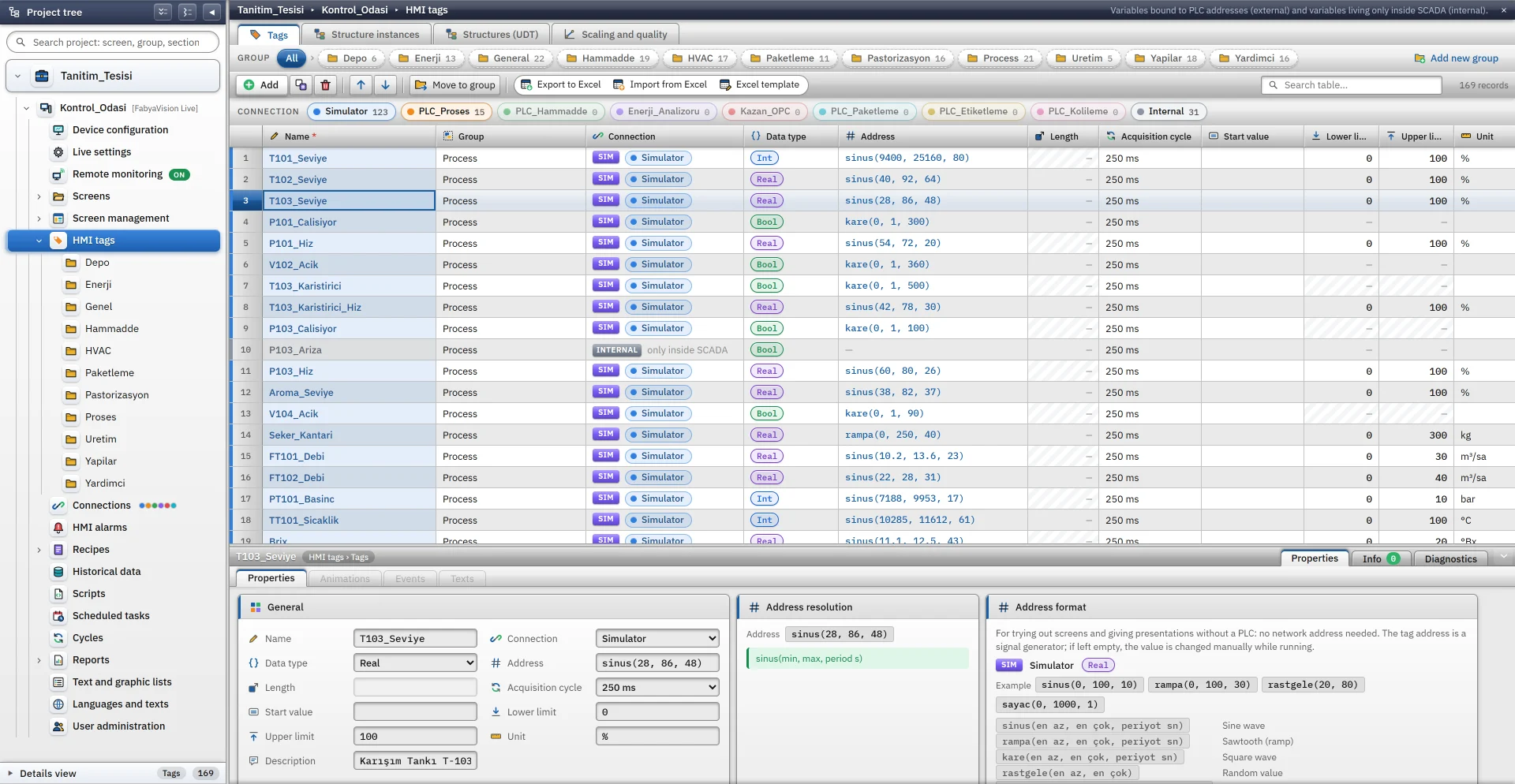
The address of the tag is a signal generator: while Live is running, the tag value is updated with the value the function generates. If the address is left empty, the value of the tag is changed manually.
- Bool
- Byte
- SInt
- Int
- UInt
- DInt
- UDInt
- Real
- LReal
Setting up the connection and tags
-
Add a connection
In the Connections section click Add and choose Simulator as the communication driver. The IP address and Port cells are locked, and there is no driver parameter. In Live the connection is always in the Simulator state.
-
Add a tag
In the HMI Tags section create a tag bound to this connection and choose its data type. See the HMI tags page for details.
-
Enter the signal
Type the function in the Address cell:
sinus(20, 80, 60). A description of the signal appears below the cell; an incorrect entry is not accepted.
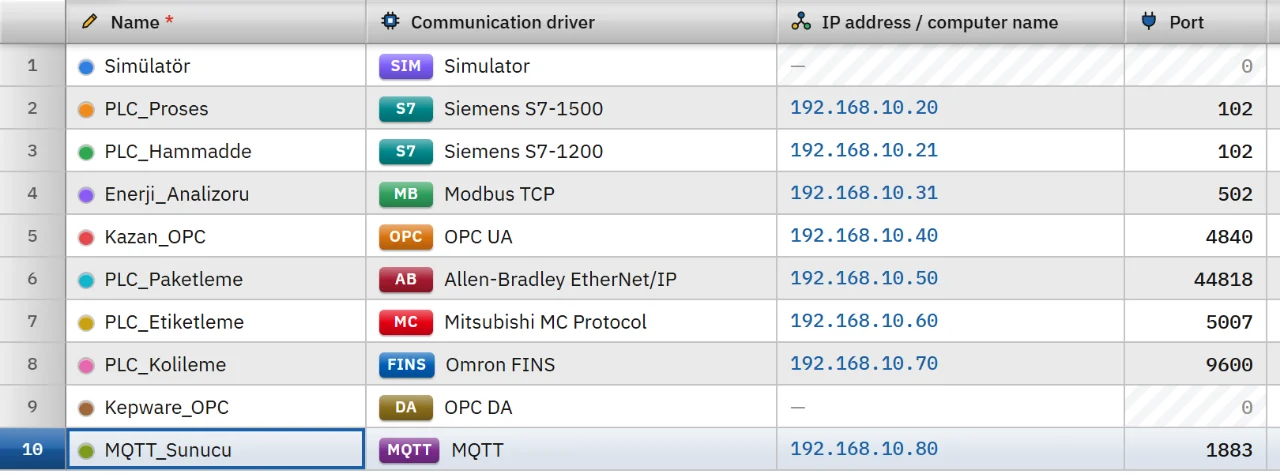
Signal functions
| Function | Parameters | Generated value |
|---|---|---|
sinus
| min, max, period (s) | A sine wave oscillating between the minimum and the maximum; it starts at the middle of the range. |
rampa
| min, max, period (s) | A sawtooth that rises linearly from the minimum to the maximum in every period and then returns to the minimum. |
kare
| min, max, period (s) | A square wave that gives the maximum in the first half of the period and the minimum in the second half. On a Bool tag, if the maximum is 1, it is on in the first half and off in the second half. |
rastgele
| min, max | A random value within the range on every update. |
sayac
| min, max, step time (s) | A counter that increases by 1 every step time and returns to the minimum when it reaches the maximum. |
sabit
| value | Always the same value. |
sinus(0, 100, 10) // Sine between 0 and 100 with a period of 10 s rampa(0, 100, 30) // Sawtooth that rises from 0 to 100 in 30 s kare(0, 1, 2) // 1 for half of the period, 0 for the other half rastgele(20, 80) // Random value between 20 and 80 sayac(0, 1000, 1) // Counter that increases by 1 every second - Numbers can be written with a decimal point (
0.5). The function name is not case-sensitive. Time is the number of seconds elapsed since Live started. - The minimum must be less than the maximum, and the period and step time must be greater than zero.
- The driver converts the number to the tag type: for Bool, 0.5 and above counts as on, Real and LReal are rounded to 3 decimal places, and integer types are rounded to the nearest integer.
Examples
| Purpose | Tag type | Address |
|---|---|---|
| Tank level, 64 s period, between 40 and 92 | Real | sinus(40, 92, 64)
|
| Pump running | Bool | kare(0, 1, 300)
|
| Temperature | Real | rampa(20, 90, 120)
|
Manually changed value
If the address is left empty, the tag does not generate a signal. Its value starts with the Start value and is changed by being written by the operator or by a script while Live is running: control button, I/O field, script.
If a tag with a signal is written to, the signal stops and the tag stays at the written value. The signal starts again when Live is reopened.
Behavior and limits
- The signal is updated at the interval of the read cycle of the tag; Live applies at least 100 ms. To put fast- and slow-changing signals in different cycles, use the Cycles table.
- The simulator value is treated as a raw value: if scaling is on in the tag, the generated value is scaled.
T101_Seviyein the sample project (sinus(9400, 25160, 80)) works this way, converting the raw range 0 – 27648 to 0 – 100. - The quality of a simulator connection is always good; the fallback value setting is never used.
- The String, WString and DateTime types are not supported. In browser monitoring the simulator does not run; the values come from Live.
Frequently asked
How do I connect simulator tags to a PLC later?
First add the connection of the PLC in the Connections section. Then update the Connection and Address columns of the tags in the tag table; for many tags, export the table to Excel, edit these two columns and import it back.
Related pages
HMI tags
External and internal tags, scaling, quality, structures (UDT) and bulk transfer with Excel.
StudioConnections
The Connections table, driver selection, connection test, diagnostics, reconnection and password storage.
ConnectivitySiemens S7
Connects to S7-1500, S7-1200 and S7-300 / 400 CPUs through PUT/GET.
ConnectivityModbus TCP
Reads and writes Modbus TCP devices by Modicon address, with unit ID and 32-bit byte order.