What scripts are for
If work such as writing a tag, opening a screen, calculating or asking the operator a question cannot be done with event functions, a script is written. A script is a small program that accesses tags and the objects of the open screens while Live is running. Scripts are written in the Scripts section and only the Live program runs them. They do not run in browser monitoring or on a TV.
All four languages do the same job. The choice depends on the habits of the team and the nature of the task. For using scripts in Live, see scripts and tasks in Live.
Four languages
VBScript, C and Python run on the product’s own engines. Windows Script Host, a real C compiler or a CPython installation is not required. JavaScript runs in Live’s own JavaScript environment and has no separate engine.
| Language | Script types | Tag access |
|---|---|---|
| VBScript | Module, Action | HMIRuntime.Tags("Ad").Read, SmartTags("Ad")
|
| JavaScript | Function, Global module | Tag.oku("Ad"), Tag.yaz("Ad", 1)
|
| C | Project functions, Action, Header file | GetTagFloat("Ad"), SetTagBit("Ad", 1)
|
| Python | Module, Action | scada.read("Ad"), scada.write("Ad", 1)
|
- VBScript is a subset of Windows VBScript.
Execute,Eval,GetObject,GetRefandOn Error GoToare not.CreateObjectcan produceScripting.Dictionary,VBScript.RegExp,ADODB,WScript.ShellandScripting.FileSystemObject. - JavaScript offers the ready-made
Tag,Sayfa,BildirandKullaniciobjects besides the standard objects (Math,Date,JSON,setTimeout). It has no database, file or program execution function. - C is a subset of ANSI C and sizes follow a 32-bit layout:
struct,union,enum,typedef, pointers and macros are supported. Bit fields,long long,scanfandgetsare not, and no real DLL is loaded. Theapdefap.hheader brings more than 350 Live functions, for exampleGetTagFloat,SetTagBit,OpenPicture. - Python is a subset of Python 3.12: unlimited
int, classes, generators,match/case, f-strings and a ready-made part of the standard library (math,random,datetime,json,re,csv,hashlib,decimal).async/await,eval,exec, threads, network access,ctypesand third-party packages such as numpy are not available.
Script types and binding
- Reused functions: Module in VBS and Python, Project functions in C, Global module in JavaScript. Functions are called from other scripts by name. Lines outside functions run once when the project is opened.
- Directly executed code: Action in VBS, C and Python, Function in JavaScript. It runs from the beginning on every call. A JavaScript function takes parameters named in the Parameters column.
- A header file exists only in C. It is included with
#include "Ad.h"and cannot run on its own.
| Caller | How it is connected |
|---|---|
| Object or screen event | The Run script function on the Events tab. For a VBS module, C project function and Python module the procedure / function to call is also selected. |
| Code written in the event | The Run VBS code, Run C code and Run Python code functions. The object of the event is available as Item and its screen as Parent. There is no such function for JavaScript.
|
| Scheduled task | The Script to run column. In a task triggered by tag change, the new value of the tag is passed as the first parameter. See scheduled tasks. |
| Recipe transfer | The Before script and After script in the PLC transfer settings. If the before script fails, the transfer does not start. |
| Another script | Python modules are imported with import Betik_Adi. VBS module procedures and C project functions share one namespace.
|
The same task in four languages
The four scripts below do the same job: when the tag P103_Calisiyor changes, they write the inverse value to the bit P103_Ariza. All run in a task triggered by tag change, and the new value of the tag arrives as the first parameter.
SmartTags("P103_Ariza") = Not deger // VBScript, Module Tag.yaz('P103_Ariza', !deger); // JavaScript, Function SetTagBit("P103_Ariza", (short)!deger); // C, Project functions scada.write("P103_Ariza", not deger) // Python, Module Script editor and compile
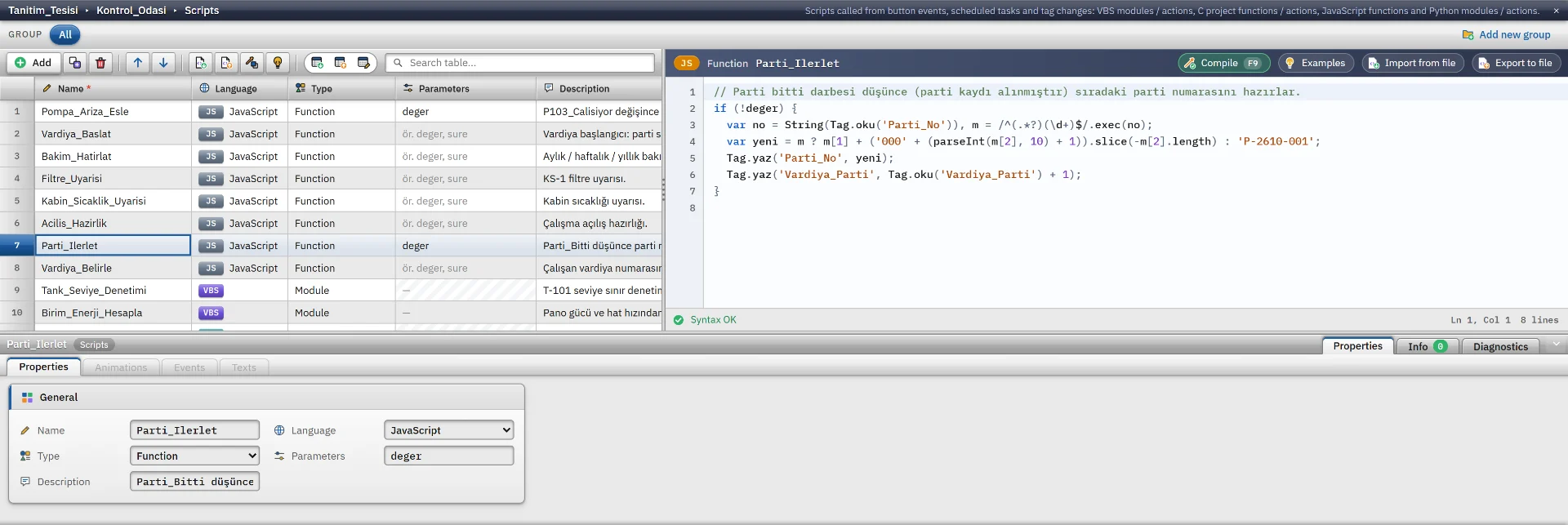
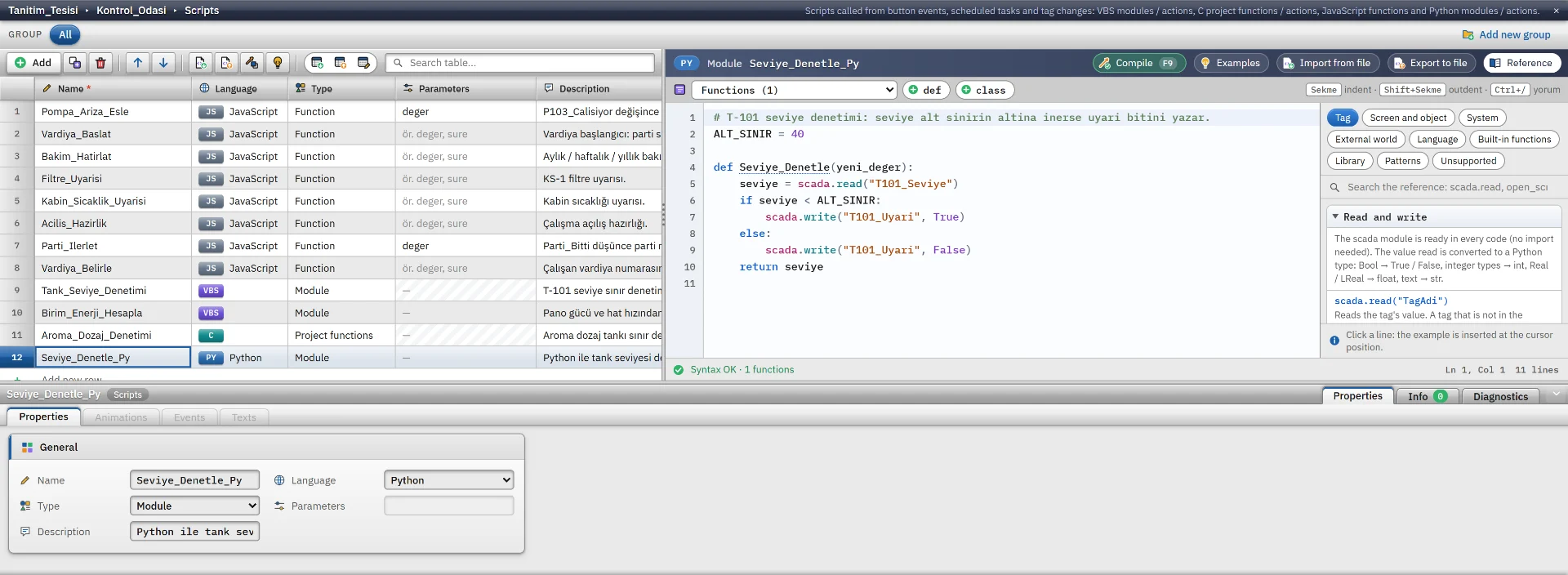
In the Scripts section, the table of scripts is at the top and the code area of the selected script is beside it. The table has the Name, Language, Type, Parameters and Description columns. The code area is the product’s own editor. The code is colored, and a line with an error is marked red, a line with a warning yellow. The syntax is checked shortly after you stop typing; the lower strip shows the line and column of the error and jumps to the faulty line when clicked. In VBS, C and Python the procedure / function list jumps to the selected line.
Compile (F9) checks the selected script, Compile all (Ctrl+Shift+B) checks all scripts. Compiling does not run the script. Besides syntax errors it checks the rules related to the project: a tag name that does not exist in the project, an unsupported member or object, a database, file or program call whose permission is off, the same procedure name in two modules. Clicking a row in the output opens the script and jumps to that line. The same rules also appear in the Check project list.
If there are compile errors when starting Live, Studio offers Show errors, Start anyway and Cancel. A faulty script does not run in Live.
There is no auto-complete, no breakpoint and no step-by-step execution. To track down errors, write output: HMIRuntime.Trace (VBS), printf (C), print or scada.trace (Python), Bildir (JavaScript). The lines are entered in the event log.
Reference panel and sample gallery
The Reference panel opens in VBS, C and Python; there is none for JavaScript. The panel is divided into tabs by language and the search box searches all of them. Clicking a row inserts the example at the cursor.
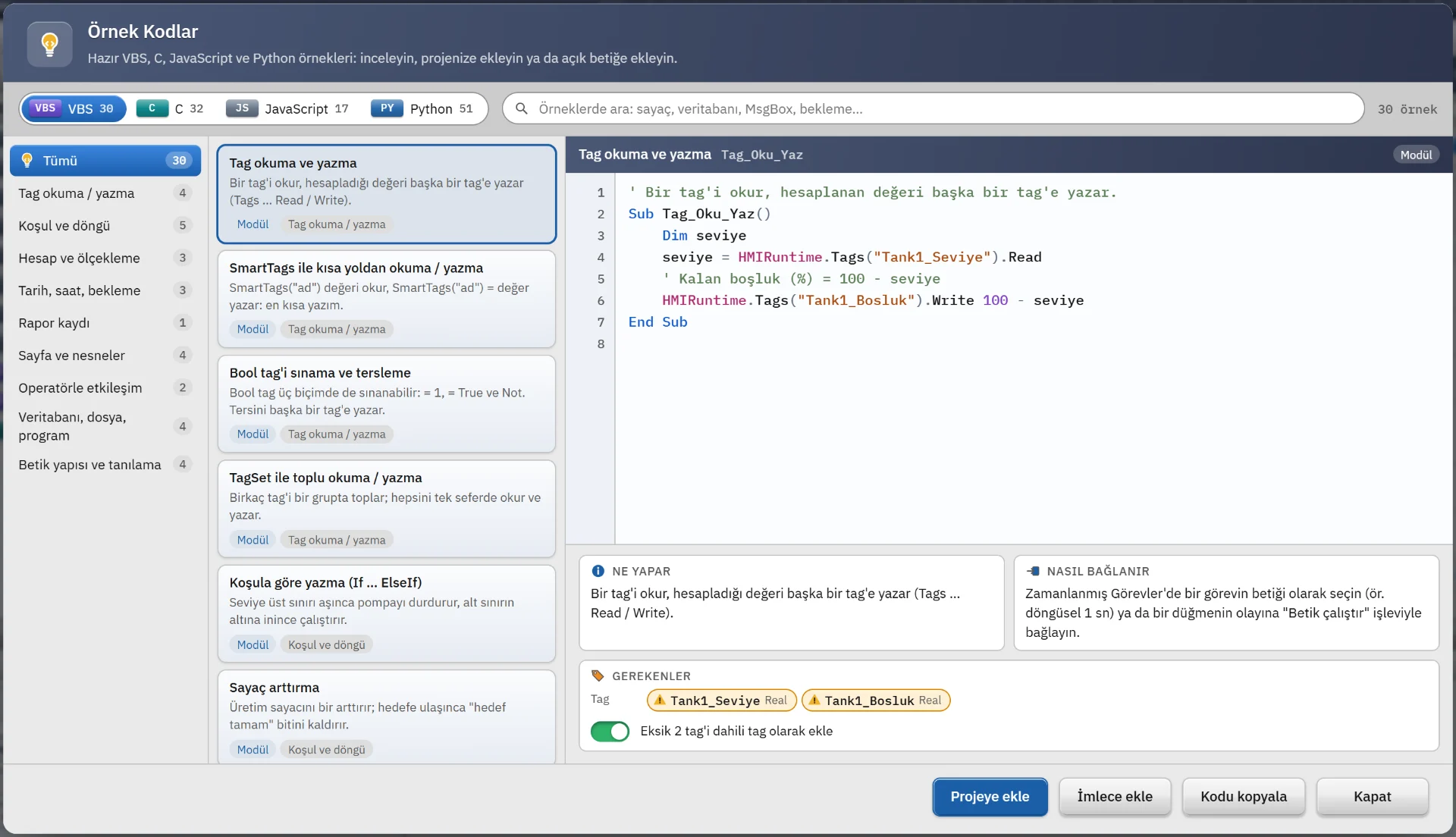
The sample code gallery has 120+ ready-made examples: VBS 30, C 32, JavaScript 17, Python 51. The examples are grouped by topics such as tag reading and writing, condition and loop, calculation, date and time, report, screens and objects, operator and database. The preview shows What it does, How to connect and Requirements, and items missing in the project are marked.
- Add to project adds the example as a new script. Optionally, missing tags are added as internal tags.
- Insert at cursor puts the example into the open script, Copy code copies it to the clipboard.
- If an example requires a permission that is off, Studio asks; the permission is not turned on automatically.
Load from file and Save to file read and write .vbs, .bas, .c, .h, .js and .py files.
Permissions and running in Live
The permissions for connecting to a database, running programs and accessing files are off by default. They are on the Live settings › General › Script permissions card. While a permission is off, a VBS, C or Python script gets an error when it makes that call, and Studio warns about the call in advance at compile time. A script performs these operations on the Live computer without asking the operator. Enable the permissions only in projects you trust.
- VBS, C and Python scripts run in the background and the interface does not freeze.
- A VBS, C or Python call can compute for at most 30 seconds. The waiting time of tag writes, database, window and wait operations is not counted. JavaScript has no such limit, and an endless loop can freeze the interface.
- In VBS, C and Python, a call that arrives for the same trigger while the previous call is still running is skipped.
- A script error does not stop the program; it is written to the event log with the type script.
Limits
- Object properties (color, text, visibility) can be changed by VBS, C and Python, but not by JavaScript. Writing an object property on a 3D screen is not supported.
- Alarm generation and acknowledgment, and access to the archive and alarm logs, do not exist in any language.
- Each language is a subset. If an unsupported member is called, the script raises an error or a diagnostics line is written. The Unsupported tabs of the Reference panel give the current list.
- In VBS and Python, a database connection has no transactions and no temporary tables.
Frequently asked
Do I need to install Windows Script Host or Python for scripts?
No. VBScript, C and Python run on the product’s own engines, and JavaScript runs in Live’s own JavaScript environment.
Can one script be connected to several tasks?
Yes. The same script can be called from different scheduled tasks and events.
Related pages
Scheduled tasks
10 triggers, catch-up of missed tasks at startup, the task status window and scheduling examples.
LiveScripts and tasks
Scripts and tasks run only in Live: script permissions, time limit and task triggers.
StudioHMI tags
External and internal tags, scaling, quality, structures (UDT) and bulk transfer with Excel.
StudioCheck and backup
Check project (F7), revisions and backup, the .fvs project file, upload to Live and table transfer with Excel.