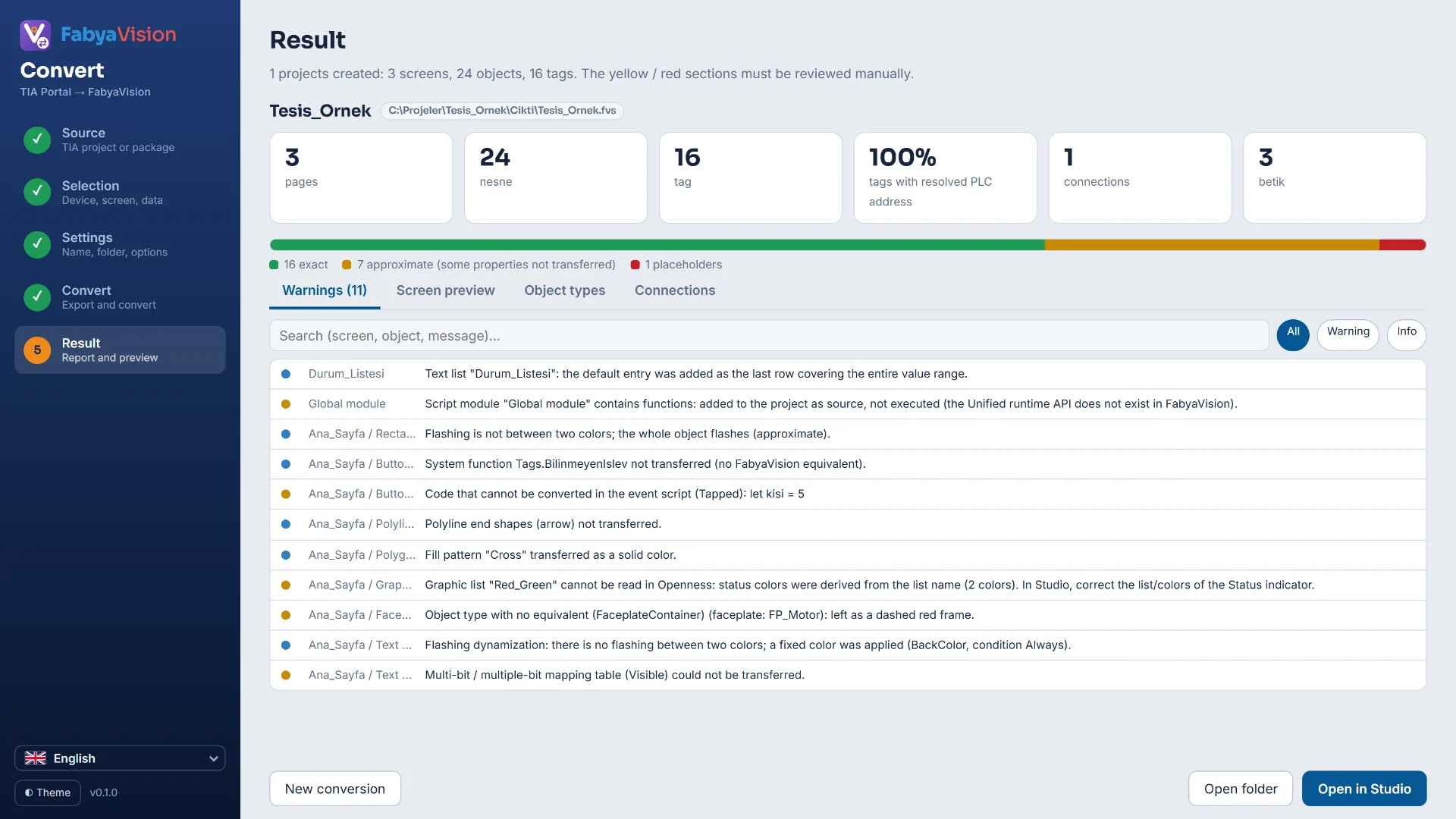
The Result step
A card appears for each project. The boxes at the top of the card show the number of pages, objects, tags, connections and scripts, and the share of tags whose PLC address was resolved. The share is calculated over external tags only; internal tags are not counted. The bar below counts the objects in three states; the counts are written under the bar.
Three states
| State | Meaning |
|---|---|
| Exact | A counterpart exists: the object was converted to its equivalent in the Studio library. |
| Approximate | Some properties were not transferred or were estimated. |
| Placeholder | No counterpart: the object is not dropped but stays as a box with a dashed red outline. You put an object in its place by hand. |
The Warnings list
Everything that could not be transferred or was estimated becomes a row in the Warnings tab, with its reason. A row has the screen and object, the level (Warning or Info) and the message. The search box looks in the screen, object and message text; the All, Warning and Info buttons filter by level. The list shows the first 400 rows; narrow the search for the rest.
The other tabs
| Tab | Content |
|---|---|
| Screen preview | Draws one of the converted pages with the same drawing engine as Studio and Live; the page is chosen from a drop-down list. |
| Object types | Lists the TIA object types with their exact, approximate and placeholder counts. |
| Connections | Shows the name, driver, IP address and tag count of each connection. If the IP address is not known, the cell says so; addresses are corrected in Studio under Connections. |
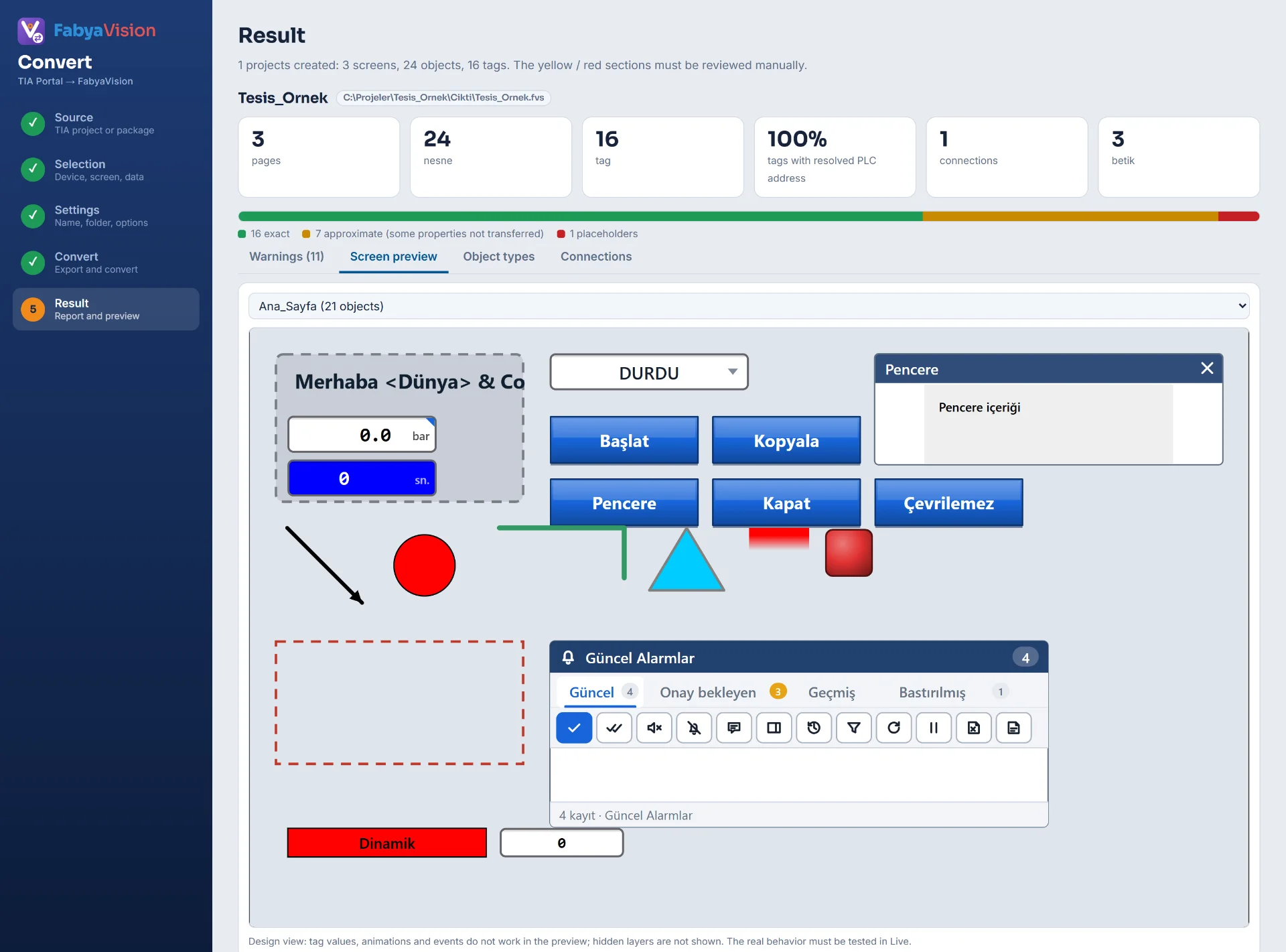
The preview is a design view: tag values, animations and events do not run, and hidden layers are not shown. You try the behavior in Live.
The address resolution box
If there are tags whose address could not be resolved, a warning box appears on the result card. The box states the number of affected tags, counting those in optimized data blocks separately, and gives the cause and the fix. In Studio these tags appear as the “No address entered” error and are not read. The causes and fixes are on the tags and addresses page.
Report language
Report rows and labels are written in the interface language of Convert: Türkçe, English, Español, Deutsch, Italiano or Français. The names, descriptions and text list entries written into the project stay in the language of the source and are not translated.
Opening in Studio
Open in Studio opens the project in Studio. Convert looks for Studio in the Studio folder next to it; if it cannot find it, the button is inactive and you open the .fvs file by hand. Open folder opens the folder of the file, and New conversion takes the wizard back to the start.
Check project (F7) in Studio lists unresolved addresses and unknown IPs.
Frequently asked
The report has many rows. Where should I start?
Filter by Warning first. Placeholder objects, code that could not be converted and unresolved addresses are listed at this level. Info rows report minor properties that were not transferred and inferences Convert made.
How do I see which property is missing on an approximate object?
Search for the name of the screen or the object in the Warnings tab. The rows of the object tell which property was not transferred or was estimated.
Related pages
Tags and addresses
How tags and PLC addresses are carried over, symbolic address resolution, optimized blocks and connections.
StudioConnections
The Connections table, driver selection, connection test, diagnostics, reconnection and password storage.
Studio2D screens and objects
Screen editor, object library, properties, layers, faceplates and the navigation menu.