Screens and objects
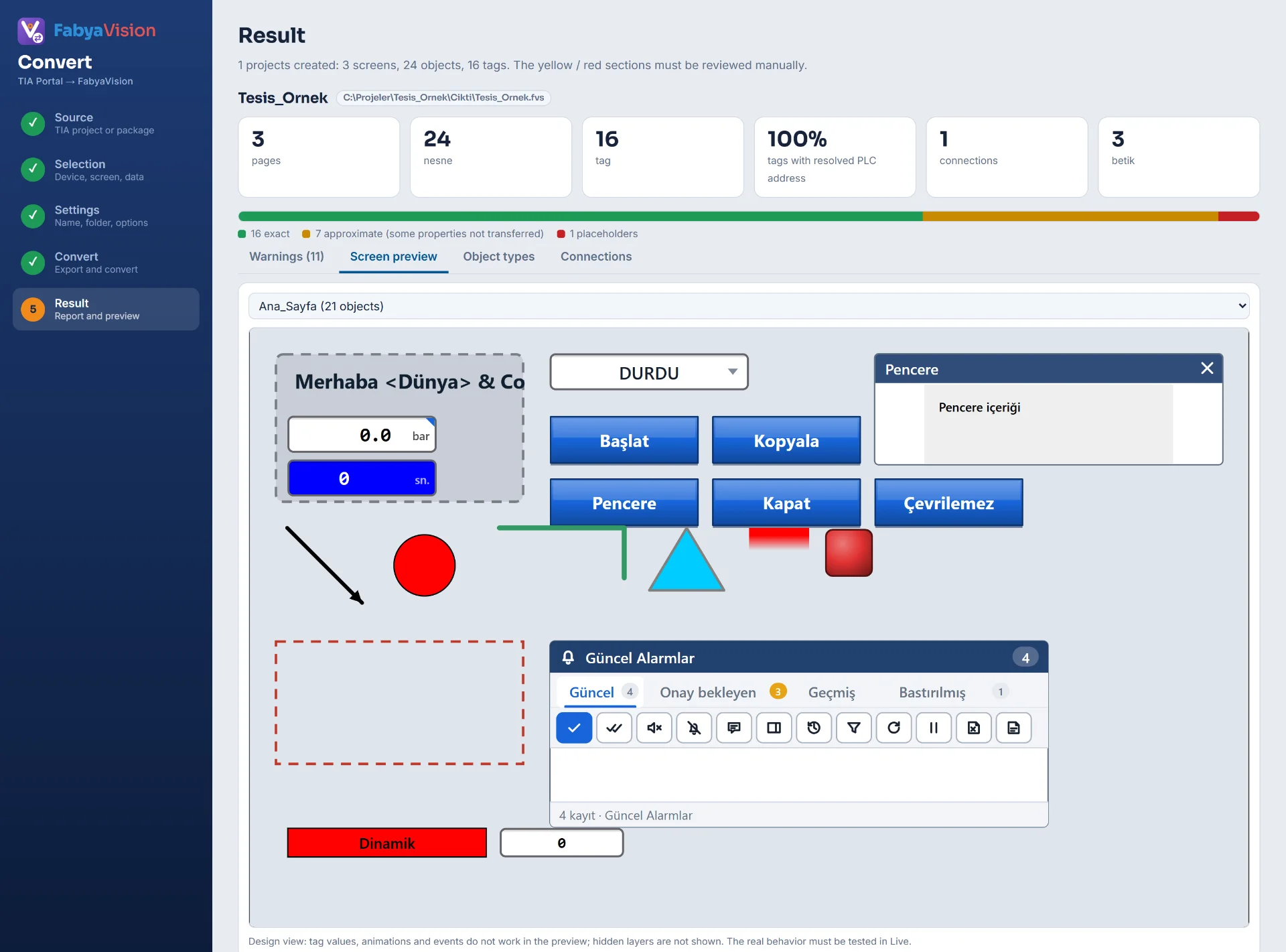
Screens, pop-up windows, templates and slide-in screens become FabyaVision pages. Screen groups become page groups, and screen layers are carried over with their names. Objects are converted to their counterparts in the Studio library.
| TIA object | Studio object |
|---|---|
| Text field | Text |
| I/O field | I/O field; mode, display format, decimal places and unit are transferred |
| Symbolic I/O field | Symbolic I/O field (with its text list) |
| Graphic I/O field | Status indicator (with its graphic list) |
| Graphic view | Image |
| Button | Button |
| Switch | Switch (approximate) |
| Bar | Bar |
| Clock, date / time field | Clock / Date |
| User view | User view |
| Alarm, trend and recipe view | The Studio control of the same name; the object comes across, its settings are not transferred (approximate) |
| Screen window, slider, gauge, HTML browser | Screen window, Slider, Gauge, HTML browser |
| Rectangle, circle, ellipse, line, polyline, polygon | Basic objects |
Dynamization and events
- Visibility animations are converted as a range or a single bit.
- Appearance animations carry the color ranges and blinking.
- The ProcessValue link of objects such as the I/O field is bound to the value of the object. A link that is a script or an expression is not transferred.
The click, press, release and activate events are converted to Studio event functions: set, reset and invert bit, set bit while pressed, write a tag value, increase and decrease, open a screen, pop-up window or slide-in, previous screen, log on and log off, close the program, acknowledge alarm and a call to a user VBScript.
Tags, lists and connections
- Tag tables become folders in Studio. Tags come with their name, data type, read cycle and start value; address resolution is described on the tags and addresses page.
- Text lists and graphic lists are converted to Studio lists.
- Read cycles become cycle records in Studio.
- Connections are created with the names the tags use. If the IP address is not known, you enter it in Studio.
- The graphics in use are added to the project as images.
VBScript scripts
Each VBScript becomes a VBS module in Studio. Script calls in events call the procedure of this module; parameters of calls with parameters are not transferred. If a script contains calls specific to WinCC (ShowSystemAlarm, Alarms, file objects), the report writes an Info row.
Studio’s script engines cover a subset of the WinCC environment. Check the scripts in Studio with Compile (F9) and try them in Live.
What is not converted
- Alarm definitions, recipes, users and archives are not converted because Openness cannot deliver them; you define them again in Studio, for example under HMI alarms and the other sections.
- The symbol library (ActiveX), faceplates and function keys are not converted.
- Screen events, PropertyAnimation animations and object enabling animations are not converted.
- Of the object events, only click, press, release and activate are carried over. Some system functions such as
StartProgramare not converted either. - In a SetTag function that reads its value from another tag, a constant value is written and the report warns.
- Object types that are not in the table above become placeholders; the details are on the conversion report page.
Frequently asked
What happens to my faceplates?
Faceplates in classic HMI are not converted. In Studio the same job is done by the faceplate page: a page bound to a structure (UDT) that opens with a tag prefix. For structures see the HMI tags page.
Related pages
Tags and addresses
How tags and PLC addresses are carried over, symbolic address resolution, optimized blocks and connections.
ConvertConversion report
Objects reported as exact, approximate or placeholder, the Warnings list and the preview.
StudioAnimation and events
Binding properties to tags, direct and range-table conversion, the state model, events and event functions.
StudioScripts
VBScript, JavaScript, C and Python; editor, compile, sample gallery and permissions that are off by default.